Editor Setup
Configure ShotGrid MCP Server in your code editor.
Demo
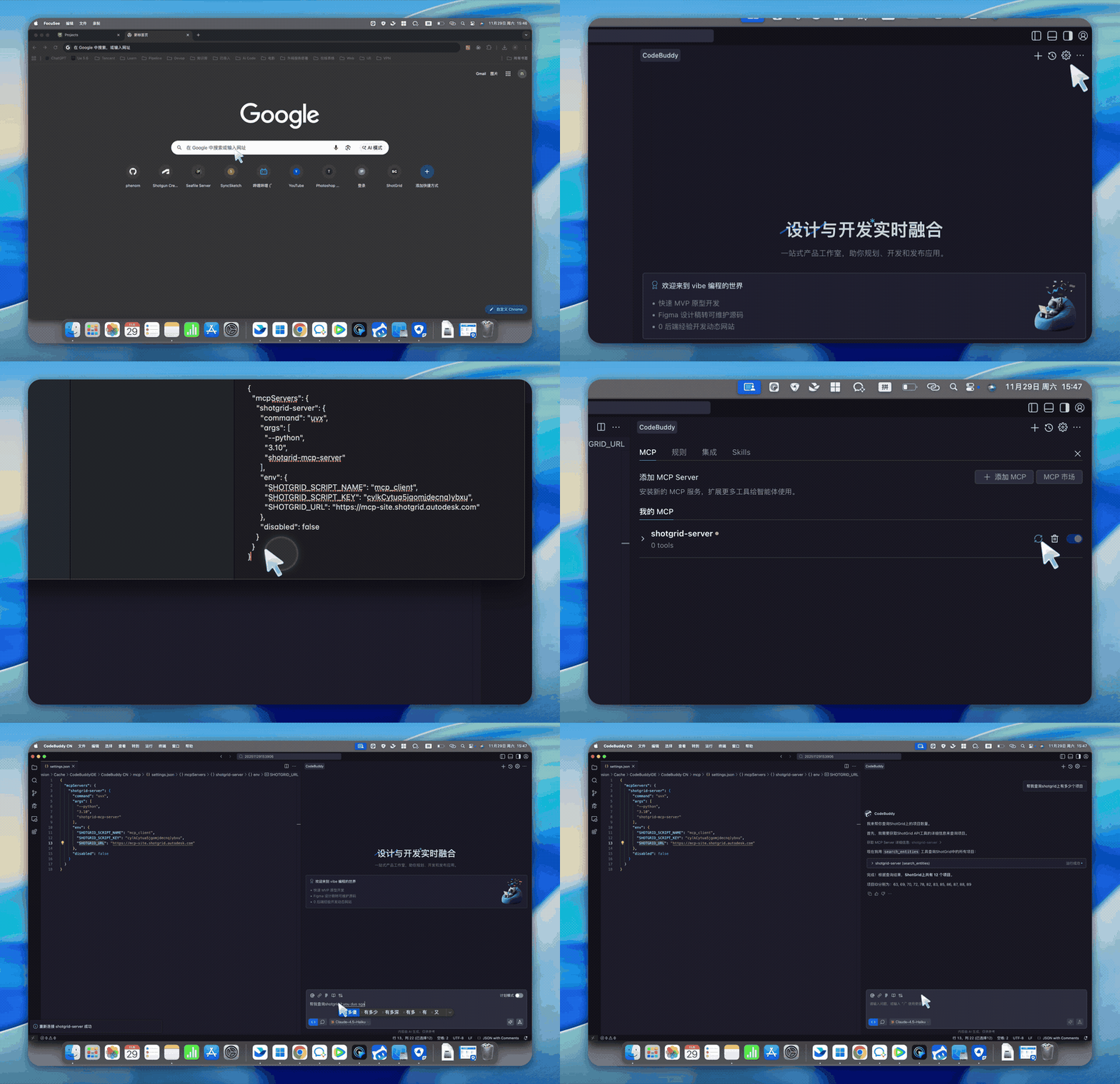
Steps
- Open your MCP-compatible editor (Claude Desktop, Cursor, VS Code, etc.)
- Navigate to MCP settings
- Add the ShotGrid MCP server configuration
- Set your ShotGrid credentials
- Restart the editor to apply changes
Configuration Example
json
{
  "mcpServers": {
    "shotgrid": {
      "command": "uvx",
      "args": ["shotgrid-mcp-server"],
      "env": {
        "SHOTGRID_URL": "https://your-site.shotgunstudio.com",
        "SHOTGRID_SCRIPT_NAME": "your_script_name",
        "SHOTGRID_SCRIPT_KEY": "your_script_key"
      }
    }
  }
}
Verify Connection
After configuration, you can verify the connection by asking your AI assistant:
"List all projects in ShotGrid"
If configured correctly, you should see a list of your ShotGrid projects.