
示例
本页展示各种 AuroraView 示例,演示不同的功能和用例。
自动生成
本页内容从 examples/ 目录自动生成。
Getting Started
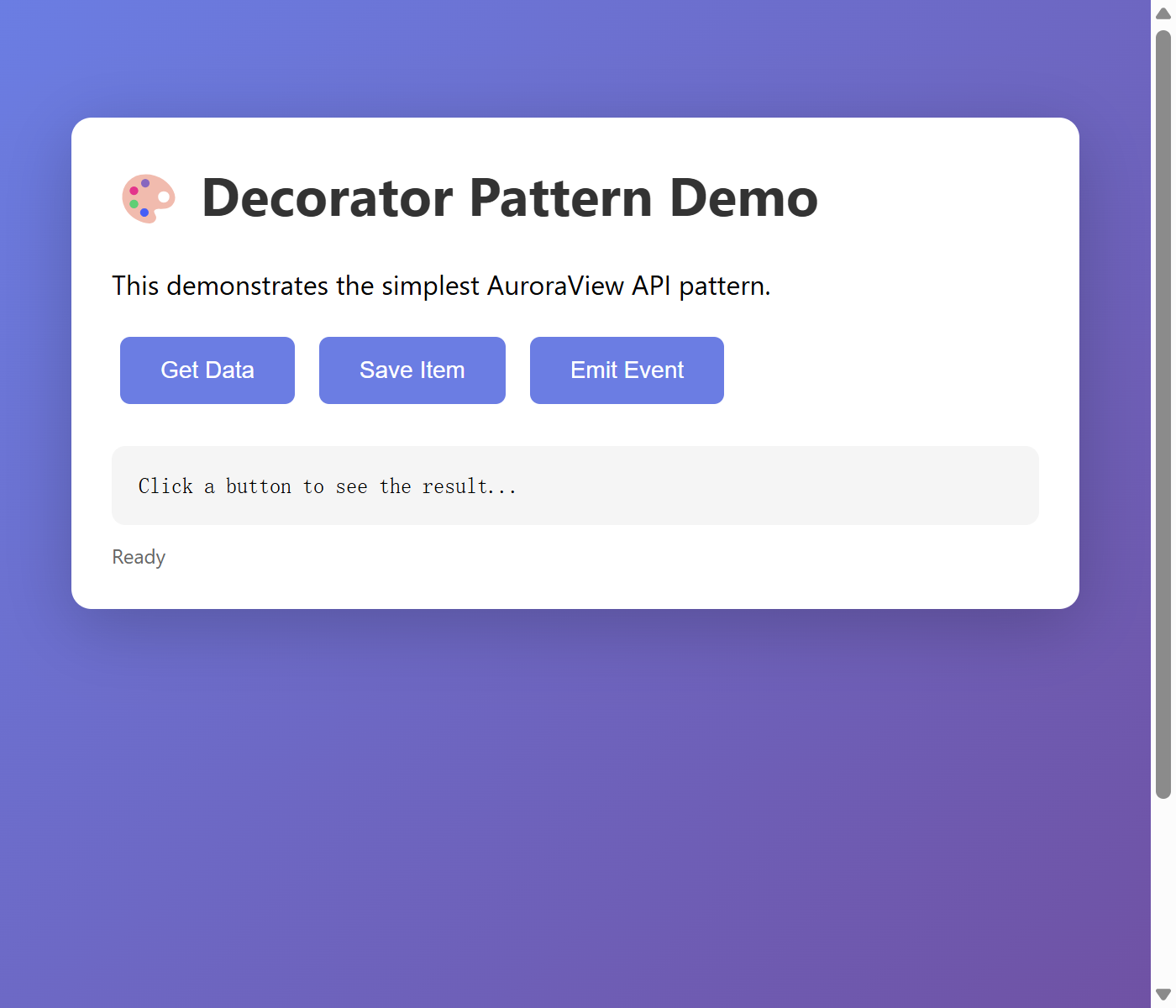
Simple Decorator Pattern Example
This example demonstrates the simplest way to create a WebView tool using the decorator pattern. Best for quick prototypes and simple tools.
查看源代码
"""Simple Decorator Pattern Example - AuroraView API Demo.

This example demonstrates the simplest way to create a WebView tool
using the decorator pattern. Best for quick prototypes and simple tools.

Note: This example uses the low-level WebView API for demonstration.
For most use cases, prefer:
- QtWebView: For Qt-based DCC apps (Maya, Houdini, Nuke)
- AuroraView: For HWND-based apps (Unreal Engine)
- run_desktop: For standalone desktop applications

Usage:
    python examples/simple_decorator.py

Features demonstrated:
    - @view.bind_call() decorator for API methods
    - @view.on() decorator for event handlers
    - Python -> JavaScript communication via emit()
    - JavaScript -> Python communication via API calls

JavaScript side (index.html):
    // Call Python API
    const data = await auroraview.api.get_data();
    const result = await auroraview.api.save_item({name: "test", value: 42});

    // Send events to Python
    auroraview.send_event("item_clicked", {id: "btn1"});

    // Listen for Python events
    auroraview.on("data_updated", (data) => console.log(data));
"""

from __future__ import annotations

from auroraview import WebView


def main():
    """Run the simple decorator example."""
    # Create WebView with inline HTML for demo
    html_content = """
    <!DOCTYPE html>
    <html>
    <head>
        <title>Decorator Pattern Demo</title>
        <style>
            body {
                font-family: -apple-system, BlinkMacSystemFont, 'Segoe UI', Roboto, sans-serif;
                max-width: 600px;
                margin: 50px auto;
                padding: 20px;
                background: linear-gradient(135deg, #667eea 0%, #764ba2 100%);
                min-height: 100vh;
            }
            .card {
                background: white;
                border-radius: 12px;
                padding: 24px;
                box-shadow: 0 10px 40px rgba(0,0,0,0.2);
            }
            h1 { color: #333; margin-top: 0; }
            button {
                background: #667eea;
                color: white;
                border: none;
                padding: 12px 24px;
                border-radius: 6px;
                cursor: pointer;
                font-size: 14px;
                margin: 5px;
                transition: transform 0.1s;
            }
            button:hover { transform: translateY(-2px); }
            button:active { transform: translateY(0); }
            #output {
                background: #f5f5f5;
                border-radius: 8px;
                padding: 16px;
                margin-top: 20px;
                font-family: monospace;
                white-space: pre-wrap;
                max-height: 200px;
                overflow-y: auto;
            }
            .status { color: #666; font-size: 12px; margin-top: 10px; }
        </style>
    </head>
    <body>
        <div class="card">
            <h1>🎨 Decorator Pattern Demo</h1>
            <p>This demonstrates the simplest AuroraView API pattern.</p>

            <div>
                <button onclick="getData()">Get Data</button>
                <button onclick="saveItem()">Save Item</button>
                <button onclick="emitEvent()">Emit Event</button>
            </div>

            <div id="output">Click a button to see the result...</div>
            <div class="status" id="status">Ready</div>
        </div>

        <script>
            const output = document.getElementById('output');
            const status = document.getElementById('status');

            function log(msg) {
                output.textContent = JSON.stringify(msg, null, 2);
                status.textContent = `Updated: ${new Date().toLocaleTimeString()}`;
            }

            async function getData() {
                try {
                    const result = await auroraview.api.get_data();
                    log(result);
                } catch (e) {
                    log({error: e.message});
                }
            }

            async function saveItem() {
                try {
                    const result = await auroraview.api.save_item({
                        name: "test_item",
                        value: Math.floor(Math.random() * 100)
                    });
                    log(result);
                } catch (e) {
                    log({error: e.message});
                }
            }

            function emitEvent() {
                auroraview.send_event("item_clicked", {
                    id: "demo_button",
                    timestamp: Date.now()
                });
                log({message: "Event sent to Python!"});
            }

            // Listen for Python events
            auroraview.on("data_updated", (data) => {
                log({from_python: data});
            });

            auroraview.on("notification", (data) => {
                alert(data.message);
            });
        </script>
    </body>
    </html>
    """

    view = WebView(title="Decorator Pattern Demo", html=html_content, width=700, height=600)

    # ─────────────────────────────────────────────────────────────────
    # API Methods: Use @view.bind_call() to expose functions to JavaScript
    # These can be called via: await auroraview.api.method_name({...})
    # ─────────────────────────────────────────────────────────────────

    @view.bind_call("api.get_data")
    def get_data() -> dict:
        """Return sample data. JS: await auroraview.api.get_data()"""
        return {
            "items": ["apple", "banana", "cherry"],
            "count": 3,
            "timestamp": "2024-01-01T12:00:00Z",
        }

    @view.bind_call("api.save_item")
    def save_item(name: str = "", value: int = 0) -> dict:
        """Save an item. JS: await auroraview.api.save_item({name: "x", value: 1})"""
        print(f"[Python] Saving item: {name} = {value}")

        # Notify JavaScript about the update
        view.emit("data_updated", {"action": "saved", "name": name, "value": value})

        return {"ok": True, "message": f"Saved {name} with value {value}"}

    # ─────────────────────────────────────────────────────────────────
    # Event Handlers: Use @view.on() for fire-and-forget events from JS
    # These are called via: auroraview.send_event("event_name", {...})
    # ─────────────────────────────────────────────────────────────────

    @view.on("item_clicked")
    def handle_item_click(data: dict):
        """Handle click events from JavaScript."""
        item_id = data.get("id", "unknown")
        timestamp = data.get("timestamp", 0)
        print(f"[Python] Item clicked: {item_id} at {timestamp}")

        # Send a notification back to JavaScript
        view.emit("notification", {"message": f"Python received click on {item_id}!"})

    # ─────────────────────────────────────────────────────────────────
    # Show the WebView
    # ─────────────────────────────────────────────────────────────────
    print("Starting Decorator Pattern Demo...")
    print("API methods registered: get_data, save_item")
    print("Event handlers registered: item_clicked")
    view.show()


if __name__ == "__main__":
    main()
运行: python examples/simple_decorator.py
特性:
- @view.bind_call() decorator for API methods
- @view.on() decorator for event handlers
- Python -> JavaScript communication via emit()
- JavaScript -> Python communication via API calls
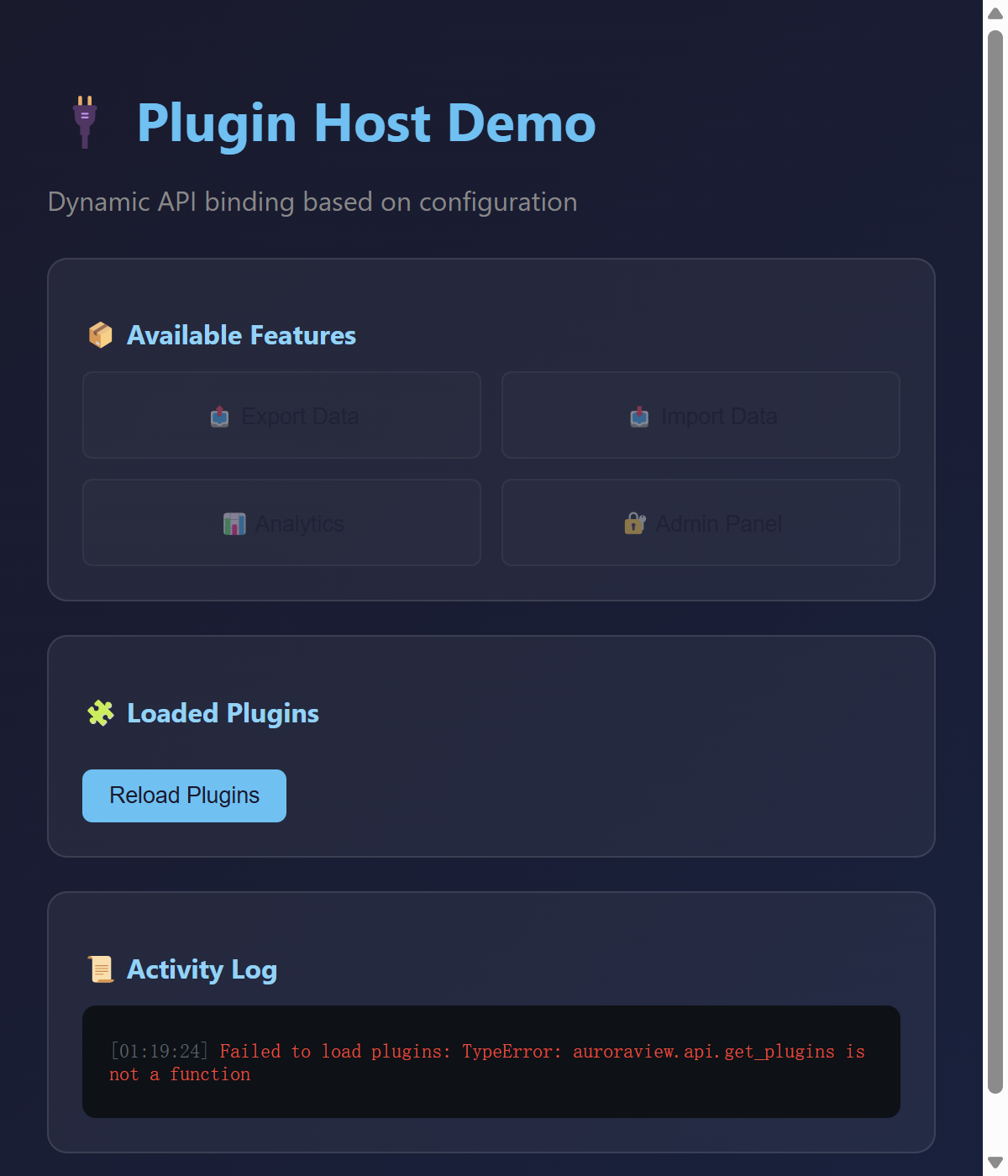
Dynamic Binding Pattern Example
This example demonstrates advanced runtime binding for plugin systems and dynamic configurations. Best for extensible applications.
查看源代码
"""Dynamic Binding Pattern Example - AuroraView API Demo.

This example demonstrates advanced runtime binding for plugin systems
and dynamic configurations. Best for extensible applications.

Note: This example uses the low-level WebView API for demonstration.
For most use cases, prefer QtWebView, AuroraView, or run_desktop.

Usage:
    python examples/dynamic_binding.py

Features demonstrated:
    - Runtime API binding with bind_call()
    - Dynamic feature loading based on configuration
    - Event handlers with @view.on() decorator
    - Plugin-like architecture
    - Conditional API registration

Use cases:
    - Plugin systems that register APIs at runtime
    - Feature flags that enable/disable functionality
    - Configuration-driven API exposure
    - Multi-tenant applications with different capabilities
"""

from __future__ import annotations

import json

from auroraview import WebView


def create_plugin_host():
    """Create a WebView that acts as a plugin host."""
    # HTML content for the plugin host demo
    html_content = """
<!DOCTYPE html>
<html>
<head>
    <title>Plugin Host Demo</title>
    <style>
        * { box-sizing: border-box; }
        body {
            font-family: -apple-system, BlinkMacSystemFont, 'Segoe UI', Roboto, sans-serif;
            background: linear-gradient(135deg, #1a1a2e 0%, #16213e 100%);
            color: #e0e0e0;
            padding: 20px;
            min-height: 100vh;
        }
        h1 { color: #4fc3f7; margin-bottom: 8px; }
        .subtitle { color: #888; margin-bottom: 24px; }
        .section {
            background: rgba(255,255,255,0.05);
            border-radius: 12px;
            padding: 20px;
            margin-bottom: 20px;
            border: 1px solid rgba(255,255,255,0.1);
        }
        .section h2 { color: #81d4fa; font-size: 16px; margin-bottom: 12px; }
        .plugin-card {
            background: rgba(255,255,255,0.08);
            border-radius: 8px;
            padding: 12px;
            margin: 8px 0;
            display: flex;
            justify-content: space-between;
            align-items: center;
        }
        .plugin-name { font-weight: 500; }
        .plugin-status { font-size: 12px; color: #888; }
        .plugin-status.active { color: #4caf50; }
        button {
            background: #4fc3f7;
            color: #1a1a2e;
            border: none;
            padding: 8px 16px;
            border-radius: 6px;
            cursor: pointer;
            font-weight: 500;
            transition: all 0.15s;
        }
        button:hover { background: #81d4fa; transform: translateY(-1px); }
        button:disabled { opacity: 0.5; cursor: not-allowed; transform: none; }
        .feature-grid { display: grid; grid-template-columns: repeat(2, 1fr); gap: 12px; }
        .feature-btn {
            padding: 16px;
            text-align: center;
            background: rgba(79, 195, 247, 0.1);
            border: 1px solid rgba(79, 195, 247, 0.3);
        }
        .feature-btn:disabled { background: rgba(255,255,255,0.02); border-color: rgba(255,255,255,0.1); }
        #output {
            background: #0d1117;
            border-radius: 8px;
            padding: 16px;
            font-family: 'Fira Code', monospace;
            font-size: 12px;
            max-height: 200px;
            overflow-y: auto;
            white-space: pre-wrap;
        }
        .log-entry { margin: 4px 0; }
        .log-time { color: #586069; }
        .log-success { color: #4caf50; }
        .log-error { color: #f44336; }
        .log-info { color: #4fc3f7; }
    </style>
</head>
<body>
    <h1>🔌 Plugin Host Demo</h1>
    <p class="subtitle">Dynamic API binding based on configuration</p>

    <div class="section">
        <h2>📦 Available Features</h2>
        <div class="feature-grid">
            <button class="feature-btn" id="btn-export" onclick="tryExport()">
                📤 Export Data
            </button>
            <button class="feature-btn" id="btn-import" onclick="tryImport()">
                📥 Import Data
            </button>
            <button class="feature-btn" id="btn-analytics" onclick="tryAnalytics()">
                📊 Analytics
            </button>
            <button class="feature-btn" id="btn-admin" onclick="tryAdmin()">
                🔐 Admin Panel
            </button>
        </div>
    </div>

    <div class="section">
        <h2>🧩 Loaded Plugins</h2>
        <div id="plugins"></div>
        <button onclick="loadPlugins()" style="margin-top: 12px;">Reload Plugins</button>
    </div>

    <div class="section">
        <h2>📜 Activity Log</h2>
        <div id="output"></div>
    </div>

    <script>
        function log(msg, type = 'info') {
            const output = document.getElementById('output');
            const time = new Date().toLocaleTimeString();
            output.innerHTML = `<div class="log-entry"><span class="log-time">[${time}]</span> ` +
                `<span class="log-${type}">${msg}</span></div>` + output.innerHTML;
        }

        async function checkFeature(name) {
            try {
                const result = await auroraview.api.has_feature({name});
                return result.available;
            } catch { return false; }
        }

        async function updateFeatureButtons() {
            const features = ['export', 'import', 'analytics', 'admin'];
            for (const f of features) {
                const btn = document.getElementById(`btn-${f}`);
                const available = await checkFeature(f);
                btn.disabled = !available;
                btn.title = available ? `${f} is enabled` : `${f} is not enabled`;
            }
        }

        async function tryExport() {
            try {
                const result = await auroraview.api.export_data({format: 'json'});
                log(`Export: ${JSON.stringify(result)}`, 'success');
            } catch (e) { log(`Export failed: ${e}`, 'error'); }
        }

        async function tryImport() {
            try {
                const result = await auroraview.api.import_data({data: '{"test": 1}'});
                log(`Import: ${JSON.stringify(result)}`, 'success');
            } catch (e) { log(`Import failed: ${e}`, 'error'); }
        }

        async function tryAnalytics() {
            try {
                const result = await auroraview.api.get_analytics();
                log(`Analytics: ${JSON.stringify(result)}`, 'success');
            } catch (e) { log(`Analytics failed: ${e}`, 'error'); }
        }

        async function tryAdmin() {
            try {
                const result = await auroraview.api.admin_action({action: 'list_users'});
                log(`Admin: ${JSON.stringify(result)}`, 'success');
            } catch (e) { log(`Admin failed: ${e}`, 'error'); }
        }

        async function loadPlugins() {
            try {
                const result = await auroraview.api.get_plugins();
                const container = document.getElementById('plugins');
                container.innerHTML = result.plugins.map(p => `
                    <div class="plugin-card">
                        <div>
                            <div class="plugin-name">${p.name}</div>
                            <div class="plugin-status ${p.active ? 'active' : ''}">${p.active ? '● Active' : '○ Inactive'}</div>
                        </div>
                        <button onclick="activatePlugin('${p.id}')" ${p.active ? 'disabled' : ''}>
                            ${p.active ? 'Loaded' : 'Load'}
                        </button>
                    </div>
                `).join('');
                log(`Loaded ${result.plugins.length} plugins`, 'info');
            } catch (e) { log(`Failed to load plugins: ${e}`, 'error'); }
        }

        async function activatePlugin(id) {
            try {
                const result = await auroraview.api.activate_plugin({plugin_id: id});
                log(`Plugin activated: ${result.name}`, 'success');
                loadPlugins();
                updateFeatureButtons();
            } catch (e) { log(`Failed to activate plugin: ${e}`, 'error'); }
        }

        // Listen for Python events
        auroraview.on('plugin_loaded', (data) => {
            log(`Plugin loaded: ${data.name}`, 'success');
            loadPlugins();
            updateFeatureButtons();
        });

        auroraview.on('feature_enabled', (data) => {
            log(`Feature enabled: ${data.feature}`, 'info');
            updateFeatureButtons();
        });

        // Initial load
        loadPlugins();
        updateFeatureButtons();
    </script>
</body>
</html>
"""

    view = WebView(title="Plugin Host Demo", html=html_content, width=600, height=700, debug=True)

    # ═══════════════════════════════════════════════════════════════════
    # Configuration-driven feature flags
    # ═══════════════════════════════════════════════════════════════════
    config = {
        "features": ["export", "import"],  # Enabled features
        "plugins": [
            {"id": "analytics", "name": "Analytics Plugin", "active": False},
            {"id": "admin", "name": "Admin Tools", "active": False},
            {"id": "export_pro", "name": "Export Pro", "active": True},
        ],
    }

    # ═══════════════════════════════════════════════════════════════════
    # Core API methods (always available)
    # ═══════════════════════════════════════════════════════════════════

    def get_plugins() -> dict:
        """Get list of available plugins."""
        return {"plugins": config["plugins"]}

    def activate_plugin(plugin_id: str = "") -> dict:
        """Activate a plugin and register its APIs."""
        for plugin in config["plugins"]:
            if plugin["id"] == plugin_id:
                plugin["active"] = True

                # Dynamically register plugin APIs
                if plugin_id == "analytics":
                    config["features"].append("analytics")
                    view.bind_call("get_analytics", lambda: {"views": 1234, "users": 56})
                elif plugin_id == "admin":
                    config["features"].append("admin")
                    view.bind_call(
                        "admin_action",
                        lambda action="": {"action": action, "users": ["admin", "user1"]},
                    )

                view.emit("plugin_loaded", {"id": plugin_id, "name": plugin["name"]})
                return {"ok": True, "name": plugin["name"]}

        return {"ok": False, "error": "Plugin not found"}

    def has_feature(name: str = "") -> dict:
        """Check if a feature is available."""
        return {"available": name in config["features"], "feature": name}

    # Bind core APIs
    view.bind_call("get_plugins", get_plugins)
    view.bind_call("activate_plugin", activate_plugin)
    view.bind_call("has_feature", has_feature)

    # ═══════════════════════════════════════════════════════════════════
    # Conditionally bind APIs based on configuration
    # ═══════════════════════════════════════════════════════════════════

    if "export" in config["features"]:
        print("[Config] Export feature enabled")

        def export_data(format: str = "json") -> dict:
            """Export data in specified format."""
            return {"ok": True, "format": format, "data": '{"exported": true}', "size": 42}

        view.bind_call("export_data", export_data)

    if "import" in config["features"]:
        print("[Config] Import feature enabled")

        def import_data(data: str = "") -> dict:
            """Import data from string."""
            try:
                parsed = json.loads(data) if data else {}
                return {"ok": True, "imported": len(parsed), "data": parsed}
            except json.JSONDecodeError as e:
                return {"ok": False, "error": str(e)}

        view.bind_call("import_data", import_data)

    # ═══════════════════════════════════════════════════════════════════
    # Connect to lifecycle events via decorators
    # Note: WebView uses @view.on() decorator pattern instead of signals
    # ═══════════════════════════════════════════════════════════════════

    @view.on("ready")
    def on_ready_handler():
        """Handle WebView ready event."""
        print("[Event] WebView is ready!")

    @view.on("navigate")
    def on_navigate_handler(data: dict):
        """Handle navigation events."""
        url = data.get("url", "")
        print(f"[Event] Navigated to: {url}")

    # ═══════════════════════════════════════════════════════════════════
    # Register event handlers
    # ═══════════════════════════════════════════════════════════════════

    @view.on("plugin_event")
    def handle_plugin_event(data: dict):
        """Handle events from plugins."""
        print(f"[Event] Plugin event: {data}")

    return view


def main():
    """Run the dynamic binding example."""
    print("Starting Plugin Host Demo (Dynamic Binding Pattern)...")
    print()
    print("This example demonstrates:")
    print("  - Runtime API binding with bind_call()")
    print("  - Configuration-driven feature flags")
    print("  - Dynamic plugin loading")
    print("  - Event handlers with @view.on() decorator")
    print()
    print("Enabled features: export, import")
    print("Available plugins: analytics, admin, export_pro")
    print()

    view = create_plugin_host()
    view.show()


if __name__ == "__main__":
    main()
运行: python examples/dynamic_binding.py
特性:
- Runtime API binding with bind_call()
- Dynamic feature loading based on configuration
- Event handlers with @view.on() decorator
- Plugin-like architecture
- Conditional API registration
- Plugin systems that register APIs at runtime
- Feature flags that enable/disable functionality
- Configuration-driven API exposure
- Multi-tenant applications with different capabilities
Window Features
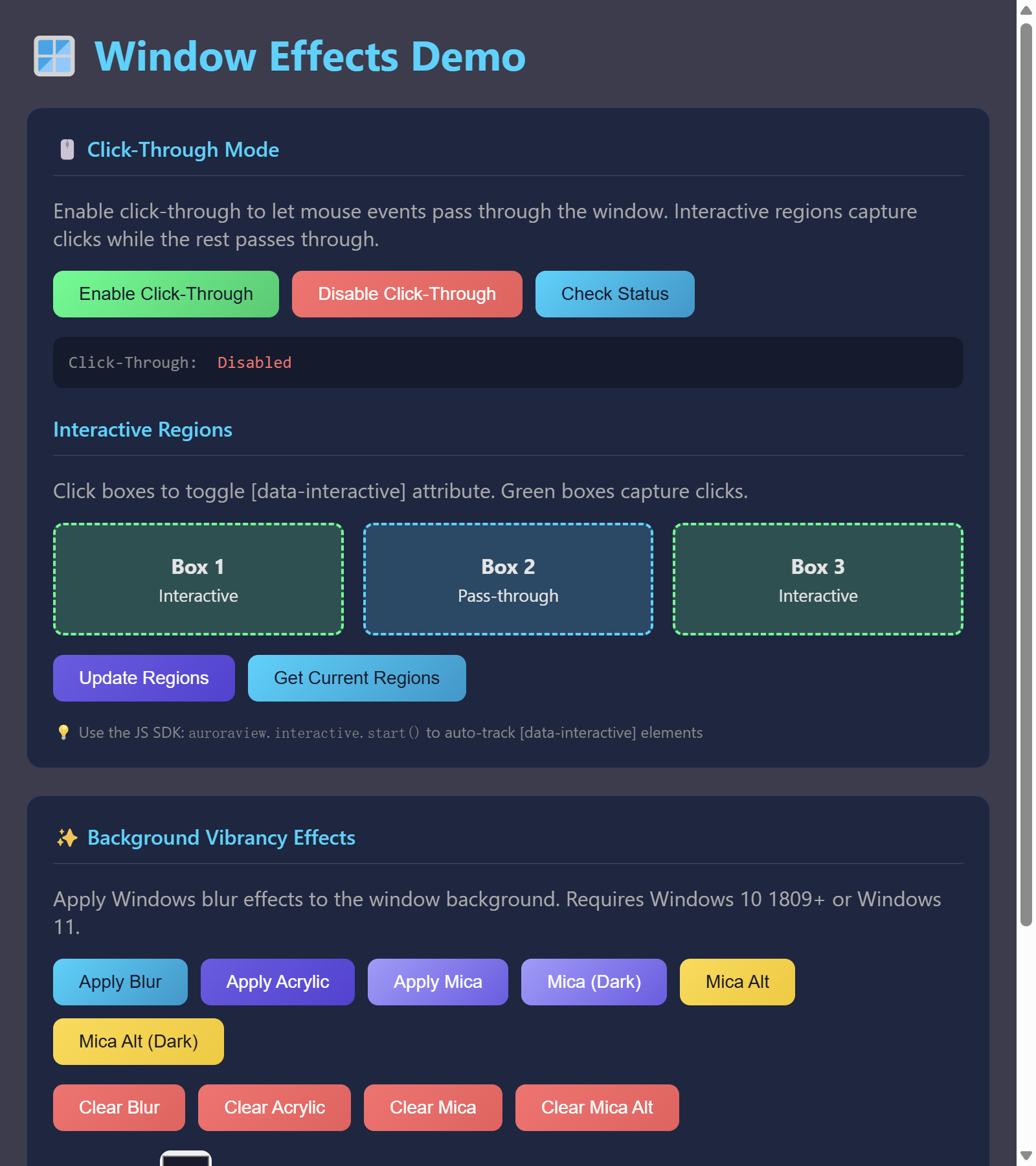
Window Effects Demo
This example shows how to use the window effects APIs: 1. Click-through mode with interactive regions
查看源代码
#!/usr/bin/env python
# -*- coding: utf-8 -*-
"""Window Effects Demo - Demonstrates click-through and vibrancy effects.
This example shows how to use the window effects APIs:
1. Click-through mode with interactive regions
2. Background blur effects (Blur, Acrylic, Mica, Mica Alt)
Features demonstrated:
- Enable/disable click-through mode
- Define interactive regions where clicks are captured
- Apply various background blur effects (Windows 10/11)
- Dynamic region updates via JavaScript SDK
Platform Support:
- Windows 10 1809+: Blur, Acrylic
- Windows 11: Mica, Mica Alt (in addition to Blur, Acrylic)
- macOS/Linux: Not supported (graceful fallback)
Signed-off-by: Hal Long <hal.long@outlook.com>
"""
from auroraview import WebView
def create_demo_html() -> str:
"""Create demo HTML with effect controls."""
return """
<!DOCTYPE html>
<html>
<head>
<title>Window Effects Demo</title>
<meta charset="UTF-8">
<style>
* {
margin: 0;
padding: 0;
box-sizing: border-box;
}
body {
font-family: -apple-system, BlinkMacSystemFont, 'Segoe UI', Roboto, sans-serif;
background: rgba(26, 26, 46, 0.85);
color: #e4e4e4;
min-height: 100vh;
padding: 20px;
}
h1 {
color: #00d4ff;
margin-bottom: 20px;
}
.section {
background: rgba(22, 33, 62, 0.8);
border-radius: 12px;
padding: 20px;
margin-bottom: 20px;
border: 1px solid rgba(255, 255, 255, 0.1);
}
.section-title {
font-size: 16px;
font-weight: 600;
color: #00d4ff;
margin-bottom: 15px;
padding-bottom: 10px;
border-bottom: 1px solid rgba(255, 255, 255, 0.1);
}
.button-group {
display: flex;
flex-wrap: wrap;
gap: 10px;
margin-bottom: 15px;
}
button {
padding: 10px 20px;
border: none;
border-radius: 8px;
cursor: pointer;
font-size: 14px;
font-weight: 500;
transition: all 0.2s ease;
}
button:hover {
transform: translateY(-2px);
box-shadow: 0 4px 12px rgba(0, 0, 0, 0.3);
}
button:active {
transform: translateY(0);
}
.btn-primary {
background: linear-gradient(135deg, #00d4ff 0%, #0099cc 100%);
color: #1a1a2e;
}
.btn-secondary {
background: linear-gradient(135deg, #6c5ce7 0%, #5541d7 100%);
color: white;
}
.btn-success {
background: linear-gradient(135deg, #00ff88 0%, #00cc6a 100%);
color: #1a1a2e;
}
.btn-warning {
background: linear-gradient(135deg, #ffd93d 0%, #f5c800 100%);
color: #1a1a2e;
}
.btn-danger {
background: linear-gradient(135deg, #ff6b6b 0%, #ee5a5a 100%);
color: white;
}
.btn-mica {
background: linear-gradient(135deg, #a29bfe 0%, #6c5ce7 100%);
color: white;
}
.status {
background: rgba(0, 0, 0, 0.3);
padding: 12px;
border-radius: 8px;
font-family: 'Consolas', 'Monaco', monospace;
font-size: 13px;
margin-top: 10px;
}
.status-label {
color: #888;
margin-right: 8px;
}
.status-value {
color: #00ff88;
}
.status-value.disabled {
color: #ff6b6b;
}
/* Interactive region demo */
.interactive-demo {
display: grid;
grid-template-columns: repeat(3, 1fr);
gap: 15px;
margin-top: 15px;
}
.interactive-box {
background: rgba(0, 212, 255, 0.2);
border: 2px dashed #00d4ff;
border-radius: 8px;
padding: 20px;
text-align: center;
cursor: pointer;
transition: all 0.2s ease;
}
.interactive-box:hover {
background: rgba(0, 212, 255, 0.4);
border-style: solid;
}
.interactive-box[data-interactive] {
background: rgba(0, 255, 136, 0.2);
border-color: #00ff88;
}
.interactive-box[data-interactive]:hover {
background: rgba(0, 255, 136, 0.4);
}
.hint {
font-size: 12px;
color: #888;
margin-top: 10px;
}
.color-picker {
display: flex;
align-items: center;
gap: 10px;
margin-top: 10px;
}
.color-picker input[type="color"] {
width: 40px;
height: 40px;
border: none;
border-radius: 8px;
cursor: pointer;
}
.color-picker input[type="range"] {
flex: 1;
height: 8px;
border-radius: 4px;
background: rgba(255, 255, 255, 0.1);
}
.alpha-value {
width: 50px;
text-align: right;
font-family: monospace;
}
</style>
</head>
<body>
<h1>🪟 Window Effects Demo</h1>
<!-- Click-Through Section -->
<div class="section">
<div class="section-title">🖱️ Click-Through Mode</div>
<p style="margin-bottom: 15px; color: #aaa;">
Enable click-through to let mouse events pass through the window.
Interactive regions capture clicks while the rest passes through.
</p>
<div class="button-group">
<button class="btn-success" onclick="enableClickThrough()">Enable Click-Through</button>
<button class="btn-danger" onclick="disableClickThrough()">Disable Click-Through</button>
<button class="btn-primary" onclick="checkClickThrough()">Check Status</button>
</div>
<div class="status">
<span class="status-label">Click-Through:</span>
<span class="status-value" id="clickThroughStatus">Unknown</span>
</div>
<div class="section-title" style="margin-top: 20px;">Interactive Regions</div>
<p style="margin-bottom: 10px; color: #aaa;">
Click boxes to toggle [data-interactive] attribute. Green boxes capture clicks.
</p>
<div class="interactive-demo">
<div class="interactive-box" onclick="toggleInteractive(this)" data-interactive>
<strong>Box 1</strong><br>
<small>Interactive</small>
</div>
<div class="interactive-box" onclick="toggleInteractive(this)">
<strong>Box 2</strong><br>
<small>Pass-through</small>
</div>
<div class="interactive-box" onclick="toggleInteractive(this)" data-interactive>
<strong>Box 3</strong><br>
<small>Interactive</small>
</div>
</div>
<div class="button-group" style="margin-top: 15px;">
<button class="btn-secondary" onclick="updateRegions()">Update Regions</button>
<button class="btn-primary" onclick="getRegions()">Get Current Regions</button>
</div>
<div class="hint">
💡 Use the JS SDK: <code>auroraview.interactive.start()</code> to auto-track [data-interactive] elements
</div>
</div>
<!-- Vibrancy Section -->
<div class="section">
<div class="section-title">✨ Background Vibrancy Effects</div>
<p style="margin-bottom: 15px; color: #aaa;">
Apply Windows blur effects to the window background.
Requires Windows 10 1809+ or Windows 11.
</p>
<div class="button-group">
<button class="btn-primary" onclick="applyBlur()">Apply Blur</button>
<button class="btn-secondary" onclick="applyAcrylic()">Apply Acrylic</button>
<button class="btn-mica" onclick="applyMica(false)">Apply Mica</button>
<button class="btn-mica" onclick="applyMica(true)">Mica (Dark)</button>
<button class="btn-warning" onclick="applyMicaAlt(false)">Mica Alt</button>
<button class="btn-warning" onclick="applyMicaAlt(true)">Mica Alt (Dark)</button>
</div>
<div class="button-group">
<button class="btn-danger" onclick="clearBlur()">Clear Blur</button>
<button class="btn-danger" onclick="clearAcrylic()">Clear Acrylic</button>
<button class="btn-danger" onclick="clearMica()">Clear Mica</button>
<button class="btn-danger" onclick="clearMicaAlt()">Clear Mica Alt</button>
</div>
<div class="color-picker">
<label>Tint Color:</label>
<input type="color" id="tintColor" value="#1a1a2e">
<label>Alpha:</label>
<input type="range" id="tintAlpha" min="0" max="255" value="200">
<span class="alpha-value" id="alphaValue">200</span>
</div>
<div class="button-group" style="margin-top: 10px;">
<button class="btn-success" onclick="applyBlurWithColor()">Apply Blur with Tint</button>
<button class="btn-success" onclick="applyAcrylicWithColor()">Apply Acrylic with Tint</button>
</div>
<div class="status">
<span class="status-label">Current Effect:</span>
<span class="status-value" id="effectStatus">None</span>
</div>
<div class="hint">
💡 Mica/Mica Alt require Windows 11. Acrylic works on Windows 10 1809+.
</div>
</div>
<script>
// Update alpha display
document.getElementById('tintAlpha').addEventListener('input', function() {
document.getElementById('alphaValue').textContent = this.value;
});
// Click-Through functions
async function enableClickThrough() {
try {
const result = await window.auroraview.api.enable_click_through();
document.getElementById('clickThroughStatus').textContent = result ? 'Enabled' : 'Failed';
document.getElementById('clickThroughStatus').className = result ? 'status-value' : 'status-value disabled';
} catch (e) {
console.error('Enable click-through failed:', e);
document.getElementById('clickThroughStatus').textContent = 'Error: ' + e.message;
document.getElementById('clickThroughStatus').className = 'status-value disabled';
}
}
async function disableClickThrough() {
try {
await window.auroraview.api.disable_click_through();
document.getElementById('clickThroughStatus').textContent = 'Disabled';
document.getElementById('clickThroughStatus').className = 'status-value disabled';
} catch (e) {
console.error('Disable click-through failed:', e);
}
}
async function checkClickThrough() {
try {
const enabled = await window.auroraview.api.is_click_through_enabled();
document.getElementById('clickThroughStatus').textContent = enabled ? 'Enabled' : 'Disabled';
document.getElementById('clickThroughStatus').className = enabled ? 'status-value' : 'status-value disabled';
} catch (e) {
console.error('Check click-through failed:', e);
}
}
function toggleInteractive(element) {
if (element.hasAttribute('data-interactive')) {
element.removeAttribute('data-interactive');
element.querySelector('small').textContent = 'Pass-through';
} else {
element.setAttribute('data-interactive', '');
element.querySelector('small').textContent = 'Interactive';
}
}
async function updateRegions() {
const boxes = document.querySelectorAll('.interactive-box[data-interactive]');
const regions = Array.from(boxes).map(box => {
const rect = box.getBoundingClientRect();
return {
x: Math.round(rect.left),
y: Math.round(rect.top),
width: Math.round(rect.width),
height: Math.round(rect.height)
};
});
try {
// Pass regions as object parameter
await window.auroraview.api.update_interactive_regions({regions: regions});
console.log('Updated regions:', regions);
alert('Updated ' + regions.length + ' interactive regions');
} catch (e) {
console.error('Update regions failed:', e);
alert('Error: ' + e.message);
}
}
async function getRegions() {
try {
const regions = await window.auroraview.api.get_interactive_regions();
console.log('Current regions:', regions);
alert('Current regions: ' + JSON.stringify(regions, null, 2));
} catch (e) {
console.error('Get regions failed:', e);
}
}
// Vibrancy functions
function getTintColor() {
const hex = document.getElementById('tintColor').value;
const alpha = parseInt(document.getElementById('tintAlpha').value);
const r = parseInt(hex.slice(1, 3), 16);
const g = parseInt(hex.slice(3, 5), 16);
const b = parseInt(hex.slice(5, 7), 16);
return {color: [r, g, b, alpha]};
}
async function applyBlur() {
try {
await window.auroraview.api.apply_blur();
document.getElementById('effectStatus').textContent = 'Blur';
} catch (e) {
console.error('Apply blur failed:', e);
alert('Error: ' + e.message);
}
}
async function applyBlurWithColor() {
try {
const params = getTintColor();
await window.auroraview.api.apply_blur(params);
document.getElementById('effectStatus').textContent = 'Blur (tinted)';
} catch (e) {
console.error('Apply blur with color failed:', e);
alert('Error: ' + e.message);
}
}
async function applyAcrylic() {
try {
await window.auroraview.api.apply_acrylic();
document.getElementById('effectStatus').textContent = 'Acrylic';
} catch (e) {
console.error('Apply acrylic failed:', e);
alert('Error: ' + e.message);
}
}
async function applyAcrylicWithColor() {
try {
const params = getTintColor();
await window.auroraview.api.apply_acrylic(params);
document.getElementById('effectStatus').textContent = 'Acrylic (tinted)';
} catch (e) {
console.error('Apply acrylic with color failed:', e);
alert('Error: ' + e.message);
}
}
async function applyMica(dark) {
try {
await window.auroraview.api.apply_mica({dark: dark});
document.getElementById('effectStatus').textContent = dark ? 'Mica (Dark)' : 'Mica';
} catch (e) {
console.error('Apply mica failed:', e);
alert('Error: ' + e.message);
}
}
async function applyMicaAlt(dark) {
try {
await window.auroraview.api.apply_mica_alt({dark: dark});
document.getElementById('effectStatus').textContent = dark ? 'Mica Alt (Dark)' : 'Mica Alt';
} catch (e) {
console.error('Apply mica alt failed:', e);
alert('Error: ' + e.message);
}
}
async function clearBlur() {
try {
await window.auroraview.api.clear_blur();
document.getElementById('effectStatus').textContent = 'None';
} catch (e) {
console.error('Clear blur failed:', e);
}
}
async function clearAcrylic() {
try {
await window.auroraview.api.clear_acrylic();
document.getElementById('effectStatus').textContent = 'None';
} catch (e) {
console.error('Clear acrylic failed:', e);
}
}
async function clearMica() {
try {
await window.auroraview.api.clear_mica();
document.getElementById('effectStatus').textContent = 'None';
} catch (e) {
console.error('Clear mica failed:', e);
}
}
async function clearMicaAlt() {
try {
await window.auroraview.api.clear_mica_alt();
document.getElementById('effectStatus').textContent = 'None';
} catch (e) {
console.error('Clear mica alt failed:', e);
}
}
// Initialize
window.addEventListener('auroraviewready', () => {
console.log('AuroraView ready');
checkClickThrough();
});
</script>
</body>
</html>
"""
class WindowEffectsApi:
"""API class for window effects exposed to JavaScript."""
def __init__(self, webview: WebView):
self._webview = webview
# Access the Rust core directly
self._core = webview._core
def enable_click_through(self) -> bool:
"""Enable click-through mode."""
return self._core.enable_click_through()
def disable_click_through(self) -> None:
"""Disable click-through mode."""
self._core.disable_click_through()
def is_click_through_enabled(self) -> bool:
"""Check if click-through is enabled."""
return self._core.is_click_through_enabled()
def update_interactive_regions(self, regions: list) -> None:
"""Update interactive regions."""
from auroraview._core import PyRegion
py_regions = [PyRegion(r["x"], r["y"], r["width"], r["height"]) for r in regions]
self._core.update_interactive_regions(py_regions)
def get_interactive_regions(self) -> list:
"""Get current interactive regions."""
regions = self._core.get_interactive_regions()
return [{"x": r.x, "y": r.y, "width": r.width, "height": r.height} for r in regions]
def apply_blur(self, color=None) -> bool:
"""Apply blur effect.
Args:
color: Optional color as [r, g, b, a] list or (r, g, b, a) tuple
"""
if color is not None and isinstance(color, list):
color = tuple(color)
return self._core.apply_blur(color)
def clear_blur(self) -> None:
"""Clear blur effect."""
self._core.clear_blur()
def apply_acrylic(self, color=None) -> bool:
"""Apply acrylic effect.
Args:
color: Optional color as [r, g, b, a] list or (r, g, b, a) tuple
"""
if color is not None and isinstance(color, list):
color = tuple(color)
return self._core.apply_acrylic(color)
def clear_acrylic(self) -> None:
"""Clear acrylic effect."""
self._core.clear_acrylic()
def apply_mica(self, dark: bool = False) -> bool:
"""Apply mica effect."""
return self._core.apply_mica(dark)
def clear_mica(self) -> None:
"""Clear mica effect."""
self._core.clear_mica()
def apply_mica_alt(self, dark: bool = False) -> bool:
"""Apply mica alt effect."""
return self._core.apply_mica_alt(dark)
def clear_mica_alt(self) -> None:
"""Clear mica alt effect."""
self._core.clear_mica_alt()
def main():
"""Run the window effects demo."""
# Create WebView with transparent background for vibrancy effects
webview = WebView(
title="Window Effects Demo",
width=800,
height=900,
resizable=True,
transparent=True, # Required for vibrancy effects
)
# Create API and bind it
api = WindowEffectsApi(webview)
webview.bind_api(api, "api")
# Load HTML and show
webview.load_html(create_demo_html())
webview.show()
if __name__ == "__main__":
main()运行: python examples/window_effects_demo.py
特性:
- Enable/disable click-through mode
- Define interactive regions where clicks are captured
- Apply various background blur effects (Windows 10/11)
- Dynamic region updates via JavaScript SDK
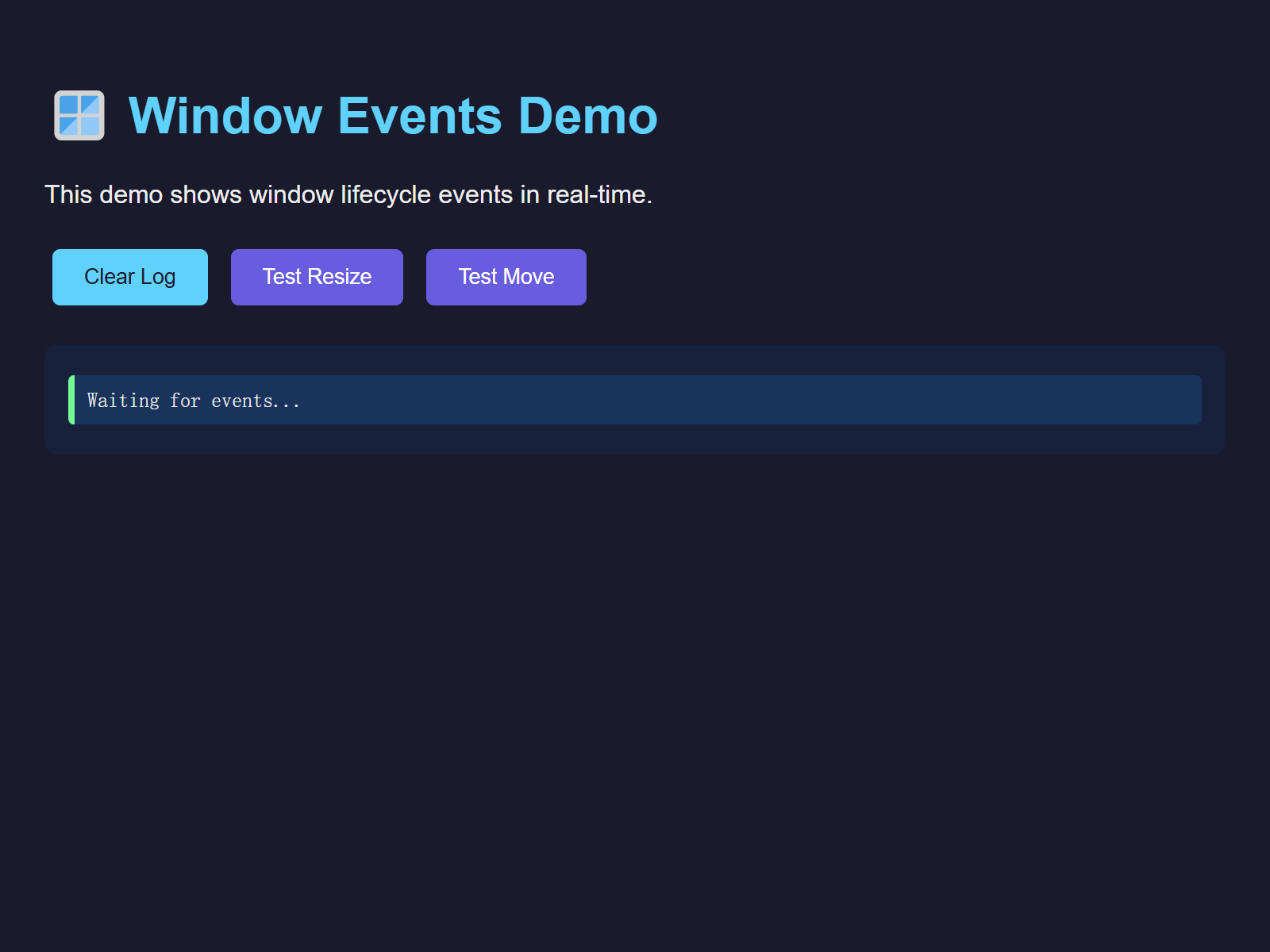
Window Events Demo
This example shows how to use the window event system to track window lifecycle events like shown, hidden, focused, blurred, resized, moved, etc.
查看源代码
#!/usr/bin/env python
# -*- coding: utf-8 -*-
"""Window Events Demo - Demonstrates window lifecycle event handling.

This example shows how to use the window event system to track window
lifecycle events like shown, hidden, focused, blurred, resized, moved, etc.

Works in standalone mode or embedded in DCC applications (Maya, Houdini, Blender).

Note: This example uses the low-level WebView API for demonstration.
For most use cases, prefer QtWebView, AuroraView, or run_desktop.
"""

from auroraview import WebView
from auroraview.core.events import WindowEventData


def create_demo_html() -> str:
    """Create demo HTML with event display."""
    return """
    <!DOCTYPE html>
    <html>
    <head>
        <title>Window Events Demo</title>
        <style>
            body { font-family: Arial, sans-serif; padding: 20px; background: #1a1a2e; color: #eee; }
            h1 { color: #00d4ff; }
            .event-log { background: #16213e; padding: 15px; border-radius: 8px; max-height: 400px; overflow-y: auto; }
            .event-item { padding: 8px; margin: 4px 0; border-radius: 4px; font-family: monospace; }
            .event-shown { background: #0f3460; border-left: 4px solid #00ff88; }
            .event-hidden { background: #0f3460; border-left: 4px solid #ff6b6b; }
            .event-focused { background: #0f3460; border-left: 4px solid #ffd93d; }
            .event-blurred { background: #0f3460; border-left: 4px solid #6c5ce7; }
            .event-resized { background: #0f3460; border-left: 4px solid #00d4ff; }
            .event-moved { background: #0f3460; border-left: 4px solid #ff9f43; }
            .event-closing { background: #0f3460; border-left: 4px solid #ff4757; }
            .controls { margin: 20px 0; }
            button { padding: 10px 20px; margin: 5px; border: none; border-radius: 5px; cursor: pointer; }
            .btn-primary { background: #00d4ff; color: #1a1a2e; }
            .btn-secondary { background: #6c5ce7; color: white; }
        </style>
    </head>
    <body>
        <h1>🪟 Window Events Demo</h1>
        <p>This demo shows window lifecycle events in real-time.</p>

        <div class="controls">
            <button class="btn-primary" onclick="clearLog()">Clear Log</button>
            <button class="btn-secondary" onclick="testResize()">Test Resize</button>
            <button class="btn-secondary" onclick="testMove()">Test Move</button>
        </div>

        <div class="event-log" id="eventLog">
            <div class="event-item event-shown">Waiting for events...</div>
        </div>

        <script>
            function addEvent(type, data) {
                const log = document.getElementById('eventLog');
                const item = document.createElement('div');
                item.className = 'event-item event-' + type;
                const time = new Date().toLocaleTimeString();
                item.textContent = `[${time}] ${type.toUpperCase()}: ${JSON.stringify(data)}`;
                log.insertBefore(item, log.firstChild);
            }

            function clearLog() {
                document.getElementById('eventLog').innerHTML = '';
            }

            async function testResize() {
                try {
                    const result = await window.auroraview.call('resize', {width: 900, height: 700});
                    addEvent('rpc', { method: 'resize', result });
                } catch (err) {
                    addEvent('rpc', { method: 'resize', error: String(err && err.message ? err.message : err) });
                }
            }

            async function testMove() {
                try {
                    const result = await window.auroraview.call('move', {x: 100, y: 100});
                    addEvent('rpc', { method: 'move', result });
                } catch (err) {
                    addEvent('rpc', { method: 'move', error: String(err && err.message ? err.message : err) });
                }
            }


            // Register event listeners
            window.auroraview.on('shown', (data) => addEvent('shown', data));
            window.auroraview.on('hidden', (data) => addEvent('hidden', data));
            window.auroraview.on('focused', (data) => addEvent('focused', data));
            window.auroraview.on('blurred', (data) => addEvent('blurred', data));
            window.auroraview.on('resized', (data) => addEvent('resized', data));
            window.auroraview.on('moved', (data) => addEvent('moved', data));
            window.auroraview.on('closing', (data) => addEvent('closing', data));
            window.auroraview.on('closed', (data) => addEvent('closed', data));
        </script>
    </body>
    </html>
    """


def main():
    """Run the window events demo."""
    # Create WebView
    webview = WebView(
        title="Window Events Demo",
        width=800,
        height=600,
        resizable=True,
    )

    # Register Python-side event handlers
    @webview.on_shown
    def on_shown(data: WindowEventData):
        print(f"[Python] Window shown: {data}")

    @webview.on_focused
    def on_focused(data: WindowEventData):
        print(f"[Python] Window focused: {data}")

    @webview.on_blurred
    def on_blurred(data: WindowEventData):
        print(f"[Python] Window blurred: {data}")

    @webview.on_resized
    def on_resized(data: WindowEventData):
        print(f"[Python] Window resized: {data.width}x{data.height}")

    @webview.on_moved
    def on_moved(data: WindowEventData):
        print(f"[Python] Window moved to: ({data.x}, {data.y})")

    @webview.on_closing
    def on_closing(data: WindowEventData):
        print("[Python] Window is closing...")
        return True  # Allow close

    # Register RPC handlers for window control (JS: auroraview.call)
    @webview.bind_call("resize")
    def handle_resize(width: int = 800, height: int = 600):
        webview.resize(width, height)
        return {"success": True}

    @webview.bind_call("move")
    def handle_move(x: int = 0, y: int = 0):
        webview.move(x, y)
        return {"success": True}

    # Load HTML and show
    webview.load_html(create_demo_html())
    webview.show()


if __name__ == "__main__":
    main()
运行: python examples/window_events_demo.py
Floating Panel Demo
This example demonstrates how to create a floating panel that follows a parent application window, similar to AI assistant panels in Photoshop.

查看源代码
"""Floating Panel Demo - Create floating tool windows for DCC applications.
This example demonstrates how to create a floating panel that follows
a parent application window, similar to AI assistant panels in Photoshop.
Features demonstrated:
- Frameless, transparent window with NO shadow (truly transparent button)
- Independent floating windows (like Qt's QDialog with no parent)
- Tool window style (hide from taskbar/Alt+Tab)
- Small trigger button + expandable panel
- Always on top support
Use cases:
- AI assistant panels in DCC apps
- Quick action toolbars
- Floating property editors
- Context-sensitive tool palettes
Key AuroraView Parameters for Transparent Floating Windows:
- frame=False: Frameless window (no title bar, borders)
- transparent=True: Transparent window background
- undecorated_shadow=False: Default (recommended) - No native shadow for frameless windows
- always_on_top=True: Keep window always on top
- tool_window=True: Hide from taskbar and Alt+Tab (WS_EX_TOOLWINDOW)
- embed_mode="none": Independent window (not attached to parent)
Signed-off-by: Hal Long <hal.long@outlook.com>
"""
import sys
# HTML for the floating panel UI
PANEL_HTML = """
<!DOCTYPE html>
<html>
<head>
<meta charset="UTF-8">
<style>
* {
margin: 0;
padding: 0;
box-sizing: border-box;
}
body {
font-family: -apple-system, BlinkMacSystemFont, 'Segoe UI', Roboto, sans-serif;
background: transparent;
overflow: hidden;
}
.panel {
background: linear-gradient(135deg, #1a1a2e 0%, #16213e 100%);
border-radius: 12px;
padding: 16px;
box-shadow: 0 8px 32px rgba(0, 0, 0, 0.4);
border: 1px solid rgba(255, 255, 255, 0.1);
color: #e4e4e4;
min-width: 300px;
}
.panel-header {
display: flex;
align-items: center;
justify-content: space-between;
margin-bottom: 12px;
padding-bottom: 12px;
border-bottom: 1px solid rgba(255, 255, 255, 0.1);
}
.panel-title {
font-size: 14px;
font-weight: 600;
color: #00d4ff;
}
.close-btn {
background: none;
border: none;
color: #888;
cursor: pointer;
font-size: 18px;
padding: 4px 8px;
border-radius: 4px;
transition: all 0.2s;
}
.close-btn:hover {
background: rgba(255, 255, 255, 0.1);
color: #fff;
}
.input-area {
display: flex;
gap: 8px;
margin-bottom: 12px;
}
.input-field {
flex: 1;
background: rgba(255, 255, 255, 0.05);
border: 1px solid rgba(255, 255, 255, 0.1);
border-radius: 8px;
padding: 10px 14px;
color: #fff;
font-size: 14px;
outline: none;
transition: border-color 0.2s;
}
.input-field:focus {
border-color: #00d4ff;
}
.input-field::placeholder {
color: #666;
}
.send-btn {
background: linear-gradient(135deg, #00d4ff 0%, #0099cc 100%);
border: none;
border-radius: 8px;
padding: 10px 16px;
color: #fff;
font-weight: 600;
cursor: pointer;
transition: transform 0.2s, box-shadow 0.2s;
}
.send-btn:hover {
transform: translateY(-1px);
box-shadow: 0 4px 12px rgba(0, 212, 255, 0.3);
}
.send-btn:active {
transform: translateY(0);
}
.suggestions {
display: flex;
flex-wrap: wrap;
gap: 8px;
}
.suggestion-chip {
background: rgba(255, 255, 255, 0.05);
border: 1px solid rgba(255, 255, 255, 0.1);
border-radius: 16px;
padding: 6px 12px;
font-size: 12px;
color: #aaa;
cursor: pointer;
transition: all 0.2s;
}
.suggestion-chip:hover {
background: rgba(0, 212, 255, 0.1);
border-color: #00d4ff;
color: #00d4ff;
}
/* Drag handle for frameless window */
.drag-handle {
-webkit-app-region: drag;
cursor: move;
}
.no-drag {
-webkit-app-region: no-drag;
}
</style>
</head>
<body>
<div class="panel">
<div class="panel-header drag-handle" onmousedown="startNativeDrag(event)">
<span class="panel-title">AI Assistant</span>
<button class="close-btn no-drag" onclick="closePanel()">×</button>
</div>
<div class="input-area no-drag">
<input type="text" class="input-field" placeholder="Ask me anything..." id="input">
<button class="send-btn" onclick="sendMessage()">Send</button>
</div>
<div class="suggestions no-drag">
<span class="suggestion-chip" onclick="selectSuggestion('Generate texture')">Generate texture</span>
<span class="suggestion-chip" onclick="selectSuggestion('Fix UV mapping')">Fix UV mapping</span>
<span class="suggestion-chip" onclick="selectSuggestion('Optimize mesh')">Optimize mesh</span>
</div>
</div>
<script>
function closePanel() {
if (window.auroraview && window.auroraview.call) {
window.auroraview.call('close_panel');
}
}
// Use native drag for better responsiveness
function startNativeDrag(event) {
// Only trigger on left mouse button and not on buttons
if (event.button === 0 && event.target.tagName !== 'BUTTON') {
if (window.auroraview && window.auroraview.startDrag) {
window.auroraview.startDrag();
}
}
}
function sendMessage() {
const input = document.getElementById('input');
const message = input.value.trim();
if (message && window.auroraview && window.auroraview.call) {
window.auroraview.call('send_message', { message: message });
input.value = '';
}
}
function selectSuggestion(text) {
document.getElementById('input').value = text;
}
// Handle Enter key
document.getElementById('input').addEventListener('keypress', (e) => {
if (e.key === 'Enter') sendMessage();
});
</script>
</body>
</html>
"""
# HTML for the small trigger button - truly transparent circular button
BUTTON_HTML = """
<!DOCTYPE html>
<html>
<head>
<meta charset="UTF-8">
<style>
* { margin: 0; padding: 0; box-sizing: border-box; }
html, body {
background: transparent !important;
width: 100%;
height: 100%;
}
body {
display: flex;
align-items: center;
justify-content: center;
}
.trigger-btn {
width: 40px;
height: 40px;
border-radius: 50%;
background: linear-gradient(135deg, #00d4ff 0%, #0099cc 100%);
border: none;
cursor: pointer;
display: flex;
align-items: center;
justify-content: center;
box-shadow: 0 4px 12px rgba(0, 212, 255, 0.4);
transition: transform 0.2s, box-shadow 0.2s;
-webkit-app-region: no-drag;
}
.trigger-btn:hover {
transform: scale(1.1);
box-shadow: 0 6px 16px rgba(0, 212, 255, 0.5);
}
.trigger-btn svg {
width: 20px;
height: 20px;
fill: white;
}
</style>
</head>
<body>
<button class="trigger-btn" onclick="togglePanel()">
<svg viewBox="0 0 24 24">
<path d="M12 2C6.48 2 2 6.48 2 12s4.48 10 10 10 10-4.48 10-10S17.52 2 12 2zm-2 15l-5-5 1.41-1.41L10 14.17l7.59-7.59L19 8l-9 9z"/>
</svg>
</button>
<script>
function togglePanel() {
if (window.auroraview && window.auroraview.call) {
window.auroraview.call('toggle_panel');
}
}
</script>
</body>
</html>
"""
def run_floating_panel_demo():
"""Run the floating panel demo.
This demo shows two approaches:
1. A small trigger button (truly transparent, no shadow)
2. An expandable panel that appears when clicked (independent window)
"""
from auroraview import AuroraView
# State tracking
panel_visible = False
panel_webview = None
class TriggerButton(AuroraView):
"""Small trigger button that opens the floating panel.
Key configuration for truly transparent button:
- frame=False: No window decorations
- transparent=True: Transparent background
- undecorated_shadow=False: CRITICAL - removes the shadow that would
otherwise appear around the frameless window
- tool_window=True: Hide from taskbar/Alt+Tab
"""
def __init__(self):
super().__init__(
html=BUTTON_HTML,
width=48,
height=48,
frame=False, # Frameless window
transparent=True, # Transparent background
undecorated_shadow=False, # CRITICAL: No shadow for truly transparent button
always_on_top=True, # Keep on top of other windows
tool_window=True, # Hide from taskbar and Alt+Tab
)
self.bind_call("toggle_panel", self.toggle_panel)
def toggle_panel(self, *args, **kwargs):
"""Toggle the floating panel visibility."""
nonlocal panel_visible, panel_webview
if panel_visible and panel_webview:
panel_webview.close()
panel_webview = None
panel_visible = False
else:
# Create and show the panel as an independent window
# Note: embed_mode="none" creates an independent window (like Qt's QDialog)
# This is different from embed_mode="owner" which would follow parent
panel_webview = FloatingPanel()
panel_webview.show()
panel_visible = True
class FloatingPanel(AuroraView):
"""The expandable floating panel.
This is an independent window (not attached to any parent).
Key configuration:
- embed_mode="none": Independent window (default for AuroraView)
- frame=False: Frameless for custom styling
- transparent=True: Transparent background for rounded corners
- undecorated_shadow=False: Clean look without system shadow
"""
def __init__(self):
super().__init__(
html=PANEL_HTML,
width=350,
height=180,
frame=False, # Frameless window
transparent=True, # Transparent background
undecorated_shadow=False, # No shadow for clean look
always_on_top=True, # Keep on top of other windows
embed_mode="none", # Independent window (like Qt's QDialog)
tool_window=True, # Hide from taskbar and Alt+Tab
)
self.bind_call("close_panel", self.close_panel)
self.bind_call("send_message", self.handle_message)
def close_panel(self, *args, **kwargs):
"""Close the panel."""
nonlocal panel_visible, panel_webview
self.close()
panel_webview = None
panel_visible = False
def handle_message(self, message: str = ""):
"""Handle message from the input field."""
print(f"[FloatingPanel] Received message: {message}")
# Here you would integrate with your AI service
self.emit("response", {"text": f"Processing: {message}"})
# Create and show the trigger button
print("Starting Floating Panel Demo...")
print("Click the circular button to toggle the AI assistant panel.")
print("Both windows are independent and can be moved freely.")
print("Press Ctrl+C to exit.")
trigger = TriggerButton()
trigger.show()
def run_simple_panel_demo():
"""Run a simpler demo showing just the floating panel.
This is useful for testing the panel UI without the trigger button.
"""
from auroraview import AuroraView
class SimpleFloatingPanel(AuroraView):
"""A simple floating panel demo."""
def __init__(self):
super().__init__(
html=PANEL_HTML,
width=350,
height=180,
frame=False, # Frameless window
transparent=True, # Transparent background
undecorated_shadow=False, # No shadow for clean look
always_on_top=True, # Keep on top of other windows
tool_window=True, # Hide from taskbar and Alt+Tab
)
self.bind_call("close_panel", self.close)
self.bind_call("send_message", self.handle_message)
def handle_message(self, message: str = ""):
"""Handle message from the input field."""
print(f"[Panel] Message: {message}")
print("Starting Simple Floating Panel Demo...")
print("This shows just the panel without a trigger button.")
panel = SimpleFloatingPanel()
panel.show()
if __name__ == "__main__":
# Check command line args
if len(sys.argv) > 1 and sys.argv[1] == "--simple":
run_simple_panel_demo()
else:
run_floating_panel_demo()运行: python examples/floating_panel_demo.py
特性:
- Frameless, transparent window with NO shadow (truly transparent button)
- Independent floating windows (like Qt's QDialog with no parent)
- Tool window style (hide from taskbar/Alt+Tab)
- Small trigger button + expandable panel
- Always on top support
- AI assistant panels in DCC apps
- Quick action toolbars
- Floating property editors
- Context-sensitive tool palettes
- frame=False: Frameless window (no title bar, borders)
- transparent=True: Transparent window background
- undecorated_shadow=False: Default (recommended) - No native shadow for frameless windows
- always_on_top=True: Keep window always on top
- tool_window=True: Hide from taskbar and Alt+Tab (WS_EX_TOOLWINDOW)
- embed_mode="none": Independent window (not attached to parent)
Multi
This example demonstrates how to create and manage multiple WebView windows in AuroraView, including inter-window communication patterns.
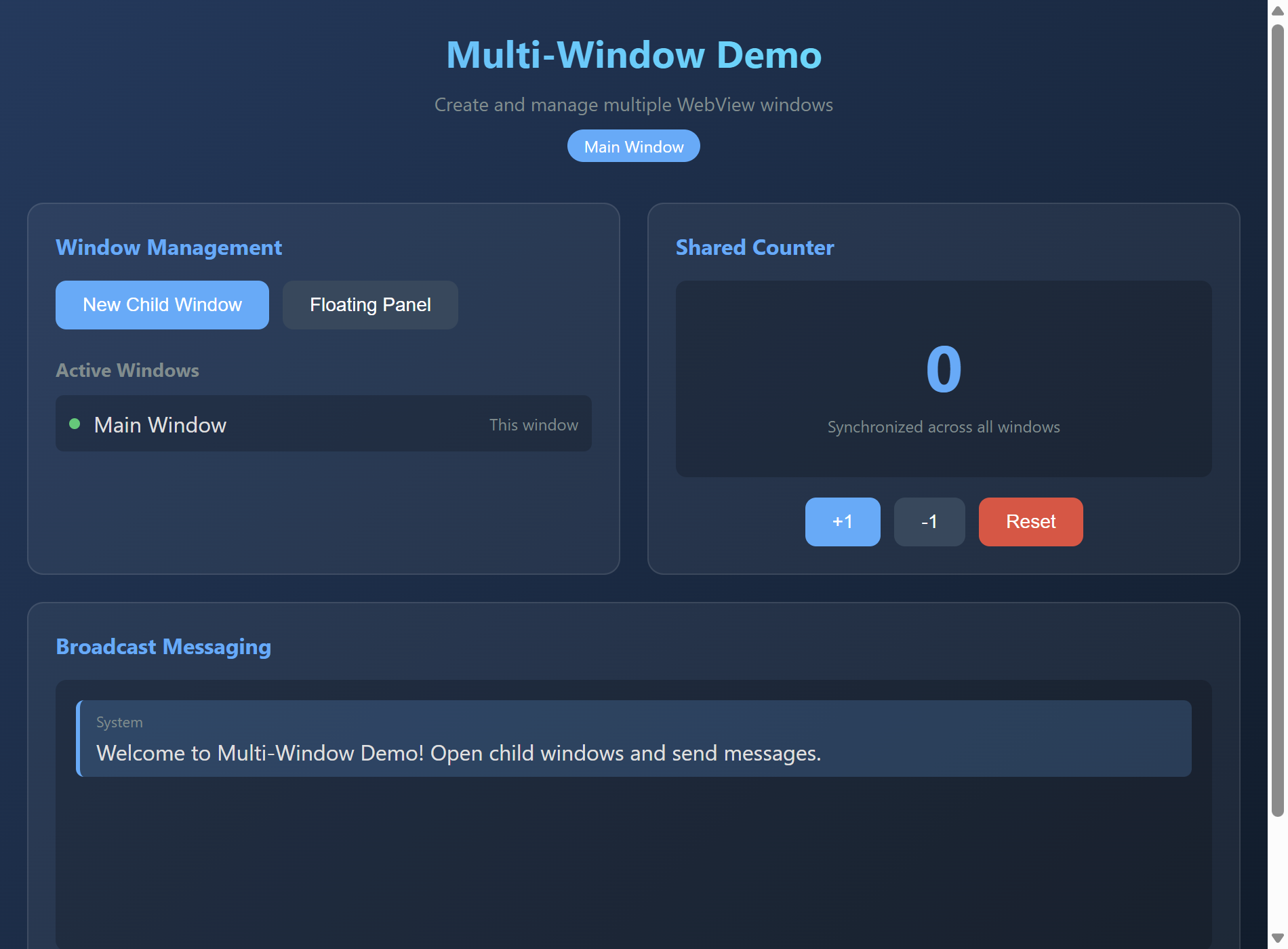
查看源代码
"""Multi-Window Demo - Multiple WebView windows with communication.
This example demonstrates how to create and manage multiple WebView windows
in AuroraView, including inter-window communication patterns.
Features demonstrated:
- Creating multiple independent windows
- Parent-child window relationships
- Inter-window messaging via Python
- Window lifecycle management
- Synchronized state across windows
"""
from __future__ import annotations
import threading
from typing import Dict, List, Optional
from auroraview import WebView
# Shared state manager for inter-window communication
class WindowManager:
"""Manages multiple windows and their communication."""
def __init__(self):
self.windows: Dict[str, WebView] = {}
self.shared_state: Dict[str, any] = {
"theme": "dark",
"messages": [],
"counter": 0,
}
self._lock = threading.Lock()
def register(self, window_id: str, window: WebView) -> None:
"""Register a window with the manager."""
with self._lock:
self.windows[window_id] = window
def unregister(self, window_id: str) -> None:
"""Unregister a window."""
with self._lock:
self.windows.pop(window_id, None)
def broadcast(self, event: str, data: dict, exclude: Optional[str] = None) -> None:
"""Broadcast an event to all windows."""
with self._lock:
for window_id, window in self.windows.items():
if window_id != exclude:
try:
window.emit(event, data)
except Exception:
pass
def send_to(self, window_id: str, event: str, data: dict) -> None:
"""Send an event to a specific window."""
with self._lock:
window = self.windows.get(window_id)
if window:
try:
window.emit(event, data)
except Exception:
pass
def get_window_ids(self) -> List[str]:
"""Get list of all window IDs."""
with self._lock:
return list(self.windows.keys())
# Global window manager
manager = WindowManager()
MAIN_WINDOW_HTML = """
<!DOCTYPE html>
<html>
<head>
<title>Main Window - Multi-Window Demo</title>
<style>
* { box-sizing: border-box; margin: 0; padding: 0; }
body {
font-family: -apple-system, BlinkMacSystemFont, 'Segoe UI', Roboto, sans-serif;
background: linear-gradient(135deg, #1e3a5f 0%, #0d1b2a 100%);
color: #e0e0e0;
min-height: 100vh;
padding: 20px;
}
.header {
text-align: center;
margin-bottom: 30px;
}
h1 {
font-size: 28px;
margin-bottom: 10px;
background: linear-gradient(90deg, #4facfe, #00f2fe);
-webkit-background-clip: text;
-webkit-text-fill-color: transparent;
}
.subtitle {
color: #7f8c8d;
font-size: 14px;
}
.window-id {
display: inline-block;
background: #4facfe;
color: white;
padding: 4px 12px;
border-radius: 20px;
font-size: 12px;
margin-top: 10px;
}
.grid {
display: grid;
grid-template-columns: repeat(2, 1fr);
gap: 20px;
max-width: 900px;
margin: 0 auto;
}
.card {
background: rgba(255,255,255,0.05);
border-radius: 12px;
padding: 20px;
border: 1px solid rgba(255,255,255,0.1);
}
.card h2 {
font-size: 16px;
color: #4facfe;
margin-bottom: 15px;
}
.btn-group {
display: flex;
gap: 10px;
flex-wrap: wrap;
}
button {
padding: 10px 20px;
border: none;
border-radius: 8px;
cursor: pointer;
font-size: 14px;
transition: all 0.2s;
background: #4facfe;
color: white;
}
button:hover {
transform: translateY(-2px);
box-shadow: 0 4px 12px rgba(79,172,254,0.4);
}
button.secondary {
background: #34495e;
}
button.danger {
background: #e74c3c;
}
.window-list {
list-style: none;
}
.window-list li {
display: flex;
justify-content: space-between;
align-items: center;
padding: 10px;
background: rgba(0,0,0,0.2);
border-radius: 6px;
margin-bottom: 8px;
}
.window-list .status {
width: 8px;
height: 8px;
background: #2ecc71;
border-radius: 50%;
margin-right: 10px;
}
.message-area {
height: 200px;
overflow-y: auto;
background: rgba(0,0,0,0.2);
border-radius: 8px;
padding: 15px;
margin-bottom: 15px;
}
.message {
padding: 8px 12px;
background: rgba(79,172,254,0.2);
border-radius: 6px;
margin-bottom: 8px;
border-left: 3px solid #4facfe;
}
.message .from {
font-size: 11px;
color: #7f8c8d;
margin-bottom: 4px;
}
.message-input {
display: flex;
gap: 10px;
}
.message-input input {
flex: 1;
padding: 10px;
border: 1px solid rgba(255,255,255,0.2);
border-radius: 6px;
background: rgba(0,0,0,0.2);
color: white;
font-size: 14px;
}
.message-input input:focus {
outline: none;
border-color: #4facfe;
}
.counter-display {
text-align: center;
padding: 30px;
background: rgba(0,0,0,0.2);
border-radius: 8px;
}
.counter-value {
font-size: 48px;
font-weight: bold;
color: #4facfe;
}
.counter-label {
color: #7f8c8d;
font-size: 12px;
margin-top: 5px;
}
.full-width {
grid-column: 1 / -1;
}
</style>
</head>
<body>
<div class="header">
<h1>Multi-Window Demo</h1>
<p class="subtitle">Create and manage multiple WebView windows</p>
<span class="window-id" id="window-id">Main Window</span>
</div>
<div class="grid">
<!-- Window Management -->
<div class="card">
<h2>Window Management</h2>
<div class="btn-group">
<button onclick="createChildWindow()">New Child Window</button>
<button onclick="createFloatingWindow()" class="secondary">Floating Panel</button>
</div>
<h3 style="margin-top: 20px; margin-bottom: 10px; font-size: 14px; color: #7f8c8d;">Active Windows</h3>
<ul class="window-list" id="window-list">
<li>
<div style="display: flex; align-items: center;">
<span class="status"></span>
<span>Main Window</span>
</div>
<span style="color: #7f8c8d; font-size: 12px;">This window</span>
</li>
</ul>
</div>
<!-- Shared Counter -->
<div class="card">
<h2>Shared Counter</h2>
<div class="counter-display">
<div class="counter-value" id="counter-value">0</div>
<div class="counter-label">Synchronized across all windows</div>
</div>
<div class="btn-group" style="margin-top: 15px; justify-content: center;">
<button onclick="incrementCounter()">+1</button>
<button onclick="decrementCounter()" class="secondary">-1</button>
<button onclick="resetCounter()" class="danger">Reset</button>
</div>
</div>
<!-- Broadcast Messaging -->
<div class="card full-width">
<h2>Broadcast Messaging</h2>
<div class="message-area" id="message-area">
<div class="message">
<div class="from">System</div>
<div>Welcome to Multi-Window Demo! Open child windows and send messages.</div>
</div>
</div>
<div class="message-input">
<input type="text" id="message-input" placeholder="Type a message to broadcast...">
<button onclick="broadcastMessage()">Broadcast</button>
</div>
</div>
</div>
<script>
// Listen for events from Python
window.addEventListener('auroraviewready', () => {
// Counter updates
window.auroraview.on('counter:update', (data) => {
document.getElementById('counter-value').textContent = data.value;
});
// Message broadcasts
window.auroraview.on('message:received', (data) => {
addMessage(data.from, data.text);
});
// Window list updates
window.auroraview.on('windows:update', (data) => {
updateWindowList(data.windows);
});
});
function addMessage(from, text) {
const area = document.getElementById('message-area');
const msg = document.createElement('div');
msg.className = 'message';
msg.innerHTML = `<div class="from">${from}</div><div>${text}</div>`;
area.appendChild(msg);
area.scrollTop = area.scrollHeight;
}
function updateWindowList(windows) {
const list = document.getElementById('window-list');
list.innerHTML = windows.map(w => `
<li>
<div style="display: flex; align-items: center;">
<span class="status"></span>
<span>${w}</span>
</div>
${w === 'main' ? '<span style="color: #7f8c8d; font-size: 12px;">This window</span>' : ''}
</li>
`).join('');
}
function createChildWindow() {
window.auroraview.api.create_child_window();
}
function createFloatingWindow() {
window.auroraview.api.create_floating_window();
}
function incrementCounter() {
window.auroraview.api.update_counter({ delta: 1 });
}
function decrementCounter() {
window.auroraview.api.update_counter({ delta: -1 });
}
function resetCounter() {
window.auroraview.api.reset_counter();
}
function broadcastMessage() {
const input = document.getElementById('message-input');
const text = input.value.trim();
if (text) {
window.auroraview.api.broadcast_message({ text: text });
input.value = '';
}
}
// Enter key to send message
document.getElementById('message-input').addEventListener('keypress', (e) => {
if (e.key === 'Enter') broadcastMessage();
});
</script>
</body>
</html>
"""
CHILD_WINDOW_HTML = """
<!DOCTYPE html>
<html>
<head>
<title>Child Window</title>
<style>
* { box-sizing: border-box; margin: 0; padding: 0; }
body {
font-family: -apple-system, BlinkMacSystemFont, 'Segoe UI', Roboto, sans-serif;
background: linear-gradient(135deg, #2d3436 0%, #000000 100%);
color: #e0e0e0;
min-height: 100vh;
padding: 20px;
}
.header {
text-align: center;
margin-bottom: 20px;
}
h1 {
font-size: 20px;
color: #00cec9;
}
.window-id {
display: inline-block;
background: #00cec9;
color: #2d3436;
padding: 4px 12px;
border-radius: 20px;
font-size: 12px;
margin-top: 10px;
}
.card {
background: rgba(255,255,255,0.05);
border-radius: 12px;
padding: 20px;
margin-bottom: 15px;
border: 1px solid rgba(255,255,255,0.1);
}
.card h2 {
font-size: 14px;
color: #00cec9;
margin-bottom: 15px;
}
.counter-display {
text-align: center;
padding: 20px;
}
.counter-value {
font-size: 36px;
font-weight: bold;
color: #00cec9;
}
.btn-group {
display: flex;
gap: 10px;
justify-content: center;
}
button {
padding: 8px 16px;
border: none;
border-radius: 6px;
cursor: pointer;
font-size: 13px;
background: #00cec9;
color: #2d3436;
}
button:hover {
opacity: 0.9;
}
button.secondary {
background: #636e72;
color: white;
}
.message-area {
height: 150px;
overflow-y: auto;
background: rgba(0,0,0,0.2);
border-radius: 8px;
padding: 10px;
margin-bottom: 10px;
}
.message {
padding: 6px 10px;
background: rgba(0,206,201,0.2);
border-radius: 4px;
margin-bottom: 6px;
font-size: 13px;
}
.message .from {
font-size: 10px;
color: #636e72;
}
.message-input {
display: flex;
gap: 8px;
}
.message-input input {
flex: 1;
padding: 8px;
border: 1px solid rgba(255,255,255,0.2);
border-radius: 4px;
background: rgba(0,0,0,0.2);
color: white;
font-size: 13px;
}
</style>
</head>
<body>
<div class="header">
<h1>Child Window</h1>
<span class="window-id" id="window-id">Loading...</span>
</div>
<div class="card">
<h2>Shared Counter</h2>
<div class="counter-display">
<div class="counter-value" id="counter-value">0</div>
</div>
<div class="btn-group">
<button onclick="increment()">+1</button>
<button onclick="decrement()" class="secondary">-1</button>
</div>
</div>
<div class="card">
<h2>Messages</h2>
<div class="message-area" id="message-area"></div>
<div class="message-input">
<input type="text" id="message-input" placeholder="Send message...">
<button onclick="sendMessage()">Send</button>
</div>
</div>
<script>
let windowId = 'child';
window.addEventListener('auroraviewready', () => {
// Get window ID
window.auroraview.api.get_window_id().then(data => {
windowId = data.id;
document.getElementById('window-id').textContent = windowId;
});
window.auroraview.on('counter:update', (data) => {
document.getElementById('counter-value').textContent = data.value;
});
window.auroraview.on('message:received', (data) => {
const area = document.getElementById('message-area');
area.innerHTML += `<div class="message"><div class="from">${data.from}</div>${data.text}</div>`;
area.scrollTop = area.scrollHeight;
});
});
function increment() {
window.auroraview.api.update_counter({ delta: 1 });
}
function decrement() {
window.auroraview.api.update_counter({ delta: -1 });
}
function sendMessage() {
const input = document.getElementById('message-input');
const text = input.value.trim();
if (text) {
window.auroraview.api.broadcast_message({ text: text });
input.value = '';
}
}
document.getElementById('message-input').addEventListener('keypress', (e) => {
if (e.key === 'Enter') sendMessage();
});
</script>
</body>
</html>
"""
def create_main_window() -> WebView:
"""Create the main window."""
view = WebView.create(
title="Multi-Window Demo - Main",
html=MAIN_WINDOW_HTML,
width=950,
height=700,
)
window_id = "main"
manager.register(window_id, view)
child_counter = [0] # Mutable counter for child windows
@view.bind_call("api.create_child_window")
def create_child():
child_counter[0] += 1
child_id = f"child_{child_counter[0]}"
create_child_window(child_id)
broadcast_window_list()
@view.bind_call("api.create_floating_window")
def create_floating():
child_counter[0] += 1
child_id = f"float_{child_counter[0]}"
create_child_window(child_id, floating=True)
broadcast_window_list()
@view.bind_call("api.update_counter")
def update_counter(delta: int):
manager.shared_state["counter"] += delta
manager.broadcast("counter:update", {"value": manager.shared_state["counter"]})
@view.bind_call("api.reset_counter")
def reset_counter():
manager.shared_state["counter"] = 0
manager.broadcast("counter:update", {"value": 0})
@view.bind_call("api.broadcast_message")
def broadcast_message(text: str):
manager.shared_state["messages"].append({"from": window_id, "text": text})
manager.broadcast("message:received", {"from": window_id, "text": text})
@view.on("closing")
def on_closing(data):
manager.unregister(window_id)
return view
def create_child_window(window_id: str, floating: bool = False) -> WebView:
"""Create a child window."""
view = WebView.create(
title=f"Child Window - {window_id}",
html=CHILD_WINDOW_HTML,
width=400,
height=500,
always_on_top=floating,
)
manager.register(window_id, view)
@view.bind_call("api.get_window_id")
def get_window_id():
return {"id": window_id}
@view.bind_call("api.update_counter")
def update_counter(delta: int):
manager.shared_state["counter"] += delta
manager.broadcast("counter:update", {"value": manager.shared_state["counter"]})
@view.bind_call("api.broadcast_message")
def broadcast_message(text: str):
manager.shared_state["messages"].append({"from": window_id, "text": text})
manager.broadcast("message:received", {"from": window_id, "text": text})
@view.on("closing")
def on_closing(data):
manager.unregister(window_id)
broadcast_window_list()
# Sync initial state
view.emit("counter:update", {"value": manager.shared_state["counter"]})
return view
def broadcast_window_list():
"""Broadcast the current window list to all windows."""
windows = manager.get_window_ids()
manager.broadcast("windows:update", {"windows": windows})
def main():
"""Run the multi-window demo."""
main_window = create_main_window()
broadcast_window_list()
main_window.show() # Use show() instead of run()
if __name__ == "__main__":
main()运行: python examples/multi_window_demo.py
特性:
- Creating multiple independent windows
- Parent-child window relationships
- Inter-window messaging via Python
- Window lifecycle management
- Synchronized state across windows
Child Window Demo
This example demonstrates the new unified child window system that allows examples to run both standalone and as child windows of Gallery.
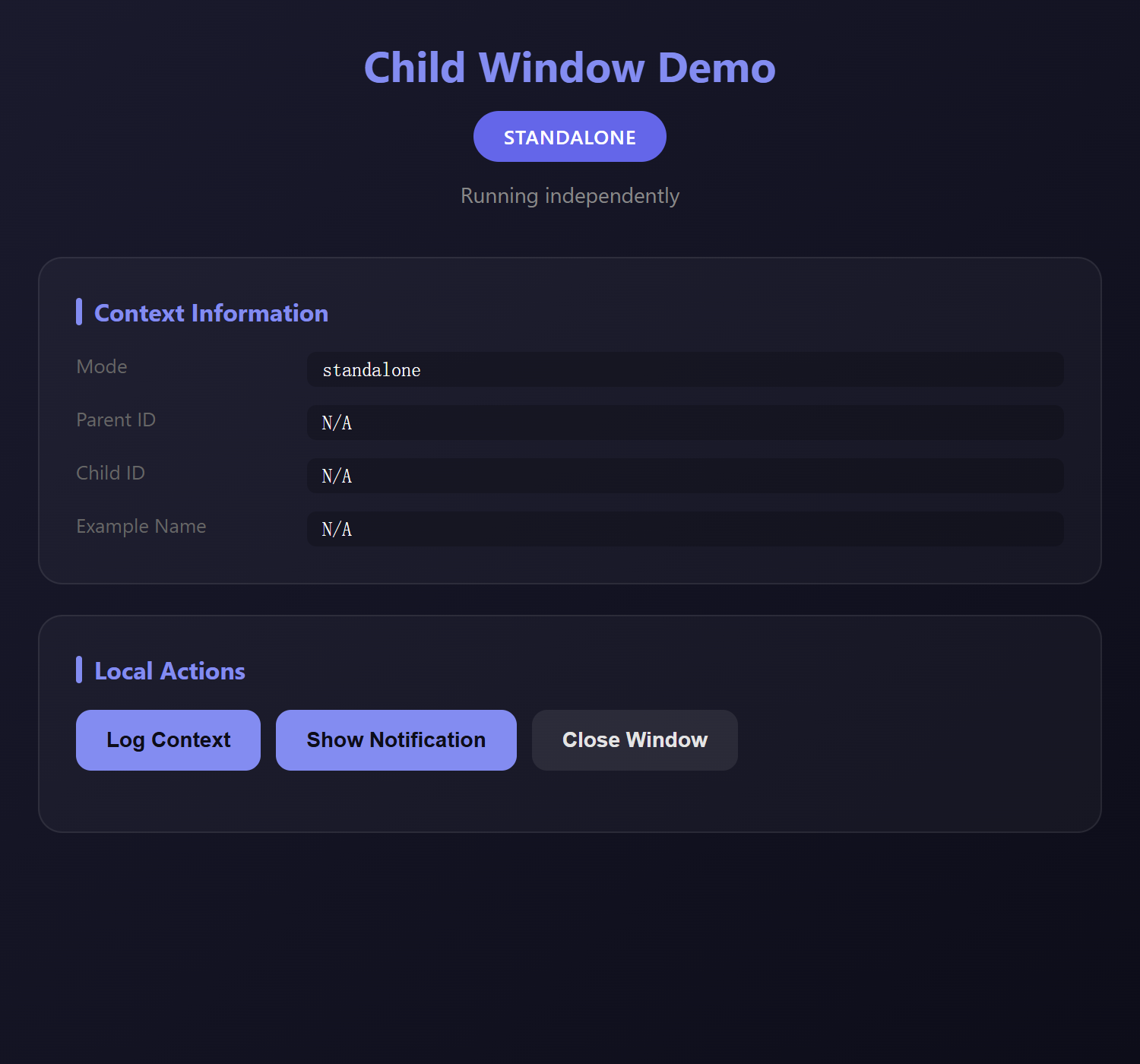
查看源代码
"""Child Window Demo - Unified child window system demonstration.

This example demonstrates the new unified child window system that allows
examples to run both standalone and as child windows of Gallery.

Key Features:
- Automatic mode detection (standalone vs child)
- Parent-child IPC communication
- Context-aware UI styling
- Seamless integration with Gallery

Usage:
    # Standalone mode
    python examples/child_window_demo.py

    # As Gallery child (Gallery sets env vars automatically)
    # Or manually:
    AURORAVIEW_PARENT_ID=gallery AURORAVIEW_CHILD_ID=test python examples/child_window_demo.py

Signed-off-by: Hal Long <hal.long@outlook.com>
"""

from __future__ import annotations

import sys

from auroraview import ChildContext, is_child_mode


def get_html(ctx: ChildContext) -> str:
    """Generate HTML with context-aware styling."""
    # Different colors for different modes
    if ctx.is_child:
        colors = {
            "bg1": "#1a2e1a",
            "bg2": "#0d1a0d",
            "accent": "#4ade80",
            "accent_dark": "#22c55e",
            "badge_bg": "#22c55e",
            "badge_text": "#0d1a0d",
        }
        mode_label = "CHILD MODE"
        mode_desc = "Running as child window of Gallery"
    else:
        colors = {
            "bg1": "#1a1a2e",
            "bg2": "#0d0d1a",
            "accent": "#818cf8",
            "accent_dark": "#6366f1",
            "badge_bg": "#6366f1",
            "badge_text": "#ffffff",
        }
        mode_label = "STANDALONE"
        mode_desc = "Running independently"

    return f"""
<!DOCTYPE html>
<html>
<head>
    <meta charset="UTF-8">
    <title>Child Window Demo</title>
    <style>
        * {{ margin: 0; padding: 0; box-sizing: border-box; }}
        body {{
            font-family: -apple-system, BlinkMacSystemFont, 'Segoe UI', Roboto, sans-serif;
            background: linear-gradient(135deg, {colors["bg1"]} 0%, {colors["bg2"]} 100%);
            color: #e4e4e4;
            min-height: 100vh;
            padding: 24px;
        }}
        .container {{ max-width: 700px; margin: 0 auto; }}

        .header {{
            text-align: center;
            margin-bottom: 32px;
        }}
        .header h1 {{
            font-size: 28px;
            color: {colors["accent"]};
            margin-bottom: 12px;
        }}
        .mode-badge {{
            display: inline-block;
            background: {colors["badge_bg"]};
            color: {colors["badge_text"]};
            padding: 8px 20px;
            border-radius: 24px;
            font-size: 13px;
            font-weight: 600;
            letter-spacing: 0.5px;
        }}
        .mode-desc {{
            color: #888;
            font-size: 14px;
            margin-top: 12px;
        }}

        .card {{
            background: rgba(255, 255, 255, 0.03);
            border-radius: 16px;
            padding: 24px;
            margin-bottom: 20px;
            border: 1px solid rgba(255, 255, 255, 0.08);
        }}
        .card h2 {{
            color: {colors["accent"]};
            font-size: 16px;
            margin-bottom: 16px;
            display: flex;
            align-items: center;
            gap: 8px;
        }}
        .card h2::before {{
            content: '';
            width: 4px;
            height: 18px;
            background: {colors["accent"]};
            border-radius: 2px;
        }}

        .info-grid {{
            display: grid;
            grid-template-columns: 140px 1fr;
            gap: 12px;
        }}
        .info-label {{
            color: #666;
            font-size: 13px;
        }}
        .info-value {{
            color: #fff;
            font-family: 'SF Mono', Monaco, monospace;
            font-size: 13px;
            background: rgba(0, 0, 0, 0.2);
            padding: 4px 10px;
            border-radius: 6px;
        }}

        .btn-row {{
            display: flex;
            gap: 10px;
            flex-wrap: wrap;
            margin-bottom: 16px;
        }}
        button {{
            background: {colors["accent"]};
            color: {colors["bg2"]};
            border: none;
            padding: 12px 20px;
            border-radius: 10px;
            cursor: pointer;
            font-size: 14px;
            font-weight: 600;
            transition: all 0.2s;
        }}
        button:hover {{
            transform: translateY(-2px);
            box-shadow: 0 6px 20px rgba(0, 0, 0, 0.3);
        }}
        button:active {{ transform: translateY(0); }}
        button.secondary {{
            background: rgba(255, 255, 255, 0.08);
            color: #e4e4e4;
        }}
        button:disabled {{
            opacity: 0.5;
            cursor: not-allowed;
            transform: none;
        }}

        .log-area {{
            background: rgba(0, 0, 0, 0.3);
            border-radius: 10px;
            padding: 16px;
            max-height: 250px;
            overflow-y: auto;
            font-family: 'SF Mono', Monaco, monospace;
            font-size: 12px;
        }}
        .log-entry {{
            padding: 6px 0;
            border-bottom: 1px solid rgba(255, 255, 255, 0.05);
            display: flex;
            gap: 12px;
        }}
        .log-entry:last-child {{ border-bottom: none; }}
        .log-time {{ color: #555; min-width: 70px; }}
        .log-type {{
            min-width: 60px;
            padding: 2px 8px;
            border-radius: 4px;
            font-size: 10px;
            text-transform: uppercase;
        }}
        .log-type.send {{ background: #3b82f6; color: white; }}
        .log-type.recv {{ background: #22c55e; color: white; }}
        .log-type.info {{ background: #6366f1; color: white; }}
        .log-type.error {{ background: #ef4444; color: white; }}
        .log-msg {{ color: #ccc; flex: 1; }}

        .input-row {{
            display: flex;
            gap: 10px;
            margin-top: 16px;
        }}
        input {{
            flex: 1;
            background: rgba(0, 0, 0, 0.3);
            border: 1px solid rgba(255, 255, 255, 0.1);
            border-radius: 10px;
            padding: 12px 16px;
            color: #fff;
            font-size: 14px;
        }}
        input:focus {{
            outline: none;
            border-color: {colors["accent"]};
        }}

        .hidden {{ display: none !important; }}
    </style>
</head>
<body>
    <div class="container">
        <div class="header">
            <h1>Child Window Demo</h1>
            <div class="mode-badge">{mode_label}</div>
            <p class="mode-desc">{mode_desc}</p>
        </div>

        <div class="card">
            <h2>Context Information</h2>
            <div class="info-grid">
                <span class="info-label">Mode</span>
                <span class="info-value">{"child" if ctx.is_child else "standalone"}</span>

                <span class="info-label">Parent ID</span>
                <span class="info-value">{ctx.parent_id or "N/A"}</span>

                <span class="info-label">Child ID</span>
                <span class="info-value">{ctx.child_id or "N/A"}</span>

                <span class="info-label">Example Name</span>
                <span class="info-value">{ctx.example_name or "N/A"}</span>
            </div>
        </div>

        <div class="card {"hidden" if not ctx.is_child else ""}">
            <h2>Parent Communication</h2>
            <div class="btn-row">
                <button onclick="sendPing()">Ping Parent</button>
                <button onclick="sendHello()">Say Hello</button>
                <button onclick="requestState()" class="secondary">Request State</button>
            </div>

            <div class="log-area" id="log">
                <div class="log-entry">
                    <span class="log-time">--:--:--</span>
                    <span class="log-type info">INFO</span>
                    <span class="log-msg">Waiting for communication...</span>
                </div>
            </div>

            <div class="input-row">
                <input type="text" id="customMsg" placeholder="Type a custom message...">
                <button onclick="sendCustom()">Send</button>
            </div>
        </div>

        <div class="card">
            <h2>Local Actions</h2>
            <div class="btn-row">
                <button onclick="logContext()">Log Context</button>
                <button onclick="showNotification()">Show Notification</button>
                <button onclick="closeWindow()" class="secondary">Close Window</button>
            </div>
        </div>
    </div>

    <script>
        const logArea = document.getElementById('log');
        let logCount = 0;

        function getTime() {{
            return new Date().toLocaleTimeString('en-US', {{ hour12: false }});
        }}

        function addLog(type, msg) {{
            logCount++;
            if (logCount === 1) {{
                logArea.innerHTML = '';
            }}

            const entry = document.createElement('div');
            entry.className = 'log-entry';
            entry.innerHTML = `
                <span class="log-time">${{getTime()}}</span>
                <span class="log-type ${{type}}">${{type}}</span>
                <span class="log-msg">${{msg}}</span>
            `;
            logArea.appendChild(entry);
            logArea.scrollTop = logArea.scrollHeight;
        }}

        // Parent communication functions
        function sendPing() {{
            if (window.auroraview?.call) {{
                auroraview.call('emit_to_parent', {{ event: 'ping', data: {{ time: Date.now() }} }});
                addLog('send', 'Sent ping to parent');
            }}
        }}

        function sendHello() {{
            if (window.auroraview?.call) {{
                auroraview.call('emit_to_parent', {{
                    event: 'hello',
                    data: {{ message: 'Hello from child!', timestamp: Date.now() }}
                }});
                addLog('send', 'Sent hello to parent');
            }}
        }}

        function requestState() {{
            if (window.auroraview?.call) {{
                auroraview.call('emit_to_parent', {{
                    event: 'request_state',
                    data: {{ from: '{ctx.child_id or "unknown"}' }}
                }});
                addLog('send', 'Requested state from parent');
            }}
        }}

        function sendCustom() {{
            const input = document.getElementById('customMsg');
            const msg = input.value.trim();
            if (msg && window.auroraview?.call) {{
                auroraview.call('emit_to_parent', {{
                    event: 'custom_message',
                    data: {{ message: msg }}
                }});
                addLog('send', `Sent: ${{msg}}`);
                input.value = '';
            }}
        }}

        // Local actions
        function logContext() {{
            console.log('Child Window Context:', {{
                isChild: {"true" if ctx.is_child else "false"},
                parentId: '{ctx.parent_id or "null"}',
                childId: '{ctx.child_id or "null"}',
                exampleName: '{ctx.example_name or "null"}'
            }});
            addLog('info', 'Context logged to console');
        }}

        function showNotification() {{
            if (window.auroraview?.call) {{
                auroraview.call('show_notification', {{
                    title: 'Child Window Demo',
                    message: 'This is a notification from the child window!'
                }});
            }}
        }}

        function closeWindow() {{
            if (window.auroraview?.call) {{
                auroraview.call('close_window');
            }}
        }}

        // Listen for parent events
        window.addEventListener('auroraviewready', () => {{
            console.log('[ChildWindow] AuroraView ready');

            auroraview.on('parent:message', (data) => {{
                addLog('recv', `Parent message: ${{JSON.stringify(data)}}`);
            }});

            auroraview.on('parent:pong', (data) => {{
                addLog('recv', `Pong received! RTT: ${{Date.now() - data.originalTime}}ms`);
            }});

            auroraview.on('parent:state', (data) => {{
                addLog('recv', `State: ${{JSON.stringify(data)}}`);
            }});
        }});

        // Enter to send custom message
        document.getElementById('customMsg')?.addEventListener('keypress', (e) => {{
            if (e.key === 'Enter') sendCustom();
        }});
    </script>
</body>
</html>
"""


def main():
    """Run the child window demo."""

    print("[ChildWindowDemo] Starting...", file=sys.stderr)
    print(f"[ChildWindowDemo] Child mode: {is_child_mode()}", file=sys.stderr)

    # Create context
    with ChildContext() as ctx:
        if ctx.is_child:
            print(f"[ChildWindowDemo] Parent: {ctx.parent_id}", file=sys.stderr)
            print(f"[ChildWindowDemo] Child ID: {ctx.child_id}", file=sys.stderr)

        # Generate HTML
        html = get_html(ctx)

        # Create WebView
        webview = ctx.create_webview(
            title="Child Window Demo",
            width=750,
            height=700,
            html=html,
            debug=True,
        )

        # Register API handlers
        @webview.bind_call("emit_to_parent")
        def emit_to_parent(event: str = "", data: dict = None):
            """Emit event to parent window."""
            if ctx.is_child and ctx.bridge:
                ctx.emit_to_parent(event, data or {})
                print(f"[ChildWindowDemo] Emitted to parent: {event}", file=sys.stderr)
                return {"success": True}
            else:
                print("[ChildWindowDemo] Not in child mode, cannot emit", file=sys.stderr)
                return {"success": False, "reason": "not_child_mode"}

        @webview.bind_call("show_notification")
        def show_notification(title: str = "", message: str = ""):
            """Show a notification."""
            print(f"[ChildWindowDemo] Notification: {title} - {message}", file=sys.stderr)
            # In a real app, you might use native notifications here
            return {"success": True}

        @webview.bind_call("close_window")
        def close_window():
            """Close the window."""
            webview.close()

        # Listen for parent events (if in child mode)
        if ctx.bridge:

            def on_parent_pong(data):
                webview.emit("parent:pong", data)

            def on_parent_state(data):
                webview.emit("parent:state", data)

            def on_parent_message(data):
                webview.emit("parent:message", data)

            ctx.on_parent_event("pong", on_parent_pong)
            ctx.on_parent_event("state", on_parent_state)
            ctx.on_parent_event("message", on_parent_message)

        # Show the window
        webview.show()


if __name__ == "__main__":
    main()
运行: python examples/child_window_demo.py
Child
This example demonstrates the unified child window system:
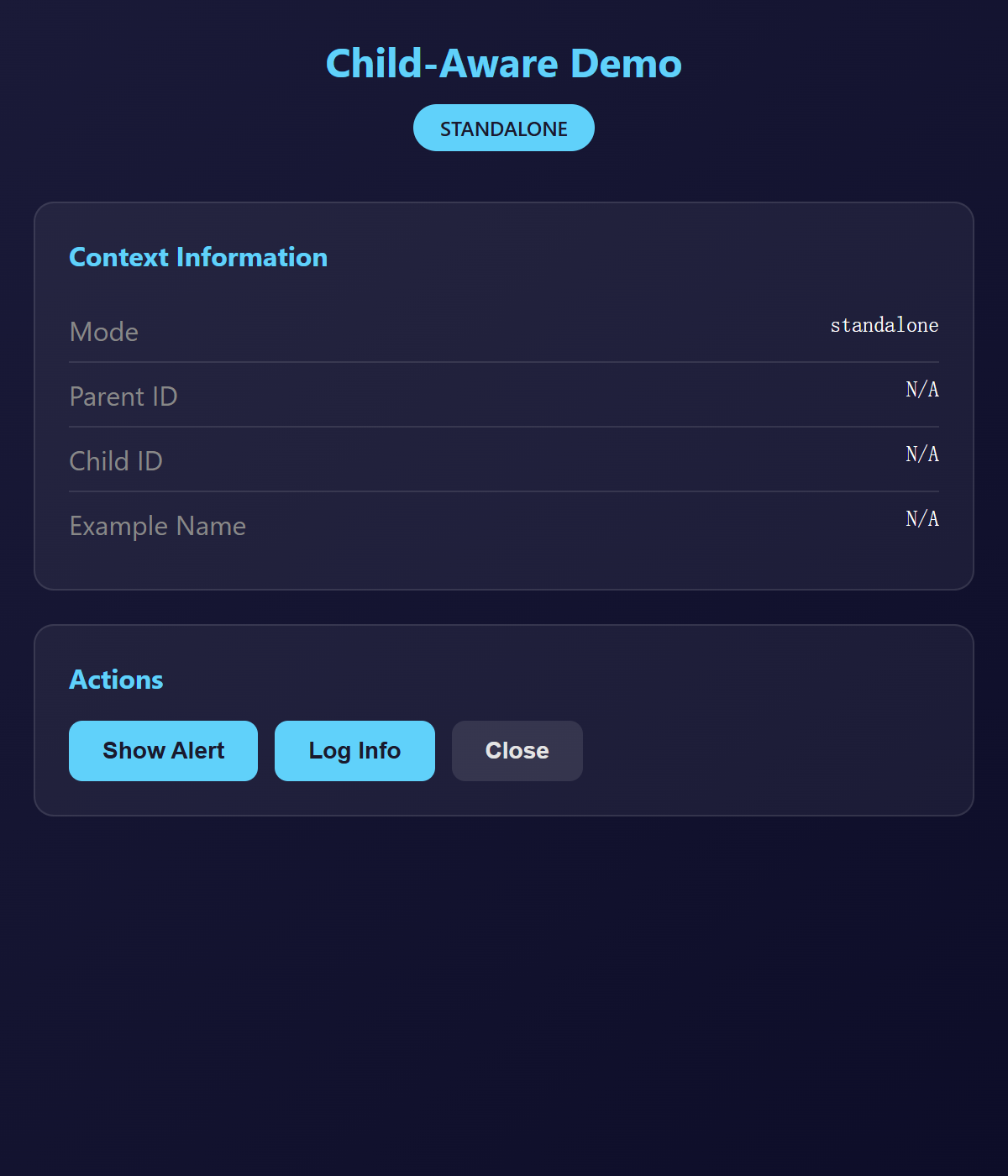
查看源代码
"""Child-Aware Demo - Example that works both standalone and as Gallery child.

This example demonstrates the unified child window system:
- Runs standalone when executed directly
- Runs as child window when launched from Gallery
- Communicates with parent via IPC when in child mode

Usage:
    # Standalone mode
    python examples/child_aware_demo.py

    # Child mode (launched from Gallery)
    # Gallery sets environment variables automatically

Signed-off-by: Hal Long <hal.long@outlook.com>
"""

from __future__ import annotations

import sys

# Import child support utilities
from auroraview import ChildContext, is_child_mode, run_example

# HTML template with mode indicator
HTML_TEMPLATE = """
<!DOCTYPE html>
<html>
<head>
    <meta charset="UTF-8">
    <title>Child-Aware Demo</title>
    <style>
        * {{ margin: 0; padding: 0; box-sizing: border-box; }}
        body {{
            font-family: -apple-system, BlinkMacSystemFont, 'Segoe UI', Roboto, sans-serif;
            background: linear-gradient(135deg, {bg_start} 0%, {bg_end} 100%);
            color: #e4e4e4;
            min-height: 100vh;
            padding: 20px;
        }}
        .container {{
            max-width: 600px;
            margin: 0 auto;
        }}
        .header {{
            text-align: center;
            margin-bottom: 30px;
        }}
        h1 {{
            font-size: 24px;
            color: {accent};
            margin-bottom: 10px;
        }}
        .mode-badge {{
            display: inline-block;
            background: {accent};
            color: #1a1a2e;
            padding: 6px 16px;
            border-radius: 20px;
            font-size: 12px;
            font-weight: 600;
        }}
        .card {{
            background: rgba(255, 255, 255, 0.05);
            border-radius: 12px;
            padding: 20px;
            margin-bottom: 20px;
            border: 1px solid rgba(255, 255, 255, 0.1);
        }}
        .card h2 {{
            color: {accent};
            font-size: 16px;
            margin-bottom: 15px;
        }}
        .info-row {{
            display: flex;
            justify-content: space-between;
            padding: 8px 0;
            border-bottom: 1px solid rgba(255, 255, 255, 0.1);
        }}
        .info-row:last-child {{ border-bottom: none; }}
        .info-label {{ color: #888; }}
        .info-value {{ color: #fff; font-family: monospace; }}
        .btn-group {{
            display: flex;
            gap: 10px;
            flex-wrap: wrap;
        }}
        button {{
            background: {accent};
            color: #1a1a2e;
            border: none;
            padding: 10px 20px;
            border-radius: 8px;
            cursor: pointer;
            font-size: 14px;
            font-weight: 600;
            transition: all 0.2s;
        }}
        button:hover {{
            transform: translateY(-2px);
            box-shadow: 0 4px 12px rgba(0, 0, 0, 0.3);
        }}
        button.secondary {{
            background: rgba(255, 255, 255, 0.1);
            color: #e4e4e4;
        }}
        .message-area {{
            background: rgba(0, 0, 0, 0.2);
            border-radius: 8px;
            padding: 15px;
            max-height: 200px;
            overflow-y: auto;
            font-family: monospace;
            font-size: 13px;
        }}
        .message {{
            padding: 6px 0;
            border-bottom: 1px solid rgba(255, 255, 255, 0.05);
        }}
        .message:last-child {{ border-bottom: none; }}
        .message .time {{ color: #666; margin-right: 10px; }}
        .message .text {{ color: #e4e4e4; }}
        .input-group {{
            display: flex;
            gap: 10px;
            margin-top: 15px;
        }}
        input {{
            flex: 1;
            background: rgba(0, 0, 0, 0.2);
            border: 1px solid rgba(255, 255, 255, 0.1);
            border-radius: 8px;
            padding: 10px 15px;
            color: #fff;
            font-size: 14px;
        }}
        input:focus {{
            outline: none;
            border-color: {accent};
        }}
    </style>
</head>
<body>
    <div class="container">
        <div class="header">
            <h1>Child-Aware Demo</h1>
            <span class="mode-badge">{mode_text}</span>
        </div>

        <div class="card">
            <h2>Context Information</h2>
            <div class="info-row">
                <span class="info-label">Mode</span>
                <span class="info-value">{mode}</span>
            </div>
            <div class="info-row">
                <span class="info-label">Parent ID</span>
                <span class="info-value">{parent_id}</span>
            </div>
            <div class="info-row">
                <span class="info-label">Child ID</span>
                <span class="info-value">{child_id}</span>
            </div>
            <div class="info-row">
                <span class="info-label">Example Name</span>
                <span class="info-value">{example_name}</span>
            </div>
        </div>

        <div class="card" id="parent-comm" style="display: {show_parent_comm}">
            <h2>Parent Communication</h2>
            <div class="btn-group">
                <button onclick="sendToParent('hello')">Say Hello</button>
                <button onclick="sendToParent('ping')">Ping Parent</button>
                <button class="secondary" onclick="requestData()">Request Data</button>
            </div>
            <div class="message-area" id="messages">
                <div class="message">
                    <span class="time">--:--:--</span>
                    <span class="text">Waiting for messages...</span>
                </div>
            </div>
            <div class="input-group">
                <input type="text" id="customMsg" placeholder="Custom message...">
                <button onclick="sendCustom()">Send</button>
            </div>
        </div>

        <div class="card">
            <h2>Actions</h2>
            <div class="btn-group">
                <button onclick="showAlert()">Show Alert</button>
                <button onclick="logInfo()">Log Info</button>
                <button class="secondary" onclick="closeWindow()">Close</button>
            </div>
        </div>
    </div>

    <script>
        function getTime() {{
            return new Date().toLocaleTimeString();
        }}

        function addMessage(text) {{
            const area = document.getElementById('messages');
            const msg = document.createElement('div');
            msg.className = 'message';
            msg.innerHTML = `<span class="time">${{getTime()}}</span><span class="text">${{text}}</span>`;
            area.appendChild(msg);
            area.scrollTop = area.scrollHeight;
        }}

        function sendToParent(type) {{
            if (window.auroraview && window.auroraview.call) {{
                window.auroraview.call('send_to_parent', {{ type: type, timestamp: Date.now() }});
                addMessage(`Sent: ${{type}}`);
            }}
        }}

        function sendCustom() {{
            const input = document.getElementById('customMsg');
            const msg = input.value.trim();
            if (msg) {{
                sendToParent(msg);
                input.value = '';
            }}
        }}

        function requestData() {{
            if (window.auroraview && window.auroraview.call) {{
                window.auroraview.call('request_from_parent', {{ request: 'data' }});
                addMessage('Requested data from parent');
            }}
        }}

        function showAlert() {{
            alert('Hello from Child-Aware Demo!\\nMode: {mode}');
        }}

        function logInfo() {{
            console.log('Child-Aware Demo Info:', {{
                mode: '{mode}',
                parentId: '{parent_id}',
                childId: '{child_id}',
                exampleName: '{example_name}'
            }});
            addMessage('Info logged to console');
        }}

        function closeWindow() {{
            if (window.auroraview && window.auroraview.call) {{
                window.auroraview.call('close');
            }}
        }}

        // Listen for parent events
        window.addEventListener('auroraviewready', () => {{
            window.auroraview.on('parent:message', (data) => {{
                addMessage(`From parent: ${{JSON.stringify(data)}}`);
            }});

            window.auroraview.on('parent:response', (data) => {{
                addMessage(`Response: ${{JSON.stringify(data)}}`);
            }});
        }});

        // Enter key to send custom message
        document.getElementById('customMsg')?.addEventListener('keypress', (e) => {{
            if (e.key === 'Enter') sendCustom();
        }});
    </script>
</body>
</html>
"""


def create_webview(ctx: ChildContext):
    """Create the WebView with context-aware configuration."""
    # Choose colors based on mode
    if ctx.is_child:
        bg_start = "#1a3a1a"  # Green tint for child mode
        bg_end = "#0d2a0d"
        accent = "#00ff88"
        mode_text = "CHILD WINDOW"
    else:
        bg_start = "#1a1a3a"  # Blue tint for standalone
        bg_end = "#0d0d2a"
        accent = "#00d4ff"
        mode_text = "STANDALONE"

    # Format HTML with context info
    html = HTML_TEMPLATE.format(
        bg_start=bg_start,
        bg_end=bg_end,
        accent=accent,
        mode_text=mode_text,
        mode="child" if ctx.is_child else "standalone",
        parent_id=ctx.parent_id or "N/A",
        child_id=ctx.child_id or "N/A",
        example_name=ctx.example_name or "N/A",
        show_parent_comm="block" if ctx.is_child else "none",
    )

    # Create WebView
    webview = ctx.create_webview(
        title="Child-Aware Demo",
        width=600,
        height=700,
        html=html,
        debug=True,
    )

    # Register handlers
    @webview.bind_call("send_to_parent")
    def send_to_parent(type: str = "", timestamp: int = 0):
        """Send a message to parent (if in child mode)."""
        if ctx.is_child:
            ctx.emit_to_parent(
                "child:message",
                {
                    "type": type,
                    "timestamp": timestamp,
                    "from": ctx.child_id,
                },
            )
            print(f"[Demo] Sent to parent: {type}", file=sys.stderr)
        else:
            print(f"[Demo] Not in child mode, ignoring send: {type}", file=sys.stderr)

    @webview.bind_call("request_from_parent")
    def request_from_parent(request: str = ""):
        """Request data from parent."""
        if ctx.is_child:
            ctx.emit_to_parent(
                "child:request",
                {
                    "request": request,
                    "from": ctx.child_id,
                },
            )
            print(f"[Demo] Requested from parent: {request}", file=sys.stderr)

    @webview.bind_call("close")
    def close():
        """Close the window."""
        webview.close()

    # Listen for parent events (if in child mode)
    if ctx.bridge:
        ctx.on_parent_event("parent:data", lambda data: webview.emit("parent:response", data))

    return webview


def main():
    """Run the demo."""
    print("[Demo] Starting Child-Aware Demo...", file=sys.stderr)
    print(f"[Demo] Child mode: {is_child_mode()}", file=sys.stderr)

    # Use run_example for automatic child mode handling
    run_example(create_webview)


if __name__ == "__main__":
    main()
运行: python examples/child_aware_demo.py
UI Components
Native Menu Demo
This example demonstrates AuroraView's native menu bar support, including standard menus, custom menus, submenus, and keyboard shortcuts.
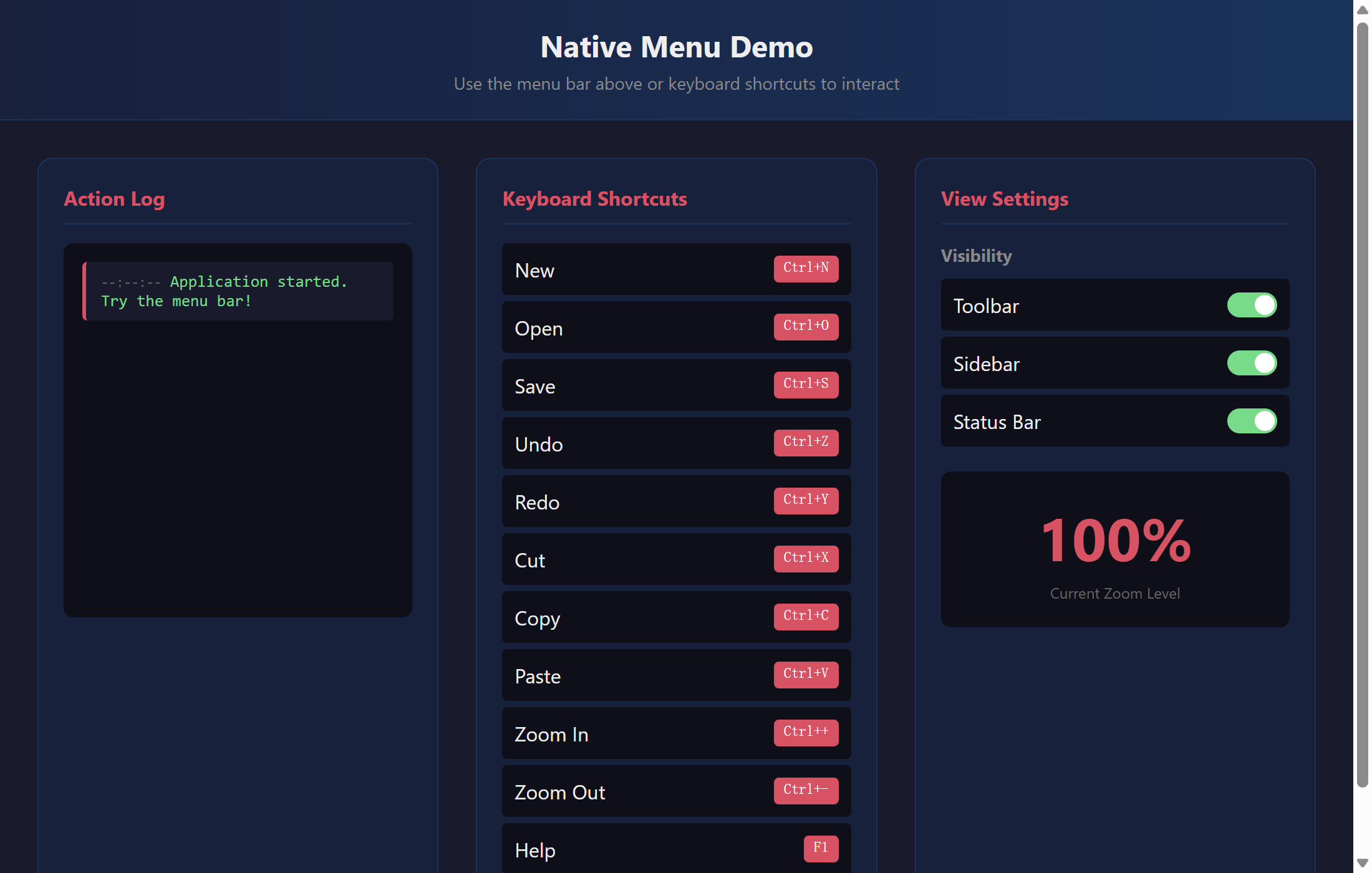
查看源代码
"""Native Menu Demo - Application menu bar with keyboard shortcuts.

This example demonstrates AuroraView's native menu bar support,
including standard menus, custom menus, submenus, and keyboard shortcuts.

Features demonstrated:
- Creating menu bars with File, Edit, View, Help menus
- Custom menu items with action handlers
- Keyboard shortcuts (accelerators)
- Checkbox menu items
- Submenus
- Menu separators
- Dynamic menu updates
"""

from __future__ import annotations

# WebView import is done in main() to avoid circular imports
from auroraview.ui.menu import Menu, MenuBar, MenuItem

HTML = """
<!DOCTYPE html>
<html>
<head>
    <title>Native Menu Demo</title>
    <style>
        * { box-sizing: border-box; margin: 0; padding: 0; }
        body {
            font-family: -apple-system, BlinkMacSystemFont, 'Segoe UI', Roboto, sans-serif;
            background: #1a1a2e;
            color: #eee;
            min-height: 100vh;
            display: flex;
            flex-direction: column;
        }
        .header {
            background: linear-gradient(90deg, #16213e 0%, #0f3460 100%);
            padding: 20px;
            text-align: center;
            border-bottom: 1px solid #0f3460;
        }
        h1 {
            font-size: 24px;
            margin-bottom: 5px;
        }
        .subtitle {
            color: #888;
            font-size: 14px;
        }
        .main {
            flex: 1;
            padding: 30px;
            display: flex;
            gap: 30px;
        }
        .panel {
            flex: 1;
            background: #16213e;
            border-radius: 12px;
            padding: 20px;
            border: 1px solid #0f3460;
        }
        .panel h2 {
            font-size: 16px;
            color: #e94560;
            margin-bottom: 15px;
            padding-bottom: 10px;
            border-bottom: 1px solid #0f3460;
        }
        .log-container {
            height: 300px;
            overflow-y: auto;
            background: #0f0f1a;
            border-radius: 8px;
            padding: 15px;
            font-family: 'Monaco', 'Consolas', monospace;
            font-size: 13px;
        }
        .log-entry {
            padding: 8px 12px;
            margin-bottom: 5px;
            background: #1a1a2e;
            border-radius: 4px;
            border-left: 3px solid #e94560;
        }
        .log-entry .time {
            color: #666;
            font-size: 11px;
        }
        .log-entry .action {
            color: #4ade80;
        }
        .shortcut-list {
            list-style: none;
        }
        .shortcut-list li {
            display: flex;
            justify-content: space-between;
            padding: 10px;
            background: #0f0f1a;
            margin-bottom: 5px;
            border-radius: 4px;
        }
        .shortcut-list .key {
            background: #e94560;
            color: white;
            padding: 2px 8px;
            border-radius: 4px;
            font-family: monospace;
            font-size: 12px;
        }
        .settings-group {
            margin-bottom: 20px;
        }
        .settings-group h3 {
            font-size: 14px;
            color: #888;
            margin-bottom: 10px;
        }
        .toggle-row {
            display: flex;
            justify-content: space-between;
            align-items: center;
            padding: 10px;
            background: #0f0f1a;
            border-radius: 4px;
            margin-bottom: 5px;
        }
        .toggle-indicator {
            width: 40px;
            height: 20px;
            background: #333;
            border-radius: 10px;
            position: relative;
            transition: background 0.3s;
        }
        .toggle-indicator.on {
            background: #4ade80;
        }
        .toggle-indicator::after {
            content: '';
            position: absolute;
            width: 16px;
            height: 16px;
            background: white;
            border-radius: 50%;
            top: 2px;
            left: 2px;
            transition: left 0.3s;
        }
        .toggle-indicator.on::after {
            left: 22px;
        }
        .zoom-display {
            text-align: center;
            padding: 20px;
            background: #0f0f1a;
            border-radius: 8px;
            margin-top: 15px;
        }
        .zoom-value {
            font-size: 48px;
            font-weight: bold;
            color: #e94560;
        }
        .zoom-label {
            color: #666;
            font-size: 12px;
            margin-top: 5px;
        }
    </style>
</head>
<body>
    <div class="header">
        <h1>Native Menu Demo</h1>
        <p class="subtitle">Use the menu bar above or keyboard shortcuts to interact</p>
    </div>

    <div class="main">
        <div class="panel">
            <h2>Action Log</h2>
            <div class="log-container" id="log-container">
                <div class="log-entry">
                    <span class="time">--:--:--</span>
                    <span class="action">Application started. Try the menu bar!</span>
                </div>
            </div>
        </div>

        <div class="panel">
            <h2>Keyboard Shortcuts</h2>
            <ul class="shortcut-list">
                <li><span>New</span><span class="key">Ctrl+N</span></li>
                <li><span>Open</span><span class="key">Ctrl+O</span></li>
                <li><span>Save</span><span class="key">Ctrl+S</span></li>
                <li><span>Undo</span><span class="key">Ctrl+Z</span></li>
                <li><span>Redo</span><span class="key">Ctrl+Y</span></li>
                <li><span>Cut</span><span class="key">Ctrl+X</span></li>
                <li><span>Copy</span><span class="key">Ctrl+C</span></li>
                <li><span>Paste</span><span class="key">Ctrl+V</span></li>
                <li><span>Zoom In</span><span class="key">Ctrl++</span></li>
                <li><span>Zoom Out</span><span class="key">Ctrl+-</span></li>
                <li><span>Help</span><span class="key">F1</span></li>
            </ul>
        </div>

        <div class="panel">
            <h2>View Settings</h2>
            <div class="settings-group">
                <h3>Visibility</h3>
                <div class="toggle-row">
                    <span>Toolbar</span>
                    <div class="toggle-indicator on" id="toggle-toolbar"></div>
                </div>
                <div class="toggle-row">
                    <span>Sidebar</span>
                    <div class="toggle-indicator on" id="toggle-sidebar"></div>
                </div>
                <div class="toggle-row">
                    <span>Status Bar</span>
                    <div class="toggle-indicator on" id="toggle-statusbar"></div>
                </div>
            </div>

            <div class="zoom-display">
                <div class="zoom-value" id="zoom-value">100%</div>
                <div class="zoom-label">Current Zoom Level</div>
            </div>
        </div>
    </div>
</body>
</html>
"""


class MenuDemoApp:
    """Application with native menu bar."""

    def __init__(self, view):
        self.view = view
        self.zoom_level = 100
        self.toolbar_visible = True
        self.sidebar_visible = True
        self.statusbar_visible = True

    def log_action(self, action: str) -> None:
        """Log a menu action to the UI."""
        import datetime

        time_str = datetime.datetime.now().strftime("%H:%M:%S")
        html = f"""
            <div class="log-entry">
                <span class="time">{time_str}</span>
                <span class="action">{action}</span>
            </div>
        """
        self.view.dom("#log-container").prepend_html(html)

    def update_toggle(self, toggle_id: str, is_on: bool) -> None:
        """Update toggle indicator in UI."""
        toggle = self.view.dom(f"#{toggle_id}")
        if is_on:
            toggle.add_class("on")
        else:
            toggle.remove_class("on")

    def update_zoom_display(self) -> None:
        """Update zoom level display."""
        self.view.dom("#zoom-value").set_text(f"{self.zoom_level}%")

    # File menu actions
    def file_new(self) -> None:
        self.log_action("File > New - Creating new document...")

    def file_open(self) -> None:
        self.log_action("File > Open - Opening file dialog...")

    def file_save(self) -> None:
        self.log_action("File > Save - Saving document...")

    def file_save_as(self) -> None:
        self.log_action("File > Save As - Opening save dialog...")

    def file_export(self, format: str) -> None:
        self.log_action(f"File > Export > {format.upper()} - Exporting...")

    def file_exit(self) -> None:
        self.log_action("File > Exit - Closing application...")

    # Edit menu actions
    def edit_undo(self) -> None:
        self.log_action("Edit > Undo - Undoing last action...")

    def edit_redo(self) -> None:
        self.log_action("Edit > Redo - Redoing action...")

    def edit_cut(self) -> None:
        self.log_action("Edit > Cut - Cutting selection...")

    def edit_copy(self) -> None:
        self.log_action("Edit > Copy - Copying selection...")

    def edit_paste(self) -> None:
        self.log_action("Edit > Paste - Pasting from clipboard...")

    def edit_select_all(self) -> None:
        self.log_action("Edit > Select All - Selecting all content...")

    # View menu actions
    def view_toggle_toolbar(self) -> None:
        self.toolbar_visible = not self.toolbar_visible
        self.update_toggle("toggle-toolbar", self.toolbar_visible)
        state = "shown" if self.toolbar_visible else "hidden"
        self.log_action(f"View > Toolbar - {state}")

    def view_toggle_sidebar(self) -> None:
        self.sidebar_visible = not self.sidebar_visible
        self.update_toggle("toggle-sidebar", self.sidebar_visible)
        state = "shown" if self.sidebar_visible else "hidden"
        self.log_action(f"View > Sidebar - {state}")

    def view_toggle_statusbar(self) -> None:
        self.statusbar_visible = not self.statusbar_visible
        self.update_toggle("toggle-statusbar", self.statusbar_visible)
        state = "shown" if self.statusbar_visible else "hidden"
        self.log_action(f"View > Status Bar - {state}")

    def view_zoom_in(self) -> None:
        if self.zoom_level < 200:
            self.zoom_level += 10
            self.update_zoom_display()
            self.log_action(f"View > Zoom In - {self.zoom_level}%")

    def view_zoom_out(self) -> None:
        if self.zoom_level > 50:
            self.zoom_level -= 10
            self.update_zoom_display()
            self.log_action(f"View > Zoom Out - {self.zoom_level}%")

    def view_zoom_reset(self) -> None:
        self.zoom_level = 100
        self.update_zoom_display()
        self.log_action("View > Reset Zoom - 100%")

    # Help menu actions
    def help_docs(self) -> None:
        self.log_action("Help > Documentation - Opening docs...")

    def help_updates(self) -> None:
        self.log_action("Help > Check for Updates - Checking...")

    def help_about(self) -> None:
        self.log_action("Help > About - AuroraView Native Menu Demo v1.0")


def create_menu_bar() -> MenuBar:
    """Create the application menu bar."""
    menu_bar = MenuBar()

    # File menu
    file_menu = Menu("&File")
    file_menu.add_items(
        [
            MenuItem.action("&New", "file.new", "Ctrl+N"),
            MenuItem.action("&Open...", "file.open", "Ctrl+O"),
            MenuItem.separator(),
            MenuItem.action("&Save", "file.save", "Ctrl+S"),
            MenuItem.action("Save &As...", "file.save_as", "Ctrl+Shift+S"),
            MenuItem.separator(),
            # Export submenu
            MenuItem.submenu(
                "&Export",
                [
                    MenuItem.action("As &PDF", "file.export.pdf"),
                    MenuItem.action("As &HTML", "file.export.html"),
                    MenuItem.action("As &JSON", "file.export.json"),
                ],
            ),
            MenuItem.separator(),
            MenuItem.action("E&xit", "file.exit", "Alt+F4"),
        ]
    )
    menu_bar.add_menu(file_menu)

    # Edit menu
    edit_menu = Menu("&Edit")
    edit_menu.add_items(
        [
            MenuItem.action("&Undo", "edit.undo", "Ctrl+Z"),
            MenuItem.action("&Redo", "edit.redo", "Ctrl+Y"),
            MenuItem.separator(),
            MenuItem.action("Cu&t", "edit.cut", "Ctrl+X"),
            MenuItem.action("&Copy", "edit.copy", "Ctrl+C"),
            MenuItem.action("&Paste", "edit.paste", "Ctrl+V"),
            MenuItem.separator(),
            MenuItem.action("Select &All", "edit.select_all", "Ctrl+A"),
        ]
    )
    menu_bar.add_menu(edit_menu)

    # View menu with checkboxes
    view_menu = Menu("&View")
    view_menu.add_items(
        [
            MenuItem.checkbox("Show &Toolbar", "view.toolbar", checked=True),
            MenuItem.checkbox("Show &Sidebar", "view.sidebar", checked=True),
            MenuItem.checkbox("Show Status &Bar", "view.statusbar", checked=True),
            MenuItem.separator(),
            MenuItem.action("Zoom &In", "view.zoom_in", "Ctrl++"),
            MenuItem.action("Zoom &Out", "view.zoom_out", "Ctrl+-"),
            MenuItem.action("&Reset Zoom", "view.zoom_reset", "Ctrl+0"),
        ]
    )
    menu_bar.add_menu(view_menu)

    # Help menu
    help_menu = Menu("&Help")
    help_menu.add_items(
        [
            MenuItem.action("&Documentation", "help.docs", "F1"),
            MenuItem.action("&Check for Updates", "help.updates"),
            MenuItem.separator(),
            MenuItem.action("&About", "help.about"),
        ]
    )
    menu_bar.add_menu(help_menu)

    return menu_bar


def main():
    """Run the native menu demo."""
    from auroraview import WebView

    view = WebView(
        html=HTML,
        title="Native Menu Demo",
        width=1100,
        height=700,
    )

    app = MenuDemoApp(view)

    # Bind menu action handler
    @view.bind_call("api.menu_action")
    def handle_menu(action_id: str):
        handlers = {
            "file.new": app.file_new,
            "file.open": app.file_open,
            "file.save": app.file_save,
            "file.save_as": app.file_save_as,
            "file.export.pdf": lambda: app.file_export("pdf"),
            "file.export.html": lambda: app.file_export("html"),
            "file.export.json": lambda: app.file_export("json"),
            "file.exit": app.file_exit,
            "edit.undo": app.edit_undo,
            "edit.redo": app.edit_redo,
            "edit.cut": app.edit_cut,
            "edit.copy": app.edit_copy,
            "edit.paste": app.edit_paste,
            "edit.select_all": app.edit_select_all,
            "view.toolbar": app.view_toggle_toolbar,
            "view.sidebar": app.view_toggle_sidebar,
            "view.statusbar": app.view_toggle_statusbar,
            "view.zoom_in": app.view_zoom_in,
            "view.zoom_out": app.view_zoom_out,
            "view.zoom_reset": app.view_zoom_reset,
            "help.docs": app.help_docs,
            "help.updates": app.help_updates,
            "help.about": app.help_about,
        }
        if action_id in handlers:
            handlers[action_id]()

    # Listen for menu actions from native menu
    @view.on("menu_action")
    def on_menu_action(data):
        action_id = data.get("action_id", "")
        handle_menu(action_id=action_id)

    view.show()


if __name__ == "__main__":
    main()
运行: python examples/native_menu_demo.py
特性:
- Creating menu bars with File, Edit, View, Help menus
- Custom menu items with action handlers
- Keyboard shortcuts (accelerators)
- Checkbox menu items
- Submenus
- Menu separators
- Dynamic menu updates
Custom Context Menu Demo
This example demonstrates how to disable the native browser context menu and implement a custom right-click menu using JavaScript.
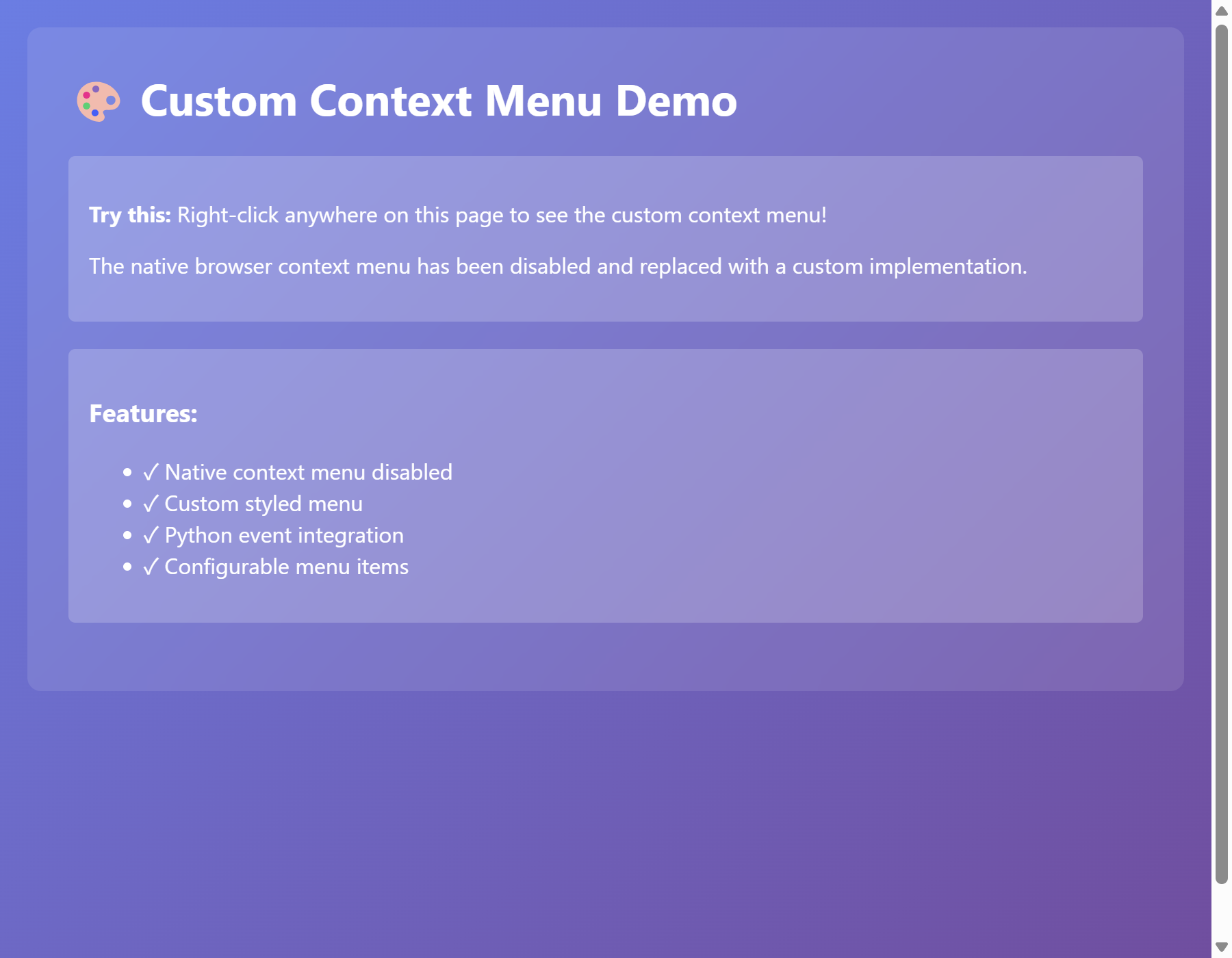
查看源代码
"""Custom Context Menu Demo.

This example demonstrates how to disable the native browser context menu
and implement a custom right-click menu using JavaScript.

Note: This example uses the low-level WebView API for demonstration.
For most use cases, prefer QtWebView, AuroraView, or run_desktop.

Signed-off-by: Hal Long <hal.long@outlook.com>
"""

from auroraview import WebView

# HTML with custom context menu
HTML_CONTENT = """
<!DOCTYPE html>
<html>
<head>
    <meta charset="UTF-8">
    <meta name="viewport" content="width=device-width, initial-scale=1.0">
    <title>Custom Context Menu Demo</title>
    <style>
        body {
            font-family: -apple-system, BlinkMacSystemFont, 'Segoe UI', Roboto, sans-serif;
            margin: 0;
            padding: 20px;
            background: linear-gradient(135deg, #667eea 0%, #764ba2 100%);
            color: white;
            min-height: 100vh;
        }

        .container {
            max-width: 800px;
            margin: 0 auto;
            background: rgba(255, 255, 255, 0.1);
            padding: 30px;
            border-radius: 10px;
            backdrop-filter: blur(10px);
        }

        h1 {
            margin-top: 0;
        }

        .info {
            background: rgba(255, 255, 255, 0.2);
            padding: 15px;
            border-radius: 5px;
            margin: 20px 0;
        }

        /* Custom context menu styles */
        .custom-menu {
            display: none;
            position: fixed;
            background: white;
            border: 1px solid #ccc;
            border-radius: 5px;
            box-shadow: 0 2px 10px rgba(0,0,0,0.2);
            z-index: 1000;
            min-width: 180px;
        }

        .custom-menu ul {
            list-style: none;
            margin: 0;
            padding: 5px 0;
        }

        .custom-menu li {
            padding: 10px 20px;
            cursor: pointer;
            color: #333;
            display: flex;
            align-items: center;
            gap: 10px;
        }

        .custom-menu li:hover {
            background: #f0f0f0;
        }

        .custom-menu li::before {
            content: '▸';
            color: #667eea;
        }

        .menu-separator {
            height: 1px;
            background: #e0e0e0;
            margin: 5px 0;
        }
    </style>
</head>
<body>
    <div class="container">
        <h1>🎨 Custom Context Menu Demo</h1>

        <div class="info">
            <p><strong>Try this:</strong> Right-click anywhere on this page to see the custom context menu!</p>
            <p>The native browser context menu has been disabled and replaced with a custom implementation.</p>
        </div>

        <div class="info">
            <h3>Features:</h3>
            <ul>
                <li>✓ Native context menu disabled</li>
                <li>✓ Custom styled menu</li>
                <li>✓ Python event integration</li>
                <li>✓ Configurable menu items</li>
            </ul>
        </div>
    </div>

    <!-- Custom context menu -->
    <div id="customMenu" class="custom-menu">
        <ul>
            <li onclick="handleMenuAction('export')">Export Scene</li>
            <li onclick="handleMenuAction('import')">Import Assets</li>
            <div class="menu-separator"></div>
            <li onclick="handleMenuAction('settings')">Settings</li>
            <li onclick="handleMenuAction('about')">About</li>
        </ul>
    </div>

    <script>
        const menu = document.getElementById('customMenu');

        // Show custom menu on right-click
        document.addEventListener('contextmenu', (e) => {
            e.preventDefault();

            // Position menu at cursor
            menu.style.display = 'block';
            menu.style.left = e.pageX + 'px';
            menu.style.top = e.pageY + 'px';

            // Adjust if menu goes off-screen
            const menuRect = menu.getBoundingClientRect();
            if (menuRect.right > window.innerWidth) {
                menu.style.left = (e.pageX - menuRect.width) + 'px';
            }
            if (menuRect.bottom > window.innerHeight) {
                menu.style.top = (e.pageY - menuRect.height) + 'px';
            }
        });

        // Hide menu on click elsewhere
        document.addEventListener('click', () => {
            menu.style.display = 'none';
        });

        // Handle menu actions
        function handleMenuAction(action) {
            console.log('Menu action:', action);

            // Send action to Python via AuroraView event system
            if (window.auroraview) {
                window.auroraview.send_event('menu_action', { action: action });
            }

            menu.style.display = 'none';
        }
    </script>
</body>
</html>
"""


def main():
    """Run the custom context menu demo."""
    # Create WebView with native context menu disabled
    webview = WebView(
        title="Custom Context Menu Demo",
        width=900,
        height=700,
        context_menu=False,  # Disable native context menu
        debug=True,  # Enable dev tools for inspection
    )

    # Register event handler for menu actions
    @webview.on("menu_action")
    def handle_menu_action(data):
        """Handle custom menu actions from JavaScript."""
        action = data.get("action")
        print(f"[Python] Menu action received: {action}")

        if action == "export":
            print("  → Exporting scene...")
        elif action == "import":
            print("  → Importing assets...")
        elif action == "settings":
            print("  → Opening settings...")
        elif action == "about":
            print("  → Showing about dialog...")

    # Load HTML content
    webview.load_html(HTML_CONTENT)

    # Show the window
    print("Custom Context Menu Demo")
    print("Right-click anywhere in the window to see the custom menu!")
    webview.show()


if __name__ == "__main__":
    main()
运行: python examples/custom_context_menu_demo.py
System Tray Demo
This example demonstrates how to create a desktop application with:
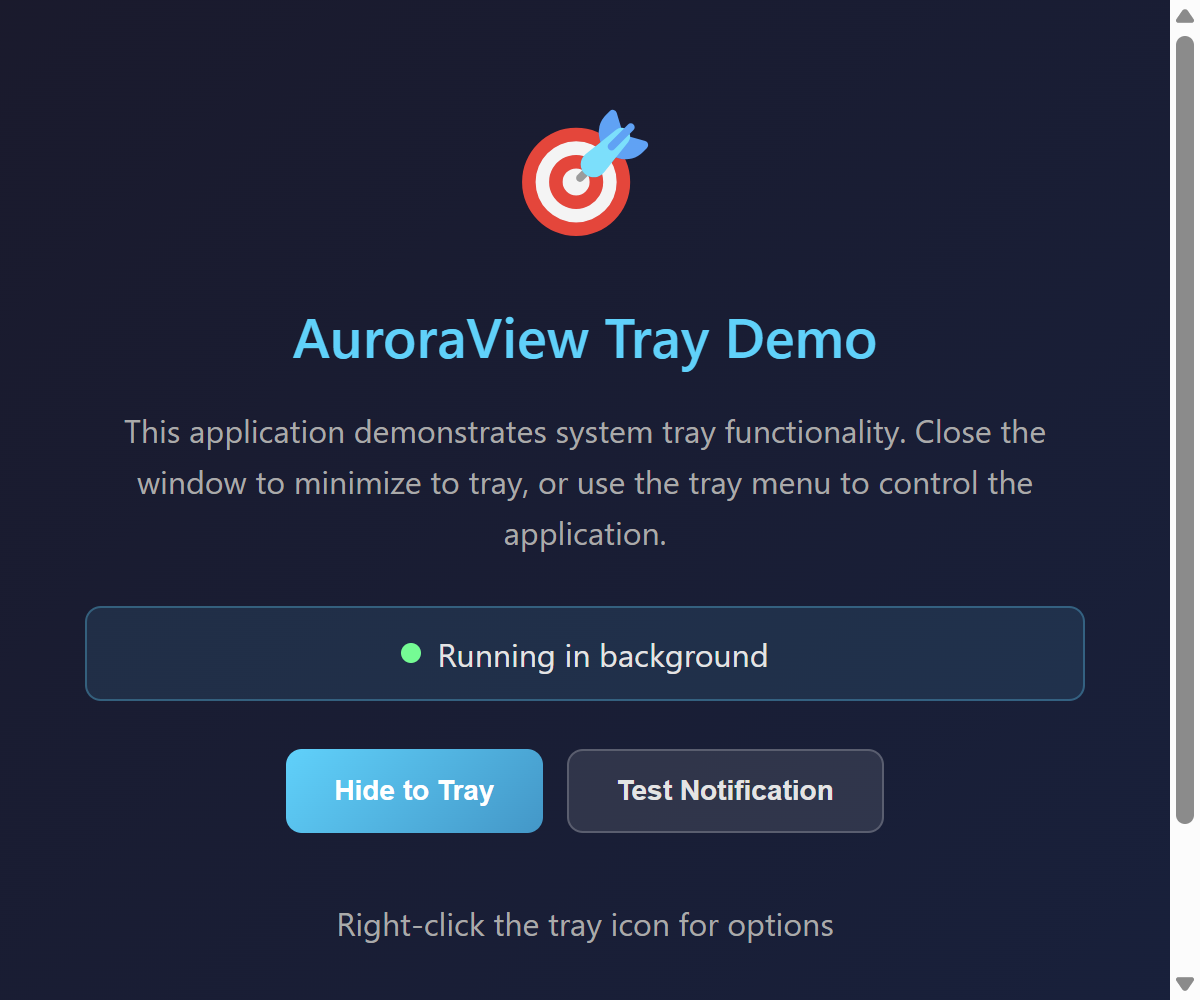
查看源代码
"""System Tray Demo - Desktop application with system tray support.

This example demonstrates how to create a desktop application with:
- System tray icon
- Context menu in tray
- Hide to tray on close
- Show on tray click

Features demonstrated:
- System tray icon with tooltip
- Context menu with Show/Hide/Exit options
- Minimize to tray instead of closing
- Click tray icon to show/hide window
- Tool window style for floating panels

Use cases:
- Background applications (monitoring tools, sync services)
- Desktop assistants that stay in tray
- Notification-based tools
- Always-available utilities

Note: System tray support is currently available through run_desktop().
For advanced tray configuration, see the TrayConfig in Rust.

Signed-off-by: Hal Long <hal.long@outlook.com>
"""

import sys

# HTML for the main application UI
APP_HTML = """
<!DOCTYPE html>
<html>
<head>
    <meta charset="UTF-8">
    <style>
        * {
            margin: 0;
            padding: 0;
            box-sizing: border-box;
        }

        body {
            font-family: -apple-system, BlinkMacSystemFont, 'Segoe UI', Roboto, sans-serif;
            background: linear-gradient(135deg, #1a1a2e 0%, #16213e 100%);
            color: #e4e4e4;
            min-height: 100vh;
            display: flex;
            flex-direction: column;
            align-items: center;
            justify-content: center;
            padding: 40px;
        }

        .container {
            text-align: center;
            max-width: 500px;
        }

        .icon {
            font-size: 64px;
            margin-bottom: 24px;
        }

        h1 {
            font-size: 28px;
            font-weight: 600;
            color: #00d4ff;
            margin-bottom: 16px;
        }

        p {
            font-size: 16px;
            color: #aaa;
            line-height: 1.6;
            margin-bottom: 24px;
        }

        .status {
            display: flex;
            align-items: center;
            justify-content: center;
            gap: 8px;
            padding: 12px 24px;
            background: rgba(0, 212, 255, 0.1);
            border: 1px solid rgba(0, 212, 255, 0.3);
            border-radius: 8px;
            margin-bottom: 24px;
        }

        .status-dot {
            width: 10px;
            height: 10px;
            border-radius: 50%;
            background: #00ff88;
            animation: pulse 2s infinite;
        }

        @keyframes pulse {
            0%, 100% { opacity: 1; }
            50% { opacity: 0.5; }
        }

        .actions {
            display: flex;
            gap: 12px;
            justify-content: center;
        }

        .btn {
            padding: 12px 24px;
            border: none;
            border-radius: 8px;
            font-size: 14px;
            font-weight: 600;
            cursor: pointer;
            transition: all 0.2s;
        }

        .btn-primary {
            background: linear-gradient(135deg, #00d4ff 0%, #0099cc 100%);
            color: #fff;
        }

        .btn-primary:hover {
            transform: translateY(-2px);
            box-shadow: 0 4px 12px rgba(0, 212, 255, 0.3);
        }

        .btn-secondary {
            background: rgba(255, 255, 255, 0.1);
            color: #e4e4e4;
            border: 1px solid rgba(255, 255, 255, 0.2);
        }

        .btn-secondary:hover {
            background: rgba(255, 255, 255, 0.15);
        }

        .info {
            margin-top: 32px;
            font-size: 12px;
            color: #666;
        }

        .info code {
            background: rgba(255, 255, 255, 0.1);
            padding: 2px 6px;
            border-radius: 4px;
            font-family: 'Fira Code', monospace;
        }
    </style>
</head>
<body>
    <div class="container">
        <div class="icon">🎯</div>
        <h1>AuroraView Tray Demo</h1>
        <p>
            This application demonstrates system tray functionality.
            Close the window to minimize to tray, or use the tray menu
            to control the application.
        </p>
        <div class="status">
            <span class="status-dot"></span>
            <span>Running in background</span>
        </div>
        <div class="actions">
            <button class="btn btn-primary" onclick="hideToTray()">Hide to Tray</button>
            <button class="btn btn-secondary" onclick="showNotification()">Test Notification</button>
        </div>
        <div class="info">
            <p>Right-click the tray icon for options</p>
            <p>Use <code>tool_window=True</code> to hide from taskbar</p>
        </div>
    </div>

    <script>
        function hideToTray() {
            if (window.auroraview && window.auroraview.call) {
                window.auroraview.call('hide_to_tray');
            }
        }

        function showNotification() {
            if (window.auroraview && window.auroraview.call) {
                window.auroraview.call('show_notification', {
                    title: 'AuroraView',
                    message: 'This is a test notification!'
                });
            }
        }

        // Listen for tray events
        window.addEventListener('auroraviewready', () => {
            console.log('AuroraView ready - tray demo');

            // Subscribe to tray menu events
            if (window.auroraview && window.auroraview.on) {
                window.auroraview.on('tray_menu', (data) => {
                    console.log('Tray menu clicked:', data);
                });
            }
        });
    </script>
</body>
</html>
"""


def run_tray_demo():
    """Run the system tray demo.

    This demo shows how to create a desktop application with system tray support.
    Uses run_desktop() with tray parameters for full system tray functionality.
    """
    from auroraview._core import run_desktop

    print("Starting System Tray Demo...")
    print()
    print("Features:")
    print("  - System tray icon with tooltip")
    print("  - Right-click menu: Show Window / Exit")
    print("  - Click tray icon to show window")
    print("  - Close window to hide to tray")
    print()
    print("Try:")
    print("  1. Close the window (X button) - it will hide to tray")
    print("  2. Click the tray icon to show the window again")
    print("  3. Right-click tray icon for menu options")
    print()

    run_desktop(
        title="AuroraView Tray Demo",
        width=600,
        height=500,
        html=APP_HTML,
        tray_enabled=True,
        tray_tooltip="AuroraView Tray Demo",
        tray_show_on_click=True,
        tray_hide_on_close=True,
    )


def run_tool_window_demo():
    """Run a demo showing tool_window mode.

    tool_window=True creates a window that:
    - Does NOT appear in the taskbar
    - Does NOT appear in Alt+Tab
    - Has a smaller title bar (if frame=True)

    This is useful for floating tool panels, property editors, etc.
    """
    from auroraview import AuroraView

    class ToolWindow(AuroraView):
        """A tool window that hides from taskbar and Alt+Tab."""

        def __init__(self):
            super().__init__(
                title="Tool Window",
                html=APP_HTML,
                width=400,
                height=300,
                frame=True,  # Show window frame (smaller for tool windows)
                always_on_top=True,  # Keep on top
                tool_window=True,  # Hide from taskbar and Alt+Tab
            )
            self.bind_call("hide_to_tray", self.close)
            self.bind_call("show_notification", lambda **kw: print(f"Notification: {kw}"))

    print("Starting Tool Window Demo...")
    print()
    print("This window:")
    print("  - Does NOT appear in taskbar")
    print("  - Does NOT appear in Alt+Tab")
    print("  - Stays on top of other windows")
    print()

    tool = ToolWindow()
    tool.show()


if __name__ == "__main__":
    if len(sys.argv) > 1 and sys.argv[1] == "--tool":
        run_tool_window_demo()
    else:
        run_tray_demo()
运行: python examples/system_tray_demo.py
特性:
- System tray icon with tooltip
- Context menu with Show/Hide/Exit options
- Minimize to tray instead of closing
- Click tray icon to show/hide window
- Tool window style for floating panels
- Background applications (monitoring tools, sync services)
- Desktop assistants that stay in tray
- Notification-based tools
- Always-available utilities
Logo Button Demo
This example demonstrates how to create a floating transparent button using the AuroraView logo image, similar to AI assistant triggers.

查看源代码
"""Logo Button Demo - Transparent floating logo button with AI panel.
This example demonstrates how to create a floating transparent button
using the AuroraView logo image, similar to AI assistant triggers.
Features demonstrated:
- Transparent window with logo image
- Frameless, borderless window
- Tool window style (hide from taskbar/Alt+Tab)
- Click to open AI assistant panel
- Drag support
Signed-off-by: Hal Long <hal.long@outlook.com>
"""
import base64
from pathlib import Path
# Get the logo path relative to this file
ASSETS_DIR = Path(__file__).parent.parent / "assets" / "icons"
LOGO_64 = ASSETS_DIR / "auroraview-64.png"
def get_logo_data_uri():
"""Load logo as base64 data URI to avoid file:// protocol issues."""
if not LOGO_64.exists():
return None
with open(LOGO_64, "rb") as f:
data = base64.b64encode(f.read()).decode("utf-8")
return f"data:image/png;base64,{data}"
# HTML for the logo button - transparent window showing just the logo
LOGO_HTML = """
<!DOCTYPE html>
<html>
<head>
<meta charset="UTF-8">
<style>
* {
margin: 0;
padding: 0;
box-sizing: border-box;
}
html, body {
width: 100%;
height: 100%;
background: transparent;
overflow: hidden;
}
.logo-container {
width: 100%;
height: 100%;
display: flex;
align-items: center;
justify-content: center;
}
.logo-btn {
width: 64px;
height: 64px;
background: transparent;
border: none;
cursor: pointer;
display: flex;
align-items: center;
justify-content: center;
transition: transform 0.2s, filter 0.2s;
-webkit-app-region: drag;
padding: 0;
}
.logo-btn:hover {
transform: scale(1.05);
}
.logo-btn:active {
transform: scale(0.95);
}
.logo-btn img {
width: 100%;
height: 100%;
object-fit: contain;
pointer-events: none;
}
/* Pulse animation when idle */
@keyframes pulse {
0%, 100% { opacity: 1; }
50% { opacity: 0.85; }
}
.logo-btn.idle {
animation: pulse 2s ease-in-out infinite;
}
</style>
</head>
<body>
<div class="logo-container">
<button class="logo-btn idle" id="logoBtn">
<img src="LOGO_PATH_PLACEHOLDER" alt="AuroraView" draggable="false">
</button>
</div>
<script>
let clickCount = 0;
document.getElementById('logoBtn').addEventListener('click', function(e) {
clickCount++;
this.classList.remove('idle');
if (window.auroraview && window.auroraview.call) {
window.auroraview.call('on_click', { count: clickCount });
}
// Resume idle animation after a delay
setTimeout(() => {
this.classList.add('idle');
}, 1000);
});
</script>
</body>
</html>
"""
# HTML for the floating AI panel
PANEL_HTML = """
<!DOCTYPE html>
<html>
<head>
<meta charset="UTF-8">
<style>
* {
margin: 0;
padding: 0;
box-sizing: border-box;
}
body {
font-family: -apple-system, BlinkMacSystemFont, 'Segoe UI', Roboto, sans-serif;
background: transparent;
overflow: hidden;
}
.panel {
background: linear-gradient(135deg, #1a1a2e 0%, #16213e 100%);
border-radius: 12px;
padding: 16px;
box-shadow: 0 8px 32px rgba(0, 0, 0, 0.4);
border: 1px solid rgba(255, 255, 255, 0.1);
color: #e4e4e4;
min-width: 300px;
}
.panel-header {
display: flex;
align-items: center;
justify-content: space-between;
margin-bottom: 12px;
padding-bottom: 12px;
border-bottom: 1px solid rgba(255, 255, 255, 0.1);
}
.panel-title {
font-size: 14px;
font-weight: 600;
color: #00d4ff;
}
.close-btn {
background: none;
border: none;
color: #888;
cursor: pointer;
font-size: 18px;
padding: 4px 8px;
border-radius: 4px;
transition: all 0.2s;
}
.close-btn:hover {
background: rgba(255, 255, 255, 0.1);
color: #fff;
}
.input-area {
display: flex;
gap: 8px;
margin-bottom: 12px;
}
.input-field {
flex: 1;
background: rgba(255, 255, 255, 0.05);
border: 1px solid rgba(255, 255, 255, 0.1);
border-radius: 8px;
padding: 10px 14px;
color: #fff;
font-size: 14px;
outline: none;
transition: border-color 0.2s;
}
.input-field:focus {
border-color: #00d4ff;
}
.input-field::placeholder {
color: #666;
}
.send-btn {
background: linear-gradient(135deg, #00d4ff 0%, #0099cc 100%);
border: none;
border-radius: 8px;
padding: 10px 16px;
color: #fff;
font-weight: 600;
cursor: pointer;
transition: transform 0.2s, box-shadow 0.2s;
}
.send-btn:hover {
transform: translateY(-1px);
box-shadow: 0 4px 12px rgba(0, 212, 255, 0.3);
}
.send-btn:active {
transform: translateY(0);
}
.suggestions {
display: flex;
flex-wrap: wrap;
gap: 8px;
}
.suggestion-chip {
background: rgba(255, 255, 255, 0.05);
border: 1px solid rgba(255, 255, 255, 0.1);
border-radius: 16px;
padding: 6px 12px;
font-size: 12px;
color: #aaa;
cursor: pointer;
transition: all 0.2s;
}
.suggestion-chip:hover {
background: rgba(0, 212, 255, 0.1);
border-color: #00d4ff;
color: #00d4ff;
}
/* Drag handle for frameless window */
.drag-handle {
-webkit-app-region: drag;
cursor: move;
}
.no-drag {
-webkit-app-region: no-drag;
}
</style>
</head>
<body>
<div class="panel">
<div class="panel-header drag-handle">
<span class="panel-title">AuroraView AI</span>
<button class="close-btn no-drag" onclick="closePanel()">×</button>
</div>
<div class="input-area no-drag">
<input type="text" class="input-field" placeholder="Ask me anything..." id="input">
<button class="send-btn" onclick="sendMessage()">Send</button>
</div>
<div class="suggestions no-drag">
<span class="suggestion-chip" onclick="selectSuggestion('Generate texture')">Generate texture</span>
<span class="suggestion-chip" onclick="selectSuggestion('Fix UV mapping')">Fix UV mapping</span>
<span class="suggestion-chip" onclick="selectSuggestion('Optimize mesh')">Optimize mesh</span>
</div>
</div>
<script>
function closePanel() {
if (window.auroraview && window.auroraview.call) {
window.auroraview.call('close_panel');
}
}
function sendMessage() {
const input = document.getElementById('input');
const message = input.value.trim();
if (message && window.auroraview && window.auroraview.call) {
window.auroraview.call('send_message', { message: message });
input.value = '';
}
}
function selectSuggestion(text) {
document.getElementById('input').value = text;
}
// Handle Enter key
document.getElementById('input').addEventListener('keypress', (e) => {
if (e.key === 'Enter') sendMessage();
});
</script>
</body>
</html>
"""
def run_logo_button_demo():
"""Run the logo button demo.
Creates a transparent floating window with the AuroraView logo.
- Single click: toggle AI panel
- Drag: move the window
"""
from auroraview import AuroraView
# Load logo as base64 data URI
logo_data_uri = get_logo_data_uri()
if not logo_data_uri:
print(f"Logo not found: {LOGO_64}")
return
print(f"Loaded logo from: {LOGO_64}")
# Replace placeholder with data URI
html = LOGO_HTML.replace("LOGO_PATH_PLACEHOLDER", logo_data_uri)
# State tracking
panel_visible = False
panel_webview = None
class FloatingPanel(AuroraView):
"""The expandable floating AI panel."""
def __init__(self, parent_hwnd=None):
super().__init__(
html=PANEL_HTML,
width=350,
height=180,
frame=False,
transparent=True,
always_on_top=True,
parent_hwnd=parent_hwnd,
embed_mode="owner",
tool_window=True,
undecorated_shadow=False,
)
self.bind_call("close_panel", self.close_panel)
self.bind_call("send_message", self.handle_message)
def close_panel(self, *args, **kwargs):
"""Close the panel."""
nonlocal panel_visible, panel_webview
self.close()
panel_webview = None
panel_visible = False
def handle_message(self, message: str = ""):
"""Handle message from the input field."""
print(f"[AuroraView AI] Message: {message}")
class LogoButton(AuroraView):
"""Floating logo button."""
def __init__(self):
super().__init__(
html=html,
width=64,
height=64,
frame=False,
transparent=True,
always_on_top=True,
tool_window=True,
undecorated_shadow=False,
)
self.bind_call("on_click", self.on_click)
def on_click(self, count: int = 0):
"""Handle click event - toggle panel."""
nonlocal panel_visible, panel_webview
print(f"[LogoButton] Clicked! Count: {count}")
if panel_visible and panel_webview:
panel_webview.close()
panel_webview = None
panel_visible = False
else:
# Create and show the panel
panel_webview = FloatingPanel(parent_hwnd=self.get_hwnd())
panel_webview.show()
panel_visible = True
print("Starting Logo Button Demo...")
print()
print("Features:")
print(" - Transparent window with logo")
print(" - Click to toggle AI panel")
print(" - Drag to move")
print()
button = LogoButton()
button.show()
if __name__ == "__main__":
run_logo_button_demo()运行: python examples/logo_button_demo.py
特性:
- Transparent window with logo image
- Frameless, borderless window
- Tool window style (hide from taskbar/Alt+Tab)
- Click to open AI assistant panel
- Drag support
Advanced Patterns
AuroraView Desktop Application Demo
Demonstrates desktop application capabilities: This example shows how to build a desktop-like application with
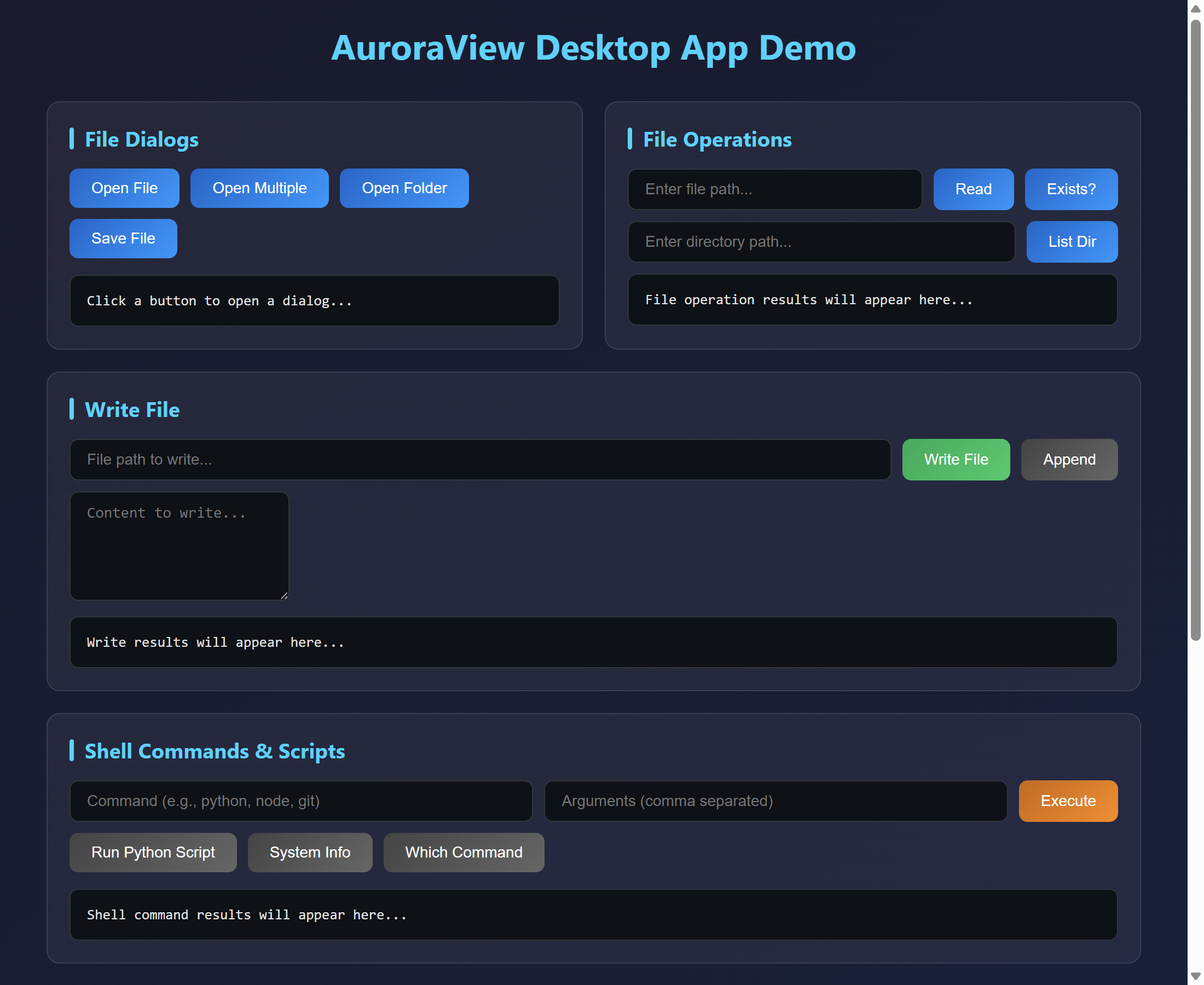
查看源代码
"""
AuroraView Desktop Application Demo
Demonstrates desktop application capabilities:
- File dialogs (open, save, folder selection)
- File system operations (read, write, list)
- Shell commands and script execution
- Environment variables
This example shows how to build a desktop-like application with
full file system access and native dialogs.
"""
import auroraview
def create_demo_html():
"""Create the demo HTML interface."""
return """
<!DOCTYPE html>
<html lang="en">
<head>
<meta charset="UTF-8">
<meta name="viewport" content="width=device-width, initial-scale=1.0">
<title>AuroraView Desktop App Demo</title>
<style>
* {
margin: 0;
padding: 0;
box-sizing: border-box;
}
body {
font-family: -apple-system, BlinkMacSystemFont, 'Segoe UI', Roboto, sans-serif;
background: linear-gradient(135deg, #1a1a2e 0%, #16213e 100%);
color: #e4e4e4;
min-height: 100vh;
padding: 20px;
}
.container {
max-width: 1000px;
margin: 0 auto;
}
h1 {
text-align: center;
margin-bottom: 30px;
color: #00d4ff;
font-size: 2em;
}
.section {
background: rgba(255, 255, 255, 0.05);
border-radius: 12px;
padding: 20px;
margin-bottom: 20px;
border: 1px solid rgba(255, 255, 255, 0.1);
}
.section h2 {
color: #00d4ff;
margin-bottom: 15px;
font-size: 1.2em;
display: flex;
align-items: center;
gap: 10px;
}
.section h2::before {
content: '';
width: 4px;
height: 20px;
background: #00d4ff;
border-radius: 2px;
}
.btn-group {
display: flex;
flex-wrap: wrap;
gap: 10px;
margin-bottom: 15px;
}
button {
background: linear-gradient(135deg, #0066cc 0%, #0099ff 100%);
color: white;
border: none;
padding: 10px 20px;
border-radius: 8px;
cursor: pointer;
font-size: 14px;
transition: all 0.3s ease;
}
button:hover {
transform: translateY(-2px);
box-shadow: 0 4px 15px rgba(0, 153, 255, 0.4);
}
button:active {
transform: translateY(0);
}
button.secondary {
background: linear-gradient(135deg, #444 0%, #666 100%);
}
button.success {
background: linear-gradient(135deg, #00aa55 0%, #00cc66 100%);
}
button.warning {
background: linear-gradient(135deg, #cc6600 0%, #ff8800 100%);
}
.output {
background: #0d1117;
border: 1px solid #30363d;
border-radius: 8px;
padding: 15px;
font-family: 'Consolas', 'Monaco', monospace;
font-size: 13px;
max-height: 200px;
overflow-y: auto;
white-space: pre-wrap;
word-break: break-all;
}
.output.success { border-color: #00aa55; }
.output.error { border-color: #ff4444; color: #ff6666; }
.input-group {
display: flex;
gap: 10px;
margin-bottom: 10px;
}
input[type="text"], textarea {
flex: 1;
background: #0d1117;
border: 1px solid #30363d;
border-radius: 8px;
padding: 10px 15px;
color: #e4e4e4;
font-size: 14px;
}
input[type="text"]:focus, textarea:focus {
outline: none;
border-color: #0099ff;
}
textarea {
min-height: 100px;
font-family: 'Consolas', 'Monaco', monospace;
resize: vertical;
}
.grid-2 {
display: grid;
grid-template-columns: 1fr 1fr;
gap: 20px;
}
@media (max-width: 768px) {
.grid-2 { grid-template-columns: 1fr; }
}
.status {
display: inline-block;
padding: 4px 12px;
border-radius: 12px;
font-size: 12px;
margin-left: 10px;
}
.status.ready { background: #00aa55; }
.status.loading { background: #cc6600; }
.file-list {
max-height: 150px;
overflow-y: auto;
}
.file-item {
padding: 8px 12px;
border-bottom: 1px solid rgba(255,255,255,0.1);
display: flex;
justify-content: space-between;
align-items: center;
}
.file-item:last-child { border-bottom: none; }
.file-item .name { color: #00d4ff; }
.file-item .size { color: #888; font-size: 12px; }
</style>
</head>
<body>
<div class="container">
<h1>AuroraView Desktop App Demo</h1>
<div class="grid-2">
<!-- File Dialogs Section -->
<div class="section">
<h2>File Dialogs</h2>
<div class="btn-group">
<button onclick="openFile()">Open File</button>
<button onclick="openFiles()">Open Multiple</button>
<button onclick="openFolder()">Open Folder</button>
<button onclick="saveFile()">Save File</button>
</div>
<div id="dialogOutput" class="output">Click a button to open a dialog...</div>
</div>
<!-- File Operations Section -->
<div class="section">
<h2>File Operations</h2>
<div class="input-group">
<input type="text" id="filePath" placeholder="Enter file path...">
<button onclick="readFile()">Read</button>
<button onclick="checkExists()">Exists?</button>
</div>
<div class="input-group">
<input type="text" id="dirPath" placeholder="Enter directory path...">
<button onclick="listDir()">List Dir</button>
</div>
<div id="fileOutput" class="output">File operation results will appear here...</div>
</div>
</div>
<!-- Write File Section -->
<div class="section">
<h2>Write File</h2>
<div class="input-group">
<input type="text" id="writeFilePath" placeholder="File path to write...">
<button class="success" onclick="writeFile()">Write File</button>
<button class="secondary" onclick="appendFile()">Append</button>
</div>
<textarea id="writeContent" placeholder="Content to write..."></textarea>
<div id="writeOutput" class="output" style="margin-top: 10px;">Write results will appear here...</div>
</div>
<!-- Shell Commands Section -->
<div class="section">
<h2>Shell Commands & Scripts</h2>
<div class="input-group">
<input type="text" id="command" placeholder="Command (e.g., python, node, git)">
<input type="text" id="args" placeholder="Arguments (comma separated)">
<button class="warning" onclick="executeCommand()">Execute</button>
</div>
<div class="btn-group">
<button class="secondary" onclick="runPythonScript()">Run Python Script</button>
<button class="secondary" onclick="getSystemInfo()">System Info</button>
<button class="secondary" onclick="whichCommand()">Which Command</button>
</div>
<div id="shellOutput" class="output">Shell command results will appear here...</div>
</div>
<!-- Environment Variables Section -->
<div class="grid-2">
<div class="section">
<h2>Environment Variables</h2>
<div class="input-group">
<input type="text" id="envName" placeholder="Variable name (e.g., PATH)">
<button onclick="getEnvVar()">Get</button>
<button class="secondary" onclick="getAllEnv()">Get All</button>
</div>
<div id="envOutput" class="output">Environment variable results...</div>
</div>
<div class="section">
<h2>Open & Reveal</h2>
<div class="input-group">
<input type="text" id="openPath" placeholder="Path or URL to open...">
</div>
<div class="btn-group">
<button onclick="openUrl()">Open URL</button>
<button onclick="openFilePath()">Open File</button>
<button onclick="showInFolder()">Show in Folder</button>
</div>
<div id="openOutput" class="output">Open results...</div>
</div>
</div>
<!-- Message Dialogs Section -->
<div class="section">
<h2>Message Dialogs</h2>
<div class="btn-group">
<button onclick="showInfo()">Info</button>
<button class="warning" onclick="showWarning()">Warning</button>
<button style="background: #cc4444" onclick="showError()">Error</button>
<button class="secondary" onclick="showConfirm()">Confirm</button>
<button class="secondary" onclick="askQuestion()">Ask</button>
</div>
<div id="messageOutput" class="output">Message dialog results...</div>
</div>
</div>
<script>
// Wait for AuroraView to be ready
window.addEventListener('auroraviewready', function() {
console.log('[Demo] AuroraView ready');
});
function log(elementId, message, isError = false) {
const el = document.getElementById(elementId);
el.textContent = typeof message === 'object' ? JSON.stringify(message, null, 2) : message;
el.className = 'output' + (isError ? ' error' : ' success');
}
// File Dialogs
async function openFile() {
try {
const result = await auroraview.dialog.openFile({
title: 'Select a File',
filters: [
{ name: 'Text Files', extensions: ['txt', 'md', 'json'] },
{ name: 'Python Files', extensions: ['py'] },
{ name: 'All Files', extensions: ['*'] }
]
});
log('dialogOutput', result);
} catch (e) {
log('dialogOutput', 'Error: ' + e.message, true);
}
}
async function openFiles() {
try {
const result = await auroraview.dialog.openFiles({
title: 'Select Multiple Files'
});
log('dialogOutput', result);
} catch (e) {
log('dialogOutput', 'Error: ' + e.message, true);
}
}
async function openFolder() {
try {
const result = await auroraview.dialog.openFolder({
title: 'Select a Folder'
});
log('dialogOutput', result);
} catch (e) {
log('dialogOutput', 'Error: ' + e.message, true);
}
}
async function saveFile() {
try {
const result = await auroraview.dialog.saveFile({
title: 'Save File As',
defaultName: 'document.txt',
filters: [
{ name: 'Text Files', extensions: ['txt'] },
{ name: 'All Files', extensions: ['*'] }
]
});
log('dialogOutput', result);
} catch (e) {
log('dialogOutput', 'Error: ' + e.message, true);
}
}
// File Operations
async function readFile() {
const path = document.getElementById('filePath').value;
if (!path) {
log('fileOutput', 'Please enter a file path', true);
return;
}
try {
const content = await auroraview.fs.readFile(path);
log('fileOutput', content);
} catch (e) {
log('fileOutput', 'Error: ' + e.message, true);
}
}
async function checkExists() {
const path = document.getElementById('filePath').value;
if (!path) {
log('fileOutput', 'Please enter a path', true);
return;
}
try {
const exists = await auroraview.fs.exists(path);
log('fileOutput', 'Exists: ' + exists);
} catch (e) {
log('fileOutput', 'Error: ' + e.message, true);
}
}
async function listDir() {
const path = document.getElementById('dirPath').value;
if (!path) {
log('fileOutput', 'Please enter a directory path', true);
return;
}
try {
const entries = await auroraview.fs.readDir(path);
log('fileOutput', entries);
} catch (e) {
log('fileOutput', 'Error: ' + e.message, true);
}
}
// Write File
async function writeFile() {
const path = document.getElementById('writeFilePath').value;
const content = document.getElementById('writeContent').value;
if (!path) {
log('writeOutput', 'Please enter a file path', true);
return;
}
try {
await auroraview.fs.writeFile(path, content);
log('writeOutput', 'File written successfully to: ' + path);
} catch (e) {
log('writeOutput', 'Error: ' + e.message, true);
}
}
async function appendFile() {
const path = document.getElementById('writeFilePath').value;
const content = document.getElementById('writeContent').value;
if (!path) {
log('writeOutput', 'Please enter a file path', true);
return;
}
try {
await auroraview.fs.writeFile(path, content, true);
log('writeOutput', 'Content appended to: ' + path);
} catch (e) {
log('writeOutput', 'Error: ' + e.message, true);
}
}
// Shell Commands
async function executeCommand() {
const command = document.getElementById('command').value;
const argsStr = document.getElementById('args').value;
const args = argsStr ? argsStr.split(',').map(s => s.trim()) : [];
if (!command) {
log('shellOutput', 'Please enter a command', true);
return;
}
try {
const result = await auroraview.shell.execute(command, args);
log('shellOutput', result);
} catch (e) {
log('shellOutput', 'Error: ' + e.message, true);
}
}
async function runPythonScript() {
try {
const result = await auroraview.shell.execute('python', ['-c', 'print("Hello from Python!")']);
log('shellOutput', result);
} catch (e) {
log('shellOutput', 'Error: ' + e.message, true);
}
}
async function getSystemInfo() {
try {
let result;
// Try Windows first
try {
result = await auroraview.shell.execute('cmd', ['/c', 'ver']);
} catch {
// Try Unix
result = await auroraview.shell.execute('uname', ['-a']);
}
log('shellOutput', result);
} catch (e) {
log('shellOutput', 'Error: ' + e.message, true);
}
}
async function whichCommand() {
const command = document.getElementById('command').value || 'python';
try {
const path = await auroraview.shell.which(command);
log('shellOutput', 'Path: ' + (path || 'Not found'));
} catch (e) {
log('shellOutput', 'Error: ' + e.message, true);
}
}
// Environment Variables
async function getEnvVar() {
const name = document.getElementById('envName').value || 'PATH';
try {
const value = await auroraview.shell.getEnv(name);
log('envOutput', name + ' = ' + (value || '(not set)'));
} catch (e) {
log('envOutput', 'Error: ' + e.message, true);
}
}
async function getAllEnv() {
try {
const env = await auroraview.shell.getEnvAll();
log('envOutput', env);
} catch (e) {
log('envOutput', 'Error: ' + e.message, true);
}
}
// Open & Reveal
async function openUrl() {
const path = document.getElementById('openPath').value || 'https://github.com';
try {
await auroraview.shell.open(path);
log('openOutput', 'Opened: ' + path);
} catch (e) {
log('openOutput', 'Error: ' + e.message, true);
}
}
async function openFilePath() {
const path = document.getElementById('openPath').value;
if (!path) {
log('openOutput', 'Please enter a file path', true);
return;
}
try {
await auroraview.shell.openPath(path);
log('openOutput', 'Opened: ' + path);
} catch (e) {
log('openOutput', 'Error: ' + e.message, true);
}
}
async function showInFolder() {
const path = document.getElementById('openPath').value;
if (!path) {
log('openOutput', 'Please enter a file path', true);
return;
}
try {
await auroraview.shell.showInFolder(path);
log('openOutput', 'Revealed: ' + path);
} catch (e) {
log('openOutput', 'Error: ' + e.message, true);
}
}
// Message Dialogs
async function showInfo() {
try {
const result = await auroraview.dialog.info('This is an info message.', 'Information');
log('messageOutput', result);
} catch (e) {
log('messageOutput', 'Error: ' + e.message, true);
}
}
async function showWarning() {
try {
const result = await auroraview.dialog.warning('This is a warning message.', 'Warning');
log('messageOutput', result);
} catch (e) {
log('messageOutput', 'Error: ' + e.message, true);
}
}
async function showError() {
try {
const result = await auroraview.dialog.error('This is an error message.', 'Error');
log('messageOutput', result);
} catch (e) {
log('messageOutput', 'Error: ' + e.message, true);
}
}
async function showConfirm() {
try {
const result = await auroraview.dialog.confirm({
title: 'Confirm Action',
message: 'Are you sure you want to proceed?'
});
log('messageOutput', result);
} catch (e) {
log('messageOutput', 'Error: ' + e.message, true);
}
}
async function askQuestion() {
try {
const confirmed = await auroraview.dialog.ask('Do you want to save changes?', 'Save Changes');
log('messageOutput', 'User confirmed: ' + confirmed);
} catch (e) {
log('messageOutput', 'Error: ' + e.message, true);
}
}
</script>
</body>
</html>
"""
def main():
"""Run the desktop app demo."""
# Create webview
webview = auroraview.WebView(
title="AuroraView Desktop App Demo",
width=1100,
height=900,
html=create_demo_html(),
debug=True,
# RFC 0015 / 0017: keep IPC file_drop forwarding disabled so the page
# can use the browser-native HTML5 ``dragover`` / ``drop`` API. With
# ``capture_file_drop=False`` (the v0.6+ default), this demo's file
# operations panel stays compatible with web-stack drag-and-drop
# uploads. Flip to ``True`` only when you need OS absolute paths via
# ``auroraview.on('file_drop', ...)`` -- see
# ``examples/desktop_app_capture_file_drop.py`` for the IPC variant.
capture_file_drop=False,
)
print("Desktop App Demo")
print("================")
print("This demo showcases desktop application capabilities:")
print("- File dialogs (open, save, folder selection)")
print("- File system operations (read, write, list)")
print("- Shell commands and script execution")
print("- Environment variables")
print()
print("Starting webview...")
webview.show()
if __name__ == "__main__":
main()运行: python examples/desktop_app_demo.py
Desktop Events Demo
This example showcases: 1. Plugin invoke() method - Call native plugins from JavaScript
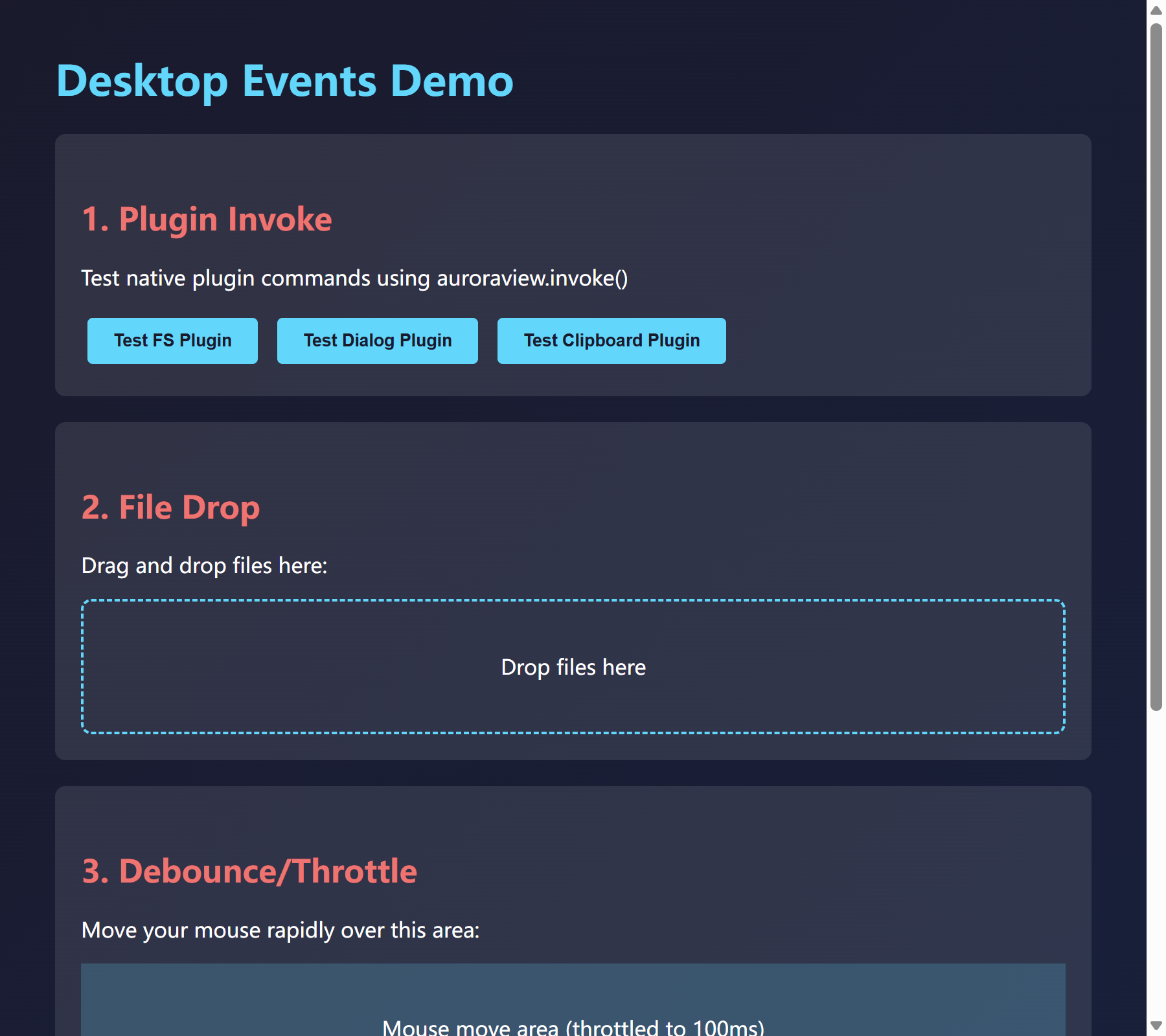
查看源代码
"""Desktop Events Demo - Demonstrates new desktop event features.

This example showcases:
1. Plugin invoke() method - Call native plugins from JavaScript
2. File drop events - Handle file drag and drop
3. Event cancellation - Cancel closing event
4. Debounce/throttle - Event rate limiting

Note: This example uses the low-level WebView API for demonstration.
For most use cases, prefer QtWebView, AuroraView, or run_desktop.

Run with:
    python examples/desktop_events_demo.py
"""

import os
import sys

# Add parent directory to path for development
sys.path.insert(0, os.path.dirname(os.path.dirname(os.path.abspath(__file__))))

from auroraview import WebView
from auroraview.core.events import WindowEvent

# HTML content demonstrating desktop events
HTML_CONTENT = """
<!DOCTYPE html>
<html>
<head>
    <meta charset="UTF-8">
    <title>Desktop Events Demo</title>
    <style>
        body {
            font-family: system-ui, -apple-system, sans-serif;
            max-width: 800px;
            margin: 0 auto;
            padding: 20px;
            background: linear-gradient(135deg, #1a1a2e 0%, #16213e 100%);
            color: #fff;
            min-height: 100vh;
        }
        h1 { color: #00d9ff; }
        h2 { color: #ff6b6b; margin-top: 30px; }
        .section {
            background: rgba(255,255,255,0.1);
            border-radius: 8px;
            padding: 20px;
            margin: 20px 0;
        }
        .drop-zone {
            border: 2px dashed #00d9ff;
            border-radius: 8px;
            padding: 40px;
            text-align: center;
            transition: all 0.3s;
        }
        .drop-zone.hover {
            background: rgba(0, 217, 255, 0.2);
            border-color: #ff6b6b;
        }
        button {
            background: #00d9ff;
            border: none;
            color: #1a1a2e;
            padding: 10px 20px;
            border-radius: 4px;
            cursor: pointer;
            margin: 5px;
            font-weight: bold;
        }
        button:hover { background: #00b8d9; }
        .log {
            background: #0a0a15;
            border-radius: 4px;
            padding: 10px;
            font-family: monospace;
            font-size: 12px;
            max-height: 200px;
            overflow-y: auto;
        }
        .log-entry { margin: 2px 0; }
        .log-entry.info { color: #00d9ff; }
        .log-entry.success { color: #4ade80; }
        .log-entry.error { color: #ff6b6b; }
    </style>
</head>
<body>
    <h1>Desktop Events Demo</h1>

    <div class="section">
        <h2>1. Plugin Invoke</h2>
        <p>Test native plugin commands using auroraview.invoke()</p>
        <button onclick="testFsPlugin()">Test FS Plugin</button>
        <button onclick="testDialogPlugin()">Test Dialog Plugin</button>
        <button onclick="testClipboardPlugin()">Test Clipboard Plugin</button>
    </div>

    <div class="section">
        <h2>2. File Drop</h2>
        <p>Drag and drop files here:</p>
        <div id="dropZone" class="drop-zone">
            Drop files here
        </div>
    </div>

    <div class="section">
        <h2>3. Debounce/Throttle</h2>
        <p>Move your mouse rapidly over this area:</p>
        <div id="mouseArea" style="background: rgba(0,217,255,0.2); padding: 40px; text-align: center;">
            Mouse move area (throttled to 100ms)
        </div>
        <p>Move count: <span id="moveCount">0</span></p>
    </div>

    <div class="section">
        <h2>Event Log</h2>
        <div id="log" class="log"></div>
    </div>

    <script>
        // Logging utility
        function log(message, type = 'info') {
            const logEl = document.getElementById('log');
            const entry = document.createElement('div');
            entry.className = 'log-entry ' + type;
            entry.textContent = new Date().toLocaleTimeString() + ' - ' + message;
            logEl.insertBefore(entry, logEl.firstChild);
        }

        // Wait for AuroraView bridge
        window.addEventListener('auroraviewready', function() {
            log('AuroraView bridge ready!', 'success');

            // Subscribe to file drop events
            auroraview.on('file_drop', function(data) {
                log('Files dropped: ' + JSON.stringify(data.files.map(f => f.name)), 'success');
            });

            auroraview.on('file_drop_hover', function(data) {
                const dropZone = document.getElementById('dropZone');
                if (data.hovering) {
                    dropZone.classList.add('hover');
                    dropZone.textContent = 'Release to drop ' + data.files.length + ' file(s)';
                } else {
                    dropZone.classList.remove('hover');
                    dropZone.textContent = 'Drop files here';
                }
            });

            auroraview.on('file_drop_cancelled', function(data) {
                const dropZone = document.getElementById('dropZone');
                dropZone.classList.remove('hover');
                dropZone.textContent = 'Drop files here';
                log('Drop cancelled: ' + data.reason, 'info');
            });

            // Throttled mouse move handler
            var moveCount = 0;
            var throttledHandler = auroraview.utils.throttle(function(e) {
                moveCount++;
                document.getElementById('moveCount').textContent = moveCount;
            }, 100);

            document.getElementById('mouseArea').addEventListener('mousemove', throttledHandler);
        });

        // Plugin test functions
        async function testFsPlugin() {
            log('Testing FS plugin...');
            try {
                // Check if temp directory exists
                const result = await auroraview.invoke('plugin:fs|exists', { path: 'C:\\\\Windows' });
                log('FS exists result: ' + JSON.stringify(result), 'success');
            } catch (e) {
                log('FS error: ' + e.message, 'error');
            }
        }

        async function testDialogPlugin() {
            log('Testing Dialog plugin...');
            try {
                const result = await auroraview.invoke('plugin:dialog|message', {
                    title: 'Hello',
                    message: 'This is a test message from AuroraView!',
                    kind: 'info'
                });
                log('Dialog result: ' + JSON.stringify(result), 'success');
            } catch (e) {
                log('Dialog error: ' + e.message, 'error');
            }
        }

        async function testClipboardPlugin() {
            log('Testing Clipboard plugin...');
            try {
                // Write to clipboard
                await auroraview.invoke('plugin:clipboard|write_text', { text: 'Hello from AuroraView!' });
                log('Clipboard write success', 'success');

                // Read from clipboard
                const result = await auroraview.invoke('plugin:clipboard|read_text', {});
                log('Clipboard read: ' + JSON.stringify(result), 'success');
            } catch (e) {
                log('Clipboard error: ' + e.message, 'error');
            }
        }

        log('Page loaded, waiting for AuroraView bridge...');
    </script>
</body>
</html>
"""


def main():
    """Run the desktop events demo."""
    print("Starting Desktop Events Demo...")
    print("Features demonstrated:")
    print("  1. Plugin invoke() method")
    print("  2. File drop events")
    print("  3. Debounce/throttle utilities")
    print()

    # Create WebView
    webview = WebView(
        title="Desktop Events Demo",
        width=900,
        height=800,
        html=HTML_CONTENT,
        debug=True,
    )

    # Register event handlers
    # File drop events now provide full native file paths
    @webview.on(WindowEvent.FILE_DROP)
    def on_file_drop(data):
        paths = data.get("paths", [])
        position = data.get("position", {})
        print(f"[Python] Files dropped at ({position.get('x')}, {position.get('y')}):")
        for path in paths:
            print(f"  - {path}")

    @webview.on(WindowEvent.FILE_DROP_HOVER)
    def on_file_hover(data):
        if data.get("hovering"):
            paths = data.get("paths", [])
            print(f"[Python] Dragging {len(paths)} file(s) over window")

    @webview.on(WindowEvent.CLOSING)
    def on_closing(data):
        print("[Python] Window closing...")
        return True  # Allow close

    # Show the WebView
    webview.show()


if __name__ == "__main__":
    main()
运行: python examples/desktop_events_demo.py
Signals Advanced Demo
This example demonstrates AuroraView's signal-slot system, which provides a powerful event-driven programming pattern similar to Qt's signals and slots.
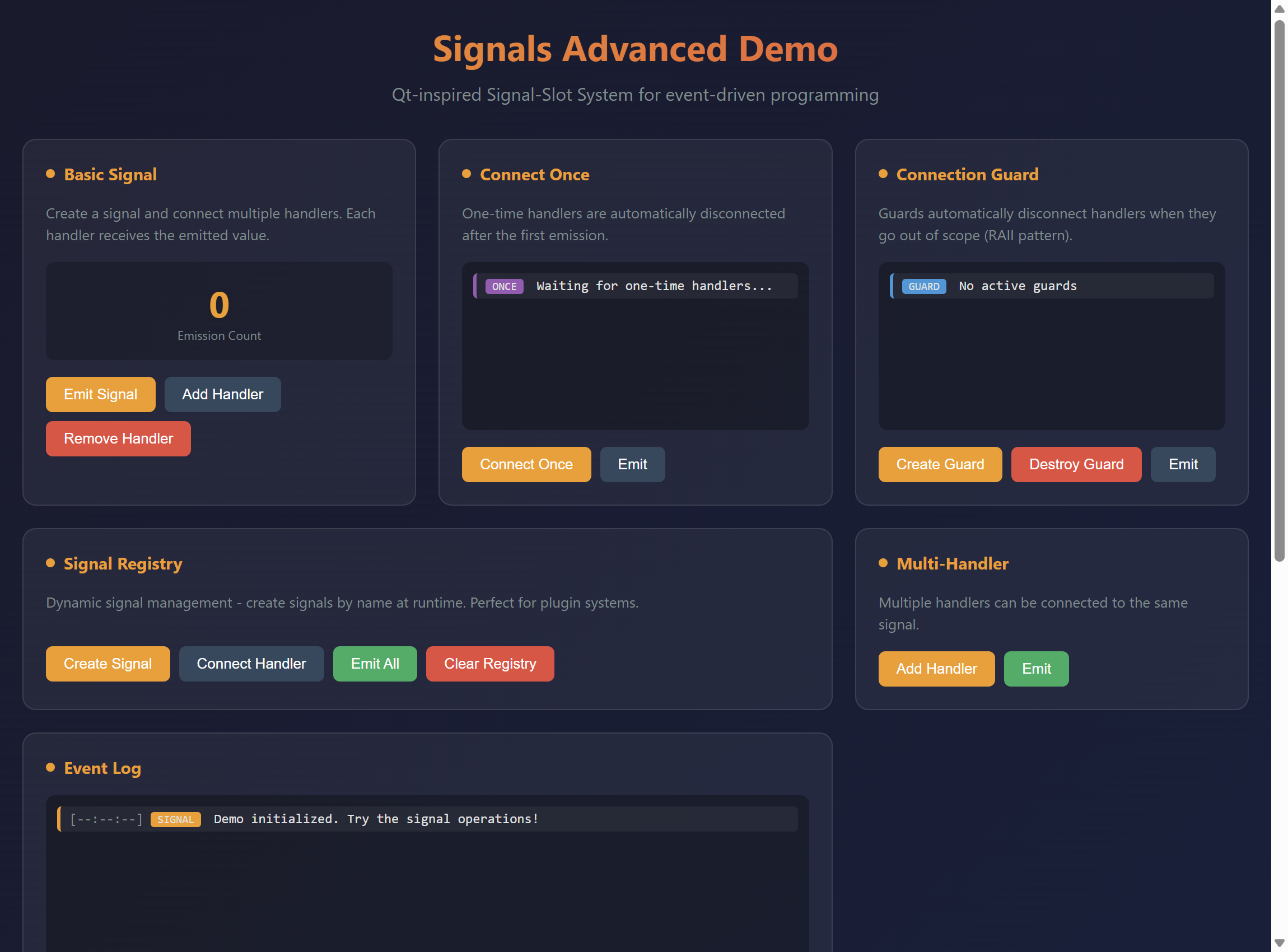
查看源代码
"""Signals Advanced Demo - Qt-inspired Signal-Slot System.
This example demonstrates AuroraView's signal-slot system, which provides
a powerful event-driven programming pattern similar to Qt's signals and slots.
Features demonstrated:
- Creating and emitting signals
- Connecting multiple handlers to a signal
- One-time connections (connect_once)
- ConnectionGuard for automatic cleanup
- SignalRegistry for dynamic signals
- Thread-safe signal operations
- Combining signals with WebView events
"""
from __future__ import annotations
import time
from typing import List
# WebView import is done in main() to avoid circular imports
from auroraview.core.signals import ConnectionGuard, Signal, SignalRegistry
HTML = """
<!DOCTYPE html>
<html>
<head>
<title>Signals Advanced Demo</title>
<style>
* { box-sizing: border-box; margin: 0; padding: 0; }
body {
font-family: -apple-system, BlinkMacSystemFont, 'Segoe UI', Roboto, sans-serif;
background: linear-gradient(135deg, #1a1a2e 0%, #16213e 100%);
color: #e0e0e0;
min-height: 100vh;
padding: 20px;
}
.container {
max-width: 1100px;
margin: 0 auto;
}
h1 {
text-align: center;
margin-bottom: 10px;
background: linear-gradient(90deg, #f39c12, #e74c3c);
-webkit-background-clip: text;
-webkit-text-fill-color: transparent;
}
.subtitle {
text-align: center;
color: #7f8c8d;
margin-bottom: 30px;
}
.grid {
display: grid;
grid-template-columns: repeat(3, 1fr);
gap: 20px;
}
.card {
background: rgba(255,255,255,0.05);
border-radius: 12px;
padding: 20px;
border: 1px solid rgba(255,255,255,0.1);
}
.card h2 {
font-size: 15px;
color: #f39c12;
margin-bottom: 15px;
display: flex;
align-items: center;
gap: 8px;
}
.card h2::before {
content: '';
width: 8px;
height: 8px;
background: #f39c12;
border-radius: 50%;
}
.description {
font-size: 13px;
color: #7f8c8d;
margin-bottom: 15px;
line-height: 1.5;
}
.btn-group {
display: flex;
gap: 8px;
flex-wrap: wrap;
}
button {
padding: 8px 16px;
border: none;
border-radius: 6px;
cursor: pointer;
font-size: 13px;
transition: all 0.2s;
background: #f39c12;
color: white;
}
button:hover {
transform: translateY(-1px);
box-shadow: 0 4px 12px rgba(243,156,18,0.3);
}
button.secondary {
background: #34495e;
}
button.danger {
background: #e74c3c;
}
button.success {
background: #27ae60;
}
.log-area {
height: 150px;
overflow-y: auto;
background: rgba(0,0,0,0.3);
border-radius: 8px;
padding: 10px;
margin-bottom: 15px;
font-family: 'Monaco', 'Consolas', monospace;
font-size: 12px;
}
.log-entry {
padding: 4px 8px;
margin-bottom: 4px;
border-radius: 4px;
background: rgba(255,255,255,0.05);
}
.log-entry.signal { border-left: 3px solid #f39c12; }
.log-entry.handler { border-left: 3px solid #27ae60; }
.log-entry.once { border-left: 3px solid #9b59b6; }
.log-entry.guard { border-left: 3px solid #3498db; }
.log-entry .time { color: #7f8c8d; }
.log-entry .type {
display: inline-block;
padding: 1px 6px;
border-radius: 3px;
font-size: 10px;
margin-right: 5px;
}
.type-signal { background: #f39c12; }
.type-handler { background: #27ae60; }
.type-once { background: #9b59b6; }
.type-guard { background: #3498db; }
.counter-display {
text-align: center;
padding: 15px;
background: rgba(0,0,0,0.2);
border-radius: 8px;
margin-bottom: 15px;
}
.counter-value {
font-size: 32px;
font-weight: bold;
color: #f39c12;
}
.counter-label {
font-size: 11px;
color: #7f8c8d;
}
.handler-list {
list-style: none;
margin-bottom: 15px;
}
.handler-list li {
display: flex;
justify-content: space-between;
align-items: center;
padding: 8px 12px;
background: rgba(0,0,0,0.2);
border-radius: 6px;
margin-bottom: 5px;
font-size: 13px;
}
.handler-list .status {
width: 8px;
height: 8px;
border-radius: 50%;
margin-right: 8px;
}
.status.active { background: #27ae60; }
.status.inactive { background: #7f8c8d; }
.code-example {
background: rgba(0,0,0,0.3);
border-radius: 8px;
padding: 15px;
font-family: 'Monaco', 'Consolas', monospace;
font-size: 11px;
overflow-x: auto;
white-space: pre;
color: #bdc3c7;
}
.code-example .keyword { color: #e74c3c; }
.code-example .string { color: #27ae60; }
.code-example .comment { color: #7f8c8d; }
.code-example .function { color: #f39c12; }
.full-width { grid-column: 1 / -1; }
.two-col { grid-column: span 2; }
.registry-signals {
display: flex;
flex-wrap: wrap;
gap: 8px;
margin-bottom: 15px;
}
.signal-tag {
display: inline-flex;
align-items: center;
gap: 5px;
padding: 5px 12px;
background: rgba(243,156,18,0.2);
border: 1px solid #f39c12;
border-radius: 20px;
font-size: 12px;
}
.signal-tag .count {
background: #f39c12;
color: #1a1a2e;
padding: 1px 6px;
border-radius: 10px;
font-size: 10px;
}
</style>
</head>
<body>
<div class="container">
<h1>Signals Advanced Demo</h1>
<p class="subtitle">Qt-inspired Signal-Slot System for event-driven programming</p>
<div class="grid">
<!-- Basic Signal Demo -->
<div class="card">
<h2>Basic Signal</h2>
<p class="description">
Create a signal and connect multiple handlers. Each handler receives the emitted value.
</p>
<div class="counter-display">
<div class="counter-value" id="basic-counter">0</div>
<div class="counter-label">Emission Count</div>
</div>
<div class="btn-group">
<button onclick="emitBasicSignal()">Emit Signal</button>
<button onclick="addHandler()" class="secondary">Add Handler</button>
<button onclick="removeHandler()" class="danger">Remove Handler</button>
</div>
</div>
<!-- Connect Once Demo -->
<div class="card">
<h2>Connect Once</h2>
<p class="description">
One-time handlers are automatically disconnected after the first emission.
</p>
<div class="log-area" id="once-log">
<div class="log-entry once">
<span class="type type-once">ONCE</span>
Waiting for one-time handlers...
</div>
</div>
<div class="btn-group">
<button onclick="connectOnce()">Connect Once</button>
<button onclick="emitOnceSignal()" class="secondary">Emit</button>
</div>
</div>
<!-- Connection Guard Demo -->
<div class="card">
<h2>Connection Guard</h2>
<p class="description">
Guards automatically disconnect handlers when they go out of scope (RAII pattern).
</p>
<div class="log-area" id="guard-log">
<div class="log-entry guard">
<span class="type type-guard">GUARD</span>
No active guards
</div>
</div>
<div class="btn-group">
<button onclick="createGuard()">Create Guard</button>
<button onclick="destroyGuard()" class="danger">Destroy Guard</button>
<button onclick="emitGuardSignal()" class="secondary">Emit</button>
</div>
</div>
<!-- Signal Registry Demo -->
<div class="card two-col">
<h2>Signal Registry</h2>
<p class="description">
Dynamic signal management - create signals by name at runtime. Perfect for plugin systems.
</p>
<div class="registry-signals" id="registry-signals">
<!-- Dynamic signal tags will appear here -->
</div>
<div class="btn-group">
<button onclick="createDynamicSignal()">Create Signal</button>
<button onclick="connectToRegistry()" class="secondary">Connect Handler</button>
<button onclick="emitRegistrySignal()" class="success">Emit All</button>
<button onclick="clearRegistry()" class="danger">Clear Registry</button>
</div>
</div>
<!-- Multi-Handler Demo -->
<div class="card">
<h2>Multi-Handler</h2>
<p class="description">
Multiple handlers can be connected to the same signal.
</p>
<ul class="handler-list" id="handler-list">
<!-- Handler list will be populated dynamically -->
</ul>
<div class="btn-group">
<button onclick="addMultiHandler()">Add Handler</button>
<button onclick="emitMultiSignal()" class="success">Emit</button>
</div>
</div>
<!-- Event Log -->
<div class="card two-col">
<h2>Event Log</h2>
<div class="log-area" id="event-log" style="height: 200px;">
<div class="log-entry signal">
<span class="time">[--:--:--]</span>
<span class="type type-signal">SIGNAL</span>
Demo initialized. Try the signal operations!
</div>
</div>
</div>
<!-- Code Example -->
<div class="card full-width">
<h2>Python Code Example</h2>
<div class="code-example">
<span class="keyword">from</span> auroraview.core.signals <span class="keyword">import</span> Signal, ConnectionGuard, SignalRegistry
<span class="comment"># Create a signal</span>
data_changed = <span class="function">Signal</span>(name=<span class="string">"data_changed"</span>)
<span class="comment"># Connect handlers</span>
conn1 = data_changed.<span class="function">connect</span>(<span class="keyword">lambda</span> data: <span class="function">print</span>(f<span class="string">"Handler 1: {data}"</span>))
conn2 = data_changed.<span class="function">connect</span>(<span class="keyword">lambda</span> data: <span class="function">print</span>(f<span class="string">"Handler 2: {data}"</span>))
<span class="comment"># Emit signal - calls all handlers</span>
data_changed.<span class="function">emit</span>({<span class="string">"key"</span>: <span class="string">"value"</span>})
<span class="comment"># One-time handler (auto-disconnects after first emit)</span>
data_changed.<span class="function">connect_once</span>(<span class="keyword">lambda</span> data: <span class="function">print</span>(<span class="string">"Called only once!"</span>))
<span class="comment"># ConnectionGuard for automatic cleanup</span>
<span class="keyword">def</span> <span class="function">scoped_handler</span>():
guard = <span class="function">ConnectionGuard</span>(data_changed, data_changed.<span class="function">connect</span>(my_handler))
<span class="comment"># Handler is automatically disconnected when guard goes out of scope</span>
<span class="comment"># SignalRegistry for dynamic signals</span>
registry = <span class="function">SignalRegistry</span>()
registry.<span class="function">connect</span>(<span class="string">"custom_event"</span>, my_handler)
registry.<span class="function">emit</span>(<span class="string">"custom_event"</span>, {<span class="string">"data"</span>: 123})
</div>
</div>
</div>
</div>
<script>
function log(message, type = 'signal') {
const time = new Date().toLocaleTimeString();
const logArea = document.getElementById('event-log');
const typeClass = 'type-' + type;
logArea.innerHTML = `
<div class="log-entry ${type}">
<span class="time">[${time}]</span>
<span class="type ${typeClass}">${type.toUpperCase()}</span>
${message}
</div>
` + logArea.innerHTML;
}
function logTo(areaId, message, type = 'signal') {
const time = new Date().toLocaleTimeString();
const logArea = document.getElementById(areaId);
const typeClass = 'type-' + type;
logArea.innerHTML = `
<div class="log-entry ${type}">
<span class="type ${typeClass}">${type.toUpperCase()}</span>
${message}
</div>
` + logArea.innerHTML;
}
// Basic Signal
function emitBasicSignal() {
window.auroraview.api.emit_basic_signal();
}
function addHandler() {
window.auroraview.api.add_handler();
}
function removeHandler() {
window.auroraview.api.remove_handler();
}
// Connect Once
function connectOnce() {
window.auroraview.api.connect_once();
}
function emitOnceSignal() {
window.auroraview.api.emit_once_signal();
}
// Connection Guard
function createGuard() {
window.auroraview.api.create_guard();
}
function destroyGuard() {
window.auroraview.api.destroy_guard();
}
function emitGuardSignal() {
window.auroraview.api.emit_guard_signal();
}
// Signal Registry
function createDynamicSignal() {
window.auroraview.api.create_dynamic_signal();
}
function connectToRegistry() {
window.auroraview.api.connect_to_registry();
}
function emitRegistrySignal() {
window.auroraview.api.emit_registry_signal();
}
function clearRegistry() {
window.auroraview.api.clear_registry();
}
// Multi-Handler
function addMultiHandler() {
window.auroraview.api.add_multi_handler();
}
function emitMultiSignal() {
window.auroraview.api.emit_multi_signal();
}
// Listen for updates from Python
window.addEventListener('auroraviewready', () => {
window.auroraview.on('log', (data) => {
log(data.message, data.type || 'signal');
});
window.auroraview.on('log_to', (data) => {
logTo(data.area, data.message, data.type || 'signal');
});
window.auroraview.on('update_counter', (data) => {
document.getElementById(data.id).textContent = data.value;
});
window.auroraview.on('update_handlers', (data) => {
const list = document.getElementById('handler-list');
list.innerHTML = data.handlers.map((h, i) => `
<li>
<div style="display: flex; align-items: center;">
<span class="status active"></span>
Handler ${i + 1}
</div>
<span style="color: #7f8c8d; font-size: 11px;">${h}</span>
</li>
`).join('');
});
window.auroraview.on('update_registry', (data) => {
const container = document.getElementById('registry-signals');
container.innerHTML = data.signals.map(s => `
<span class="signal-tag">
${s.name}
<span class="count">${s.handlers}</span>
</span>
`).join('');
});
});
</script>
</body>
</html>
"""
class SignalsDemo:
"""Demo class showing signal-slot system capabilities."""
def __init__(self, view):
self.view = view
# Basic signal
self.basic_signal = Signal(name="basic_signal")
self.basic_counter = 0
self.basic_handlers: List[str] = []
# Once signal
self.once_signal = Signal(name="once_signal")
self.once_counter = 0
# Guard signal
self.guard_signal = Signal(name="guard_signal")
self.active_guard = None
# Multi-handler signal
self.multi_signal = Signal(name="multi_signal")
self.multi_handler_ids = []
# Signal registry
self.registry = SignalRegistry()
self.registry_counter = 0
def log(self, message: str, type: str = "signal") -> None:
"""Log to main event log."""
self.view.emit("log", {"message": message, "type": type})
def log_to(self, area: str, message: str, type: str = "signal") -> None:
"""Log to specific area."""
self.view.emit("log_to", {"area": area, "message": message, "type": type})
# Basic Signal
def emit_basic_signal(self) -> None:
"""Emit the basic signal."""
self.basic_counter += 1
count = self.basic_signal.emit({"count": self.basic_counter})
self.view.emit("update_counter", {"id": "basic-counter", "value": self.basic_counter})
self.log(f"Emitted basic_signal (called {count} handlers)", "signal")
def add_handler(self) -> None:
"""Add a handler to the basic signal."""
handler_id = len(self.basic_handlers) + 1
def handler(data):
self.log(f"Handler {handler_id} received: {data}", "handler")
conn = self.basic_signal.connect(handler)
self.basic_handlers.append(str(conn))
self.log(f"Connected Handler {handler_id} to basic_signal", "handler")
def remove_handler(self) -> None:
"""Remove the last handler from the basic signal."""
if self.basic_handlers:
# Disconnect all and reconnect remaining
self.basic_signal.disconnect_all()
self.basic_handlers.pop()
self.log(f"Removed last handler ({len(self.basic_handlers)} remaining)", "handler")
else:
self.log("No handlers to remove", "handler")
# Connect Once
def connect_once(self) -> None:
"""Connect a one-time handler."""
self.once_counter += 1
handler_num = self.once_counter
def once_handler(data):
self.log_to("once-log", f"One-time handler {handler_num} fired!", "once")
self.log(f"Once-handler {handler_num} called and auto-disconnected", "once")
self.once_signal.connect_once(once_handler)
self.log_to("once-log", f"Connected one-time handler {handler_num}", "once")
self.log(f"Connected once-handler {handler_num}", "once")
def emit_once_signal(self) -> None:
"""Emit the once signal."""
count = self.once_signal.emit({"time": time.time()})
if count > 0:
self.log(f"Emitted once_signal (called {count} handlers)", "signal")
else:
self.log_to("once-log", "No handlers connected", "once")
self.log("No once-handlers to call", "signal")
# Connection Guard
def create_guard(self) -> None:
"""Create a connection guard."""
if self.active_guard:
self.log_to("guard-log", "Guard already exists", "guard")
return
def guarded_handler(data):
self.log_to("guard-log", "Guarded handler called!", "guard")
self.log("Guarded handler received signal", "guard")
conn = self.guard_signal.connect(guarded_handler)
self.active_guard = ConnectionGuard(self.guard_signal, conn)
self.log_to("guard-log", "Created ConnectionGuard (handler connected)", "guard")
self.log("Created ConnectionGuard for guard_signal", "guard")
def destroy_guard(self) -> None:
"""Destroy the connection guard."""
if self.active_guard:
self.active_guard.disconnect()
self.active_guard = None
self.log_to("guard-log", "Guard destroyed (handler disconnected)", "guard")
self.log("Destroyed ConnectionGuard - handler auto-disconnected", "guard")
else:
self.log_to("guard-log", "No guard to destroy", "guard")
def emit_guard_signal(self) -> None:
"""Emit the guard signal."""
count = self.guard_signal.emit({"time": time.time()})
if count > 0:
self.log(f"Emitted guard_signal (called {count} handlers)", "signal")
else:
self.log_to("guard-log", "No handlers connected", "guard")
self.log("No guarded handlers to call", "signal")
# Signal Registry
def create_dynamic_signal(self) -> None:
"""Create a dynamic signal in the registry."""
self.registry_counter += 1
name = f"event_{self.registry_counter}"
self.registry.get_or_create(name)
self.update_registry_display()
self.log(f"Created dynamic signal: {name}", "signal")
def connect_to_registry(self) -> None:
"""Connect a handler to all registry signals."""
for name in self.registry.names():
def handler(data, n=name):
self.log(f"Registry handler for '{n}' called", "handler")
self.registry.connect(name, handler)
self.update_registry_display()
self.log(f"Connected handlers to {len(self.registry.names())} signals", "handler")
def emit_registry_signal(self) -> None:
"""Emit all signals in the registry."""
total = 0
for name in self.registry.names():
count = self.registry.emit(name, {"signal": name})
total += count
self.log(
f"Emitted to {len(self.registry.names())} signals ({total} handlers called)", "signal"
)
def clear_registry(self) -> None:
"""Clear all signals from the registry."""
names = self.registry.names()
for name in names:
signal = self.registry.get(name)
if signal:
signal.disconnect_all()
self.registry.remove(name)
self.registry_counter = 0
self.update_registry_display()
self.log(f"Cleared {len(names)} signals from registry", "signal")
def update_registry_display(self) -> None:
"""Update the registry display in UI."""
signals = []
for name in self.registry.names():
signal = self.registry.get(name)
if signal:
signals.append({"name": name, "handlers": signal.handler_count})
self.view.emit("update_registry", {"signals": signals})
# Multi-Handler
def add_multi_handler(self) -> None:
"""Add a handler to the multi-signal."""
handler_num = len(self.multi_handler_ids) + 1
def handler(data):
self.log(f"Multi-handler {handler_num} called", "handler")
conn = self.multi_signal.connect(handler)
self.multi_handler_ids.append(str(conn)[:8])
self.view.emit("update_handlers", {"handlers": self.multi_handler_ids})
self.log(f"Added multi-handler {handler_num}", "handler")
def emit_multi_signal(self) -> None:
"""Emit the multi-signal."""
count = self.multi_signal.emit({"time": time.time()})
self.log(f"Emitted multi_signal (called {count} handlers)", "signal")
def main():
"""Run the signals advanced demo."""
from auroraview import WebView
view = WebView(
html=HTML,
title="Signals Advanced Demo",
width=1150,
height=850,
)
demo = SignalsDemo(view)
# Bind all API methods
view.bind_call("api.emit_basic_signal", demo.emit_basic_signal)
view.bind_call("api.add_handler", demo.add_handler)
view.bind_call("api.remove_handler", demo.remove_handler)
view.bind_call("api.connect_once", demo.connect_once)
view.bind_call("api.emit_once_signal", demo.emit_once_signal)
view.bind_call("api.create_guard", demo.create_guard)
view.bind_call("api.destroy_guard", demo.destroy_guard)
view.bind_call("api.emit_guard_signal", demo.emit_guard_signal)
view.bind_call("api.create_dynamic_signal", demo.create_dynamic_signal)
view.bind_call("api.connect_to_registry", demo.connect_to_registry)
view.bind_call("api.emit_registry_signal", demo.emit_registry_signal)
view.bind_call("api.clear_registry", demo.clear_registry)
view.bind_call("api.add_multi_handler", demo.add_multi_handler)
view.bind_call("api.emit_multi_signal", demo.emit_multi_signal)
view.show()
if __name__ == "__main__":
main()运行: python examples/signals_advanced_demo.py
特性:
- Creating and emitting signals
- Connecting multiple handlers to a signal
- One-time connections (connect_once)
- ConnectionGuard for automatic cleanup
- SignalRegistry for dynamic signals
- Thread-safe signal operations
- Combining signals with WebView events
Cookie Management Demo
This example demonstrates AuroraView's cookie management capabilities, including creating, reading, and managing cookies for session persistence.
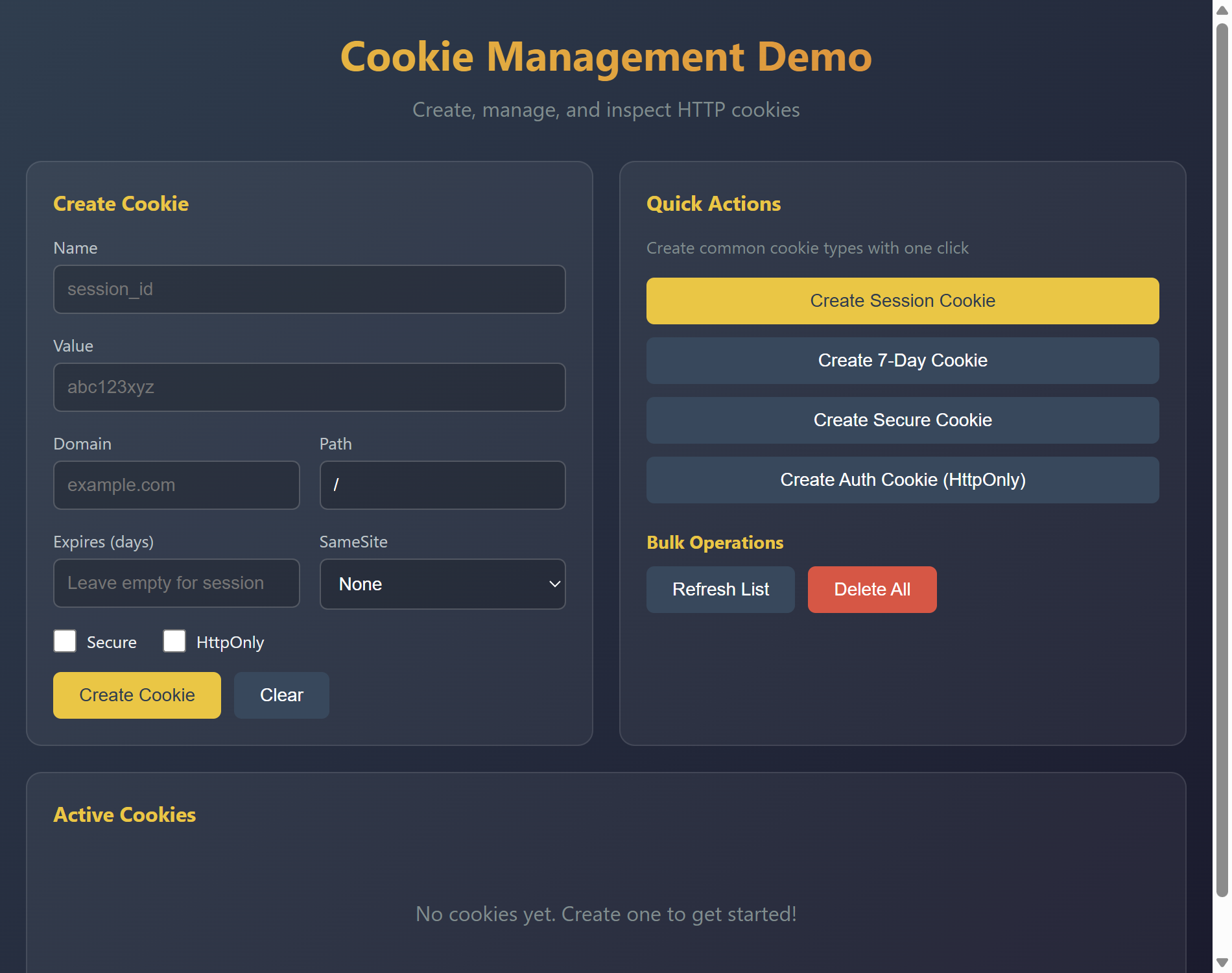
查看源代码
"""Cookie Management Demo - Session and persistent cookies.
This example demonstrates AuroraView's cookie management capabilities,
including creating, reading, and managing cookies for session persistence.
Features demonstrated:
- Creating session cookies
- Creating persistent cookies with expiration
- Cookie attributes (secure, httpOnly, sameSite)
- Reading and displaying cookies
- Deleting cookies
- Cookie validation
"""
from __future__ import annotations
import datetime
# WebView import is done in main() to avoid circular imports
from auroraview.core.cookies import Cookie
HTML = """
<!DOCTYPE html>
<html>
<head>
<title>Cookie Management Demo</title>
<style>
* { box-sizing: border-box; margin: 0; padding: 0; }
body {
font-family: -apple-system, BlinkMacSystemFont, 'Segoe UI', Roboto, sans-serif;
background: linear-gradient(135deg, #2c3e50 0%, #1a1a2e 100%);
color: #ecf0f1;
min-height: 100vh;
padding: 20px;
}
.container {
max-width: 900px;
margin: 0 auto;
}
h1 {
text-align: center;
margin-bottom: 10px;
background: linear-gradient(90deg, #f1c40f, #e67e22);
-webkit-background-clip: text;
-webkit-text-fill-color: transparent;
}
.subtitle {
text-align: center;
color: #7f8c8d;
margin-bottom: 30px;
}
.grid {
display: grid;
grid-template-columns: repeat(2, 1fr);
gap: 20px;
}
.card {
background: rgba(255,255,255,0.05);
border-radius: 12px;
padding: 20px;
border: 1px solid rgba(255,255,255,0.1);
}
.card h2 {
font-size: 16px;
color: #f1c40f;
margin-bottom: 15px;
display: flex;
align-items: center;
gap: 8px;
}
.form-group {
margin-bottom: 15px;
}
.form-group label {
display: block;
margin-bottom: 5px;
color: #bdc3c7;
font-size: 13px;
}
.form-group input, .form-group select {
width: 100%;
padding: 10px;
border: 1px solid rgba(255,255,255,0.2);
border-radius: 6px;
background: rgba(0,0,0,0.2);
color: white;
font-size: 14px;
}
.form-group input:focus, .form-group select:focus {
outline: none;
border-color: #f1c40f;
}
.form-row {
display: grid;
grid-template-columns: 1fr 1fr;
gap: 15px;
}
.checkbox-group {
display: flex;
gap: 20px;
margin-bottom: 15px;
}
.checkbox-group label {
display: flex;
align-items: center;
gap: 8px;
cursor: pointer;
font-size: 13px;
}
.checkbox-group input[type="checkbox"] {
width: 18px;
height: 18px;
accent-color: #f1c40f;
}
.btn-group {
display: flex;
gap: 10px;
flex-wrap: wrap;
}
button {
padding: 10px 20px;
border: none;
border-radius: 6px;
cursor: pointer;
font-size: 14px;
transition: all 0.2s;
background: #f1c40f;
color: #2c3e50;
font-weight: 500;
}
button:hover {
transform: translateY(-2px);
box-shadow: 0 4px 12px rgba(241,196,15,0.3);
}
button.secondary {
background: #34495e;
color: white;
}
button.danger {
background: #e74c3c;
color: white;
}
.cookie-list {
list-style: none;
max-height: 300px;
overflow-y: auto;
}
.cookie-item {
background: rgba(0,0,0,0.2);
border-radius: 8px;
padding: 15px;
margin-bottom: 10px;
border-left: 3px solid #f1c40f;
}
.cookie-header {
display: flex;
justify-content: space-between;
align-items: center;
margin-bottom: 10px;
}
.cookie-name {
font-weight: 600;
color: #f1c40f;
}
.cookie-actions {
display: flex;
gap: 5px;
}
.cookie-actions button {
padding: 4px 10px;
font-size: 12px;
}
.cookie-details {
display: grid;
grid-template-columns: repeat(2, 1fr);
gap: 8px;
font-size: 12px;
}
.cookie-detail {
display: flex;
justify-content: space-between;
padding: 4px 8px;
background: rgba(255,255,255,0.05);
border-radius: 4px;
}
.cookie-detail .label { color: #7f8c8d; }
.cookie-detail .value { color: #ecf0f1; }
.cookie-badges {
display: flex;
gap: 5px;
margin-top: 8px;
}
.badge {
padding: 2px 8px;
border-radius: 10px;
font-size: 10px;
font-weight: 500;
}
.badge-secure { background: #27ae60; color: white; }
.badge-httponly { background: #3498db; color: white; }
.badge-session { background: #9b59b6; color: white; }
.badge-persistent { background: #e67e22; color: white; }
.empty-state {
text-align: center;
padding: 40px;
color: #7f8c8d;
}
.full-width { grid-column: 1 / -1; }
.status-bar {
padding: 10px 15px;
background: rgba(0,0,0,0.3);
border-radius: 6px;
font-family: monospace;
font-size: 13px;
margin-top: 15px;
}
.status-bar.success { border-left: 3px solid #27ae60; }
.status-bar.error { border-left: 3px solid #e74c3c; }
.status-bar.info { border-left: 3px solid #3498db; }
</style>
</head>
<body>
<div class="container">
<h1>Cookie Management Demo</h1>
<p class="subtitle">Create, manage, and inspect HTTP cookies</p>
<div class="grid">
<!-- Create Cookie Form -->
<div class="card">
<h2>Create Cookie</h2>
<div class="form-group">
<label for="cookie-name">Name</label>
<input type="text" id="cookie-name" placeholder="session_id">
</div>
<div class="form-group">
<label for="cookie-value">Value</label>
<input type="text" id="cookie-value" placeholder="abc123xyz">
</div>
<div class="form-row">
<div class="form-group">
<label for="cookie-domain">Domain</label>
<input type="text" id="cookie-domain" placeholder="example.com">
</div>
<div class="form-group">
<label for="cookie-path">Path</label>
<input type="text" id="cookie-path" value="/">
</div>
</div>
<div class="form-row">
<div class="form-group">
<label for="cookie-expires">Expires (days)</label>
<input type="number" id="cookie-expires" placeholder="Leave empty for session">
</div>
<div class="form-group">
<label for="cookie-samesite">SameSite</label>
<select id="cookie-samesite">
<option value="">None</option>
<option value="Strict">Strict</option>
<option value="Lax">Lax</option>
<option value="None">None (requires Secure)</option>
</select>
</div>
</div>
<div class="checkbox-group">
<label>
<input type="checkbox" id="cookie-secure">
Secure
</label>
<label>
<input type="checkbox" id="cookie-httponly">
HttpOnly
</label>
</div>
<div class="btn-group">
<button onclick="createCookie()">Create Cookie</button>
<button onclick="clearForm()" class="secondary">Clear</button>
</div>
<div id="create-status" class="status-bar info" style="display: none;"></div>
</div>
<!-- Quick Actions -->
<div class="card">
<h2>Quick Actions</h2>
<p style="color: #7f8c8d; font-size: 13px; margin-bottom: 15px;">
Create common cookie types with one click
</p>
<div class="btn-group" style="flex-direction: column;">
<button onclick="createSessionCookie()">
Create Session Cookie
</button>
<button onclick="createPersistentCookie()" class="secondary">
Create 7-Day Cookie
</button>
<button onclick="createSecureCookie()" class="secondary">
Create Secure Cookie
</button>
<button onclick="createAuthCookie()" class="secondary">
Create Auth Cookie (HttpOnly)
</button>
</div>
<div style="margin-top: 20px;">
<h3 style="font-size: 14px; color: #f1c40f; margin-bottom: 10px;">Bulk Operations</h3>
<div class="btn-group">
<button onclick="refreshCookies()" class="secondary">Refresh List</button>
<button onclick="deleteAllCookies()" class="danger">Delete All</button>
</div>
</div>
</div>
<!-- Cookie List -->
<div class="card full-width">
<h2>Active Cookies</h2>
<ul class="cookie-list" id="cookie-list">
<li class="empty-state">
No cookies yet. Create one to get started!
</li>
</ul>
</div>
</div>
</div>
<script>
let cookies = [];
function showStatus(message, type = 'info') {
const status = document.getElementById('create-status');
status.textContent = message;
status.className = 'status-bar ' + type;
status.style.display = 'block';
setTimeout(() => status.style.display = 'none', 3000);
}
function createCookie() {
const name = document.getElementById('cookie-name').value.trim();
const value = document.getElementById('cookie-value').value.trim();
const domain = document.getElementById('cookie-domain').value.trim();
const path = document.getElementById('cookie-path').value.trim() || '/';
const expiresDays = document.getElementById('cookie-expires').value;
const sameSite = document.getElementById('cookie-samesite').value;
const secure = document.getElementById('cookie-secure').checked;
const httpOnly = document.getElementById('cookie-httponly').checked;
if (!name || !value) {
showStatus('Name and value are required', 'error');
return;
}
window.auroraview.api.create_cookie({
name, value, domain, path,
expires_days: expiresDays ? parseInt(expiresDays) : null,
same_site: sameSite || null,
secure, http_only: httpOnly
});
}
function clearForm() {
document.getElementById('cookie-name').value = '';
document.getElementById('cookie-value').value = '';
document.getElementById('cookie-domain').value = '';
document.getElementById('cookie-path').value = '/';
document.getElementById('cookie-expires').value = '';
document.getElementById('cookie-samesite').value = '';
document.getElementById('cookie-secure').checked = false;
document.getElementById('cookie-httponly').checked = false;
}
function createSessionCookie() {
window.auroraview.api.create_quick_cookie({ type: 'session' });
}
function createPersistentCookie() {
window.auroraview.api.create_quick_cookie({ type: 'persistent' });
}
function createSecureCookie() {
window.auroraview.api.create_quick_cookie({ type: 'secure' });
}
function createAuthCookie() {
window.auroraview.api.create_quick_cookie({ type: 'auth' });
}
function refreshCookies() {
window.auroraview.api.get_cookies();
}
function deleteAllCookies() {
if (confirm('Delete all cookies?')) {
window.auroraview.api.delete_all_cookies();
}
}
function deleteCookie(name) {
window.auroraview.api.delete_cookie({ name });
}
function copyCookie(name) {
const cookie = cookies.find(c => c.name === name);
if (cookie) {
navigator.clipboard.writeText(JSON.stringify(cookie, null, 2));
showStatus('Cookie copied to clipboard', 'success');
}
}
function renderCookies(cookieList) {
cookies = cookieList;
const list = document.getElementById('cookie-list');
if (cookieList.length === 0) {
list.innerHTML = '<li class="empty-state">No cookies yet. Create one to get started!</li>';
return;
}
list.innerHTML = cookieList.map(cookie => {
const isSession = !cookie.expires;
const badges = [];
if (cookie.secure) badges.push('<span class="badge badge-secure">Secure</span>');
if (cookie.http_only) badges.push('<span class="badge badge-httponly">HttpOnly</span>');
badges.push(isSession
? '<span class="badge badge-session">Session</span>'
: '<span class="badge badge-persistent">Persistent</span>'
);
return `
<li class="cookie-item">
<div class="cookie-header">
<span class="cookie-name">${cookie.name}</span>
<div class="cookie-actions">
<button onclick="copyCookie('${cookie.name}')" class="secondary">Copy</button>
<button onclick="deleteCookie('${cookie.name}')" class="danger">Delete</button>
</div>
</div>
<div class="cookie-details">
<div class="cookie-detail">
<span class="label">Value</span>
<span class="value">${cookie.value.substring(0, 20)}${cookie.value.length > 20 ? '...' : ''}</span>
</div>
<div class="cookie-detail">
<span class="label">Domain</span>
<span class="value">${cookie.domain || '(current)'}</span>
</div>
<div class="cookie-detail">
<span class="label">Path</span>
<span class="value">${cookie.path}</span>
</div>
<div class="cookie-detail">
<span class="label">Expires</span>
<span class="value">${cookie.expires || 'Session'}</span>
</div>
${cookie.same_site ? `
<div class="cookie-detail">
<span class="label">SameSite</span>
<span class="value">${cookie.same_site}</span>
</div>
` : ''}
</div>
<div class="cookie-badges">${badges.join('')}</div>
</li>
`;
}).join('');
}
// Listen for updates
window.addEventListener('auroraviewready', () => {
window.auroraview.on('cookies_updated', (data) => {
renderCookies(data.cookies);
});
window.auroraview.on('cookie_created', (data) => {
showStatus(`Cookie "${data.name}" created successfully`, 'success');
refreshCookies();
});
window.auroraview.on('cookie_deleted', (data) => {
showStatus(`Cookie "${data.name}" deleted`, 'info');
refreshCookies();
});
window.auroraview.on('cookie_error', (data) => {
showStatus(data.message, 'error');
});
// Initial load
refreshCookies();
});
</script>
</body>
</html>
"""
class CookieManager:
"""Manages cookies for the demo."""
def __init__(self, view):
self.view = view
self.cookies = []
self.cookie_counter = 0
def create_cookie(
self,
name: str,
value: str,
domain: str = None,
path: str = "/",
expires_days: int = None,
same_site: str = None,
secure: bool = False,
http_only: bool = False,
) -> None:
"""Create a new cookie."""
try:
expires = None
if expires_days:
expires = datetime.datetime.now() + datetime.timedelta(days=expires_days)
cookie = Cookie(
name=name,
value=value,
domain=domain if domain else None,
path=path,
expires=expires,
secure=secure,
http_only=http_only,
same_site=same_site if same_site else None,
)
# Add to our list (in a real app, this would set the cookie in WebView)
# Remove existing cookie with same name
self.cookies = [c for c in self.cookies if c.name != name]
self.cookies.append(cookie)
self.view.emit("cookie_created", {"name": name})
except ValueError as e:
self.view.emit("cookie_error", {"message": str(e)})
def create_quick_cookie(self, type: str) -> None:
"""Create a quick cookie of a specific type."""
self.cookie_counter += 1
timestamp = datetime.datetime.now().strftime("%H%M%S")
if type == "session":
self.create_cookie(
name=f"session_{self.cookie_counter}",
value=f"sess_{timestamp}",
)
elif type == "persistent":
self.create_cookie(
name=f"remember_{self.cookie_counter}",
value=f"rem_{timestamp}",
expires_days=7,
)
elif type == "secure":
self.create_cookie(
name=f"secure_{self.cookie_counter}",
value=f"sec_{timestamp}",
secure=True,
same_site="Strict",
)
elif type == "auth":
self.create_cookie(
name=f"auth_token_{self.cookie_counter}",
value=f"auth_{timestamp}",
http_only=True,
secure=True,
expires_days=1,
)
def get_cookies(self) -> None:
"""Get all cookies and send to frontend."""
cookie_list = [c.to_dict() for c in self.cookies]
self.view.emit("cookies_updated", {"cookies": cookie_list})
def delete_cookie(self, name: str) -> None:
"""Delete a cookie by name."""
self.cookies = [c for c in self.cookies if c.name != name]
self.view.emit("cookie_deleted", {"name": name})
def delete_all_cookies(self) -> None:
"""Delete all cookies."""
self.cookies = []
self.view.emit("cookies_updated", {"cookies": []})
def main():
"""Run the cookie management demo."""
from auroraview import WebView
view = WebView(
html=HTML,
title="Cookie Management Demo",
width=950,
height=750,
)
manager = CookieManager(view)
@view.bind_call("api.create_cookie")
def create_cookie(
name: str,
value: str,
domain: str = None,
path: str = "/",
expires_days: int = None,
same_site: str = None,
secure: bool = False,
http_only: bool = False,
):
manager.create_cookie(
name=name,
value=value,
domain=domain,
path=path,
expires_days=expires_days,
same_site=same_site,
secure=secure,
http_only=http_only,
)
@view.bind_call("api.create_quick_cookie")
def create_quick_cookie(type: str):
manager.create_quick_cookie(type)
@view.bind_call("api.get_cookies")
def get_cookies():
manager.get_cookies()
@view.bind_call("api.delete_cookie")
def delete_cookie(name: str):
manager.delete_cookie(name)
@view.bind_call("api.delete_all_cookies")
def delete_all_cookies():
manager.delete_all_cookies()
view.show()
if __name__ == "__main__":
main()运行: python examples/cookie_management_demo.py
特性:
- Creating session cookies
- Creating persistent cookies with expiration
- Cookie attributes (secure, httpOnly, sameSite)
- Reading and displaying cookies
- Deleting cookies
- Cookie validation
DOM Manipulation Demo
This example demonstrates AuroraView's DOM manipulation capabilities, allowing you to interact with HTML elements directly from Python.
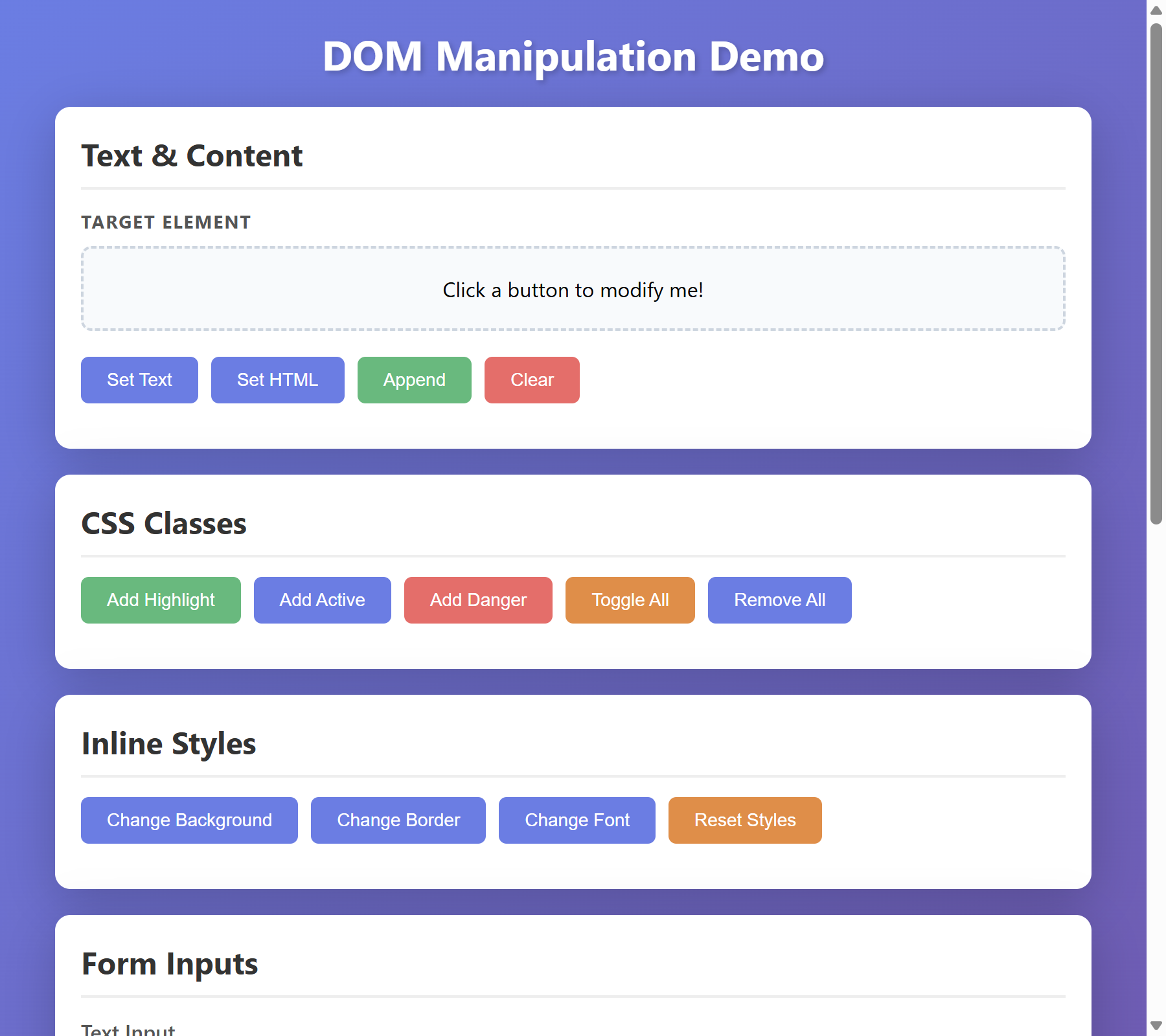
查看源代码
"""DOM Manipulation Demo - Element operations via Python.

This example demonstrates AuroraView's DOM manipulation capabilities,
allowing you to interact with HTML elements directly from Python.

Features demonstrated:
- Element selection and querying
- Text and HTML content manipulation
- CSS class and style operations
- Form input handling
- Element visibility control
- DOM traversal
- Batch operations on multiple elements
"""

from __future__ import annotations

# WebView import is done in main() to avoid circular imports

HTML = """
<!DOCTYPE html>
<html>
<head>
    <title>DOM Manipulation Demo</title>
    <style>
        * { box-sizing: border-box; margin: 0; padding: 0; }
        body {
            font-family: -apple-system, BlinkMacSystemFont, 'Segoe UI', Roboto, sans-serif;
            background: linear-gradient(135deg, #667eea 0%, #764ba2 100%);
            min-height: 100vh;
            padding: 20px;
        }
        .container {
            max-width: 800px;
            margin: 0 auto;
        }
        h1 {
            color: white;
            text-align: center;
            margin-bottom: 20px;
            text-shadow: 2px 2px 4px rgba(0,0,0,0.2);
        }
        .card {
            background: white;
            border-radius: 12px;
            padding: 20px;
            margin-bottom: 20px;
            box-shadow: 0 10px 40px rgba(0,0,0,0.2);
        }
        .card h2 {
            color: #333;
            margin-bottom: 15px;
            padding-bottom: 10px;
            border-bottom: 2px solid #eee;
        }
        .demo-section {
            margin-bottom: 20px;
        }
        .demo-section h3 {
            color: #555;
            margin-bottom: 10px;
            font-size: 14px;
            text-transform: uppercase;
            letter-spacing: 1px;
        }
        .btn-group {
            display: flex;
            gap: 10px;
            flex-wrap: wrap;
            margin-bottom: 15px;
        }
        button {
            padding: 10px 20px;
            border: none;
            border-radius: 6px;
            cursor: pointer;
            font-size: 14px;
            transition: all 0.2s;
        }
        .btn-primary {
            background: #667eea;
            color: white;
        }
        .btn-primary:hover {
            background: #5a6fd6;
            transform: translateY(-2px);
        }
        .btn-success {
            background: #48bb78;
            color: white;
        }
        .btn-danger {
            background: #f56565;
            color: white;
        }
        .btn-warning {
            background: #ed8936;
            color: white;
        }
        #target-element {
            padding: 20px;
            background: #f7fafc;
            border: 2px dashed #cbd5e0;
            border-radius: 8px;
            text-align: center;
            transition: all 0.3s;
            min-height: 60px;
            display: flex;
            align-items: center;
            justify-content: center;
        }
        #target-element.highlight {
            background: #fef3c7;
            border-color: #f59e0b;
        }
        #target-element.active {
            background: #d1fae5;
            border-color: #10b981;
        }
        #target-element.danger {
            background: #fee2e2;
            border-color: #ef4444;
        }
        .form-group {
            margin-bottom: 15px;
        }
        .form-group label {
            display: block;
            margin-bottom: 5px;
            color: #555;
            font-weight: 500;
        }
        .form-group input, .form-group select, .form-group textarea {
            width: 100%;
            padding: 10px;
            border: 1px solid #ddd;
            border-radius: 6px;
            font-size: 14px;
        }
        .form-group input:focus, .form-group select:focus {
            outline: none;
            border-color: #667eea;
            box-shadow: 0 0 0 3px rgba(102,126,234,0.1);
        }
        #status-bar {
            padding: 10px 15px;
            background: #1a202c;
            color: #68d391;
            border-radius: 6px;
            font-family: 'Monaco', 'Consolas', monospace;
            font-size: 13px;
        }
        .item-list {
            list-style: none;
        }
        .item-list li {
            padding: 10px 15px;
            background: #f7fafc;
            margin-bottom: 5px;
            border-radius: 6px;
            display: flex;
            justify-content: space-between;
            align-items: center;
        }
        .item-list li.selected {
            background: #ebf8ff;
            border-left: 3px solid #3182ce;
        }
        .hidden { display: none !important; }
        .fade-in {
            animation: fadeIn 0.5s ease-in;
        }
        @keyframes fadeIn {
            from { opacity: 0; transform: translateY(-10px); }
            to { opacity: 1; transform: translateY(0); }
        }
    </style>
</head>
<body>
    <div class="container">
        <h1>DOM Manipulation Demo</h1>

        <!-- Text & Content Section -->
        <div class="card">
            <h2>Text & Content</h2>
            <div class="demo-section">
                <h3>Target Element</h3>
                <div id="target-element">Click a button to modify me!</div>
            </div>
            <div class="btn-group">
                <button class="btn-primary" id="btn-set-text">Set Text</button>
                <button class="btn-primary" id="btn-set-html">Set HTML</button>
                <button class="btn-success" id="btn-append">Append</button>
                <button class="btn-danger" id="btn-clear">Clear</button>
            </div>
        </div>

        <!-- CSS Classes Section -->
        <div class="card">
            <h2>CSS Classes</h2>
            <div class="btn-group">
                <button class="btn-success" id="btn-add-highlight">Add Highlight</button>
                <button class="btn-primary" id="btn-add-active">Add Active</button>
                <button class="btn-danger" id="btn-add-danger">Add Danger</button>
                <button class="btn-warning" id="btn-toggle">Toggle All</button>
                <button class="btn-primary" id="btn-remove-all">Remove All</button>
            </div>
        </div>

        <!-- Styles Section -->
        <div class="card">
            <h2>Inline Styles</h2>
            <div class="btn-group">
                <button class="btn-primary" id="btn-style-bg">Change Background</button>
                <button class="btn-primary" id="btn-style-border">Change Border</button>
                <button class="btn-primary" id="btn-style-font">Change Font</button>
                <button class="btn-warning" id="btn-style-reset">Reset Styles</button>
            </div>
        </div>

        <!-- Form Inputs Section -->
        <div class="card">
            <h2>Form Inputs</h2>
            <div class="form-group">
                <label for="text-input">Text Input</label>
                <input type="text" id="text-input" placeholder="Type something...">
            </div>
            <div class="form-group">
                <label for="select-input">Select</label>
                <select id="select-input">
                    <option value="option1">Option 1</option>
                    <option value="option2">Option 2</option>
                    <option value="option3">Option 3</option>
                </select>
            </div>
            <div class="form-group">
                <label>
                    <input type="checkbox" id="checkbox-input"> Enable Feature
                </label>
            </div>
            <div class="btn-group">
                <button class="btn-primary" id="btn-fill-form">Fill Form</button>
                <button class="btn-success" id="btn-read-form">Read Values</button>
                <button class="btn-danger" id="btn-clear-form">Clear Form</button>
            </div>
        </div>

        <!-- List Operations Section -->
        <div class="card">
            <h2>List Operations</h2>
            <ul class="item-list" id="item-list">
                <li data-id="1">Item 1 <span class="badge">New</span></li>
                <li data-id="2">Item 2 <span class="badge">New</span></li>
                <li data-id="3">Item 3 <span class="badge">New</span></li>
            </ul>
            <div class="btn-group">
                <button class="btn-primary" id="btn-add-item">Add Item</button>
                <button class="btn-success" id="btn-select-all">Select All</button>
                <button class="btn-warning" id="btn-toggle-items">Toggle Selection</button>
                <button class="btn-danger" id="btn-remove-last">Remove Last</button>
            </div>
        </div>

        <!-- Status Bar -->
        <div class="card">
            <h2>Status</h2>
            <div id="status-bar">Ready. Click any button to see DOM operations in action.</div>
        </div>
    </div>
</body>
</html>
"""


class DomManipulationDemo:
    """Demo class showing DOM manipulation capabilities."""

    def __init__(self, view):
        self.view = view
        self.item_counter = 3

    def set_status(self, message: str) -> None:
        """Update the status bar."""
        self.view.dom("#status-bar").set_text(f"> {message}")

    # Text & Content Operations
    def set_text(self) -> None:
        """Set plain text content."""
        self.view.dom("#target-element").set_text("Hello from Python!")
        self.set_status("set_text() - Changed text content")

    def set_html(self) -> None:
        """Set HTML content."""
        html = (
            '<strong style="color: #667eea;">Rich HTML</strong> content with <em>formatting</em>!'
        )
        self.view.dom("#target-element").set_html(html)
        self.set_status("set_html() - Changed HTML content")

    def append_content(self) -> None:
        """Append HTML to element."""
        self.view.dom("#target-element").append_html(
            ' <span style="color: #48bb78;">[Appended]</span>'
        )
        self.set_status("append_html() - Appended content")

    def clear_content(self) -> None:
        """Clear element content."""
        self.view.dom("#target-element").empty()
        self.view.dom("#target-element").set_text("Cleared!")
        self.set_status("empty() - Cleared content")

    # CSS Class Operations
    def add_highlight(self) -> None:
        """Add highlight class."""
        target = self.view.dom("#target-element")
        target.remove_class("active", "danger")
        target.add_class("highlight")
        self.set_status("add_class('highlight') - Added highlight class")

    def add_active(self) -> None:
        """Add active class."""
        target = self.view.dom("#target-element")
        target.remove_class("highlight", "danger")
        target.add_class("active")
        self.set_status("add_class('active') - Added active class")

    def add_danger(self) -> None:
        """Add danger class."""
        target = self.view.dom("#target-element")
        target.remove_class("highlight", "active")
        target.add_class("danger")
        self.set_status("add_class('danger') - Added danger class")

    def toggle_classes(self) -> None:
        """Toggle all classes."""
        target = self.view.dom("#target-element")
        target.toggle_class("highlight")
        target.toggle_class("active")
        self.set_status("toggle_class() - Toggled classes")

    def remove_all_classes(self) -> None:
        """Remove all custom classes."""
        target = self.view.dom("#target-element")
        target.remove_class("highlight", "active", "danger")
        self.set_status("remove_class() - Removed all custom classes")

    # Style Operations
    def change_background(self) -> None:
        """Change background color."""
        import random

        colors = ["#fef3c7", "#dbeafe", "#dcfce7", "#fce7f3", "#e0e7ff"]
        color = random.choice(colors)
        self.view.dom("#target-element").set_style("background", color)
        self.set_status(f"set_style('background', '{color}') - Changed background")

    def change_border(self) -> None:
        """Change border style."""
        self.view.dom("#target-element").set_style("border", "3px solid #667eea")
        self.view.dom("#target-element").set_style("border-radius", "16px")
        self.set_status("set_style() - Changed border")

    def change_font(self) -> None:
        """Change font style."""
        target = self.view.dom("#target-element")
        target.set_styles({"font-size": "18px", "font-weight": "bold", "color": "#667eea"})
        self.set_status("set_styles() - Changed font")

    def reset_styles(self) -> None:
        """Reset all inline styles."""
        target = self.view.dom("#target-element")
        target.set_attribute("style", "")
        self.set_status("Removed all inline styles")

    # Form Operations
    def fill_form(self) -> None:
        """Fill form with sample data."""
        self.view.dom("#text-input").set_value("Hello from Python!")
        self.view.dom("#select-input").select_option("option2")
        self.view.dom("#checkbox-input").set_checked(True)
        self.set_status("Filled form with sample data")

    def read_form(self) -> None:
        """Read form values (async operation)."""
        self.set_status("Form values logged to console (check DevTools)")

    def clear_form(self) -> None:
        """Clear all form inputs."""
        self.view.dom("#text-input").clear()
        self.view.dom("#select-input").select_option_by_index(0)
        self.view.dom("#checkbox-input").set_checked(False)
        self.set_status("Cleared form")

    # List Operations
    def add_item(self) -> None:
        """Add new item to list."""
        self.item_counter += 1
        html = f'<li data-id="{self.item_counter}" class="fade-in">Item {self.item_counter} <span class="badge">New</span></li>'
        self.view.dom("#item-list").append_html(html)
        self.set_status(f"Added Item {self.item_counter}")

    def select_all_items(self) -> None:
        """Select all list items."""
        self.view.dom("#item-list li").add_class("selected")
        self.set_status("Selected all items (batch operation)")

    def toggle_items(self) -> None:
        """Toggle selection on all items."""
        # Toggle class on each item

        for i in range(1, self.item_counter + 1):
            self.view.dom(f"#item-list li:nth-child({i})").toggle_class("selected")
        self.set_status("Toggled selection on all items")

    def remove_last_item(self) -> None:
        """Remove the last list item."""
        if self.item_counter > 0:
            self.view.dom("#item-list li:last-child").remove()
            self.item_counter -= 1
            self.set_status("Removed last item")
        else:
            self.set_status("No items to remove")


def main():
    """Run the DOM manipulation demo."""
    from auroraview import WebView

    view = WebView(
        html=HTML,
        title="DOM Manipulation Demo",
        width=900,
        height=800,
    )

    demo = DomManipulationDemo(view)

    # Bind button click handlers
    @view.bind_call("api.btn_click")
    def handle_button(button_id: str):
        handlers = {
            "btn-set-text": demo.set_text,
            "btn-set-html": demo.set_html,
            "btn-append": demo.append_content,
            "btn-clear": demo.clear_content,
            "btn-add-highlight": demo.add_highlight,
            "btn-add-active": demo.add_active,
            "btn-add-danger": demo.add_danger,
            "btn-toggle": demo.toggle_classes,
            "btn-remove-all": demo.remove_all_classes,
            "btn-style-bg": demo.change_background,
            "btn-style-border": demo.change_border,
            "btn-style-font": demo.change_font,
            "btn-style-reset": demo.reset_styles,
            "btn-fill-form": demo.fill_form,
            "btn-read-form": demo.read_form,
            "btn-clear-form": demo.clear_form,
            "btn-add-item": demo.add_item,
            "btn-select-all": demo.select_all_items,
            "btn-toggle-items": demo.toggle_items,
            "btn-remove-last": demo.remove_last_item,
        }
        if button_id in handlers:
            handlers[button_id]()

    # Inject button click listeners
    view.eval_js("""
        document.querySelectorAll('button').forEach(btn => {
            btn.addEventListener('click', () => {
                if (window.auroraview && window.auroraview.api) {
                    window.auroraview.api.btn_click({ button_id: btn.id });
                }
            });
        });
    """)

    view.show()


if __name__ == "__main__":
    main()
运行: python examples/dom_manipulation_demo.py
特性:
- Element selection and querying
- Text and HTML content manipulation
- CSS class and style operations
- Form input handling
- Element visibility control
- DOM traversal
- Batch operations on multiple elements
IPC Channel Demo
This example shows how to use the IPC channel for efficient communication between a parent AuroraView process and a child Python script.
查看源代码
#!/usr/bin/env python3
"""IPC Channel Demo - Demonstrates bidirectional JSON messaging.

This example shows how to use the IPC channel for efficient communication
between a parent AuroraView process and a child Python script.

When spawned with `spawn_ipc_channel`, this script can:
1. Send structured JSON messages to the parent
2. Receive JSON messages from the parent
3. Report progress and results

Usage:
    # From Gallery with use_channel=True
    # Or directly test with environment variable:
    # AURORAVIEW_IPC_CHANNEL=test_channel python ipc_channel_demo.py
"""

import os
import sys
import time

# Check if we're running in IPC channel mode
IPC_CHANNEL = os.environ.get("AURORAVIEW_IPC_CHANNEL")
IPC_MODE = os.environ.get("AURORAVIEW_IPC_MODE")


def main():
    print("[IPC Demo] Starting...")
    print(f"[IPC Demo] IPC_CHANNEL: {IPC_CHANNEL}")
    print(f"[IPC Demo] IPC_MODE: {IPC_MODE}")

    if IPC_MODE == "channel" and IPC_CHANNEL:
        # Running in channel mode - use IpcChannel for communication
        try:
            from auroraview.core.ipc_channel import IpcChannel, IpcChannelError

            print("[IPC Demo] Connecting to IPC channel...")

            with IpcChannel.connect() as channel:
                print(f"[IPC Demo] Connected to channel: {channel.channel_name}")

                # Send initial status
                channel.send({"type": "status", "message": "Demo started"})

                # Simulate some work with progress updates
                for i in range(1, 6):
                    progress = i * 20
                    print(f"[IPC Demo] Progress: {progress}%")
                    channel.send(
                        {
                            "type": "progress",
                            "value": progress,
                            "message": f"Processing step {i}/5",
                        }
                    )
                    time.sleep(0.5)

                # Send some structured data
                channel.send(
                    {
                        "type": "data",
                        "items": [
                            {"id": 1, "name": "Item A", "value": 100},
                            {"id": 2, "name": "Item B", "value": 200},
                            {"id": 3, "name": "Item C", "value": 300},
                        ],
                    }
                )

                # Send final result
                channel.send(
                    {
                        "type": "result",
                        "success": True,
                        "data": {
                            "total_steps": 5,
                            "duration_ms": 2500,
                            "message": "Demo completed successfully",
                        },
                    }
                )

                print("[IPC Demo] All messages sent!")

        except ImportError:
            print("[IPC Demo] ERROR: auroraview.core.ipc_channel not available")
            print("[IPC Demo] Falling back to stdout mode")
            fallback_stdout_mode()
        except IpcChannelError as e:
            print(f"[IPC Demo] ERROR: Failed to connect to IPC channel: {e}")
            print("[IPC Demo] Falling back to stdout mode")
            fallback_stdout_mode()
    else:
        # Running in pipe mode or standalone - use stdout
        print("[IPC Demo] Running in stdout mode (no IPC channel)")
        fallback_stdout_mode()


def fallback_stdout_mode():
    """Fallback to stdout-based communication."""
    import json

    print("[IPC Demo] Using stdout for output")

    for i in range(1, 6):
        progress = i * 20
        # Print JSON to stdout for parent to parse
        print(json.dumps({"type": "progress", "value": progress}))
        sys.stdout.flush()
        time.sleep(0.5)

    print(json.dumps({"type": "result", "success": True}))
    print("[IPC Demo] Done!")


if __name__ == "__main__":
    main()
运行: python examples/ipc_channel_demo.py
Example: Loading HTML with local assets using file:// protocol
This example demonstrates how to use file:// URLs in HTML content to load local files (images, GIFs, CSS, JS, etc.) in run_desktop().
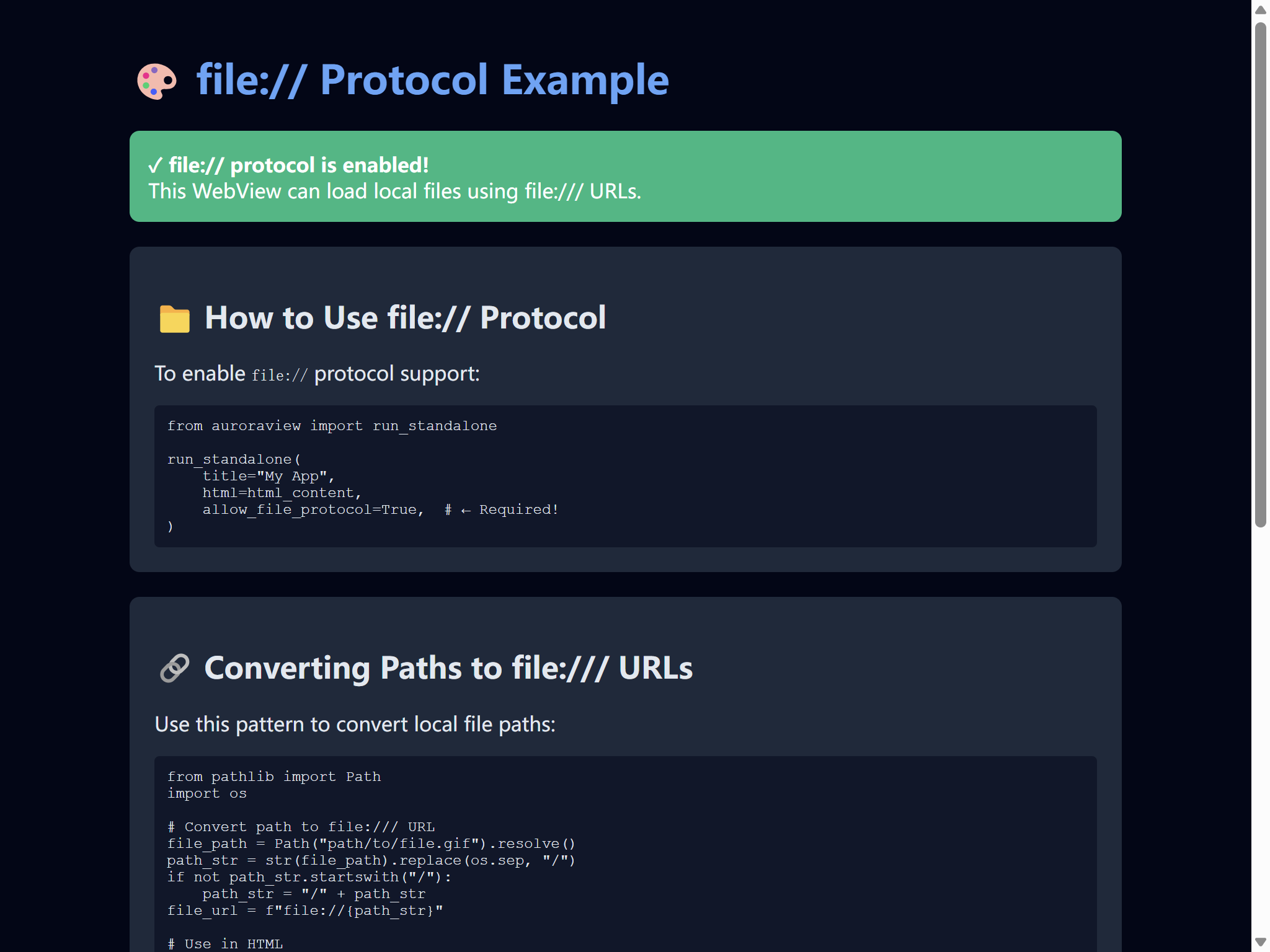
查看源代码
"""Example: Loading HTML with local assets using file:// protocol.
This example demonstrates how to use file:// URLs in HTML content
to load local files (images, GIFs, CSS, JS, etc.) in run_desktop().
IMPORTANT: You must set allow_file_protocol=True to enable file:// support!
"""
from auroraview import run_desktop
def main():
"""Run desktop WebView with local assets using file:// URLs."""
# Create a simple example HTML with inline content
# In real usage, you would load actual local files
# Example: If you have local files, convert them to file:/// URLs like this:
# from pathlib import Path
# gif_path = Path("path/to/animation.gif").resolve()
# gif_url = f"file:///{str(gif_path).replace(os.sep, '/')}"
print("=" * 80)
print("file:// Protocol Example")
print("=" * 80)
print("This example shows how to use file:// URLs in HTML content.")
print("To use with real files, replace the inline SVG with actual file:// URLs.")
print("=" * 80)
# Create HTML with inline SVG (no external files needed for this demo)
html_content = """
<!DOCTYPE html>
<html>
<head>
<meta charset="UTF-8">
<title>Local Assets Example</title>
<style>
body {
margin: 0;
padding: 20px;
font-family: system-ui, -apple-system, sans-serif;
background: #020617;
color: #e2e8f0;
}
.container {
max-width: 800px;
margin: 0 auto;
}
h1 {
color: #60a5fa;
}
.asset-demo {
margin: 20px 0;
padding: 20px;
background: #1e293b;
border-radius: 8px;
}
.code {
background: #0f172a;
padding: 10px;
border-radius: 4px;
font-family: 'Courier New', monospace;
font-size: 12px;
overflow-x: auto;
white-space: pre-wrap;
}
.success {
background: #10b981;
color: white;
padding: 15px;
border-radius: 8px;
margin: 20px 0;
}
</style>
</head>
<body>
<div class="container">
<h1>🎨 file:// Protocol Example</h1>
<div class="success">
<strong>✓ file:// protocol is enabled!</strong><br>
This WebView can load local files using file:/// URLs.
</div>
<div class="asset-demo">
<h2>📁 How to Use file:// Protocol</h2>
<p>To enable <code>file://</code> protocol support:</p>
<div class="code">from auroraview import run_desktop
run_desktop(
title="My App",
html=html_content,
allow_file_protocol=True, # ← Required!
)</div>
</div>
<div class="asset-demo">
<h2>🔗 Converting Paths to file:/// URLs</h2>
<p>Use this pattern to convert local file paths:</p>
<div class="code">from pathlib import Path
import os
# Convert path to file:/// URL
file_path = Path("path/to/file.gif").resolve()
path_str = str(file_path).replace(os.sep, "/")
if not path_str.startswith("/"):
path_str = "/" + path_str
file_url = f"file://{path_str}"
# Use in HTML
html = f'<img src="{file_url}">'</div>
</div>
<div class="asset-demo">
<h2>📝 Example Usage</h2>
<p>Load local images, CSS, JS, and HTML files:</p>
<div class="code"># Example file:/// URLs:
# Windows: file:///C:/Users/user/image.gif
# Unix: file:///home/user/image.gif
html = '''
<link href="file:///path/to/style.css" rel="stylesheet">
<script src="file:///path/to/app.js"></script>
<img src="file:///path/to/image.png">
<iframe src="file:///path/to/page.html"></iframe>
'''</div>
</div>
<div class="asset-demo">
<h2>⚠️ Security Note</h2>
<p>Enabling <code>file://</code> protocol allows access to any file the process can read.</p>
<p>Only use with trusted content!</p>
</div>
</div>
</body>
</html>
"""
# Run desktop WebView
# IMPORTANT: allow_file_protocol=True is required for file:// URLs!
run_desktop(
title="Local Assets Example - file:// Protocol",
width=1024,
height=768,
html=html_content,
dev_tools=True, # Enable dev tools for debugging
allow_file_protocol=True, # ← Required for file:/// URLs!
)
if __name__ == "__main__":
main()运行: python examples/local_assets_example.py
DCC Integration
Qt
注意
Requires Qt/PySide
This example demonstrates the recommended Qt-like pattern for production tools. Best for complex applications, team collaboration, and DCC integration.
查看源代码
"""Qt-Style Class Inheritance Pattern Example - AuroraView API Demo.

This example demonstrates the recommended Qt-like pattern for production tools.
Best for complex applications, team collaboration, and DCC integration.

Usage:
    python examples/qt_style_tool.py

Features demonstrated:
    - Class inheritance from WebView
    - Signal definitions (Python → JavaScript)
    - Auto-bound public methods as API
    - Event handlers with on_ prefix
    - Signal connections in setup_connections()
    - Clean separation of concerns

This pattern is inspired by Qt's signal/slot mechanism and provides:
    - Familiar syntax for Qt developers
    - Type-safe signal definitions
    - Automatic method discovery and binding
    - Clear distinction between API methods and event handlers
"""

from __future__ import annotations

from auroraview import Signal, WebView


class SceneOutliner(WebView):
    """A scene outliner tool demonstrating Qt-like patterns.

    This class shows the recommended pattern for production tools:
    - Signals for Python → JavaScript notifications
    - Public methods for JavaScript → Python API calls
    - on_ prefix methods for event handling
    """

    # ═══════════════════════════════════════════════════════════════════
    # Signal Definitions (Python → JavaScript notifications)
    # ═══════════════════════════════════════════════════════════════════
    # Signals are used to notify JavaScript about state changes.
    # They are one-way (fire-and-forget) and can have multiple listeners.

    selection_changed = Signal(list)  # Emitted when selection changes
    progress_updated = Signal(int, str)  # Emitted during long operations
    scene_loaded = Signal(str)  # Emitted when scene is loaded
    item_renamed = Signal(str, str)  # Emitted when item is renamed (old, new)

    def __init__(self):
        """Initialize the outliner tool."""
        # HTML content for demonstration
        html = self._get_demo_html()

        super().__init__(
            title="Scene Outliner (Qt-Style)", html=html, width=500, height=700, debug=True
        )

        # Internal state
        self._scene_items = ["Group1", "Mesh_Cube", "Mesh_Sphere", "Camera1", "Light_Key"]
        self._selection: list[str] = []

        # Setup signal connections
        self.setup_connections()

    # ═══════════════════════════════════════════════════════════════════
    # API Methods (JavaScript → Python, auto-bound)
    # ═══════════════════════════════════════════════════════════════════
    # Public methods are automatically exposed to JavaScript.
    # They can be called via: await auroraview.api.method_name({...})

    def get_hierarchy(self, parent: str = None) -> dict:
        """Get the scene hierarchy.

        JavaScript:
            const result = await auroraview.api.get_hierarchy();
            const result = await auroraview.api.get_hierarchy({parent: "Group1"});
        """
        return {
            "items": self._scene_items,
            "count": len(self._scene_items),
            "parent": parent,
        }

    def get_selection(self) -> dict:
        """Get current selection.

        JavaScript:
            const result = await auroraview.api.get_selection();
        """
        return {"selection": self._selection, "count": len(self._selection)}

    def set_selection(self, items: list = None) -> dict:
        """Set the current selection.

        JavaScript:
            await auroraview.api.set_selection({items: ["Mesh_Cube", "Camera1"]});
        """
        items = items or []
        old_selection = self._selection.copy()
        self._selection = [item for item in items if item in self._scene_items]

        # Emit signal to notify JavaScript
        if self._selection != old_selection:
            self.selection_changed.emit(self._selection)

        return {"ok": True, "selection": self._selection}

    def rename_item(self, old_name: str = "", new_name: str = "") -> dict:
        """Rename a scene item.

        JavaScript:
            await auroraview.api.rename_item({old_name: "Cube", new_name: "HeroCube"});
        """
        if not old_name or not new_name:
            return {"ok": False, "error": "Both old_name and new_name required"}

        if old_name not in self._scene_items:
            return {"ok": False, "error": f"Item '{old_name}' not found"}

        if new_name in self._scene_items:
            return {"ok": False, "error": f"Item '{new_name}' already exists"}

        # Perform rename
        idx = self._scene_items.index(old_name)
        self._scene_items[idx] = new_name

        # Update selection if needed
        if old_name in self._selection:
            sel_idx = self._selection.index(old_name)
            self._selection[sel_idx] = new_name

        # Emit signal
        self.item_renamed.emit(old_name, new_name)

        return {"ok": True, "old": old_name, "new": new_name}

    def delete_items(self, items: list = None) -> dict:
        """Delete scene items.

        JavaScript:
            await auroraview.api.delete_items({items: ["Mesh_Cube"]});
        """
        items = items or []
        deleted = []

        for item in items:
            if item in self._scene_items:
                self._scene_items.remove(item)
                deleted.append(item)
                if item in self._selection:
                    self._selection.remove(item)

        if deleted:
            self.selection_changed.emit(self._selection)

        return {"ok": True, "deleted": deleted, "count": len(deleted)}

    def simulate_progress(self, steps: int = 10) -> dict:
        """Simulate a long operation with progress updates.

        JavaScript:
            await auroraview.api.simulate_progress({steps: 5});
        """
        import time

        for i in range(steps):
            progress = int((i + 1) / steps * 100)
            message = f"Processing step {i + 1}/{steps}..."
            self.progress_updated.emit(progress, message)
            time.sleep(0.2)  # Simulate work

        return {"ok": True, "steps_completed": steps}

    # ═══════════════════════════════════════════════════════════════════
    # Event Handlers (on_ prefix, auto-bound)
    # ═══════════════════════════════════════════════════════════════════
    # Methods with on_ prefix are event handlers for JavaScript events.
    # They are called via: auroraview.emit("event_name", {...})

    def on_item_clicked(self, data: dict) -> None:
        """Handle item click from JavaScript.

        JavaScript:
            auroraview.emit("item_clicked", {name: "Mesh_Cube", ctrl: false});
        """
        name = data.get("name", "")
        ctrl_held = data.get("ctrl", False)

        print(f"[Python] Item clicked: {name} (ctrl={ctrl_held})")

        if ctrl_held:
            # Add to selection
            if name not in self._selection:
                self._selection.append(name)
        else:
            # Replace selection
            self._selection = [name] if name in self._scene_items else []

        self.selection_changed.emit(self._selection)

    def on_item_double_clicked(self, data: dict) -> None:
        """Handle item double-click (e.g., for rename mode).

        JavaScript:
            auroraview.emit("item_double_clicked", {name: "Mesh_Cube"});
        """
        name = data.get("name", "")
        print(f"[Python] Item double-clicked: {name} - entering rename mode")

    def on_clear_selection(self, data: dict) -> None:
        """Handle clear selection request.

        JavaScript:
            auroraview.emit("clear_selection", {});
        """
        self._selection = []
        self.selection_changed.emit(self._selection)

    # ═══════════════════════════════════════════════════════════════════
    # Signal Connections (like Qt's connect())
    # ═══════════════════════════════════════════════════════════════════

    def setup_connections(self) -> None:
        """Setup signal-slot connections.

        This is similar to Qt's pattern of connecting signals to slots
        in the constructor or a dedicated setup method.
        """
        # Connect internal signals to handlers
        self.selection_changed.connect(self._on_selection_changed)
        self.progress_updated.connect(self._on_progress_updated)
        self.item_renamed.connect(self._on_item_renamed)

    def _on_selection_changed(self, items: list) -> None:
        """Internal handler for selection changes."""
        print(f"[Python] Selection changed: {items}")

    def _on_progress_updated(self, percent: int, message: str) -> None:
        """Internal handler for progress updates."""
        print(f"[Python] Progress: {percent}% - {message}")

    def _on_item_renamed(self, old_name: str, new_name: str) -> None:
        """Internal handler for item renames."""
        print(f"[Python] Item renamed: {old_name} → {new_name}")

    # ═══════════════════════════════════════════════════════════════════
    # Private Methods (not exposed to JavaScript)
    # ═══════════════════════════════════════════════════════════════════

    def _get_demo_html(self) -> str:
        """Generate demo HTML content."""
        return """
<!DOCTYPE html>
<html>
<head>
    <title>Scene Outliner</title>
    <style>
        * { box-sizing: border-box; margin: 0; padding: 0; }
        body {
            font-family: -apple-system, BlinkMacSystemFont, 'Segoe UI', Roboto, sans-serif;
            background: #1e1e1e;
            color: #e0e0e0;
            padding: 16px;
        }
        h2 { color: #4fc3f7; margin-bottom: 16px; font-size: 18px; }
        .section { background: #2d2d2d; border-radius: 8px; padding: 16px; margin-bottom: 16px; }
        .item {
            padding: 8px 12px;
            margin: 4px 0;
            background: #3d3d3d;
            border-radius: 4px;
            cursor: pointer;
            transition: all 0.15s;
        }
        .item:hover { background: #4d4d4d; }
        .item.selected { background: #1976d2; color: white; }
        button {
            background: #4fc3f7;
            color: #1e1e1e;
            border: none;
            padding: 8px 16px;
            border-radius: 4px;
            cursor: pointer;
            margin: 4px;
            font-weight: 500;
        }
        button:hover { background: #81d4fa; }
        .progress-bar {
            height: 20px;
            background: #3d3d3d;
            border-radius: 4px;
            overflow: hidden;
            margin: 8px 0;
        }
        .progress-fill {
            height: 100%;
            background: linear-gradient(90deg, #4fc3f7, #81d4fa);
            transition: width 0.2s;
        }
        .status { font-size: 12px; color: #888; margin-top: 8px; }
        #log {
            background: #252525;
            padding: 12px;
            border-radius: 4px;
            font-family: monospace;
            font-size: 11px;
            max-height: 120px;
            overflow-y: auto;
        }
    </style>
</head>
<body>
    <div class="section">
        <h2>📋 Scene Outliner</h2>
        <div id="items"></div>
    </div>

    <div class="section">
        <h2>🎮 Actions</h2>
        <button onclick="refresh()">Refresh</button>
        <button onclick="clearSelection()">Clear Selection</button>
        <button onclick="deleteSelected()">Delete Selected</button>
        <button onclick="runProgress()">Run Progress</button>
    </div>

    <div class="section">
        <h2>📊 Progress</h2>
        <div class="progress-bar"><div class="progress-fill" id="progress" style="width: 0%"></div></div>
        <div class="status" id="progress-text">Ready</div>
    </div>

    <div class="section">
        <h2>📜 Event Log</h2>
        <div id="log"></div>
    </div>

    <script>
        let selection = [];

        function log(msg) {
            const logEl = document.getElementById('log');
            const time = new Date().toLocaleTimeString();
            logEl.innerHTML = `[${time}] ${msg}<br>` + logEl.innerHTML;
        }

        async function refresh() {
            const result = await auroraview.api.get_hierarchy();
            renderItems(result.items);
            log(`Loaded ${result.count} items`);
        }

        function renderItems(items) {
            const container = document.getElementById('items');
            container.innerHTML = items.map(item => `
                <div class="item ${selection.includes(item) ? 'selected' : ''}"
                     onclick="selectItem('${item}', event)"
                     ondblclick="renameItem('${item}')">
                    ${item}
                </div>
            `).join('');
        }

        function selectItem(name, event) {
            auroraview.emit('item_clicked', {name, ctrl: event.ctrlKey});
        }

        function renameItem(name) {
            auroraview.emit('item_double_clicked', {name});
            const newName = prompt(`Rename ${name}:`, name);
            if (newName && newName !== name) {
                auroraview.api.rename_item({old_name: name, new_name: newName}).then(refresh);
            }
        }

        function clearSelection() {
            auroraview.emit('clear_selection', {});
        }

        async function deleteSelected() {
            if (selection.length === 0) return alert('Nothing selected');
            await auroraview.api.delete_items({items: [...selection]});
            refresh();
        }

        async function runProgress() {
            await auroraview.api.simulate_progress({steps: 10});
        }

        // Listen for Python signals
        auroraview.on('selection_changed', (items) => {
            selection = items;
            log(`Selection: [${items.join(', ')}]`);
            refresh();
        });

        auroraview.on('progress_updated', (percent, message) => {
            document.getElementById('progress').style.width = percent + '%';
            document.getElementById('progress-text').textContent = message;
        });

        auroraview.on('item_renamed', (oldName, newName) => {
            log(`Renamed: ${oldName} → ${newName}`);
        });

        // Initial load
        refresh();
    </script>
</body>
</html>
"""


def main():
    """Run the Qt-style example."""
    print("Starting Scene Outliner (Qt-Style Pattern)...")
    print()
    print("This example demonstrates:")
    print("  - Signal definitions (selection_changed, progress_updated, etc.)")
    print("  - Auto-bound API methods (get_hierarchy, set_selection, etc.)")
    print("  - Event handlers with on_ prefix (on_item_clicked, etc.)")
    print("  - Signal connections in setup_connections()")
    print()

    outliner = SceneOutliner()
    outliner.show()


if __name__ == "__main__":
    main()
运行: python examples/qt_style_tool.py
特性:
- Class inheritance from WebView
- Signal definitions (Python → JavaScript)
- Auto-bound public methods as API
- Event handlers with on_ prefix
- Signal connections in setup_connections()
- Clean separation of concerns
- Familiar syntax for Qt developers
- Type-safe signal definitions
- Automatic method discovery and binding
- Clear distinction between API methods and event handlers
Qt Custom Context Menu Demo
注意
Requires Qt/PySide
This example demonstrates how to use custom context menus in QtWebView for DCC applications like Maya, Houdini, etc.
查看源代码
"""Qt Custom Context Menu Demo.

This example demonstrates how to use custom context menus in QtWebView
for DCC applications like Maya, Houdini, etc.

Signed-off-by: Hal Long <hal.long@outlook.com>
"""

import sys

try:
    from qtpy.QtWidgets import QApplication, QMainWindow, QVBoxLayout, QWidget

    from auroraview import QtWebView
except ImportError as e:
    print(f"Error: {e}")
    print("Please install Qt support: pip install auroraview[qt]")
    sys.exit(1)


class CustomMenuWindow(QMainWindow):
    """Main window with QtWebView and custom context menu."""

    def __init__(self):
        """Initialize the window."""
        super().__init__()
        self.setWindowTitle("Qt Custom Context Menu Demo")
        self.setGeometry(100, 100, 900, 700)

        # Create central widget
        central_widget = QWidget()
        self.setCentralWidget(central_widget)
        layout = QVBoxLayout(central_widget)

        # Create QtWebView with custom context menu disabled
        self.webview = QtWebView(
            parent=self,
            title="Qt Custom Menu",
            width=900,
            height=700,
            dev_tools=True,
            context_menu=False,  # Disable native context menu
        )

        # Register event handler
        @self.webview.on("menu_action")
        def handle_menu_action(data):
            """Handle menu actions from JavaScript."""
            action = data.get("action")
            print(f"[Qt] Menu action: {action}")

            if action == "export":
                print("  → Exporting from Qt application...")
            elif action == "import":
                print("  → Importing into Qt application...")
            elif action == "settings":
                print("  → Opening Qt settings...")

        # Add webview to layout
        layout.addWidget(self.webview)

        # Load HTML content
        html = """
        <!DOCTYPE html>
        <html>
        <head>
            <style>
                body {
                    font-family: Arial, sans-serif;
                    margin: 20px;
                    background: #f5f5f5;
                }
                .container {
                    background: white;
                    padding: 30px;
                    border-radius: 8px;
                    box-shadow: 0 2px 4px rgba(0,0,0,0.1);
                }
                .custom-menu {
                    display: none;
                    position: fixed;
                    background: white;
                    border: 1px solid #ccc;
                    border-radius: 4px;
                    box-shadow: 0 2px 8px rgba(0,0,0,0.15);
                    z-index: 1000;
                    min-width: 160px;
                }
                .custom-menu ul {
                    list-style: none;
                    margin: 0;
                    padding: 4px 0;
                }
                .custom-menu li {
                    padding: 8px 16px;
                    cursor: pointer;
                    color: #333;
                }
                .custom-menu li:hover {
                    background: #e8e8e8;
                }
            </style>
        </head>
        <body>
            <div class="container">
                <h1>Qt Custom Context Menu</h1>
                <p>Right-click anywhere to see the custom menu!</p>
                <p>This demonstrates custom menus in Qt-based DCC applications.</p>
            </div>

            <div id="customMenu" class="custom-menu">
                <ul>
                    <li onclick="handleMenuAction('export')">Export Scene</li>
                    <li onclick="handleMenuAction('import')">Import Assets</li>
                    <li onclick="handleMenuAction('settings')">Settings</li>
                </ul>
            </div>

            <script>
                const menu = document.getElementById('customMenu');

                document.addEventListener('contextmenu', (e) => {
                    e.preventDefault();
                    menu.style.display = 'block';
                    menu.style.left = e.pageX + 'px';
                    menu.style.top = e.pageY + 'px';
                });

                document.addEventListener('click', () => {
                    menu.style.display = 'none';
                });

                function handleMenuAction(action) {
                    if (window.auroraview) {
                        window.auroraview.send_event('menu_action', { action: action });
                    }
                    menu.style.display = 'none';
                }
            </script>
        </body>
        </html>
        """
        self.webview.load_html(html)


def main():
    """Run the Qt custom menu demo."""
    app = QApplication.instance() or QApplication(sys.argv)

    window = CustomMenuWindow()
    window.show()

    print("Qt Custom Context Menu Demo")
    print("Right-click in the window to see the custom menu!")

    sys.exit(app.exec_())


if __name__ == "__main__":
    main()
运行: python examples/qt_custom_menu_demo.py
Maya + QtWebView shelf demo using auroraview
注意
Requires Maya
查看源代码
"""Maya + QtWebView shelf demo using auroraview.api.rename_selected.

Usage inside Maya Script Editor::

    import examples.maya_qt_echo_demo as demo
    demo.show_auroraview_maya_dialog()

This requires:
    - auroraview installed with Qt extras: `mayapy -m pip install auroraview[qt]`
    - qtpy + a supported Qt binding (PySide2 / PySide6 / PyQt5 / PyQt6)

The example demonstrates:
    - QtWebView automatic event processing (no manual process_events() needed)
    - High-level interaction events (`viewport.*` / `ui.view.*`)
    - QtWebView.load_file() helper for loading external HTML files
    - Best practices for Qt-based DCC integration

Note:
    This example uses QtWebView which automatically handles event processing.
    You don't need to manually call process_events() or create scriptJobs.
    See docs/QT_BEST_PRACTICES.md for more information.
"""

from __future__ import annotations

from pathlib import Path
from typing import Any, Dict, List, Optional

import maya.cmds as cmds
import maya.OpenMayaUI as omui
from qtpy.QtWidgets import QDialog, QVBoxLayout, QWidget
from shiboken2 import wrapInstance

from auroraview import AuroraView, QtWebView


def _maya_main_window() -> QWidget:
    """Return Maya main window as a QWidget.

    This uses shiboken2 + qtpy to stay agnostic to the actual Qt binding.
    """

    ptr = omui.MQtUtil.mainWindow()
    if ptr is None:
        raise RuntimeError("Cannot find Maya main window")
    return wrapInstance(int(ptr), QWidget)


class _ShelfAPI:
    """API object exposed to `auroraview.api.*` for a Maya shelf-style demo.

    Methods on this class become `auroraview.api.<name>` on the JS side
    when bound via :class:`AuroraView` / ``bind_api``.
    """

    def rename_selected(self, prefix: str = "av_") -> Dict[str, Any]:
        """Rename the currently selected Maya objects and print to Script Editor.

        Args:
            prefix: Base prefix for the new object names (e.g. "av_", "char_").

        Returns:
            A dictionary with summary information for debugging in DevTools.
        """
        sel = cmds.ls(selection=True, long=False) or []
        if not sel:
            msg = "[AuroraView] No objects selected to rename."
            print(msg)
            return {"ok": False, "message": msg, "renamed": []}

        renamed: List[Dict[str, str]] = []
        for index, obj in enumerate(sel, start=1):
            new_name = f"{prefix}{index:02d}"
            try:
                actual_new = cmds.rename(obj, new_name)
                renamed.append({"old": obj, "new": actual_new})
            except RuntimeError as exc:  # pragma: no cover - runs only inside Maya
                print(f"[AuroraView] Failed to rename {obj}: {exc}")

        success_count = len(renamed)
        total_count = len(sel)
        msg = f"[AuroraView] Renamed {success_count}/{total_count} selected objects."
        print(msg)
        return {"ok": True, "message": msg, "renamed": renamed}


class AuroraViewMayaDialog(QDialog):
    """Qt dialog embedding a QtWebView inside Maya.

    The dialog hosts a QtWebView and exposes a rename API so that the
    front-end can call `auroraview.api.rename_selected({...})` and receive a result.

    Best Practices Demonstrated:
        - Uses QtWebView for automatic event processing
        - No manual process_events() calls needed
        - No scriptJob required for event handling
        - Clean integration with Maya's Qt event loop

    See Also:
        - docs/QT_BEST_PRACTICES.md for detailed guide
        - docs/CHANGELOG_QT_IMPROVEMENTS.md for technical details
    """

    def __init__(self, parent: Optional[QWidget] = None) -> None:
        super().__init__(parent)
        self.setWindowTitle("AuroraView Maya Shelf (Rename Selection)")
        self.resize(800, 600)
        # Enable the standard Qt size grip so the user can resize the dialog
        # without interfering with the embedded WebView content.
        self.setSizeGripEnabled(True)
        # Use a dark background so the Qt frame around the WebView looks
        # consistent with the HTML content and does not show a bright strip.
        self.setStyleSheet("background-color: #383838;")

        layout = QVBoxLayout(self)
        # Leave a more generous margin so the dialog's resize grip and borders
        # are clearly separated from the embedded WebView. This reduces the
        # chance of accidentally grabbing the WebView when the user intends to
        # resize the Qt dialog itself.
        layout.setContentsMargins(14, 14, 14, 14)

        # Create QtWebView as child widget. Disable dev tools here to reduce
        # startup overhead in production/demo scenarios.
        #
        # ✨ Event processing is automatic with QtWebView!
        # No need to call process_events() or create scriptJobs.
        self.webview = QtWebView(self, dev_tools=False)
        layout.addWidget(self.webview)

        # Bind Python API to `auroraview.api.*` via AuroraView wrapper, which
        # also keeps this dialog alive through its internal registry.
        self.api = _ShelfAPI()
        self.auroraview = AuroraView(
            parent=self,
            api=self.api,
            _view=self.webview,
            _keep_alive_root=self,
        )

        # Demo handlers for high-level interaction events.
        # In a real tool you would map these to Maya camera/viewport operations
        # instead of just printing.
        def _log_event(name: str, payload: Any) -> None:
            print(f"[AuroraView Demo] {name}: {payload!r}")

        # Register event handlers with consistent logging
        event_handlers = {
            "viewport.orbit": _log_event,
            "viewport.zoom": _log_event,
            "ui.view.pan": _log_event,
            "ui.view.zoom": _log_event,
        }

        for event_name, handler in event_handlers.items():
            self.webview.on(event_name)(lambda data, name=event_name, fn=handler: fn(name, data))

        # Load HTML from an external file next to this module and feed it
        # via load_html() so we avoid `file://` restrictions in embedded
        # WebView2 inside DCC hosts like Maya.
        html_path = Path(__file__).with_suffix(".html")
        self.webview.load_file(html_path)
        self.webview.show()


def show_auroraview_maya_dialog() -> None:
    """Show the AuroraView Qt echo dialog inside Maya.

    This helper can be called directly from Maya's Script Editor::

        import examples.maya_qt_echo_demo as demo
        demo.show_auroraview_maya_dialog()
    """

    parent = _maya_main_window()
    dlg = AuroraViewMayaDialog(parent)
    dlg.setObjectName("AuroraViewMayaEchoDialog")
    dlg.show()


# Convenience function for direct execution
def maya_qt_echo_demo() -> None:
    """Convenience function to show the Maya Qt echo demo.

    This can be called as::

        from examples import maya_qt_echo_demo
        maya_qt_echo_demo()
    """
    show_auroraview_maya_dialog()
运行: python examples/maya_qt_echo_demo.py
DCC Integration Example
注意
Requires DCC application
This example demonstrates best practices for integrating AuroraView with Digital Content Creation (DCC) applications like Maya, Houdini, and Blender.
查看源代码
#!/usr/bin/env python
# -*- coding: utf-8 -*-
"""DCC Integration Example - Shows how to integrate AuroraView with DCC applications.

This example demonstrates best practices for integrating AuroraView with
Digital Content Creation (DCC) applications like Maya, Houdini, and Blender.

Key features demonstrated:
- Non-blocking event loop integration
- Qt timer-based event processing
- Window lifecycle management
- Proper cleanup on DCC shutdown

Recommended APIs:
- QtWebView: For Qt-based DCC apps (Maya, Houdini, Nuke, 3ds Max)
- AuroraView: For HWND-based apps (Unreal Engine)
- run_desktop: For standalone desktop applications
"""

from typing import Optional

from auroraview import WebView
from auroraview.core.events import WindowEventData
from auroraview.utils.event_timer import EventTimer


class DCCWebViewPanel:
    """A WebView panel designed for DCC application integration.

    This class wraps WebView with DCC-specific functionality:
    - Uses Qt timer for event processing (if available)
    - Handles DCC shutdown gracefully
    - Provides window state tracking
    """

    def __init__(
        self,
        title: str = "AuroraView Panel",
        width: int = 800,
        height: int = 600,
        timer_interval: int = 16,  # ~60 FPS
        capture_file_drop: bool = False,
    ):
        """Initialize the DCC WebView panel.

        Args:
            title: Window title
            width: Initial window width
            height: Initial window height
            timer_interval: Event processing interval in milliseconds
            capture_file_drop: Forward OS file drops as IPC ``file_drop`` events
                (default: ``False``).

                Since v0.6 (RFCs 0013 / 0015 / 0017) DCC hosts no longer enable
                this implicitly — the default is aligned with standalone / CLI /
                packed modes. Set to ``True`` if your DCC tool needs absolute
                OS paths (e.g. importing scenes, loading assets via drag-and-drop).

                Mutually exclusive with HTML5 ``dragover`` / ``drop`` due to a
                wry/WebView2 upstream limitation: enabling this disables the
                browser-native drop events inside the WebView. See
                ``examples/desktop_app_capture_file_drop.py`` for the IPC drop
                wiring and ``docs/zh/guide/file-drop.md`` for the full guide.
        """
        self.title = title
        self.width = width
        self.height = height
        self.timer_interval = timer_interval
        self.capture_file_drop = capture_file_drop

        self._webview: Optional[WebView] = None
        self._timer: Optional[EventTimer] = None
        self._is_visible = False
        self._is_focused = False

    def create(self, html_content: Optional[str] = None, url: Optional[str] = None):
        """Create and show the WebView panel.

        Args:
            html_content: HTML content to load (optional)
            url: URL to load (optional, used if html_content is None)
        """
        # Create WebView
        #
        # ``capture_file_drop`` opt-in (RFC 0015 / 0017): default ``False`` so
        # DCC tools behave the same as standalone / packed builds — the page
        # gets HTML5 ``dragover`` / ``drop`` and the IPC ``file_drop`` event
        # is NOT delivered. Flip ``capture_file_drop=True`` on the panel
        # constructor when your tool needs absolute OS paths from a drop.
        # See ``examples/desktop_app_capture_file_drop.py`` for the IPC variant.
        self._webview = WebView(
            title=self.title,
            width=self.width,
            height=self.height,
            resizable=True,
            capture_file_drop=self.capture_file_drop,
        )

        # Register window event handlers
        self._setup_event_handlers()

        # Load content
        if html_content:
            self._webview.load_html(html_content)
        elif url:
            self._webview.load_url(url)
        else:
            self._webview.load_html(self._default_html())

        # Create event timer for non-blocking operation
        self._timer = EventTimer(
            webview=self._webview,
            interval=self.timer_interval,
            check_window_validity=True,
        )

        # Start the timer (uses Qt timer if available, falls back to threading)
        self._timer.start()

        print(f"[DCCWebViewPanel] Created panel: {self.title}")

    def _setup_event_handlers(self):
        """Set up window event handlers."""
        if not self._webview:
            return

        @self._webview.on_shown
        def on_shown(data: WindowEventData):
            self._is_visible = True
            print("[DCCWebViewPanel] Window shown")

        @self._webview.on_hidden
        def on_hidden(data: WindowEventData):
            self._is_visible = False
            print("[DCCWebViewPanel] Window hidden")

        @self._webview.on_focused
        def on_focused(data: WindowEventData):
            self._is_focused = True
            print("[DCCWebViewPanel] Window focused")

        @self._webview.on_blurred
        def on_blurred(data: WindowEventData):
            self._is_focused = False
            print("[DCCWebViewPanel] Window blurred")

        @self._webview.on_resized
        def on_resized(data: WindowEventData):
            self.width = data.width or self.width
            self.height = data.height or self.height
            print(f"[DCCWebViewPanel] Resized to {self.width}x{self.height}")

        @self._webview.on_closing
        def on_closing(data: WindowEventData):
            print("[DCCWebViewPanel] Window closing...")
            self.destroy()
            return True

    def destroy(self):
        """Clean up and destroy the panel."""
        if self._timer:
            self._timer.stop()
            self._timer = None

        if self._webview:
            self._webview.close()
            self._webview = None

        print(f"[DCCWebViewPanel] Panel destroyed: {self.title}")

    def _default_html(self) -> str:
        """Return default HTML content."""
        return """
        <!DOCTYPE html>
        <html>
        <head>
            <title>DCC Panel</title>
            <style>
                body { font-family: Arial; padding: 20px; background: #2d2d2d; color: #fff; }
                h1 { color: #00d4ff; }
            </style>
        </head>
        <body>
            <h1>AuroraView DCC Panel</h1>
            <p>This panel is integrated with your DCC application.</p>
        </body>
        </html>
        """

    @property
    def is_visible(self) -> bool:
        """Check if the panel is visible."""
        return self._is_visible

    @property
    def is_focused(self) -> bool:
        """Check if the panel is focused."""
        return self._is_focused

    @property
    def webview(self) -> Optional[WebView]:
        """Get the underlying WebView instance."""
        return self._webview

    def show(self):
        """Show the WebView panel."""
        if self._webview:
            self._webview.show()


def main():
    """Run the DCC integration example.

    This demonstrates how to create a WebView panel that integrates
    with DCC applications using non-blocking event processing.
    """
    print("DCC Integration Example")
    print("=" * 50)
    print("This example shows how to integrate AuroraView with DCC apps.")
    print()
    print("For real DCC integration, use:")
    print("  - QtWebView: For Qt-based DCC apps (Maya, Houdini, Nuke)")
    print("  - AuroraView: For HWND-based apps (Unreal Engine)")
    print()

    # Create and show the panel
    panel = DCCWebViewPanel(
        title="DCC Integration Demo",
        width=800,
        height=600,
    )

    # Create with default HTML
    panel.create()

    # Show the panel
    panel.show()


if __name__ == "__main__":
    main()
运行: python examples/dcc_integration_example.py
Other
AuroraView Browser
A Chrome-like browser built with AuroraView's TabManager, featuring: Architecture (based on Microsoft WebView2Browser):
查看源代码
# -*- coding: utf-8 -*-
"""AuroraView Browser - Full-featured multi-tab browser.

A Chrome-like browser built with AuroraView's TabManager, featuring:

Architecture (based on Microsoft WebView2Browser):
    - Single UI thread with shared CoreWebView2Environment
    - Controller WebView for browser UI (tab bar, toolbar)
    - Content WebViews managed by show/hide (not create/destroy)
    - Frameless window with custom window controls

Features:
    - Multi-tab browsing (Ctrl+T new tab, Ctrl+W close tab)
    - Navigation controls (back, forward, reload, home)
    - URL bar with smart search/URL detection
    - Bookmarks support
    - DevTools (F12)
    - CDP (Chrome DevTools Protocol) support for automation
    - Frameless window with native-like window controls

Usage:
    # Basic browser
    python examples/agent_browser.py

    # With DevTools enabled
    python examples/agent_browser.py --debug

    # Open specific URLs as tabs
    python examples/agent_browser.py --urls https://google.com https://github.com

    # With CDP debugging (connect via chrome://inspect)
    python examples/agent_browser.py --cdp-port 9222

Reference:
    - Microsoft WebView2Browser: https://github.com/MicrosoftEdge/WebView2Browser

Signed-off-by: Hal Long <hal.long@outlook.com>
"""

from __future__ import annotations

import argparse
import logging
import sys

logging.basicConfig(
    level=logging.INFO,
    format="%(asctime)s - %(name)s - %(levelname)s - %(message)s",
)
logger = logging.getLogger(__name__)


def parse_args() -> argparse.Namespace:
    """Parse command line arguments."""
    parser = argparse.ArgumentParser(
        description="AuroraView Browser - Full-featured multi-tab browser",
        formatter_class=argparse.RawDescriptionHelpFormatter,
        epilog="""
Keyboard Shortcuts:
  Ctrl+T      New tab
  Ctrl+W      Close current tab
  Ctrl+L      Focus URL bar
  F5          Reload page
  Ctrl+R      Reload page
  Alt+Left    Go back
  Alt+Right   Go forward
  Ctrl+D      Toggle bookmark
  F12         Open DevTools

Examples:
  # Basic browser
  python agent_browser.py

  # With multiple initial tabs
  python agent_browser.py --urls https://google.com https://github.com

  # Enable CDP debugging on port 9222
  python agent_browser.py --cdp-port 9222
""",
    )
    parser.add_argument(
        "--title",
        default="AuroraView Browser",
        help="Window title (default: AuroraView Browser)",
    )
    parser.add_argument(
        "--width",
        type=int,
        default=1280,
        help="Window width in pixels (default: 1280)",
    )
    parser.add_argument(
        "--height",
        type=int,
        default=900,
        help="Window height in pixels (default: 900)",
    )
    parser.add_argument(
        "--home",
        default="https://www.google.com",
        help="Home page URL (default: https://www.google.com)",
    )
    parser.add_argument(
        "--debug",
        action="store_true",
        help="Enable DevTools for debugging",
    )
    parser.add_argument(
        "--cdp-port",
        type=int,
        default=0,
        help="CDP remote debugging port (0 = disabled, typical: 9222)",
    )
    parser.add_argument(
        "--urls",
        nargs="*",
        help="URLs to open as initial tabs",
    )
    return parser.parse_args()


def main():
    """Run the AuroraView Browser."""
    args = parse_args()

    print("=" * 60)
    print("AuroraView Browser")
    print("=" * 60)
    print()
    print("Features:")
    print("  - Frameless window with custom title bar")
    print("  - Multi-tab browsing")
    print("  - Navigation controls (back, forward, reload)")
    print("  - URL bar with smart search/URL detection")
    print("  - Bookmarks support")
    print("  - Keyboard shortcuts (Ctrl+T, Ctrl+W, F12, etc.)")
    print()
    print(f"Title: {args.title}")
    print(f"Size: {args.width}x{args.height}")
    print(f"Home URL: {args.home}")
    print(f"Debug: {args.debug}")
    if args.cdp_port > 0:
        print(f"CDP Port: {args.cdp_port}")
        print("  Connect via: chrome://inspect")
    if args.urls:
        print(f"Initial URLs: {args.urls}")
    print()
    print("Starting browser...")
    print()

    try:
        from auroraview._core import run_browser

        run_browser(
            title=args.title,
            width=args.width,
            height=args.height,
            home_url=args.home,
            debug=args.debug,
            initial_urls=args.urls,
        )

        logger.info("AuroraView Browser finished")

    except ImportError as e:
        logger.error(f"Failed to import run_browser: {e}")
        logger.error("Make sure auroraview is built: just rebuild-pylib")
        sys.exit(1)
    except Exception as e:
        logger.error(f"Error running browser: {e}", exc_info=True)
        sys.exit(1)


if __name__ == "__main__":
    main()
运行: python examples/agent_browser.py
特性:
- Multi-tab browsing (Ctrl+T new tab, Ctrl+W close tab)
- Navigation controls (back, forward, reload, home)
- URL bar with smart search/URL detection
- Bookmarks support
- DevTools (F12)
- CDP (Chrome DevTools Protocol) support for automation
- Frameless window with native-like window controls
AI Agent Sidebar Demo for Maya
This example demonstrates how to create an AI-powered sidebar in Maya that can control the DCC application using natural language commands.
查看源代码
"""
AI Agent Sidebar Demo for Maya

This example demonstrates how to create an AI-powered sidebar in Maya
that can control the DCC application using natural language commands.

The AI automatically discovers all bound APIs and can:
- Export scenes in various formats
- Manage selections
- Create and assign materials
- Control the viewport
- And more...

Usage:
    # In Maya Script Editor (Python)
    import sys
    sys.path.insert(0, "/path/to/auroraview")

    from examples.ai_agent_maya_demo import create_ai_tool_panel
    create_ai_tool_panel()

Requirements:
    - AuroraView with Qt support: pip install auroraview[qt]
    - OpenAI API key: export OPENAI_API_KEY=your-key
"""

from __future__ import annotations

import logging
from typing import Any, Dict, List, Optional

# Configure logging
logging.basicConfig(level=logging.INFO)
logger = logging.getLogger(__name__)


def create_ai_tool_panel():
    """Create an AI-powered tool panel in Maya."""
    try:
        import maya.cmds as cmds
    except ImportError:
        logger.error("This example must be run inside Maya")
        return None

    from auroraview import QtWebView
    from auroraview.ai import AIAgent, AIConfig
    from auroraview.ai.dcc_tools import DCCToolCategory, dcc_tool
    from auroraview.integration.qt import get_maya_main_window

    # Get Maya main window
    maya_window = get_maya_main_window()

    # Create WebView with a simple UI
    webview = QtWebView(
        parent=maya_window,
        title="AI Assistant",
        width=400,
        height=600,
    )

    # ========================================
    # Bind Maya APIs as AI-callable tools
    # ========================================

    @webview.bind_call("scene.get_info")
    @dcc_tool(category=DCCToolCategory.SCENE, description="Get current scene information")
    def get_scene_info() -> Dict[str, Any]:
        """Get information about the current Maya scene."""
        scene_name = cmds.file(q=True, sceneName=True) or "Untitled"
        modified = cmds.file(q=True, modified=True)
        return {
            "name": scene_name,
            "modified": modified,
            "fps": cmds.currentUnit(q=True, time=True),
            "frame_range": [
                cmds.playbackOptions(q=True, min=True),
                cmds.playbackOptions(q=True, max=True),
            ],
        }

    @webview.bind_call("scene.export")
    @dcc_tool(
        category=DCCToolCategory.SCENE,
        confirm=True,
        description="Export the current scene to a file",
    )
    def export_scene(
        format: str = "fbx",
        path: str = "",
        selected_only: bool = False,
    ) -> Dict[str, Any]:
        """Export the Maya scene to the specified format.

        Args:
            format: Export format (fbx, obj, abc, ma, mb)
            path: Output file path (auto-generated if empty)
            selected_only: Export only selected objects
        """
        if not path:
            import tempfile

            path = f"{tempfile.gettempdir()}/maya_export.{format}"

        export_type = {
            "fbx": "FBX export",
            "obj": "OBJexport",
            "abc": "Alembic",
            "ma": "mayaAscii",
            "mb": "mayaBinary",
        }.get(format, "FBX export")

        if selected_only:
            cmds.file(path, exportSelected=True, type=export_type, force=True)
        else:
            cmds.file(path, exportAll=True, type=export_type, force=True)

        return {"success": True, "path": path, "format": format}

    @webview.bind_call("selection.get")
    @dcc_tool(category=DCCToolCategory.SELECTION, description="Get selected objects")
    def get_selection() -> List[str]:
        """Get the list of currently selected objects in Maya."""
        return cmds.ls(selection=True) or []

    @webview.bind_call("selection.select")
    @dcc_tool(category=DCCToolCategory.SELECTION, description="Select objects by name")
    def select_objects(names: List[str], add: bool = False) -> Dict[str, Any]:
        """Select objects by their names.

        Args:
            names: List of object names to select
            add: Add to current selection instead of replacing
        """
        if add:
            cmds.select(names, add=True)
        else:
            cmds.select(names, replace=True)
        return {"selected": cmds.ls(selection=True)}

    @webview.bind_call("selection.clear")
    @dcc_tool(category=DCCToolCategory.SELECTION, description="Clear selection")
    def clear_selection() -> Dict[str, Any]:
        """Clear the current selection."""
        cmds.select(clear=True)
        return {"success": True}

    @webview.bind_call("objects.list")
    @dcc_tool(category=DCCToolCategory.SCENE, description="List objects in scene")
    def list_objects(
        type: Optional[str] = None,
        pattern: str = "*",
    ) -> List[str]:
        """List objects in the scene.

        Args:
            type: Object type filter (mesh, camera, light, etc.)
            pattern: Name pattern filter (supports wildcards)
        """
        kwargs = {"long": False}
        if type:
            kwargs["type"] = type
        return cmds.ls(pattern, **kwargs) or []

    @webview.bind_call("transform.move")
    @dcc_tool(
        category=DCCToolCategory.TRANSFORM,
        requires_selection=True,
        description="Move selected objects",
    )
    def move_objects(
        x: float = 0, y: float = 0, z: float = 0, relative: bool = True
    ) -> Dict[str, Any]:
        """Move selected objects.

        Args:
            x: X translation
            y: Y translation
            z: Z translation
            relative: Move relative to current position
        """
        cmds.move(x, y, z, relative=relative)
        return {"success": True, "translation": [x, y, z]}

    @webview.bind_call("material.create")
    @dcc_tool(category=DCCToolCategory.MATERIAL, description="Create a new material")
    def create_material(
        name: str,
        type: str = "lambert",
        color: Optional[List[float]] = None,
    ) -> Dict[str, Any]:
        """Create a new material.

        Args:
            name: Material name
            type: Material type (lambert, blinn, phong, standardSurface)
            color: RGB color values (0-1 range)
        """
        shader = cmds.shadingNode(type, asShader=True, name=name)
        shading_group = cmds.sets(
            renderable=True, noSurfaceShader=True, empty=True, name=f"{name}SG"
        )
        cmds.connectAttr(f"{shader}.outColor", f"{shading_group}.surfaceShader")

        if color:
            cmds.setAttr(f"{shader}.color", *color, type="double3")

        return {"shader": shader, "shading_group": shading_group}

    @webview.bind_call("material.assign")
    @dcc_tool(
        category=DCCToolCategory.MATERIAL,
        requires_selection=True,
        description="Assign material to selected objects",
    )
    def assign_material(material_name: str) -> Dict[str, Any]:
        """Assign a material to selected objects.

        Args:
            material_name: Name of the material to assign
        """
        selection = cmds.ls(selection=True)
        if not selection:
            return {"success": False, "error": "No objects selected"}

        shading_group = f"{material_name}SG"
        if not cmds.objExists(shading_group):
            return {"success": False, "error": f"Material {material_name} not found"}

        cmds.sets(selection, edit=True, forceElement=shading_group)
        return {"success": True, "assigned_to": selection}

    @webview.bind_call("render.preview")
    @dcc_tool(category=DCCToolCategory.RENDER, description="Render a preview image")
    def render_preview(width: int = 960, height: int = 540) -> Dict[str, Any]:
        """Render a preview image of the current view.

        Args:
            width: Image width in pixels
            height: Image height in pixels
        """
        import tempfile

        output_path = f"{tempfile.gettempdir()}/maya_preview.png"

        cmds.setAttr("defaultRenderGlobals.imageFormat", 32)  # PNG
        cmds.playblast(
            frame=cmds.currentTime(q=True),
            format="image",
            filename=output_path,
            width=width,
            height=height,
            percent=100,
            viewer=False,
        )
        return {"success": True, "path": output_path}

    # ========================================
    # Create AI Agent with auto-discovery
    # ========================================

    # DCC-specific system prompt
    maya_system_prompt = """You are an AI assistant integrated into Autodesk Maya.
You can help artists with:
- Scene management (open, save, export)
- Object selection and manipulation
- Material creation and assignment
- Rendering and previews
- Animation and keyframing

When the user asks you to do something, use the available tools to accomplish the task.
Always confirm destructive operations before executing them.
If you're unsure about something, ask for clarification.

Available tool categories:
- scene.*: Scene operations
- selection.*: Selection management
- objects.*: Object queries
- transform.*: Object transformations
- material.*: Material operations
- render.*: Rendering operations
"""

    # Create AI Agent
    agent = AIAgent.as_sidebar(
        webview,
        config=AIConfig.openai().with_system_prompt(maya_system_prompt).with_temperature(0.7),
        auto_discover_apis=True,  # Automatically discovers all bound tools
    )

    # Show the panel
    webview.show()

    logger.info("AI Agent sidebar created with %d tools", len(agent.tools.all()))
    return webview


if __name__ == "__main__":
    # For testing outside Maya
    print("This example should be run inside Maya.")
    print("See the docstring for usage instructions.")
运行: python examples/ai_agent_maya_demo.py
AI Agent Sidebar Demo
This example demonstrates the AI Agent sidebar feature in AuroraView:
查看源代码
"""AI Agent Sidebar Demo - Showcase AI-Powered Tool Control.

This example demonstrates the AI Agent sidebar feature in AuroraView:
- Collapsible sidebar with chat interface
- Multi-model support (OpenAI, Claude, DeepSeek, Ollama)
- Automatic tool discovery from bind_call/bind_api
- AG-UI protocol for streaming responses
- DCC-style tool integration patterns

Features demonstrated:
- AI Agent sidebar integration
- Auto-discovery of Python APIs as AI tools
- Streaming chat responses with AG-UI protocol
- Tool execution and result display
- Model selection and configuration

Requirements:
    - PySide6>=6.5.0

Use cases:
- AI-assisted DCC workflows
- Natural language tool control
- Intelligent parameter suggestions
- Automated scene operations

Signed-off-by: Hal Long <hal.long@outlook.com>
"""

from __future__ import annotations

import sys

# Check for Qt framework
try:
    from PySide6.QtCore import Qt
    from PySide6.QtGui import QColor, QPalette
    from PySide6.QtWidgets import (
        QApplication,
        QGroupBox,
        QHBoxLayout,
        QLabel,
        QMainWindow,
        QSplitter,
        QTextEdit,
        QVBoxLayout,
        QWidget,
    )

    HAS_QT = True
except ImportError:
    HAS_QT = False
    print("PySide6 is required for this demo.")


# Demo tool functions that will be discovered by AI Agent
DEMO_TOOLS_CONTEXT = {
    "selected_objects": ["Cube1", "Sphere1", "Cylinder1"],
    "scene_name": "demo_scene.ma",
    "render_settings": {"width": 1920, "height": 1080, "format": "exr"},
}


def get_selection() -> list[str]:
    """Get currently selected objects in the scene.

    Returns:
        List of selected object names.
    """
    return DEMO_TOOLS_CONTEXT["selected_objects"]


def set_selection(objects: list[str]) -> dict:
    """Set the current selection to specified objects.

    Args:
        objects: List of object names to select.

    Returns:
        Success status and selected objects.
    """
    DEMO_TOOLS_CONTEXT["selected_objects"] = objects
    return {"success": True, "selected": objects}


def get_scene_info() -> dict:
    """Get information about the current scene.

    Returns:
        Scene information including name and object count.
    """
    return {
        "name": DEMO_TOOLS_CONTEXT["scene_name"],
        "objects": len(DEMO_TOOLS_CONTEXT["selected_objects"]),
        "render_settings": DEMO_TOOLS_CONTEXT["render_settings"],
    }


def export_scene(format: str = "fbx", path: str = "") -> dict:
    """Export the current scene to specified format.

    Args:
        format: Export format (fbx, obj, abc, usd).
        path: Output file path. Auto-generated if empty.

    Returns:
        Success status and export path.
    """
    if not path:
        path = f"/tmp/export.{format}"
    return {"success": True, "path": path, "format": format}


def create_object(obj_type: str = "cube", name: str = "") -> dict:
    """Create a new object in the scene.

    Args:
        obj_type: Type of object (cube, sphere, cylinder, plane).
        name: Object name. Auto-generated if empty.

    Returns:
        Created object information.
    """
    if not name:
        name = f"{obj_type.capitalize()}_{len(DEMO_TOOLS_CONTEXT['selected_objects']) + 1}"
    DEMO_TOOLS_CONTEXT["selected_objects"].append(name)
    return {"success": True, "name": name, "type": obj_type}


def render_preview(width: int = 1920, height: int = 1080) -> dict:
    """Render a preview of the current view.

    Args:
        width: Render width in pixels.
        height: Render height in pixels.

    Returns:
        Render status and output path.
    """
    return {
        "success": True,
        "width": width,
        "height": height,
        "path": "/tmp/preview.exr",
    }


# Gallery HTML with embedded AI sidebar demo
DEMO_HTML = """
<!DOCTYPE html>
<html lang="en">
<head>
    <meta charset="UTF-8">
    <meta name="viewport" content="width=device-width, initial-scale=1.0">
    <title>AI Agent Sidebar Demo</title>
    <style>
        * { margin: 0; padding: 0; box-sizing: border-box; }

        body {
            font-family: -apple-system, BlinkMacSystemFont, 'Segoe UI', sans-serif;
            background: linear-gradient(135deg, #0f0f1a 0%, #1a1a2e 100%);
            color: #e4e4e4;
            height: 100vh;
            display: flex;
        }

        .main-content {
            flex: 1;
            padding: 32px;
            overflow-y: auto;
        }

        h1 {
            font-size: 28px;
            margin-bottom: 8px;
            background: linear-gradient(135deg, #00d4ff 0%, #a855f7 100%);
            -webkit-background-clip: text;
            -webkit-text-fill-color: transparent;
        }

        .subtitle {
            color: #888;
            margin-bottom: 32px;
        }

        .feature-grid {
            display: grid;
            grid-template-columns: repeat(auto-fit, minmax(280px, 1fr));
            gap: 20px;
            margin-bottom: 32px;
        }

        .feature-card {
            background: rgba(255, 255, 255, 0.05);
            border: 1px solid rgba(255, 255, 255, 0.1);
            border-radius: 12px;
            padding: 20px;
            transition: all 0.3s;
        }

        .feature-card:hover {
            background: rgba(255, 255, 255, 0.08);
            border-color: rgba(168, 85, 247, 0.3);
            transform: translateY(-2px);
        }

        .feature-card h3 {
            font-size: 16px;
            margin-bottom: 8px;
            color: #a855f7;
        }

        .feature-card p {
            font-size: 14px;
            color: #888;
            line-height: 1.5;
        }

        .tools-section {
            background: rgba(0, 0, 0, 0.3);
            border-radius: 12px;
            padding: 24px;
            margin-bottom: 24px;
        }

        .tools-section h2 {
            font-size: 18px;
            margin-bottom: 16px;
            color: #00d4ff;
        }

        .tool-list {
            display: flex;
            flex-wrap: wrap;
            gap: 12px;
        }

        .tool-badge {
            padding: 8px 16px;
            background: rgba(168, 85, 247, 0.2);
            border: 1px solid rgba(168, 85, 247, 0.3);
            border-radius: 20px;
            font-size: 13px;
            color: #a855f7;
            cursor: pointer;
            transition: all 0.2s;
        }

        .tool-badge:hover {
            background: rgba(168, 85, 247, 0.3);
        }

        .ai-toggle {
            position: fixed;
            bottom: 24px;
            right: 24px;
            width: 56px;
            height: 56px;
            border-radius: 28px;
            background: linear-gradient(135deg, #a855f7 0%, #00d4ff 100%);
            border: none;
            cursor: pointer;
            display: flex;
            align-items: center;
            justify-content: center;
            font-size: 24px;
            box-shadow: 0 4px 20px rgba(168, 85, 247, 0.4);
            transition: all 0.3s;
        }

        .ai-toggle:hover {
            transform: scale(1.1);
        }

        .hint {
            position: fixed;
            bottom: 90px;
            right: 24px;
            background: rgba(0, 0, 0, 0.8);
            padding: 8px 16px;
            border-radius: 8px;
            font-size: 13px;
            color: #888;
        }
    </style>
</head>
<body>
    <div class="main-content">
        <h1>🤖 AI Agent Sidebar Demo</h1>
        <p class="subtitle">Natural language control for your tools and workflows</p>

        <div class="feature-grid">
            <div class="feature-card">
                <h3>🔍 Auto Tool Discovery</h3>
                <p>AI automatically discovers Python APIs bound via bind_call() and exposes them as callable tools.</p>
            </div>
            <div class="feature-card">
                <h3>💬 Streaming Responses</h3>
                <p>Real-time streaming via AG-UI protocol for responsive chat experience.</p>
            </div>
            <div class="feature-card">
                <h3>🎯 Multi-Provider</h3>
                <p>Supports OpenAI, Claude, Gemini, DeepSeek, Groq, and local Ollama models.</p>
            </div>
            <div class="feature-card">
                <h3>🎨 DCC Ready</h3>
                <p>Designed for Maya, Houdini, Blender, and other DCC applications.</p>
            </div>
        </div>

        <div class="tools-section">
            <h2>📦 Discovered Tools</h2>
            <div class="tool-list" id="tools">
                <span class="tool-badge" data-tool="selection.get">selection.get</span>
                <span class="tool-badge" data-tool="selection.set">selection.set</span>
                <span class="tool-badge" data-tool="scene.info">scene.info</span>
                <span class="tool-badge" data-tool="scene.export">scene.export</span>
                <span class="tool-badge" data-tool="object.create">object.create</span>
                <span class="tool-badge" data-tool="render.preview">render.preview</span>
            </div>
        </div>

        <div class="tools-section">
            <h2>💡 Try These Prompts</h2>
            <div class="tool-list">
                <span class="tool-badge">"What objects are selected?"</span>
                <span class="tool-badge">"Create a new sphere"</span>
                <span class="tool-badge">"Export scene as FBX"</span>
                <span class="tool-badge">"Render a preview at 4K"</span>
            </div>
        </div>
    </div>

    <button class="ai-toggle" onclick="toggleAI()" title="Toggle AI Assistant (Ctrl+Shift+A)">
        🤖
    </button>
    <div class="hint">Press Ctrl+Shift+A to toggle AI sidebar</div>

    <script>
        // Initialize tool discovery
        if (window.auroraview) {
            window.auroraview.whenReady().then(async () => {
                try {
                    const tools = await window.auroraview.call('ai.get_tools');
                    console.log('Discovered tools:', tools);
                } catch (e) {
                    console.log('AI tools not available:', e);
                }
            });
        }

        function toggleAI() {
            // Emit keyboard shortcut to toggle sidebar
            const event = new KeyboardEvent('keydown', {
                key: 'A',
                ctrlKey: true,
                shiftKey: true,
            });
            window.dispatchEvent(event);
        }

        // Tool badge clicks
        document.querySelectorAll('.tool-badge[data-tool]').forEach(badge => {
            badge.addEventListener('click', async () => {
                const tool = badge.dataset.tool;
                if (window.auroraview) {
                    try {
                        const result = await window.auroraview.call(tool);
                        console.log(`${tool} result:`, result);
                        alert(`${tool} returned:\\n${JSON.stringify(result, null, 2)}`);
                    } catch (e) {
                        console.error(`${tool} error:`, e);
                    }
                }
            });
        });
    </script>
</body>
</html>
"""


class AIAgentDemoWindow(QMainWindow):
    """Demo window showcasing AI Agent sidebar capabilities."""

    def __init__(self):
        super().__init__()
        self.setWindowTitle("AI Agent Sidebar Demo")
        self.setMinimumSize(1200, 700)
        self.webview = None
        self._setup_ui()
        self._setup_webview()
        self._apply_dark_theme()

    def _setup_ui(self):
        """Setup the main UI layout."""
        central = QWidget()
        self.setCentralWidget(central)

        splitter = QSplitter(Qt.Horizontal)

        # Left panel - Info
        left_panel = self._create_info_panel()
        splitter.addWidget(left_panel)

        # Right panel - WebView
        self.webview_container = QWidget()
        self.webview_layout = QVBoxLayout(self.webview_container)
        self.webview_layout.setContentsMargins(0, 0, 0, 0)

        placeholder = QLabel("Loading AI Agent Demo...")
        placeholder.setAlignment(Qt.AlignCenter)
        placeholder.setStyleSheet("color: #666; font-size: 16px;")
        self.webview_layout.addWidget(placeholder)

        splitter.addWidget(self.webview_container)
        splitter.setSizes([300, 900])

        layout = QHBoxLayout(central)
        layout.setContentsMargins(0, 0, 0, 0)
        layout.addWidget(splitter)

    def _create_info_panel(self) -> QWidget:
        """Create the info panel."""
        panel = QWidget()
        panel.setMaximumWidth(350)
        layout = QVBoxLayout(panel)
        layout.setSpacing(16)

        # Info group
        info_group = QGroupBox("AI Agent Features")
        info_layout = QVBoxLayout(info_group)

        info_text = QTextEdit()
        info_text.setReadOnly(True)
        info_text.setHtml("""
            <h3 style="color: #a855f7;">🤖 AI Agent Sidebar</h3>
            <p>This demo showcases the AI-powered sidebar that can:</p>
            <ul>
                <li><b>Auto-discover</b> Python APIs as AI tools</li>
                <li><b>Stream</b> responses via AG-UI protocol</li>
                <li><b>Execute</b> tools and display results</li>
                <li><b>Support</b> multiple AI providers</li>
            </ul>
            <h4 style="color: #00d4ff;">Try it:</h4>
            <p>Press <b>Ctrl+Shift+A</b> to toggle the AI sidebar, or click the 🤖 button.</p>
        """)
        info_layout.addWidget(info_text)
        layout.addWidget(info_group)

        # API Keys info
        api_group = QGroupBox("API Configuration")
        api_layout = QVBoxLayout(api_group)

        api_info = QLabel(
            "Set environment variables:\n"
            "• OPENAI_API_KEY\n"
            "• ANTHROPIC_API_KEY\n"
            "• DEEPSEEK_API_KEY\n"
            "• GEMINI_API_KEY\n\n"
            "Or use local Ollama models."
        )
        api_info.setWordWrap(True)
        api_info.setStyleSheet("color: #888; padding: 8px;")
        api_layout.addWidget(api_info)
        layout.addWidget(api_group)

        layout.addStretch()
        return panel

    def _setup_webview(self):
        """Setup the AuroraView WebView."""
        try:
            from auroraview import AuroraView

            self.webview = AuroraView(
                html=DEMO_HTML,
                title="AI Agent Demo",
                width=900,
                height=700,
                parent=self.webview_container,
                embed_mode="child",
            )

            # Bind demo tools
            self.webview.bind_call("selection.get")(get_selection)
            self.webview.bind_call("selection.set")(set_selection)
            self.webview.bind_call("scene.info")(get_scene_info)
            self.webview.bind_call("scene.export")(export_scene)
            self.webview.bind_call("object.create")(create_object)
            self.webview.bind_call("render.preview")(render_preview)

            # Replace placeholder
            for i in reversed(range(self.webview_layout.count())):
                w = self.webview_layout.itemAt(i).widget()
                if w:
                    w.setParent(None)

            self.webview_layout.addWidget(self.webview)
            self.webview.show()

        except ImportError as e:
            print(f"AuroraView not available: {e}")

    def _apply_dark_theme(self):
        """Apply dark theme."""
        palette = QPalette()
        palette.setColor(QPalette.Window, QColor(15, 15, 26))
        palette.setColor(QPalette.WindowText, QColor(228, 228, 228))
        palette.setColor(QPalette.Base, QColor(26, 26, 46))
        palette.setColor(QPalette.AlternateBase, QColor(15, 15, 26))
        palette.setColor(QPalette.Text, QColor(228, 228, 228))
        palette.setColor(QPalette.Button, QColor(26, 26, 46))
        palette.setColor(QPalette.ButtonText, QColor(228, 228, 228))
        palette.setColor(QPalette.Highlight, QColor(168, 85, 247))
        palette.setColor(QPalette.HighlightedText, QColor(255, 255, 255))
        self.setPalette(palette)


def main():
    """Run the AI Agent Sidebar Demo."""
    if not HAS_QT:
        print("\n" + "=" * 60)
        print("ERROR: PySide6 is required for this demo")
        print("Please install it with: pip install PySide6>=6.5.0")
        print("=" * 60)
        sys.exit(1)

    print("\n" + "=" * 60)
    print("AI Agent Sidebar Demo")
    print("=" * 60)
    print("\nThis demo showcases AI Agent sidebar capabilities:")
    print("  - Auto-discovery of Python APIs as AI tools")
    print("  - Streaming chat responses with AG-UI protocol")
    print("  - Multi-provider support (OpenAI, Claude, DeepSeek, Ollama)")
    print("\nPress Ctrl+Shift+A to toggle the AI sidebar")
    print("=" * 60 + "\n")

    app = QApplication(sys.argv)
    app.setStyle("Fusion")

    window = AIAgentDemoWindow()
    window.show()

    sys.exit(app.exec())


if __name__ == "__main__":
    main()
运行: python examples/ai_agent_sidebar_demo.py
特性:
- AI Agent sidebar integration
- Auto-discovery of Python APIs as AI tools
- Streaming chat responses with AG-UI protocol
- Tool execution and result display
- Model selection and configuration
- PySide6>=6.5.0
- AI-assisted DCC workflows
- Natural language tool control
- Intelligent parameter suggestions
- Automated scene operations
AI Agent CDP Integration Demo
This example demonstrates how to use AuroraView with AI agents via Chrome DevTools Protocol (CDP) for automated testing and
查看源代码
# -*- coding: utf-8 -*-
"""AI Agent CDP Integration Demo.

This example demonstrates how to use AuroraView with AI agents
via Chrome DevTools Protocol (CDP) for automated testing and
AI-powered interactions.

Features:
    - CDP-enabled WebView for external tool access
    - Integration with browser-use AI automation
    - Direct CDP client for custom automation
    - MCP server integration examples

Usage:
    # Run with CDP enabled (default port 9222)
    python examples/ai_cdp_integration.py

    # Custom CDP port
    python examples/ai_cdp_integration.py --cdp-port 9223

    # Run browser-use automation test
    python examples/ai_cdp_integration.py --test-browser-use

    # Run CDP client demo
    python examples/ai_cdp_integration.py --test-cdp-client

Requirements:
    pip install auroraview httpx websockets
    pip install browser-use langchain-openai  # For browser-use test

Signed-off-by: Hal Long <hal.long@outlook.com>
"""

from __future__ import annotations

import argparse
import asyncio
import json
import logging
import sys
import threading
import time
from typing import Any

import httpx

logging.basicConfig(
    level=logging.INFO,
    format="%(asctime)s - %(name)s - %(levelname)s - %(message)s",
)
logger = logging.getLogger(__name__)


# HTML content for the demo app
DEMO_HTML = """
<!DOCTYPE html>
<html lang="en">
<head>
    <meta charset="UTF-8">
    <meta name="viewport" content="width=device-width, initial-scale=1.0">
    <title>AI Agent CDP Demo</title>
    <style>
        :root {
            --bg-primary: #1a1a2e;
            --bg-secondary: #16213e;
            --accent: #0f3460;
            --text: #eaeaea;
            --highlight: #e94560;
        }

        * {
            margin: 0;
            padding: 0;
            box-sizing: border-box;
        }

        body {
            font-family: -apple-system, BlinkMacSystemFont, 'Segoe UI', Roboto, sans-serif;
            background: var(--bg-primary);
            color: var(--text);
            min-height: 100vh;
            padding: 40px;
        }

        .container {
            max-width: 800px;
            margin: 0 auto;
        }

        h1 {
            font-size: 2.5rem;
            margin-bottom: 1rem;
            background: linear-gradient(90deg, var(--highlight), #ff6b6b);
            -webkit-background-clip: text;
            -webkit-text-fill-color: transparent;
        }

        .status-badge {
            display: inline-flex;
            align-items: center;
            gap: 8px;
            padding: 8px 16px;
            background: var(--bg-secondary);
            border-radius: 20px;
            margin-bottom: 2rem;
        }

        .status-dot {
            width: 10px;
            height: 10px;
            border-radius: 50%;
            background: #4caf50;
            animation: pulse 2s infinite;
        }

        @keyframes pulse {
            0%, 100% { opacity: 1; }
            50% { opacity: 0.5; }
        }

        .card {
            background: var(--bg-secondary);
            border-radius: 12px;
            padding: 24px;
            margin-bottom: 20px;
        }

        .card h2 {
            font-size: 1.25rem;
            margin-bottom: 1rem;
            color: var(--highlight);
        }

        .form-group {
            margin-bottom: 1rem;
        }

        label {
            display: block;
            margin-bottom: 0.5rem;
            font-weight: 500;
        }

        input, textarea {
            width: 100%;
            padding: 12px;
            border: 2px solid var(--accent);
            border-radius: 8px;
            background: var(--bg-primary);
            color: var(--text);
            font-size: 1rem;
        }

        input:focus, textarea:focus {
            outline: none;
            border-color: var(--highlight);
        }

        button {
            padding: 12px 24px;
            background: var(--highlight);
            color: white;
            border: none;
            border-radius: 8px;
            font-size: 1rem;
            cursor: pointer;
            transition: all 0.2s;
        }

        button:hover {
            background: #ff6b6b;
            transform: translateY(-2px);
        }

        .output {
            background: var(--bg-primary);
            border-radius: 8px;
            padding: 16px;
            font-family: monospace;
            min-height: 100px;
            white-space: pre-wrap;
        }

        .api-list {
            list-style: none;
        }

        .api-list li {
            padding: 8px 12px;
            background: var(--bg-primary);
            border-radius: 6px;
            margin-bottom: 8px;
            font-family: monospace;
        }

        .actions {
            display: flex;
            gap: 12px;
            flex-wrap: wrap;
        }
    </style>
</head>
<body>
    <div class="container">
        <h1>AI Agent CDP Demo</h1>

        <div class="status-badge">
            <span class="status-dot"></span>
            <span id="status">CDP Ready - Port <span id="cdp-port">9222</span></span>
        </div>

        <div class="card">
            <h2>API Test</h2>
            <div class="form-group">
                <label for="message">Message:</label>
                <input type="text" id="message" placeholder="Enter a message to echo...">
            </div>
            <div class="actions">
                <button onclick="testEcho()">Test Echo API</button>
                <button onclick="testAdd()">Test Add API</button>
                <button onclick="getSystemInfo()">Get System Info</button>
            </div>
        </div>

        <div class="card">
            <h2>Output</h2>
            <div class="output" id="output">Ready for AI agent interaction...</div>
        </div>

        <div class="card">
            <h2>Available APIs</h2>
            <ul class="api-list" id="api-list">
                <li>api.echo(message: str) -> str</li>
                <li>api.add(a: int, b: int) -> int</li>
                <li>api.get_system_info() -> dict</li>
                <li>api.multiply(x: float, y: float) -> float</li>
            </ul>
        </div>

        <div class="card">
            <h2>CDP Commands</h2>
            <p>Connect to this WebView using CDP:</p>
            <ul class="api-list">
                <li>curl http://127.0.0.1:9222/json/version</li>
                <li>curl http://127.0.0.1:9222/json/list</li>
            </ul>
        </div>
    </div>

    <script>
        // Wait for AuroraView bridge
        function waitForBridge() {
            return new Promise((resolve) => {
                if (window.auroraview) {
                    resolve();
                } else {
                    window.addEventListener('auroraviewready', resolve);
                }
            });
        }

        function log(message) {
            const output = document.getElementById('output');
            const timestamp = new Date().toLocaleTimeString();
            output.textContent = `[${timestamp}] ${message}\\n` + output.textContent;
        }

        async function testEcho() {
            await waitForBridge();
            const message = document.getElementById('message').value || 'Hello from AI!';
            try {
                const result = await window.auroraview.api.echo(message);
                log(`Echo result: ${result}`);
            } catch (e) {
                log(`Error: ${e.message}`);
            }
        }

        async function testAdd() {
            await waitForBridge();
            try {
                const result = await window.auroraview.api.add(10, 20);
                log(`Add result: 10 + 20 = ${result}`);
            } catch (e) {
                log(`Error: ${e.message}`);
            }
        }

        async function getSystemInfo() {
            await waitForBridge();
            try {
                const result = await window.auroraview.api.get_system_info();
                log(`System Info: ${JSON.stringify(result, null, 2)}`);
            } catch (e) {
                log(`Error: ${e.message}`);
            }
        }

        // Initialize
        waitForBridge().then(() => {
            log('AuroraView bridge connected!');
            // Store API methods for MCP discovery
            window.__auroraview_api_methods = ['echo', 'add', 'get_system_info', 'multiply'];
        });
    </script>
</body>
</html>
"""


class CDPClient:
    """Simple CDP client for demonstration."""

    def __init__(self, port: int = 9222):
        self.port = port
        self.base_url = f"http://127.0.0.1:{port}"

    async def get_version(self) -> dict[str, Any]:
        """Get browser version info."""
        async with httpx.AsyncClient() as client:
            resp = await client.get(f"{self.base_url}/json/version")
            return resp.json()

    async def get_pages(self) -> list[dict[str, Any]]:
        """Get list of pages/targets."""
        async with httpx.AsyncClient() as client:
            resp = await client.get(f"{self.base_url}/json/list")
            return resp.json()

    async def evaluate(self, ws_url: str, expression: str) -> Any:
        """Evaluate JavaScript in page."""
        import websockets

        async with websockets.connect(ws_url) as ws:
            # Send evaluate command
            msg = {
                "id": 1,
                "method": "Runtime.evaluate",
                "params": {
                    "expression": expression,
                    "returnByValue": True,
                },
            }
            await ws.send(json.dumps(msg))

            # Wait for response
            response = await ws.recv()
            data = json.loads(response)

            if "result" in data and "result" in data["result"]:
                return data["result"]["result"].get("value")
            return data

    async def screenshot(self, ws_url: str) -> bytes:
        """Take screenshot of page."""
        import base64

        import websockets

        async with websockets.connect(ws_url) as ws:
            msg = {"id": 1, "method": "Page.captureScreenshot", "params": {"format": "png"}}
            await ws.send(json.dumps(msg))

            response = await ws.recv()
            data = json.loads(response)

            if "result" in data and "data" in data["result"]:
                return base64.b64decode(data["result"]["data"])
            raise RuntimeError("Failed to capture screenshot")


async def wait_for_cdp(port: int, timeout: float = 30.0) -> bool:
    """Wait for CDP to be available."""
    start = time.time()
    while time.time() - start < timeout:
        try:
            async with httpx.AsyncClient() as client:
                resp = await client.get(
                    f"http://127.0.0.1:{port}/json/version",
                    timeout=1.0,
                )
                if resp.status_code == 200:
                    return True
        except Exception:
            pass
        await asyncio.sleep(0.5)
    return False


async def test_cdp_client(port: int):
    """Test CDP client functionality."""
    logger.info(f"Testing CDP client on port {port}...")

    client = CDPClient(port)

    # Get version
    version = await client.get_version()
    logger.info(f"Browser: {version.get('Browser', 'Unknown')}")
    logger.info(f"Protocol: {version.get('Protocol-Version', 'Unknown')}")

    # Get pages
    pages = await client.get_pages()
    logger.info(f"Found {len(pages)} page(s)")

    if pages:
        page = pages[0]
        ws_url = page.get("webSocketDebuggerUrl")
        logger.info(f"Page: {page.get('title', 'Untitled')}")
        logger.info(f"URL: {page.get('url', 'N/A')}")

        if ws_url:
            # Evaluate JavaScript
            title = await client.evaluate(ws_url, "document.title")
            logger.info(f"Document title: {title}")

            # Take screenshot
            screenshot = await client.screenshot(ws_url)
            screenshot_path = "cdp_screenshot.png"
            with open(screenshot_path, "wb") as f:
                f.write(screenshot)
            logger.info(f"Screenshot saved to {screenshot_path}")


async def test_browser_use(port: int):
    """Test browser-use integration."""
    try:
        from browser_use import Agent, Browser
        from browser_use.browser.browser import BrowserConfig
        from langchain_openai import ChatOpenAI
    except ImportError:
        logger.error("browser-use not installed. Run: pip install browser-use langchain-openai")
        return

    logger.info(f"Testing browser-use integration on port {port}...")

    # Connect to AuroraView via CDP
    browser = Browser(
        config=BrowserConfig(
            cdp_url=f"http://127.0.0.1:{port}",
            headless=False,
        )
    )

    agent = Agent(
        task="""
        1. Find the input field with id "message"
        2. Type "Hello from browser-use!"
        3. Click the "Test Echo API" button
        4. Report what appears in the output section
        """,
        llm=ChatOpenAI(model="gpt-4o"),
        browser=browser,
    )

    result = await agent.run()
    logger.info(f"browser-use result: {result}")


def run_webview(port: int, ready_event: threading.Event):
    """Run the WebView in a separate thread."""
    import platform

    from auroraview import AuroraView

    class DemoApp(AuroraView):
        def __init__(self):
            super().__init__(
                html=DEMO_HTML,
                title="AI Agent CDP Demo",
                width=900,
                height=700,
                debug=True,
                devtools_port=port,
                api=self,
            )

        def echo(self, message: str) -> str:
            """Echo the message back."""
            return f"Echo: {message}"

        def add(self, a: int, b: int) -> int:
            """Add two numbers."""
            return a + b

        def multiply(self, x: float, y: float) -> float:
            """Multiply two numbers."""
            return x * y

        def get_system_info(self) -> dict[str, Any]:
            """Get system information."""
            return {
                "platform": platform.system(),
                "python_version": platform.python_version(),
                "machine": platform.machine(),
                "processor": platform.processor(),
            }

        def on_ready(self):
            """Called when WebView is ready."""
            logger.info("WebView ready!")
            ready_event.set()

    app = DemoApp()
    app.run()


def parse_args() -> argparse.Namespace:
    """Parse command line arguments."""
    parser = argparse.ArgumentParser(
        description="AI Agent CDP Integration Demo",
        formatter_class=argparse.RawDescriptionHelpFormatter,
        epilog="""
Examples:
    # Run demo with default CDP port
    python ai_cdp_integration.py

    # Custom CDP port
    python ai_cdp_integration.py --cdp-port 9223

    # Test CDP client only
    python ai_cdp_integration.py --test-cdp-client

    # Test browser-use integration
    python ai_cdp_integration.py --test-browser-use

Connect with AI Tools:
    - MCP: via dcc-mcp-core gateway (see loonghao/auroraview#364)
    - browser-use: pip install browser-use
    - chrome-devtools MCP: npx @anthropic/mcp-chrome-devtools
""",
    )
    parser.add_argument(
        "--cdp-port",
        type=int,
        default=9222,
        help="CDP remote debugging port (default: 9222)",
    )
    parser.add_argument(
        "--test-cdp-client",
        action="store_true",
        help="Run CDP client test after WebView is ready",
    )
    parser.add_argument(
        "--test-browser-use",
        action="store_true",
        help="Run browser-use automation test",
    )
    parser.add_argument(
        "--no-webview",
        action="store_true",
        help="Skip starting WebView (assume already running)",
    )
    return parser.parse_args()


def main():
    """Main entry point."""
    args = parse_args()

    print("=" * 60)
    print("AI Agent CDP Integration Demo")
    print("=" * 60)
    print()
    print(f"CDP Port: {args.cdp_port}")
    print(f"CDP URL: http://127.0.0.1:{args.cdp_port}")
    print()
    print("Connect with:")
    print(f"  curl http://127.0.0.1:{args.cdp_port}/json/version")
    print(f"  curl http://127.0.0.1:{args.cdp_port}/json/list")
    print()
    print("MCP:")
    print("  auroraview now plugs into dcc-mcp-core's gateway; see")
    print("  https://github.com/loonghao/auroraview/issues/364 for wiring.")
    print()

    ready_event = threading.Event()

    if not args.no_webview:
        # Start WebView in background thread
        webview_thread = threading.Thread(
            target=run_webview,
            args=(args.cdp_port, ready_event),
            daemon=True,
        )
        webview_thread.start()

        # Wait for WebView to be ready
        print("Starting WebView...")
        if not ready_event.wait(timeout=30):
            logger.error("Timeout waiting for WebView")
            sys.exit(1)

    # Wait for CDP to be available
    print("Waiting for CDP...")
    if not asyncio.run(wait_for_cdp(args.cdp_port)):
        logger.error("CDP not available")
        sys.exit(1)

    print(f"CDP ready on port {args.cdp_port}")
    print()

    # Run tests if requested
    if args.test_cdp_client:
        asyncio.run(test_cdp_client(args.cdp_port))

    if args.test_browser_use:
        asyncio.run(test_browser_use(args.cdp_port))

    if not args.no_webview:
        print("WebView running. Press Ctrl+C to exit.")
        try:
            while True:
                time.sleep(1)
        except KeyboardInterrupt:
            print("\nExiting...")


if __name__ == "__main__":
    main()
运行: python examples/ai_cdp_integration.py
特性:
- CDP-enabled WebView for external tool access
- Integration with browser-use AI automation
- Direct CDP client for custom automation
- MCP server integration examples
AI Chat Assistant Demo
This example demonstrates a hybrid application combining:
查看源代码
"""AI Chat Assistant Demo - Qt Window with DeepSeek WebView Integration.
This example demonstrates a hybrid application combining:
- Qt-based main window for tool/parameter controls
- WebView panel for AI chat interface (DeepSeek)
- Two-way communication between Qt and WebView
Features demonstrated:
- Qt + WebView hybrid layout
- API key configuration via environment
- Streaming chat responses
- Bidirectional Python ↔ WebView communication
Requirements:
- PySide6>=6.5.0
- openai>=1.0.0
Use cases:
- AI-assisted DCC tools
- Interactive parameter editors with AI suggestions
- Smart content generation pipelines
Signed-off-by: Hal Long <hal.long@outlook.com>
"""
from __future__ import annotations
import importlib
import os
import sys
from pathlib import Path
from threading import Event, Thread
from typing import Optional
# Add project root to path so demos can reuse Gallery utilities (dependency installer, etc.)
PROJECT_ROOT = Path(__file__).resolve().parents[1]
if str(PROJECT_ROOT) not in sys.path:
sys.path.insert(0, str(PROJECT_ROOT))
# Check for Qt framework
try:
from PySide6.QtCore import Q_ARG, QMetaObject, Qt, QThread, Signal, Slot
from PySide6.QtGui import QColor, QPalette
from PySide6.QtWidgets import (
QApplication,
QComboBox,
QDoubleSpinBox,
QFormLayout,
QGroupBox,
QHBoxLayout,
QLabel,
QLineEdit,
QMainWindow,
QMessageBox,
QPushButton,
QSpinBox,
QSplitter,
QTextEdit,
QVBoxLayout,
QWidget,
)
HAS_QT = True
except ImportError:
HAS_QT = False
print("PySide6 is required for this demo.")
print("Please run: pip install PySide6>=6.5.0")
# OpenAI client (DeepSeek compatible)
# NOTE: do NOT hard-fail at import time; we support auto-install via docstring requirements.
OpenAI = None
# Chat HTML template for WebView
CHAT_HTML = """
<!DOCTYPE html>
<html lang="en">
<head>
<meta charset="UTF-8">
<meta name="viewport" content="width=device-width, initial-scale=1.0">
<title>AI Chat Assistant</title>
<style>
* { margin: 0; padding: 0; box-sizing: border-box; }
body {
font-family: -apple-system, BlinkMacSystemFont, 'Segoe UI', Roboto, sans-serif;
background: linear-gradient(135deg, #1a1a2e 0%, #16213e 100%);
color: #e4e4e4;
height: 100vh;
display: flex;
flex-direction: column;
}
.header {
padding: 16px 20px;
background: rgba(0, 0, 0, 0.2);
border-bottom: 1px solid rgba(255, 255, 255, 0.1);
display: flex;
align-items: center;
gap: 12px;
}
.header .icon {
width: 32px;
height: 32px;
background: linear-gradient(135deg, #00d4ff 0%, #0099ff 100%);
border-radius: 8px;
display: flex;
align-items: center;
justify-content: center;
font-size: 18px;
}
.header .title {
font-size: 16px;
font-weight: 600;
color: #00d4ff;
}
.header .status {
margin-left: auto;
font-size: 12px;
color: #888;
}
.header .status.connected { color: #00cc66; }
.header .status.error { color: #ff6b6b; }
.messages {
flex: 1;
overflow-y: auto;
padding: 20px;
display: flex;
flex-direction: column;
gap: 16px;
}
.message {
max-width: 85%;
padding: 12px 16px;
border-radius: 12px;
line-height: 1.5;
animation: fadeIn 0.3s ease;
}
@keyframes fadeIn {
from { opacity: 0; transform: translateY(10px); }
to { opacity: 1; transform: translateY(0); }
}
.message.user {
align-self: flex-end;
background: linear-gradient(135deg, #0066cc 0%, #0099ff 100%);
color: white;
}
.message.assistant {
align-self: flex-start;
background: rgba(255, 255, 255, 0.08);
border: 1px solid rgba(255, 255, 255, 0.1);
}
.message.system {
align-self: center;
background: rgba(255, 193, 7, 0.15);
color: #ffc107;
font-size: 13px;
border: 1px solid rgba(255, 193, 7, 0.3);
}
.message.error {
align-self: center;
background: rgba(255, 107, 107, 0.15);
color: #ff6b6b;
font-size: 13px;
border: 1px solid rgba(255, 107, 107, 0.3);
}
.message pre {
background: rgba(0, 0, 0, 0.3);
padding: 12px;
border-radius: 8px;
overflow-x: auto;
margin: 8px 0;
font-family: 'Monaco', 'Menlo', monospace;
font-size: 13px;
}
.typing {
display: flex;
gap: 4px;
padding: 8px 12px;
}
.typing span {
width: 8px;
height: 8px;
background: #00d4ff;
border-radius: 50%;
animation: typing 1.4s infinite ease-in-out;
}
.typing span:nth-child(2) { animation-delay: 0.2s; }
.typing span:nth-child(3) { animation-delay: 0.4s; }
@keyframes typing {
0%, 80%, 100% { transform: scale(0.8); opacity: 0.5; }
40% { transform: scale(1); opacity: 1; }
}
.input-area {
padding: 16px 20px;
background: rgba(0, 0, 0, 0.2);
border-top: 1px solid rgba(255, 255, 255, 0.1);
display: flex;
gap: 12px;
}
.input-area input {
flex: 1;
padding: 12px 16px;
border: 1px solid rgba(255, 255, 255, 0.2);
border-radius: 24px;
background: rgba(255, 255, 255, 0.05);
color: #e4e4e4;
font-size: 14px;
outline: none;
transition: all 0.3s;
}
.input-area input:focus {
border-color: #00d4ff;
background: rgba(255, 255, 255, 0.08);
}
.input-area input::placeholder { color: #666; }
.input-area button {
width: 44px;
height: 44px;
border: none;
border-radius: 22px;
background: linear-gradient(135deg, #00d4ff 0%, #0099ff 100%);
color: white;
font-size: 18px;
cursor: pointer;
transition: all 0.3s;
}
.input-area button:hover { transform: scale(1.05); }
.input-area button:disabled { opacity: 0.5; cursor: not-allowed; }
</style>
</head>
<body>
<div class="header">
<div class="icon">🤖</div>
<span class="title">DeepSeek Assistant</span>
<span class="status" id="status">Connecting...</span>
</div>
<div class="messages" id="messages">
<div class="message system">
Welcome! I'm your AI assistant powered by DeepSeek.
Configure your API key in the left panel to start chatting.
</div>
</div>
<div class="input-area">
<input type="text" id="input" placeholder="Type your message..."
onkeypress="if(event.key==='Enter')sendMessage()">
<button onclick="sendMessage()" id="sendBtn">→</button>
</div>
<script>
const messagesEl = document.getElementById('messages');
const inputEl = document.getElementById('input');
const statusEl = document.getElementById('status');
const sendBtn = document.getElementById('sendBtn');
let isProcessing = false;
// Initialize AuroraView connection
if (window.auroraview) {
window.auroraview.whenReady().then(() => {
statusEl.textContent = 'Connected';
statusEl.className = 'status connected';
});
// Listen for responses from Python
let streamingEl = null;
let streamingText = '';
function formatMessageHtml(content) {
// Handle code blocks
content = content.replace(/```(\\w*)\n([\\s\\S]*?)```/g,
'<pre><code>$2</code></pre>');
content = content.replace(/`([^`]+)`/g, '<code>$1</code>');
content = content.replace(/\n/g, '<br>');
return content;
}
function ensureStreamingMessage() {
if (streamingEl) return;
streamingEl = document.createElement('div');
streamingEl.className = 'message assistant';
streamingEl.id = 'streaming';
streamingEl.innerHTML = '';
messagesEl.appendChild(streamingEl);
messagesEl.scrollTop = messagesEl.scrollHeight;
streamingText = '';
}
window.auroraview.on('chat:delta', (data) => {
const delta = (data && data.delta) ? data.delta : '';
if (!delta) return;
removeTypingIndicator();
ensureStreamingMessage();
streamingText += delta;
streamingEl.innerHTML = formatMessageHtml(streamingText);
messagesEl.scrollTop = messagesEl.scrollHeight;
});
window.auroraview.on('chat:response', (data) => {
removeTypingIndicator();
const content = (data && data.content) ? data.content : '';
if (streamingEl) {
streamingEl.innerHTML = formatMessageHtml(content);
streamingEl.removeAttribute('id');
streamingEl = null;
streamingText = '';
} else {
addMessage(content, 'assistant');
}
isProcessing = false;
updateUI();
});
window.auroraview.on('chat:error', (data) => {
removeTypingIndicator();
if (streamingEl) {
streamingEl.remove();
streamingEl = null;
streamingText = '';
}
addMessage(data.error, 'error');
isProcessing = false;
updateUI();
});
window.auroraview.on('chat:status', (data) => {
statusEl.textContent = data.status;
statusEl.className = 'status ' + (data.ok ? 'connected' : 'error');
});
}
function addMessage(content, type) {
const div = document.createElement('div');
div.className = 'message ' + type;
// Handle code blocks
content = content.replace(/```(\\w*)\\n([\\s\\S]*?)```/g,
'<pre><code>$2</code></pre>');
content = content.replace(/`([^`]+)`/g, '<code>$1</code>');
content = content.replace(/\\n/g, '<br>');
div.innerHTML = content;
messagesEl.appendChild(div);
messagesEl.scrollTop = messagesEl.scrollHeight;
return div;
}
function addTypingIndicator() {
const div = document.createElement('div');
div.className = 'message assistant typing';
div.id = 'typing';
div.innerHTML = '<span></span><span></span><span></span>';
messagesEl.appendChild(div);
messagesEl.scrollTop = messagesEl.scrollHeight;
}
function removeTypingIndicator() {
const typing = document.getElementById('typing');
if (typing) typing.remove();
}
function updateUI() {
inputEl.disabled = isProcessing;
sendBtn.disabled = isProcessing;
}
function sendMessage() {
const message = inputEl.value.trim();
if (!message || isProcessing) return;
addMessage(message, 'user');
inputEl.value = '';
isProcessing = true;
updateUI();
addTypingIndicator();
// Send to Python backend - chat.send is fire-and-forget for now
if (window.auroraview) {
// Note: We don't await because chat.send is designed as fire-and-forget
// The Python side will emit events back (chat:delta, chat:response, chat:error)
window.auroraview.call('chat.send', { message }).catch(err => {
console.error('Failed to send message to Python:', err);
addMessage('Error: Failed to communicate with backend', 'error');
isProcessing = false;
updateUI();
});
}
}
</script>
</body>
</html>
"""
class ChatWorker(QThread):
"""Worker thread for handling DeepSeek API calls."""
delta_ready = Signal(str)
response_ready = Signal(str)
error_occurred = Signal(str)
def __init__(
self,
api_key: str,
base_url: str,
model: str,
message: str,
*,
temperature: float = 0.7,
max_tokens: int = 2000,
):
super().__init__()
self.api_key = api_key
self.base_url = base_url
self.model = model
self.message = message
self.temperature = temperature
self.max_tokens = max_tokens
self.messages_history: list[dict] = []
def set_history(self, history: list[dict]):
"""Set conversation history."""
self.messages_history = history.copy()
def run(self):
"""Execute the API call in background thread."""
try:
if OpenAI is None:
raise RuntimeError("OpenAI client not available. Please install 'openai>=1.0.0'.")
client = OpenAI(api_key=self.api_key, base_url=self.base_url)
messages = self.messages_history + [{"role": "user", "content": self.message}]
stream = client.chat.completions.create(
model=self.model,
messages=messages,
stream=True,
temperature=self.temperature,
max_tokens=self.max_tokens,
)
chunks = []
for event in stream:
# openai>=1 returns ChatCompletionChunk events
try:
delta = event.choices[0].delta.content
except Exception:
delta = None
if delta:
chunks.append(delta)
self.delta_ready.emit(delta)
content = "".join(chunks).strip()
self.response_ready.emit(content)
except Exception as e:
self.error_occurred.emit(str(e))
class AIChatWindow(QMainWindow):
"""Main window with Qt controls and WebView chat panel."""
def __init__(self):
super().__init__()
self.setWindowTitle("AI Chat Assistant - Qt + WebView Demo")
self.setMinimumSize(1200, 700)
# Chat state
self.messages_history: list[dict] = []
self.worker: ChatWorker | None = None
self.webview = None
# Dependency state
self._missing_requirements: list[str] = []
self._install_cancel_event: Optional[Event] = None
self._install_thread: Optional[Thread] = None
self._setup_ui()
self._setup_webview()
self._apply_dark_theme()
# Soft-check dependencies (do not exit; allow installing from UI)
self._refresh_dependency_status()
def _setup_ui(self):
"""Setup the main UI layout."""
central = QWidget()
self.setCentralWidget(central)
# Main horizontal splitter
splitter = QSplitter(Qt.Horizontal)
# Left panel - Qt controls
left_panel = self._create_left_panel()
splitter.addWidget(left_panel)
# Right panel - WebView placeholder (will be replaced)
self.webview_container = QWidget()
self.webview_layout = QVBoxLayout(self.webview_container)
self.webview_layout.setContentsMargins(0, 0, 0, 0)
placeholder = QLabel("Loading AI Chat...")
placeholder.setAlignment(Qt.AlignCenter)
placeholder.setStyleSheet("color: #666; font-size: 16px;")
self.webview_layout.addWidget(placeholder)
splitter.addWidget(self.webview_container)
splitter.setSizes([350, 850])
layout = QHBoxLayout(central)
layout.setContentsMargins(0, 0, 0, 0)
layout.addWidget(splitter)
def _create_left_panel(self) -> QWidget:
"""Create the left control panel."""
panel = QWidget()
panel.setMaximumWidth(400)
layout = QVBoxLayout(panel)
layout.setSpacing(16)
# API Configuration group
api_group = QGroupBox("DeepSeek API Configuration")
api_layout = QFormLayout(api_group)
self.api_key_input = QLineEdit()
self.api_key_input.setEchoMode(QLineEdit.Password)
self.api_key_input.setPlaceholderText("sk-...")
self.api_key_input.setText(os.environ.get("DEEPSEEK_API_KEY", ""))
api_layout.addRow("API Key:", self.api_key_input)
self.base_url_input = QLineEdit()
self.base_url_input.setText("https://api.deepseek.com/v1")
api_layout.addRow("Base URL:", self.base_url_input)
self.model_combo = QComboBox()
self.model_combo.addItems(["deepseek-chat", "deepseek-coder", "deepseek-reasoner"])
api_layout.addRow("Model:", self.model_combo)
layout.addWidget(api_group)
# Parameters group
params_group = QGroupBox("Generation Parameters")
params_layout = QFormLayout(params_group)
self.temp_spin = QDoubleSpinBox()
self.temp_spin.setRange(0.0, 2.0)
self.temp_spin.setValue(0.7)
self.temp_spin.setSingleStep(0.1)
params_layout.addRow("Temperature:", self.temp_spin)
self.max_tokens_spin = QSpinBox()
self.max_tokens_spin.setRange(100, 8000)
self.max_tokens_spin.setValue(2000)
self.max_tokens_spin.setSingleStep(100)
params_layout.addRow("Max Tokens:", self.max_tokens_spin)
layout.addWidget(params_group)
# Actions group
actions_group = QGroupBox("Actions")
actions_layout = QVBoxLayout(actions_group)
self.connect_btn = QPushButton("🔌 Test Connection")
self.connect_btn.clicked.connect(self._test_connection)
actions_layout.addWidget(self.connect_btn)
self.install_deps_btn = QPushButton("⬇️ Install Missing Dependencies")
self.install_deps_btn.clicked.connect(self._install_missing_dependencies)
actions_layout.addWidget(self.install_deps_btn)
self.clear_btn = QPushButton("🗑️ Clear Chat History")
self.clear_btn.clicked.connect(self._clear_history)
actions_layout.addWidget(self.clear_btn)
self.deps_log = QTextEdit()
self.deps_log.setReadOnly(True)
self.deps_log.setPlaceholderText("Dependency install logs will appear here...")
self.deps_log.setMaximumHeight(160)
actions_layout.addWidget(self.deps_log)
layout.addWidget(actions_group)
# Status
self.status_label = QLabel("Status: Not connected")
self.status_label.setStyleSheet("color: #888; padding: 8px;")
layout.addWidget(self.status_label)
layout.addStretch()
return panel
def _setup_webview(self):
"""Setup the AuroraView WebView panel."""
try:
from auroraview import AuroraView
# Create WebView
self.webview = AuroraView(
html=CHAT_HTML,
title="AI Chat",
width=850,
height=700,
parent=self.webview_container,
embed_mode="child",
)
# Bind chat API
@self.webview.bind_call("chat.send")
def handle_chat_send(message: str = ""):
self._handle_user_message(message)
# Replace placeholder with WebView
for i in reversed(range(self.webview_layout.count())):
w = self.webview_layout.itemAt(i).widget()
if w:
w.setParent(None)
self.webview_layout.addWidget(self.webview)
self.webview.show()
# Update status
self._update_status("WebView loaded", ok=True)
except ImportError as e:
self._update_status(f"AuroraView not available: {e}", ok=False)
def _apply_dark_theme(self):
"""Apply dark theme to Qt widgets."""
palette = QPalette()
palette.setColor(QPalette.Window, QColor(26, 26, 46))
palette.setColor(QPalette.WindowText, QColor(228, 228, 228))
palette.setColor(QPalette.Base, QColor(22, 33, 62))
palette.setColor(QPalette.AlternateBase, QColor(26, 26, 46))
palette.setColor(QPalette.ToolTipBase, QColor(228, 228, 228))
palette.setColor(QPalette.ToolTipText, QColor(228, 228, 228))
palette.setColor(QPalette.Text, QColor(228, 228, 228))
palette.setColor(QPalette.Button, QColor(22, 33, 62))
palette.setColor(QPalette.ButtonText, QColor(228, 228, 228))
palette.setColor(QPalette.BrightText, QColor(0, 212, 255))
palette.setColor(QPalette.Link, QColor(0, 153, 255))
palette.setColor(QPalette.Highlight, QColor(0, 153, 255))
palette.setColor(QPalette.HighlightedText, QColor(255, 255, 255))
self.setPalette(palette)
def _update_status(self, message: str, ok: bool = True):
"""Update status label and WebView status."""
color = "#00cc66" if ok else "#ff6b6b"
self.status_label.setText(f"Status: {message}")
self.status_label.setStyleSheet(f"color: {color}; padding: 8px;")
if self.webview:
self.webview.emit("chat:status", {"status": message, "ok": ok})
def _handle_user_message(self, message: str):
"""Handle incoming user message from WebView."""
api_key = self.api_key_input.text().strip()
if not api_key:
if self.webview:
self.webview.emit("chat:error", {"error": "Please configure API key first"})
return
# Refresh dependency status before checking
self._refresh_dependency_status()
# Check if installation is in progress
if (
hasattr(self, "_install_thread")
and self._install_thread
and self._install_thread.is_alive()
):
if self.webview:
self.webview.emit(
"chat:error",
{
"error": "Dependency installation is in progress. Please wait for it to complete.",
},
)
self._update_status("Installation in progress...", ok=False)
return
if OpenAI is None:
missing_deps = (
", ".join(self._missing_requirements)
if self._missing_requirements
else "openai>=1.0.0"
)
if self.webview:
self.webview.emit(
"chat:error",
{
"error": f"Missing dependency: {missing_deps}. Please click 'Install Missing Dependencies' button on the left panel.",
},
)
self._update_status(f"Missing dependency: {missing_deps}", ok=False)
# Highlight the install button
self.install_deps_btn.setStyleSheet("background-color: #ff6b6b; color: white;")
# Reset style after 3 seconds
from PySide6.QtCore import QTimer
QTimer.singleShot(3000, lambda: self.install_deps_btn.setStyleSheet(""))
return
# Create worker thread for API call
self.worker = ChatWorker(
api_key=api_key,
base_url=self.base_url_input.text().strip(),
model=self.model_combo.currentText(),
message=message,
temperature=float(self.temp_spin.value()),
max_tokens=int(self.max_tokens_spin.value()),
)
self.worker.set_history(self.messages_history)
self.worker.delta_ready.connect(self._on_delta)
self.worker.response_ready.connect(self._on_response)
self.worker.error_occurred.connect(self._on_error)
self.worker.start()
# Add to history
self.messages_history.append({"role": "user", "content": message})
@Slot(str)
def _on_delta(self, delta: str):
"""Handle streaming delta chunks."""
if self.webview:
self.webview.emit("chat:delta", {"delta": delta})
@Slot(str)
def _on_response(self, content: str):
"""Handle API response."""
self.messages_history.append({"role": "assistant", "content": content})
if self.webview:
self.webview.emit("chat:response", {"content": content})
@Slot(str)
def _on_error(self, error: str):
"""Handle API error."""
if self.webview:
self.webview.emit("chat:error", {"error": error})
self._update_status(f"Error: {error}", ok=False)
def _test_connection(self):
"""Test API connection."""
api_key = self.api_key_input.text().strip()
if not api_key:
QMessageBox.warning(self, "Error", "Please enter an API key")
return
if OpenAI is None:
QMessageBox.warning(
self,
"Missing dependency",
"The OpenAI client is not installed. Click 'Install Missing Dependencies' first.",
)
return
self._update_status("Testing connection...")
try:
client = OpenAI(
api_key=api_key,
base_url=self.base_url_input.text().strip(),
)
# Simple test call
_ = client.chat.completions.create(
model=self.model_combo.currentText(),
messages=[{"role": "user", "content": "Hi"}],
max_tokens=10,
temperature=float(self.temp_spin.value()),
stream=False,
)
self._update_status("Connection successful!", ok=True)
QMessageBox.information(self, "Success", "API connection successful!")
except Exception as e:
self._update_status(f"Connection failed: {e}", ok=False)
QMessageBox.critical(self, "Error", f"Connection failed:\n{e}")
def _refresh_dependency_status(self) -> None:
"""Refresh missing dependency list from the demo docstring Requirements."""
try:
from gallery.backend.dependency_installer import (
get_missing_requirements,
parse_requirements_from_docstring,
)
except Exception as e:
# If gallery isn't available, just leave as-is.
print(f"Warning: Could not check dependencies: {e}")
return
docstring = __doc__ or ""
reqs = parse_requirements_from_docstring(docstring)
missing = get_missing_requirements(reqs)
self._missing_requirements = missing
# Update button state based on missing requirements
if missing:
self.install_deps_btn.setEnabled(True)
self.install_deps_btn.setText("⬇️ Install Missing Dependencies")
if len(missing) == 1:
self._update_status(f"Missing dependency: {missing[0]}", ok=False)
else:
self._update_status(f"Missing dependencies: {len(missing)} packages", ok=False)
else:
self.install_deps_btn.setEnabled(False)
self.install_deps_btn.setText("✓ Dependencies Ready")
self._update_status("All dependencies satisfied", ok=True)
def _install_missing_dependencies(self):
"""Install missing dependencies defined in the demo docstring asynchronously."""
try:
from threading import Event
from gallery.backend.dependency_installer import install_requirements
except Exception as exc:
QMessageBox.critical(self, "Error", f"Dependency installer not available: {exc}")
return
# Always refresh before installing
self._refresh_dependency_status()
if not self._missing_requirements:
QMessageBox.information(self, "OK", "No missing dependencies.")
return
self.install_deps_btn.setEnabled(False)
self.install_deps_btn.setText("⏳ Installing...")
self.deps_log.clear()
self._update_status("Installing dependencies...", ok=True)
# Create cancel event for the installation
self._install_cancel_event = Event()
def on_progress(p: dict):
# Ensure UI updates happen in main thread
from PySide6.QtCore import Q_ARG, QMetaObject, Qt
msg = p.get("message") or p.get("line") or str(p)
# Use signal-slot mechanism to update UI safely
QMetaObject.invokeMethod(
self, "_append_dep_log", Qt.ConnectionType.QueuedConnection, Q_ARG(str, msg)
)
def install_worker():
"""Run installation in background thread to avoid blocking UI."""
try:
result = install_requirements(
self._missing_requirements,
on_progress=on_progress,
cancel_event=self._install_cancel_event,
)
# Schedule UI update in main thread
QMetaObject.invokeMethod(
self,
"_finalize_installation",
Qt.ConnectionType.QueuedConnection,
Q_ARG(dict, result),
)
except Exception as e:
# Handle unexpected errors
error_msg = f"Installation error: {str(e)}"
QMetaObject.invokeMethod(
self,
"_append_dep_log",
Qt.ConnectionType.QueuedConnection,
Q_ARG(str, f"\n❌ {error_msg}"),
)
QMetaObject.invokeMethod(
self,
"_finalize_installation",
Qt.ConnectionType.QueuedConnection,
Q_ARG(dict, {"success": False, "output": error_msg, "cancelled": False}),
)
# Start installation in background thread
from threading import Thread
self._install_thread = Thread(target=install_worker, daemon=True)
self._install_thread.start()
@Slot(dict)
def _finalize_installation(self, result: dict):
"""Finalize installation process in main thread."""
# Finalize installation
self.install_deps_btn.setText("⬇️ Install Missing Dependencies")
if result.get("success"):
self.deps_log.append("\n✅ All dependencies installed successfully.")
# Import openai after install
try:
global OpenAI
OpenAI = importlib.import_module("openai").OpenAI
except Exception as e:
self.deps_log.append(f"\n⚠️ Warning: Could not import openai after install: {e}")
self._refresh_dependency_status()
QMessageBox.information(self, "Success", "Dependencies installed successfully!")
self._update_status("Dependencies ready", ok=True)
else:
err = result.get("output") or "Installation failed"
self.deps_log.append("\n❌ " + err)
if result.get("cancelled"):
self.deps_log.append("\n⏹️ Installation was cancelled.")
self._update_status("Installation cancelled", ok=False)
else:
self._update_status("Installation failed", ok=False)
# Re-enable button for retry
self.install_deps_btn.setEnabled(True)
QMessageBox.critical(
self, "Error", "Some dependencies failed to install. See log below."
)
# Clean up
self._install_cancel_event = None
self._install_thread = None
@Slot(str)
def _append_dep_log(self, msg: str):
"""Append message to dependency log (thread-safe UI update)."""
self.deps_log.append(msg)
# Auto-scroll to bottom
cursor = self.deps_log.textCursor()
cursor.movePosition(cursor.End)
self.deps_log.setTextCursor(cursor)
def _clear_history(self):
"""Clear chat history."""
self.messages_history.clear()
if self.webview:
self.webview.eval_js("""
document.getElementById('messages').innerHTML =
'<div class="message system">Chat history cleared.</div>';
""")
self._update_status("History cleared", ok=True)
def main():
"""Run the AI Chat Demo."""
if not HAS_QT:
print("\n" + "=" * 60)
print("ERROR: PySide6 is required for this demo")
print("Please install it with: pip install PySide6>=6.5.0")
print("=" * 60)
sys.exit(1)
print("\n" + "=" * 60)
print("AI Chat Assistant Demo")
print("=" * 60)
print("\nThis demo shows Qt + WebView hybrid application with:")
print(" - Left panel: Qt controls for API configuration")
print(" - Right panel: WebView chat interface (DeepSeek)")
print("\nTo use the chat:")
print(" 1. Enter your DeepSeek API key in the left panel")
print(" 2. Click 'Test Connection' to verify")
print(" 3. Type messages in the chat panel")
print("\nEnvironment variable: Set DEEPSEEK_API_KEY to pre-fill the key")
print("=" * 60 + "\n")
app = QApplication(sys.argv)
app.setStyle("Fusion")
window = AIChatWindow()
# Try importing OpenAI after UI created; if missing, user can install via UI.
try:
global OpenAI
OpenAI = importlib.import_module("openai").OpenAI
except Exception:
OpenAI = None
window.show()
sys.exit(app.exec())
if __name__ == "__main__":
main()运行: python examples/ai_chat_demo.py
特性:
- Qt + WebView hybrid layout
- API key configuration via environment
- Streaming chat responses
- Bidirectional Python ↔ WebView communication
- PySide6>=6.5.0
- openai>=1.0.0
- AI-assisted DCC tools
- Interactive parameter editors with AI suggestions
- Smart content generation pipelines
Automation Demo
This example demonstrates the Automation abstraction layer that provides a unified interface for browser automation, compatible with both local
查看源代码
"""Automation Demo - AuroraView Browser Automation Abstraction.

This example demonstrates the Automation abstraction layer that provides
a unified interface for browser automation, compatible with both local
AuroraView WebViews and remote Steel Browser instances.

Usage:
    python examples/automation_demo.py

Features demonstrated:
    - Automation class for unified browser control
    - LocalWebViewBackend for embedded WebView automation
    - DOM manipulation via automation API
    - Page scraping capabilities
    - Backend protocol abstraction

Note: Steel Browser backend is a placeholder for future integration.
This demo focuses on the local WebView automation capabilities.
"""

from __future__ import annotations

from auroraview import WebView
from auroraview.utils.automation import Automation


def main():
    """Run the automation demo."""
    html_content = """
    <!DOCTYPE html>
    <html>
    <head>
        <title>Automation Demo</title>
        <style>
            body {
                font-family: -apple-system, BlinkMacSystemFont, 'Segoe UI', Roboto, sans-serif;
                max-width: 900px;
                margin: 50px auto;
                padding: 20px;
                background: linear-gradient(135deg, #fc466b 0%, #3f5efb 100%);
                min-height: 100vh;
            }
            .card {
                background: white;
                border-radius: 12px;
                padding: 24px;
                box-shadow: 0 10px 40px rgba(0,0,0,0.2);
                margin-bottom: 20px;
            }
            h1 { color: #333; margin-top: 0; }
            h3 { color: #666; margin-bottom: 10px; }
            button {
                background: linear-gradient(135deg, #fc466b 0%, #3f5efb 100%);
                color: white;
                border: none;
                padding: 12px 24px;
                border-radius: 6px;
                cursor: pointer;
                font-size: 14px;
                margin: 5px;
                transition: transform 0.1s;
            }
            button:hover { transform: translateY(-2px); }
            button:active { transform: translateY(0); }
            .automation-target {
                background: #f5f5f5;
                border-radius: 8px;
                padding: 20px;
                margin: 15px 0;
            }
            .target-element {
                padding: 15px;
                margin: 10px 0;
                background: white;
                border-radius: 6px;
                border: 2px solid #e0e0e0;
                transition: all 0.3s;
            }
            .target-element.clicked { border-color: #4caf50; background: #e8f5e9; }
            .target-element.typed { border-color: #2196f3; background: #e3f2fd; }
            .target-element.scraped { border-color: #ff9800; background: #fff3e0; }
            .form-row {
                display: flex;
                gap: 15px;
                margin: 15px 0;
            }
            .form-field {
                flex: 1;
            }
            .form-field label {
                display: block;
                margin-bottom: 5px;
                font-weight: 500;
            }
            .form-field input {
                width: 100%;
                padding: 10px;
                border: 2px solid #e0e0e0;
                border-radius: 6px;
                font-size: 14px;
                box-sizing: border-box;
            }
            .form-field input:focus {
                outline: none;
                border-color: #3f5efb;
            }
            #scrapeResult {
                background: #1e1e1e;
                color: #0f0;
                border-radius: 8px;
                padding: 16px;
                font-family: 'Consolas', monospace;
                font-size: 12px;
                max-height: 200px;
                overflow-y: auto;
                white-space: pre-wrap;
            }
            .action-log {
                background: #f5f5f5;
                border-radius: 8px;
                padding: 15px;
                margin-top: 15px;
            }
            .log-entry {
                padding: 8px;
                margin: 5px 0;
                background: white;
                border-radius: 4px;
                font-size: 13px;
                border-left: 3px solid #3f5efb;
            }
            .log-entry.success { border-left-color: #4caf50; }
            .log-entry.error { border-left-color: #f44336; }
            .backend-info {
                display: flex;
                gap: 20px;
                padding: 15px;
                background: #f5f5f5;
                border-radius: 8px;
                margin: 15px 0;
            }
            .backend-card {
                flex: 1;
                padding: 15px;
                background: white;
                border-radius: 8px;
                text-align: center;
            }
            .backend-card.active { border: 2px solid #4caf50; }
            .backend-name { font-weight: bold; color: #333; }
            .backend-status { font-size: 12px; color: #666; margin-top: 5px; }
        </style>
    </head>
    <body>
        <div class="card">
            <h1>Automation Demo</h1>
            <p>Unified browser automation interface for local WebView and remote Steel Browser.</p>

            <div class="backend-info">
                <div class="backend-card active">
                    <div class="backend-name">LocalWebViewBackend</div>
                    <div class="backend-status">Active - Using embedded WebView</div>
                </div>
                <div class="backend-card">
                    <div class="backend-name">SteelBrowserBackend</div>
                    <div class="backend-status">Available - Remote automation</div>
                </div>
            </div>
        </div>

        <div class="card">
            <h3>DOM Automation Targets</h3>
            <div class="automation-target">
                <div class="target-element" id="clickTarget">
                    Click Target - Click me via automation!
                </div>

                <div class="form-row">
                    <div class="form-field">
                        <label for="autoInput1">Input Field 1</label>
                        <input type="text" id="autoInput1" placeholder="Type via automation">
                    </div>
                    <div class="form-field">
                        <label for="autoInput2">Input Field 2</label>
                        <input type="text" id="autoInput2" placeholder="Type via automation">
                    </div>
                </div>

                <div class="target-element" id="scrapeTarget">
                    <strong>Scrape Target</strong>
                    <p>This content can be scraped by the automation layer.</p>
                    <ul>
                        <li>Item 1: Data point A</li>
                        <li>Item 2: Data point B</li>
                        <li>Item 3: Data point C</li>
                    </ul>
                </div>
            </div>

            <div>
                <button onclick="requestAutoClick()">Auto Click</button>
                <button onclick="requestAutoType()">Auto Type</button>
                <button onclick="requestAutoScrape()">Auto Scrape</button>
                <button onclick="requestAutoFill()">Auto Fill Form</button>
                <button onclick="requestReset()">Reset</button>
            </div>
        </div>

        <div class="card">
            <h3>Scrape Result</h3>
            <div id="scrapeResult">Scrape results will appear here...</div>
        </div>

        <div class="card">
            <h3>Action Log</h3>
            <div class="action-log" id="actionLog">
                <div class="log-entry">Ready for automation actions...</div>
            </div>
        </div>

        <script>
            function log(msg, type = 'info') {
                const logEl = document.getElementById('actionLog');
                const entry = document.createElement('div');
                entry.className = `log-entry ${type}`;
                entry.textContent = `[${new Date().toLocaleTimeString()}] ${msg}`;
                logEl.insertBefore(entry, logEl.firstChild);

                // Keep only last 10 entries
                while (logEl.children.length > 10) {
                    logEl.removeChild(logEl.lastChild);
                }
            }

            async function requestAutoClick() {
                try {
                    const result = await auroraview.api.auto_click({selector: '#clickTarget'});
                    log(`Click: ${result.message}`, 'success');
                } catch (e) {
                    log(`Error: ${e.message}`, 'error');
                }
            }

            async function requestAutoType() {
                try {
                    const result = await auroraview.api.auto_type({
                        selector: '#autoInput1',
                        text: 'Hello from automation!'
                    });
                    log(`Type: ${result.message}`, 'success');
                } catch (e) {
                    log(`Error: ${e.message}`, 'error');
                }
            }

            async function requestAutoScrape() {
                try {
                    const result = await auroraview.api.auto_scrape({selector: '#scrapeTarget'});
                    document.getElementById('scrapeResult').textContent =
                        JSON.stringify(result, null, 2);
                    log('Scrape: Content extracted', 'success');
                } catch (e) {
                    log(`Error: ${e.message}`, 'error');
                }
            }

            async function requestAutoFill() {
                try {
                    const result = await auroraview.api.auto_fill_form();
                    log(`Fill: ${result.message}`, 'success');
                } catch (e) {
                    log(`Error: ${e.message}`, 'error');
                }
            }

            async function requestReset() {
                try {
                    await auroraview.api.reset_automation();
                    document.getElementById('scrapeResult').textContent =
                        'Scrape results will appear here...';
                    log('Reset: All targets reset', 'success');
                } catch (e) {
                    log(`Error: ${e.message}`, 'error');
                }
            }
        </script>
    </body>
    </html>
    """

    view = WebView(title="Automation Demo", html=html_content, width=950, height=900)

    # Create automation instance with local backend
    auto = Automation.local(view)

    @view.bind_call("api.auto_click")
    def auto_click(selector: str) -> dict:
        """Click an element via automation."""
        element = auto.dom(selector)
        element.click()
        element.add_class("clicked")
        return {"ok": True, "message": f"Clicked element: {selector}"}

    @view.bind_call("api.auto_type")
    def auto_type(selector: str, text: str) -> dict:
        """Type text into an element via automation."""
        element = auto.dom(selector)
        element.type_text(text, clear_first=True)
        element.add_class("typed")
        return {"ok": True, "message": f"Typed '{text}' into {selector}"}

    @view.bind_call("api.auto_scrape")
    def auto_scrape(selector: str) -> dict:
        """Scrape content from an element."""
        element = auto.dom(selector)
        element.add_class("scraped")

        # Use the scrape method from automation
        # Note: Full scraping requires JS evaluation
        scrape_result = auto.scrape()

        return {
            "ok": True,
            "selector": selector,
            "scrape_status": scrape_result.get("status", "unknown"),
            "message": "Content marked for scraping. Full scraping requires JS bridge.",
        }

    @view.bind_call("api.auto_fill_form")
    def auto_fill_form() -> dict:
        """Fill multiple form fields via automation."""
        auto.dom("#autoInput1").type_text("Automated Input 1", clear_first=True)
        auto.dom("#autoInput2").type_text("Automated Input 2", clear_first=True)

        # Add visual feedback
        auto.dom("#autoInput1").add_class("typed")
        auto.dom("#autoInput2").add_class("typed")

        return {"ok": True, "message": "Form fields filled via automation"}

    @view.bind_call("api.reset_automation")
    def reset_automation() -> dict:
        """Reset all automation targets."""
        for selector in ["#clickTarget", "#autoInput1", "#autoInput2", "#scrapeTarget"]:
            el = auto.dom(selector)
            el.remove_class("clicked", "typed", "scraped")

        auto.dom("#autoInput1").clear()
        auto.dom("#autoInput2").clear()

        return {"ok": True}

    @view.bind_call("api.get_backend_info")
    def get_backend_info() -> dict:
        """Get information about the current automation backend."""
        return {
            "backend_type": "LocalWebViewBackend",
            "description": "Using embedded AuroraView WebView for automation",
            "capabilities": ["dom", "dom_all", "scrape"],
            "limitations": ["screenshot", "pdf"],
        }

    print("=" * 60)
    print("Automation Demo - Unified Browser Automation")
    print("=" * 60)
    print()
    print("The Automation class provides a unified interface for:")
    print("  - Local WebView automation (current demo)")
    print("  - Remote Steel Browser automation (future)")
    print()
    print("Usage patterns:")
    print()
    print("  # Local automation")
    print("  auto = Automation.local(webview)")
    print("  auto.dom('#button').click()")
    print("  auto.dom('#input').type_text('Hello')")
    print()
    print("  # Remote automation (Steel Browser)")
    print("  auto = Automation.steel('http://steel.example.com:3000')")
    print("  result = auto.scrape('https://example.com')")
    print()
    print("=" * 60)

    view.show()


if __name__ == "__main__":
    main()
运行: python examples/automation_demo.py
特性:
- Automation class for unified browser control
- LocalWebViewBackend for embedded WebView automation
- DOM manipulation via automation API
- Page scraping capabilities
- Backend protocol abstraction
Channel Streaming Demo
This example demonstrates the Channel system for streaming data between Python and JavaScript. Useful for large file transfers, real-time data,
查看源代码
"""Channel Streaming Demo - AuroraView Streaming Data Transfer.

This example demonstrates the Channel system for streaming data between
Python and JavaScript. Useful for large file transfers, real-time data,
or progress updates.

Usage:
    python examples/channel_streaming_demo.py

Features demonstrated:
    - Channel creation and management
    - Streaming data chunks to JavaScript
    - Progress reporting
    - Channel lifecycle (open, message, close)
    - ChannelManager for multiple channels

JavaScript side:
    // Receive streaming data
    auroraview.on("__channel_message__", (data) => {
        console.log("Received chunk:", data.channel_id, data.data);
    });

    auroraview.on("__channel_close__", (data) => {
        console.log("Channel closed:", data.channel_id);
    });
"""

from __future__ import annotations

import time
from typing import List

from auroraview import WebView
from auroraview.core.channel import Channel, ChannelManager


def main():
    """Run the channel streaming demo."""
    html_content = """
    <!DOCTYPE html>
    <html>
    <head>
        <title>Channel Streaming Demo</title>
        <style>
            body {
                font-family: -apple-system, BlinkMacSystemFont, 'Segoe UI', Roboto, sans-serif;
                max-width: 800px;
                margin: 50px auto;
                padding: 20px;
                background: linear-gradient(135deg, #11998e 0%, #38ef7d 100%);
                min-height: 100vh;
            }
            .card {
                background: white;
                border-radius: 12px;
                padding: 24px;
                box-shadow: 0 10px 40px rgba(0,0,0,0.2);
                margin-bottom: 20px;
            }
            h1 { color: #333; margin-top: 0; }
            h3 { color: #666; margin-bottom: 10px; }
            button {
                background: #11998e;
                color: white;
                border: none;
                padding: 12px 24px;
                border-radius: 6px;
                cursor: pointer;
                font-size: 14px;
                margin: 5px;
                transition: transform 0.1s;
            }
            button:hover { transform: translateY(-2px); }
            button:active { transform: translateY(0); }
            button:disabled {
                background: #ccc;
                cursor: not-allowed;
                transform: none;
            }
            .progress-container {
                background: #e0e0e0;
                border-radius: 10px;
                height: 20px;
                margin: 15px 0;
                overflow: hidden;
            }
            .progress-bar {
                background: linear-gradient(90deg, #11998e, #38ef7d);
                height: 100%;
                width: 0%;
                transition: width 0.3s ease;
                border-radius: 10px;
            }
            .progress-text {
                text-align: center;
                font-size: 14px;
                color: #666;
                margin-top: 5px;
            }
            #log {
                background: #1e1e1e;
                color: #0f0;
                border-radius: 8px;
                padding: 16px;
                font-family: 'Consolas', monospace;
                font-size: 12px;
                max-height: 300px;
                overflow-y: auto;
                white-space: pre-wrap;
            }
            .log-entry { margin: 2px 0; }
            .log-open { color: #4fc3f7; }
            .log-message { color: #81c784; }
            .log-close { color: #ffb74d; }
            .stats {
                display: grid;
                grid-template-columns: repeat(3, 1fr);
                gap: 15px;
                margin-top: 15px;
            }
            .stat-box {
                background: #f5f5f5;
                padding: 15px;
                border-radius: 8px;
                text-align: center;
            }
            .stat-value { font-size: 24px; font-weight: bold; color: #11998e; }
            .stat-label { font-size: 12px; color: #666; }
        </style>
    </head>
    <body>
        <div class="card">
            <h1>Channel Streaming Demo</h1>
            <p>Demonstrates streaming data transfer between Python and JavaScript.</p>

            <div>
                <button onclick="startFileStream()" id="btnFile">Stream File Data</button>
                <button onclick="startProgressStream()" id="btnProgress">Progress Updates</button>
                <button onclick="startMultiChannel()" id="btnMulti">Multi-Channel</button>
            </div>

            <div class="progress-container">
                <div class="progress-bar" id="progressBar"></div>
            </div>
            <div class="progress-text" id="progressText">Ready to stream...</div>

            <div class="stats">
                <div class="stat-box">
                    <div class="stat-value" id="chunksReceived">0</div>
                    <div class="stat-label">Chunks Received</div>
                </div>
                <div class="stat-box">
                    <div class="stat-value" id="bytesReceived">0</div>
                    <div class="stat-label">Bytes Received</div>
                </div>
                <div class="stat-box">
                    <div class="stat-value" id="activeChannels">0</div>
                    <div class="stat-label">Active Channels</div>
                </div>
            </div>
        </div>

        <div class="card">
            <h3>Channel Log</h3>
            <div id="log"></div>
        </div>

        <script>
            let chunksReceived = 0;
            let bytesReceived = 0;
            let activeChannels = new Set();

            function log(msg, type = 'message') {
                const logEl = document.getElementById('log');
                const entry = document.createElement('div');
                entry.className = `log-entry log-${type}`;
                entry.textContent = `[${new Date().toLocaleTimeString()}] ${msg}`;
                logEl.appendChild(entry);
                logEl.scrollTop = logEl.scrollHeight;
            }

            function updateStats() {
                document.getElementById('chunksReceived').textContent = chunksReceived;
                document.getElementById('bytesReceived').textContent =
                    bytesReceived > 1024 ? `${(bytesReceived/1024).toFixed(1)}KB` : bytesReceived;
                document.getElementById('activeChannels').textContent = activeChannels.size;
            }

            function updateProgress(percent, text) {
                document.getElementById('progressBar').style.width = `${percent}%`;
                document.getElementById('progressText').textContent = text;
            }

            // Listen for channel events
            auroraview.on("__channel_open__", (data) => {
                log(`Channel opened: ${data.channel_id}`, 'open');
                activeChannels.add(data.channel_id);
                updateStats();
            });

            auroraview.on("__channel_message__", (data) => {
                chunksReceived++;
                const payload = data.data;

                if (typeof payload === 'object') {
                    if (payload.type === 'progress') {
                        updateProgress(payload.percent, payload.message);
                    } else if (payload.type === 'chunk') {
                        bytesReceived += payload.size || 0;
                        log(`Chunk ${payload.index}: ${payload.size} bytes`, 'message');
                    } else if (payload.type === 'data') {
                        log(`Data: ${JSON.stringify(payload.content).slice(0, 50)}...`, 'message');
                    }
                } else {
                    bytesReceived += String(payload).length;
                    log(`Data: ${String(payload).slice(0, 50)}...`, 'message');
                }
                updateStats();
            });

            auroraview.on("__channel_close__", (data) => {
                log(`Channel closed: ${data.channel_id}`, 'close');
                activeChannels.delete(data.channel_id);
                updateStats();
            });

            async function startFileStream() {
                chunksReceived = 0;
                bytesReceived = 0;
                updateProgress(0, 'Starting file stream...');
                document.getElementById('btnFile').disabled = true;

                try {
                    await auroraview.api.stream_file_data();
                } catch (e) {
                    log(`Error: ${e.message}`, 'close');
                }

                document.getElementById('btnFile').disabled = false;
            }

            async function startProgressStream() {
                updateProgress(0, 'Starting progress updates...');
                document.getElementById('btnProgress').disabled = true;

                try {
                    await auroraview.api.stream_progress();
                } catch (e) {
                    log(`Error: ${e.message}`, 'close');
                }

                document.getElementById('btnProgress').disabled = false;
            }

            async function startMultiChannel() {
                chunksReceived = 0;
                document.getElementById('btnMulti').disabled = true;

                try {
                    await auroraview.api.multi_channel_demo();
                } catch (e) {
                    log(`Error: ${e.message}`, 'close');
                }

                document.getElementById('btnMulti').disabled = false;
            }
        </script>
    </body>
    </html>
    """

    view = WebView(title="Channel Streaming Demo", html=html_content, width=900, height=800)

    # Create a channel manager for this webview
    channel_manager = ChannelManager()

    @view.bind_call("api.stream_file_data")
    def stream_file_data() -> dict:
        """Simulate streaming file data in chunks."""
        # Create a channel for this stream
        channel = channel_manager.create()
        channel._attach_webview(view)

        # Simulate file data (in real use, read from actual file)
        total_chunks = 10
        chunk_size = 1024

        for i in range(total_chunks):
            # Simulate chunk data
            chunk_data = {
                "type": "chunk",
                "index": i + 1,
                "total": total_chunks,
                "size": chunk_size,
                "data": f"chunk_{i}_" + "x" * 100,  # Simulated data
            }
            channel.send(chunk_data)

            # Also send progress
            progress = {
                "type": "progress",
                "percent": int((i + 1) / total_chunks * 100),
                "message": f"Streaming chunk {i + 1}/{total_chunks}...",
            }
            channel.send(progress)

            # Small delay to simulate network/disk I/O
            time.sleep(0.2)

        # Close the channel when done
        channel.close()

        return {"ok": True, "chunks_sent": total_chunks}

    @view.bind_call("api.stream_progress")
    def stream_progress() -> dict:
        """Stream progress updates for a long-running task."""
        channel = channel_manager.create("progress_channel")
        channel._attach_webview(view)

        steps = [
            "Initializing...",
            "Loading data...",
            "Processing...",
            "Validating...",
            "Finalizing...",
        ]

        for i, step in enumerate(steps):
            progress = {
                "type": "progress",
                "percent": int((i + 1) / len(steps) * 100),
                "message": step,
            }
            channel.send(progress)
            time.sleep(0.5)

        channel.close()
        return {"ok": True, "steps_completed": len(steps)}

    @view.bind_call("api.multi_channel_demo")
    def multi_channel_demo() -> dict:
        """Demonstrate multiple concurrent channels."""
        channels: List[Channel] = []

        # Create 3 channels
        for i in range(3):
            ch = channel_manager.create(f"multi_ch_{i}")
            ch._attach_webview(view)
            channels.append(ch)

        # Send data to each channel
        for round_num in range(5):
            for i, ch in enumerate(channels):
                ch.send(
                    {
                        "type": "data",
                        "channel": i,
                        "round": round_num,
                        "content": f"Data from channel {i}, round {round_num}",
                    }
                )
            time.sleep(0.3)

        # Close all channels
        for ch in channels:
            ch.close()

        return {"ok": True, "channels_used": len(channels)}

    # Show channel manager status
    @view.bind_call("api.get_channel_status")
    def get_channel_status() -> dict:
        """Get current channel manager status."""
        return {"active_channels": channel_manager.active_count, "manager": repr(channel_manager)}

    print("Starting Channel Streaming Demo...")
    print("Features: File streaming, Progress updates, Multi-channel")
    view.show()


if __name__ == "__main__":
    main()
运行: python examples/channel_streaming_demo.py
特性:
- Channel creation and management
- Streaming data chunks to JavaScript
- Progress reporting
- Channel lifecycle (open, message, close)
- ChannelManager for multiple channels
Command Registry Demo
This example demonstrates the CommandRegistry system for defining Python functions callable from JavaScript, inspired by Tauri's #[command] macro.
查看源代码
"""Command Registry Demo - AuroraView Command System.

This example demonstrates the CommandRegistry system for defining
Python functions callable from JavaScript, inspired by Tauri's #[command] macro.

Usage:
    python examples/command_registry_demo.py

Features demonstrated:
    - CommandRegistry for centralized command management
    - @commands.register decorator patterns
    - Command error handling with CommandError
    - Async command support
    - Command listing and introspection
    - Direct Python invocation of commands

JavaScript side:
    // Invoke commands
    const result = await auroraview.invoke("greet", {name: "Alice"});
    const sum = await auroraview.invoke("calculate", {a: 5, b: 3, op: "add"});
"""

from __future__ import annotations

from typing import Any, Dict, List

from auroraview import WebView
from auroraview.core.commands import CommandError, CommandErrorCode, CommandRegistry


def main():
    """Run the command registry demo."""
    html_content = """
    <!DOCTYPE html>
    <html>
    <head>
        <title>Command Registry Demo</title>
        <style>
            body {
                font-family: -apple-system, BlinkMacSystemFont, 'Segoe UI', Roboto, sans-serif;
                max-width: 900px;
                margin: 50px auto;
                padding: 20px;
                background: linear-gradient(135deg, #f093fb 0%, #f5576c 100%);
                min-height: 100vh;
            }
            .card {
                background: white;
                border-radius: 12px;
                padding: 24px;
                box-shadow: 0 10px 40px rgba(0,0,0,0.2);
                margin-bottom: 20px;
            }
            h1 { color: #333; margin-top: 0; }
            h3 { color: #666; margin-bottom: 10px; }
            button {
                background: linear-gradient(135deg, #f093fb 0%, #f5576c 100%);
                color: white;
                border: none;
                padding: 12px 24px;
                border-radius: 6px;
                cursor: pointer;
                font-size: 14px;
                margin: 5px;
                transition: transform 0.1s, box-shadow 0.1s;
            }
            button:hover {
                transform: translateY(-2px);
                box-shadow: 0 5px 15px rgba(240, 147, 251, 0.4);
            }
            button:active { transform: translateY(0); }
            .input-group {
                display: flex;
                gap: 10px;
                margin: 10px 0;
                flex-wrap: wrap;
            }
            input, select {
                padding: 10px 15px;
                border: 2px solid #e0e0e0;
                border-radius: 6px;
                font-size: 14px;
                transition: border-color 0.2s;
            }
            input:focus, select:focus {
                outline: none;
                border-color: #f093fb;
            }
            #output {
                background: #1e1e1e;
                color: #f8f8f2;
                border-radius: 8px;
                padding: 16px;
                font-family: 'Consolas', monospace;
                font-size: 13px;
                max-height: 300px;
                overflow-y: auto;
                white-space: pre-wrap;
            }
            .success { color: #50fa7b; }
            .error { color: #ff5555; }
            .info { color: #8be9fd; }
            .command-list {
                display: grid;
                grid-template-columns: repeat(auto-fill, minmax(200px, 1fr));
                gap: 10px;
                margin-top: 15px;
            }
            .command-item {
                background: #f5f5f5;
                padding: 12px;
                border-radius: 8px;
                font-family: monospace;
                font-size: 13px;
            }
            .command-name { font-weight: bold; color: #f5576c; }
            .command-params { color: #666; font-size: 11px; }
        </style>
    </head>
    <body>
        <div class="card">
            <h1>Command Registry Demo</h1>
            <p>Demonstrates the Tauri-inspired command system for Python-JavaScript communication.</p>

            <h3>Greet Command</h3>
            <div class="input-group">
                <input type="text" id="greetName" placeholder="Enter name" value="World">
                <button onclick="invokeGreet()">Greet</button>
            </div>

            <h3>Calculator Command</h3>
            <div class="input-group">
                <input type="number" id="calcA" placeholder="A" value="10" style="width: 80px">
                <select id="calcOp">
                    <option value="add">+</option>
                    <option value="subtract">-</option>
                    <option value="multiply">*</option>
                    <option value="divide">/</option>
                </select>
                <input type="number" id="calcB" placeholder="B" value="5" style="width: 80px">
                <button onclick="invokeCalculate()">Calculate</button>
            </div>

            <h3>Data Operations</h3>
            <div class="input-group">
                <button onclick="invokeGetUsers()">Get Users</button>
                <button onclick="invokeAddUser()">Add User</button>
                <button onclick="invokeValidateEmail()">Validate Email</button>
                <button onclick="invokeErrorDemo()">Error Demo</button>
            </div>

            <h3>Command Introspection</h3>
            <div class="input-group">
                <button onclick="listCommands()">List All Commands</button>
            </div>
        </div>

        <div class="card">
            <h3>Output</h3>
            <div id="output">Ready to invoke commands...</div>
        </div>

        <div class="card">
            <h3>Registered Commands</h3>
            <div id="commandList" class="command-list">Loading...</div>
        </div>

        <script>
            function log(msg, type = 'info') {
                const output = document.getElementById('output');
                const timestamp = new Date().toLocaleTimeString();
                const formatted = typeof msg === 'object' ? JSON.stringify(msg, null, 2) : msg;
                output.innerHTML = `<span class="${type}">[${timestamp}] ${formatted}</span>`;
            }

            async function invokeGreet() {
                const name = document.getElementById('greetName').value;
                try {
                    // Using the invoke pattern (Tauri-style)
                    const result = await auroraview.api.greet({name});
                    log(result, 'success');
                } catch (e) {
                    log(`Error: ${e.message}`, 'error');
                }
            }

            async function invokeCalculate() {
                const a = parseFloat(document.getElementById('calcA').value);
                const b = parseFloat(document.getElementById('calcB').value);
                const op = document.getElementById('calcOp').value;
                try {
                    const result = await auroraview.api.calculate({a, b, op});
                    log(`Result: ${a} ${op} ${b} = ${result}`, 'success');
                } catch (e) {
                    log(`Error: ${e.message}`, 'error');
                }
            }

            async function invokeGetUsers() {
                try {
                    const result = await auroraview.api.get_users();
                    log(result, 'success');
                } catch (e) {
                    log(`Error: ${e.message}`, 'error');
                }
            }

            async function invokeAddUser() {
                try {
                    const result = await auroraview.api.add_user({
                        name: "New User",
                        email: "new@example.com"
                    });
                    log(result, 'success');
                } catch (e) {
                    log(`Error: ${e.message}`, 'error');
                }
            }

            async function invokeValidateEmail() {
                const email = prompt("Enter email to validate:", "test@example.com");
                if (!email) return;
                try {
                    const result = await auroraview.api.validate_email({email});
                    log(result, result.valid ? 'success' : 'error');
                } catch (e) {
                    log(`Error: ${e.message}`, 'error');
                }
            }

            async function invokeErrorDemo() {
                try {
                    await auroraview.api.error_demo();
                } catch (e) {
                    log(`Caught error: ${JSON.stringify(e)}`, 'error');
                }
            }

            async function listCommands() {
                try {
                    const result = await auroraview.api.list_commands();
                    log(result, 'info');

                    // Update command list display
                    const listEl = document.getElementById('commandList');
                    listEl.innerHTML = result.commands.map(cmd => `
                        <div class="command-item">
                            <div class="command-name">${cmd}</div>
                        </div>
                    `).join('');
                } catch (e) {
                    log(`Error: ${e.message}`, 'error');
                }
            }

            // Load commands on startup
            setTimeout(listCommands, 500);
        </script>
    </body>
    </html>
    """

    view = WebView(title="Command Registry Demo", html=html_content, width=950, height=850)

    # Create a CommandRegistry instance
    commands = CommandRegistry()

    # In-memory data store for demo
    users_db: List[Dict[str, Any]] = [
        {"id": 1, "name": "Alice", "email": "alice@example.com"},
        {"id": 2, "name": "Bob", "email": "bob@example.com"},
    ]

    # ─────────────────────────────────────────────────────────────────
    # Register commands using different patterns
    # ─────────────────────────────────────────────────────────────────

    # Pattern 1: Simple decorator
    @commands.register
    def greet(name: str = "World") -> str:
        """Greet someone by name."""
        return f"Hello, {name}! Welcome to AuroraView."

    # Pattern 2: Decorator with custom name
    @commands.register("calculate")
    def do_calculation(a: float, b: float, op: str = "add") -> float:
        """Perform a calculation."""
        operations = {
            "add": lambda x, y: x + y,
            "subtract": lambda x, y: x - y,
            "multiply": lambda x, y: x * y,
            "divide": lambda x, y: x / y if y != 0 else float("inf"),
        }
        if op not in operations:
            raise CommandError(
                CommandErrorCode.INVALID_ARGUMENTS,
                f"Unknown operation: {op}",
                {"valid_operations": list(operations.keys())},
            )
        return operations[op](a, b)

    # Pattern 3: Data access commands
    @commands.register
    def get_users() -> Dict[str, Any]:
        """Get all users from the database."""
        return {"users": users_db, "count": len(users_db)}

    @commands.register
    def add_user(name: str, email: str) -> Dict[str, Any]:
        """Add a new user to the database."""
        new_id = max(u["id"] for u in users_db) + 1 if users_db else 1
        new_user = {"id": new_id, "name": name, "email": email}
        users_db.append(new_user)
        return {"ok": True, "user": new_user, "message": f"User {name} added successfully"}

    # Pattern 4: Validation command with error handling
    @commands.register
    def validate_email(email: str) -> Dict[str, Any]:
        """Validate an email address."""
        import re

        pattern = r"^[a-zA-Z0-9._%+-]+@[a-zA-Z0-9.-]+\.[a-zA-Z]{2,}$"
        is_valid = bool(re.match(pattern, email))
        return {
            "email": email,
            "valid": is_valid,
            "message": "Valid email" if is_valid else "Invalid email format",
        }

    # Pattern 5: Command that raises errors
    @commands.register
    def error_demo() -> None:
        """Demonstrate error handling."""
        raise CommandError(
            CommandErrorCode.PERMISSION_DENIED,
            "This is a demo error to show error handling",
            {"demo": True, "hint": "This error was intentionally raised"},
        )

    # Pattern 6: Introspection command
    @commands.register
    def list_commands() -> Dict[str, Any]:
        """List all registered commands."""
        return {"commands": commands.list_commands(), "count": len(commands)}

    # ─────────────────────────────────────────────────────────────────
    # Bind commands to WebView using bind_call
    # ─────────────────────────────────────────────────────────────────

    # Expose all registered commands via the API
    for cmd_name in commands.list_commands():

        def make_handler(name):
            def handler(**kwargs):
                return commands.invoke(name, **kwargs)

            return handler

        view.bind_call(f"api.{cmd_name}", make_handler(cmd_name))

    print("Starting Command Registry Demo...")
    print(f"Registered commands: {commands.list_commands()}")
    print(f"Total commands: {len(commands)}")

    # Demonstrate direct Python invocation
    print("\nDirect Python invocation test:")
    print(f"  greet('Test') = {commands.invoke('greet', name='Test')}")
    print(f"  calculate(10, 5, 'add') = {commands.invoke('calculate', a=10, b=5, op='add')}")

    view.show()


if __name__ == "__main__":
    main()
运行: python examples/command_registry_demo.py
特性:
- CommandRegistry for centralized command management
- @commands.register decorator patterns
- Command error handling with CommandError
- Async command support
- Command listing and introspection
- Direct Python invocation of commands
AuroraView Desktop App
Demonstrates how to opt-in to OS-level drag-and-drop interception so that dropped files are forwarded as IPC file_drop events with absolute paths.
查看源代码
#!/usr/bin/env python
# -*- coding: utf-8 -*-
"""AuroraView Desktop App - IPC File Drop Demo
Demonstrates how to opt-in to OS-level drag-and-drop interception so that
dropped files are forwarded as IPC ``file_drop`` events with absolute paths.
Key points:
- ``capture_file_drop=True`` is required since v0.6 (default changed to False).
- Enabling capture_file_drop **disables** HTML5 ``dragover`` / ``drop`` inside
the WebView (wry/WebView2 upstream limitation).
- Use this when your tool needs absolute OS paths (e.g. importing assets).
- If you only need browser-native drag-and-drop (e.g. reordering list items),
leave ``capture_file_drop`` at the default (False/None).
See also:
- docs/zh/guide/file-drop.md (full guide)
- examples/dcc_integration_example.py (DCC panel with opt-in)
"""
from auroraview import run_desktop
def _build_html():
"""Build the demo UI HTML."""
return """
<!DOCTYPE html>
<html lang="en">
<head>
<meta charset="UTF-8">
<meta name="viewport" content="width=device-width, initial-scale=1.0">
<title>File Drop Demo</title>
<style>
* { margin: 0; padding: 0; box-sizing: border-box; }
body {
font-family: -apple-system, BlinkMacSystemFont, 'Segoe UI', Roboto, sans-serif;
background: #1e1e2e;
color: #cdd6f4;
min-height: 100vh;
display: flex;
flex-direction: column;
align-items: center;
justify-content: center;
padding: 2rem;
}
h1 { color: #89b4fa; margin-bottom: 1rem; }
.drop-zone {
width: 100%;
max-width: 600px;
min-height: 200px;
border: 2px dashed #585b70;
border-radius: 12px;
display: flex;
align-items: center;
justify-content: center;
padding: 2rem;
transition: border-color 0.2s, background 0.2s;
}
.drop-zone.hovering {
border-color: #89b4fa;
background: rgba(137, 180, 250, 0.08);
}
.drop-zone p { color: #a6adc8; font-size: 1.1rem; }
#file-list {
margin-top: 1.5rem;
width: 100%;
max-width: 600px;
}
.file-item {
background: #313244;
border-radius: 8px;
padding: 0.75rem 1rem;
margin-bottom: 0.5rem;
font-family: 'JetBrains Mono', monospace;
font-size: 0.85rem;
word-break: break-all;
}
.note {
margin-top: 2rem;
color: #a6adc8;
font-size: 0.8rem;
text-align: center;
max-width: 600px;
}
</style>
</head>
<body>
<h1>IPC File Drop Demo</h1>
<div class="drop-zone" id="drop-zone">
<p>Drag files here — paths arrive via IPC</p>
</div>
<div id="file-list"></div>
<p class="note">
capture_file_drop=True intercepts OS drag-and-drop.
HTML5 dragover/drop events are NOT fired in this mode.
</p>
<script>
const dropZone = document.getElementById('drop-zone');
const fileList = document.getElementById('file-list');
// Listen for IPC file_drop event from Python/Rust
auroraview.on('file_drop', (data) => {
dropZone.classList.remove('hovering');
const paths = data.paths || [];
paths.forEach(path => {
const div = document.createElement('div');
div.className = 'file-item';
div.textContent = path;
fileList.prepend(div);
});
});
// Visual feedback during hover
auroraview.on('file_drop_hover', (data) => {
if (data.hovering) {
dropZone.classList.add('hovering');
} else {
dropZone.classList.remove('hovering');
}
});
auroraview.on('file_drop_cancelled', () => {
dropZone.classList.remove('hovering');
});
</script>
</body>
</html>
"""
def main():
"""Launch the file-drop demo with capture_file_drop enabled."""
run_desktop(
title="File Drop Demo",
html=_build_html(),
width=720,
height=560,
capture_file_drop=True, # <-- opt-in to IPC file drop
)
if __name__ == "__main__":
main()运行: python examples/desktop_app_capture_file_drop.py
Dock Launcher Demo
This example demonstrates how to create a dock-style launcher that displays local application shortcuts with magnification and smooth animations.
查看源代码
#!/usr/bin/env python
# -*- coding: utf-8 -*-
"""Dock Launcher Demo - macOS-style dock with GSAP animations.
This example demonstrates how to create a dock-style launcher that displays
local application shortcuts with magnification and smooth animations.
Features demonstrated:
- Transparent, frameless dock window
- macOS-style magnification on hover
- GSAP-powered animations
- Dynamic tool discovery from system
- Drag to reposition
- Auto-hide behavior
- Running indicator dots
Use cases:
- Application launcher dock
- Quick access toolbar
- Favorite tools palette
- DCC application switcher
Signed-off-by: Hal Long <hal.long@outlook.com>
"""
import glob
import os
import subprocess
import sys
# HTML for the dock launcher with GSAP animations
DOCK_HTML = """
<!DOCTYPE html>
<html>
<head>
<meta charset="UTF-8">
<script src="https://cdnjs.cloudflare.com/ajax/libs/gsap/3.12.5/gsap.min.js"></script>
<style>
* {
margin: 0;
padding: 0;
box-sizing: border-box;
}
html, body {
width: 100%;
height: 100%;
background: transparent !important;
overflow: hidden; /* prevent Chromium scrollbars in frameless windows */
font-family: -apple-system, BlinkMacSystemFont, 'Segoe UI', Roboto, sans-serif;
}
/* Hide scrollbars defensively (WebView2/Chromium) */
::-webkit-scrollbar {
width: 0;
height: 0;
}
.container {
width: 100%;
height: 100%;
display: flex;
align-items: flex-end;
justify-content: center;
padding-bottom: 8px;
}
/* Visual effects (shadow/reflection) are OFF by default.
Enable by opening the page with `?shadows=1`. */
.enable-shadows .container {
/* Leave room for the reflection pseudo-element */
padding-bottom: 28px;
}
/* Dock bar */
.dock {
position: relative; /* anchor ::after reflection */
display: flex;
align-items: flex-end;
justify-content: center;
gap: 4px;
padding: 8px 16px;
background: rgba(30, 30, 46, 0.85);
backdrop-filter: blur(20px);
border-radius: 18px;
border: 1px solid rgba(255, 255, 255, 0.1);
box-shadow: none; /* default: no obvious shadow */
-webkit-app-region: drag;
}
.enable-shadows .dock {
box-shadow: 0 8px 32px rgba(0, 0, 0, 0.4);
}
/* Dock item */
.dock-item {
display: flex;
flex-direction: column;
align-items: center;
cursor: pointer;
-webkit-app-region: no-drag;
position: relative;
}
.dock-icon {
width: 48px;
height: 48px;
border-radius: 12px;
display: flex;
align-items: center;
justify-content: center;
transition: transform 0.1s ease-out;
position: relative;
overflow: hidden;
}
.dock-icon::before {
content: '';
position: absolute;
inset: 0;
background: linear-gradient(135deg, rgba(255,255,255,0.2) 0%, transparent 50%);
border-radius: 12px;
opacity: 0;
transition: opacity 0.2s;
}
.dock-item:hover .dock-icon::before {
opacity: 1;
}
.dock-icon img {
width: 100%;
height: 100%;
object-fit: contain;
border-radius: 10px;
}
.dock-icon .icon-placeholder {
width: 100%;
height: 100%;
border-radius: 10px;
display: flex;
align-items: center;
justify-content: center;
font-size: 18px;
font-weight: 700;
color: white;
text-shadow: 0 1px 2px rgba(0,0,0,0.3);
}
/* Tooltip */
.tooltip {
position: absolute;
bottom: 100%;
left: 50%;
transform: translateX(-50%);
background: rgba(0, 0, 0, 0.9);
color: white;
padding: 6px 12px;
border-radius: 6px;
font-size: 12px;
white-space: nowrap;
opacity: 0;
pointer-events: none;
margin-bottom: 8px;
transition: opacity 0.15s;
}
.dock-item:hover .tooltip {
opacity: 1;
}
/* Running indicator */
.running-dot {
width: 4px;
height: 4px;
border-radius: 50%;
background: rgba(255, 255, 255, 0.8);
margin-top: 4px;
opacity: 0;
}
.dock-item.running .running-dot {
opacity: 1;
}
/* Separator */
.dock-separator {
width: 1px;
height: 48px;
background: rgba(255, 255, 255, 0.15);
margin: 0 8px;
align-self: center;
}
/* Color palette */
.color-1 { background: linear-gradient(135deg, #f43f5e, #ec4899); }
.color-2 { background: linear-gradient(135deg, #f97316, #f59e0b); }
.color-3 { background: linear-gradient(135deg, #22c55e, #10b981); }
.color-4 { background: linear-gradient(135deg, #3b82f6, #6366f1); }
.color-5 { background: linear-gradient(135deg, #8b5cf6, #a855f7); }
.color-6 { background: linear-gradient(135deg, #06b6d4, #0ea5e9); }
.color-7 { background: linear-gradient(135deg, #ef4444, #dc2626); }
.color-8 { background: linear-gradient(135deg, #84cc16, #65a30d); }
/* Bounce animation for click */
@keyframes bounce {
0%, 100% { transform: translateY(0); }
50% { transform: translateY(-15px); }
}
.dock-item.bouncing .dock-icon {
animation: bounce 0.5s ease;
}
/* Reflection effect (OFF by default) */
.dock::after {
content: none;
}
.enable-shadows .dock::after {
content: '';
position: absolute;
left: 16px;
right: 16px;
bottom: -20px;
height: 20px;
background: linear-gradient(to bottom, rgba(255,255,255,0.1), transparent);
border-radius: 0 0 18px 18px;
pointer-events: none;
opacity: 0.5;
}
</style>
</head>
<body>
<div class="container">
<div class="dock" id="dock">
<!-- Items will be inserted here -->
</div>
</div>
<script>
const MAGNIFICATION = 1.5;
const MAGNIFICATION_RANGE = 100; // pixels
let items = [];
let dockRect = null;
// Visual effects toggle (OFF by default)
const ENABLE_VISUAL_SHADOWS = (new URLSearchParams(window.location.search)).get('shadows') === '1';
if (ENABLE_VISUAL_SHADOWS) {
document.body.classList.add('enable-shadows');
}
// Initialize
window.addEventListener('auroraviewready', () => {
console.log('[DockLauncher] AuroraView ready');
loadItems();
});
// Fallback for standalone testing
setTimeout(() => {
if (items.length === 0) {
setItems(getDefaultItems());
}
}, 1000);
function getDefaultItems() {
return [
{ id: 'maya', name: 'Maya', icon: null, color: 1, running: false },
{ id: 'max', name: '3ds Max', icon: null, color: 2, running: false },
{ id: 'houdini', name: 'Houdini', icon: null, color: 3, running: true },
{ id: 'blender', name: 'Blender', icon: null, color: 4, running: false },
{ id: 'separator', type: 'separator' },
{ id: 'photoshop', name: 'Photoshop', icon: null, color: 5, running: true },
{ id: 'substance', name: 'Substance', icon: null, color: 6, running: false },
{ id: 'separator2', type: 'separator' },
{ id: 'vscode', name: 'VS Code', icon: null, color: 7, running: true },
{ id: 'terminal', name: 'Terminal', icon: null, color: 8, running: false },
];
}
async function loadItems() {
try {
if (window.auroraview && window.auroraview.call) {
const result = await window.auroraview.call('get_items');
if (result && result.items) {
setItems(result.items);
}
}
} catch (e) {
console.error('[DockLauncher] Failed to load items:', e);
setItems(getDefaultItems());
}
}
function setItems(newItems) {
items = newItems;
renderDock();
}
function renderDock() {
const dock = document.getElementById('dock');
dock.innerHTML = '';
items.forEach((item, index) => {
if (item.type === 'separator') {
const sep = document.createElement('div');
sep.className = 'dock-separator';
dock.appendChild(sep);
return;
}
const element = document.createElement('div');
element.className = `dock-item${item.running ? ' running' : ''}`;
element.setAttribute('data-index', index);
const iconDiv = document.createElement('div');
iconDiv.className = 'dock-icon';
if (item.icon) {
const img = document.createElement('img');
img.src = item.icon;
img.alt = item.name;
iconDiv.appendChild(img);
} else {
const placeholder = document.createElement('div');
placeholder.className = `icon-placeholder color-${item.color || ((index % 8) + 1)}`;
placeholder.textContent = item.name.substring(0, 2).toUpperCase();
iconDiv.appendChild(placeholder);
}
const tooltip = document.createElement('div');
tooltip.className = 'tooltip';
tooltip.textContent = item.name;
const dot = document.createElement('div');
dot.className = 'running-dot';
element.appendChild(tooltip);
element.appendChild(iconDiv);
element.appendChild(dot);
element.onclick = () => handleClick(item, element);
dock.appendChild(element);
});
// Update dock rect for magnification
dockRect = dock.getBoundingClientRect();
}
// Magnification effect
document.addEventListener('mousemove', (e) => {
const dock = document.getElementById('dock');
if (!dock) return;
const dockItems = dock.querySelectorAll('.dock-item');
const dockRect = dock.getBoundingClientRect();
// Check if mouse is near the dock
const mouseY = e.clientY;
const dockTop = dockRect.top;
const dockBottom = dockRect.bottom;
if (mouseY < dockTop - MAGNIFICATION_RANGE || mouseY > dockBottom + 20) {
// Reset all items
dockItems.forEach(item => {
const icon = item.querySelector('.dock-icon');
gsap.to(icon, {
scale: 1,
y: 0,
duration: 0.2,
ease: 'power2.out'
});
});
return;
}
dockItems.forEach(item => {
const icon = item.querySelector('.dock-icon');
const itemRect = item.getBoundingClientRect();
const itemCenterX = itemRect.left + itemRect.width / 2;
const distance = Math.abs(e.clientX - itemCenterX);
const scale = Math.max(1, MAGNIFICATION - (distance / MAGNIFICATION_RANGE) * (MAGNIFICATION - 1));
const yOffset = (scale - 1) * -20;
gsap.to(icon, {
scale: scale,
y: yOffset,
duration: 0.1,
ease: 'power2.out'
});
});
});
async function handleClick(item, element) {
console.log('[DockLauncher] Clicked:', item.name);
// Bounce animation
element.classList.add('bouncing');
setTimeout(() => element.classList.remove('bouncing'), 500);
try {
if (window.auroraview && window.auroraview.call) {
await window.auroraview.call('launch_item', { id: item.id, name: item.name });
}
} catch (e) {
console.error('[DockLauncher] Error:', e);
}
}
// Initial render
renderDock();
// Listen for updates
if (window.auroraview && window.auroraview.on) {
window.auroraview.on('items_updated', (data) => {
if (data && data.items) {
setItems(data.items);
}
});
window.auroraview.on('item_running', (data) => {
const item = items.find(i => i.id === data.id);
if (item) {
item.running = data.running;
renderDock();
}
});
}
</script>
</body>
</html>
"""
def discover_applications():
"""Discover installed applications from common locations.
Returns:
list: List of application dictionaries.
"""
apps = []
color_index = 0
# Common application paths on Windows
app_definitions = [
{"name": "Maya", "patterns": [r"C:\Program Files\Autodesk\Maya*\bin\maya.exe"]},
{"name": "3ds Max", "patterns": [r"C:\Program Files\Autodesk\3ds Max*\3dsmax.exe"]},
{
"name": "Houdini",
"patterns": [r"C:\Program Files\Side Effects Software\Houdini*\bin\houdini.exe"],
},
{
"name": "Blender",
"patterns": [
r"C:\Program Files\Blender Foundation\Blender*\blender.exe",
r"C:\Program Files\Blender\blender.exe",
],
},
{
"name": "Photoshop",
"patterns": [r"C:\Program Files\Adobe\Adobe Photoshop*\Photoshop.exe"],
},
{
"name": "Substance Painter",
"patterns": [
r"C:\Program Files\Adobe\Adobe Substance 3D Painter\Adobe Substance 3D Painter.exe"
],
},
{"name": "Nuke", "patterns": [r"C:\Program Files\Nuke*\Nuke*.exe"]},
{
"name": "VS Code",
"patterns": [
r"C:\Users\*\AppData\Local\Programs\Microsoft VS Code\Code.exe",
r"C:\Program Files\Microsoft VS Code\Code.exe",
],
},
{
"name": "Terminal",
"patterns": [
r"C:\Users\*\AppData\Local\Microsoft\WindowsApps\wt.exe",
r"C:\Windows\System32\cmd.exe",
],
},
]
for app_def in app_definitions:
for pattern in app_def["patterns"]:
matches = glob.glob(pattern)
if matches:
path = matches[-1]
apps.append(
{
"id": app_def["name"].lower().replace(" ", "_"),
"name": app_def["name"],
"path": path,
"icon": None,
"color": (color_index % 8) + 1,
"running": False,
}
)
color_index += 1
break
return apps
def run_dock_launcher_demo():
"""Run the dock launcher demo."""
from auroraview import AuroraView
# Discover installed applications
discovered_apps = discover_applications()
# Add separators
items = []
dcc_apps = ["maya", "3ds_max", "houdini", "blender", "nuke"]
adobe_apps = ["photoshop", "substance_painter"]
dev_apps = ["vs_code", "terminal"]
for app in discovered_apps:
if app["id"] in dcc_apps:
items.append(app)
if items:
items.append({"id": "sep1", "type": "separator"})
for app in discovered_apps:
if app["id"] in adobe_apps:
items.append(app)
if any(app["id"] in adobe_apps for app in discovered_apps):
items.append({"id": "sep2", "type": "separator"})
for app in discovered_apps:
if app["id"] in dev_apps:
items.append(app)
# Fallback if no apps found
if not items:
items = [
{"id": "maya", "name": "Maya", "icon": None, "color": 1, "running": False},
{"id": "max", "name": "3ds Max", "icon": None, "color": 2, "running": False},
{"id": "houdini", "name": "Houdini", "icon": None, "color": 3, "running": True},
{"id": "blender", "name": "Blender", "icon": None, "color": 4, "running": False},
{"id": "sep1", "type": "separator"},
{"id": "photoshop", "name": "Photoshop", "icon": None, "color": 5, "running": True},
{"id": "sep2", "type": "separator"},
{"id": "vscode", "name": "VS Code", "icon": None, "color": 7, "running": True},
]
print(
f"[DockLauncher] Found {len([i for i in items if i.get('type') != 'separator'])} applications"
)
class DockLauncher(AuroraView):
"""macOS-style dock launcher."""
def __init__(self):
# Calculate width based on items
item_count = len([i for i in items if i.get("type") != "separator"])
sep_count = len([i for i in items if i.get("type") == "separator"])
width = item_count * 56 + sep_count * 18 + 48 # items + separators + padding
super().__init__(
html=DOCK_HTML,
width=width,
height=100,
frame=False,
transparent=True,
undecorated_shadow=False,
always_on_top=True,
tool_window=True,
)
self.items = items
# Bind API methods
self.bind_call("get_items", self.get_items)
self.bind_call("launch_item", self.launch_item)
def get_items(self, *args, **kwargs):
"""Return the list of dock items."""
return {"items": self.items}
def launch_item(self, id: str = "", name: str = ""):
"""Launch an application by ID."""
print(f"[DockLauncher] Launching: {name}")
# Find the item
item = next((i for i in self.items if i.get("id") == id), None)
if not item or not item.get("path"):
return {"ok": False, "error": "Application not found"}
path = item["path"]
if not os.path.exists(path):
return {"ok": False, "error": f"Path not found: {path}"}
try:
if sys.platform == "win32":
os.startfile(path)
else:
subprocess.Popen([path], start_new_session=True)
# Mark as running
item["running"] = True
self.emit("item_running", {"id": id, "running": True})
return {"ok": True}
except Exception as e:
return {"ok": False, "error": str(e)}
print("\n" + "=" * 60)
print("Dock Launcher Demo")
print("=" * 60)
print("\nFeatures:")
print(" - macOS-style magnification on hover")
print(" - Click to launch applications")
print(" - Running indicator dots")
print(" - Drag to reposition")
print(" - Smooth GSAP animations")
print("\nPress Ctrl+C to exit.")
print("=" * 60 + "\n")
dock = DockLauncher()
dock.show()
if __name__ == "__main__":
run_dock_launcher_demo()运行: python examples/dock_launcher_demo.py
特性:
- Transparent, frameless dock window
- macOS-style magnification on hover
- GSAP-powered animations
- Dynamic tool discovery from system
- Drag to reposition
- Auto-hide behavior
- Running indicator dots
- Application launcher dock
- Quick access toolbar
- Favorite tools palette
- DCC application switcher
DOM Batch Operations Demo
This example demonstrates high-performance DOM manipulation using batch operations. Essential for scenarios requiring multiple DOM
查看源代码
"""DOM Batch Operations Demo - High-Performance DOM Manipulation.
This example demonstrates high-performance DOM manipulation using
batch operations. Essential for scenarios requiring multiple DOM
updates with minimal IPC overhead.
Usage:
python examples/dom_batch_demo.py
Features demonstrated:
- Element and ElementCollection classes
- Batch DOM operations for performance
- Style, class, and attribute manipulation
- Form handling and validation
- DOM traversal methods
- Proxy-style access (style[], classes, attributes, data)
"""
from __future__ import annotations
import random
from auroraview import WebView
def main():
"""Run the DOM batch operations demo."""
html_content = """
<!DOCTYPE html>
<html>
<head>
<title>DOM Batch Operations Demo</title>
<style>
body {
font-family: -apple-system, BlinkMacSystemFont, 'Segoe UI', Roboto, sans-serif;
max-width: 1000px;
margin: 50px auto;
padding: 20px;
background: linear-gradient(135deg, #00c6ff 0%, #0072ff 100%);
min-height: 100vh;
}
.card {
background: white;
border-radius: 12px;
padding: 24px;
box-shadow: 0 10px 40px rgba(0,0,0,0.2);
margin-bottom: 20px;
}
h1 { color: #333; margin-top: 0; }
h3 { color: #666; margin-bottom: 10px; }
button {
background: linear-gradient(135deg, #00c6ff 0%, #0072ff 100%);
color: white;
border: none;
padding: 10px 20px;
border-radius: 6px;
cursor: pointer;
font-size: 14px;
margin: 3px;
transition: transform 0.1s;
}
button:hover { transform: translateY(-2px); }
button:active { transform: translateY(0); }
.demo-grid {
display: grid;
grid-template-columns: repeat(5, 1fr);
gap: 10px;
margin: 20px 0;
}
.demo-item {
background: #f5f5f5;
padding: 20px;
border-radius: 8px;
text-align: center;
transition: all 0.3s ease;
cursor: pointer;
}
.demo-item:hover { transform: scale(1.05); }
.demo-item.highlighted { background: #ffeb3b; }
.demo-item.selected { background: #4caf50; color: white; }
.demo-item.error { background: #f44336; color: white; }
.demo-item.hidden { display: none; }
.form-demo {
display: grid;
grid-template-columns: 1fr 1fr;
gap: 15px;
margin: 20px 0;
}
.form-group {
display: flex;
flex-direction: column;
gap: 5px;
}
.form-group label {
font-weight: 500;
color: #333;
}
.form-group input, .form-group select {
padding: 10px;
border: 2px solid #e0e0e0;
border-radius: 6px;
font-size: 14px;
}
.form-group input:focus, .form-group select:focus {
outline: none;
border-color: #0072ff;
}
.form-group input.valid { border-color: #4caf50; }
.form-group input.invalid { border-color: #f44336; }
.stats-bar {
display: flex;
gap: 20px;
padding: 15px;
background: #f5f5f5;
border-radius: 8px;
margin: 15px 0;
}
.stat-item {
flex: 1;
text-align: center;
}
.stat-value { font-size: 24px; font-weight: bold; color: #0072ff; }
.stat-label { font-size: 12px; color: #666; }
#performanceLog {
background: #1e1e1e;
color: #0f0;
border-radius: 8px;
padding: 16px;
font-family: 'Consolas', monospace;
font-size: 12px;
max-height: 150px;
overflow-y: auto;
}
.traversal-tree {
background: #f5f5f5;
padding: 20px;
border-radius: 8px;
margin: 15px 0;
}
.tree-node {
padding: 8px 15px;
margin: 5px 0;
background: white;
border-radius: 4px;
border-left: 3px solid #0072ff;
}
.tree-node.current { border-left-color: #4caf50; background: #e8f5e9; }
</style>
</head>
<body>
<div class="card">
<h1>DOM Batch Operations Demo</h1>
<p>High-performance DOM manipulation with batch operations and proxy-style access.</p>
<h3>Batch Operations on Grid</h3>
<div class="demo-grid" id="demoGrid">
<!-- Items will be generated by Python -->
</div>
<div>
<button onclick="requestBatchHighlight()">Batch Highlight</button>
<button onclick="requestBatchSelect()">Batch Select</button>
<button onclick="requestBatchStyle()">Batch Style</button>
<button onclick="requestBatchToggle()">Toggle Classes</button>
<button onclick="requestResetGrid()">Reset Grid</button>
</div>
<div class="stats-bar">
<div class="stat-item">
<div class="stat-value" id="opCount">0</div>
<div class="stat-label">Operations</div>
</div>
<div class="stat-item">
<div class="stat-value" id="lastTime">0ms</div>
<div class="stat-label">Last Batch Time</div>
</div>
<div class="stat-item">
<div class="stat-value" id="itemCount">0</div>
<div class="stat-label">Items Modified</div>
</div>
</div>
</div>
<div class="card">
<h3>Form Manipulation</h3>
<div class="form-demo">
<div class="form-group">
<label for="userName">Username</label>
<input type="text" id="userName" placeholder="Enter username">
</div>
<div class="form-group">
<label for="userEmail">Email</label>
<input type="email" id="userEmail" placeholder="Enter email">
</div>
<div class="form-group">
<label for="userRole">Role</label>
<select id="userRole">
<option value="">Select role...</option>
<option value="admin">Administrator</option>
<option value="user">User</option>
<option value="guest">Guest</option>
</select>
</div>
<div class="form-group">
<label for="userAge">Age</label>
<input type="number" id="userAge" placeholder="Enter age">
</div>
</div>
<div>
<button onclick="requestFillForm()">Fill Form (Python)</button>
<button onclick="requestValidateForm()">Validate Form</button>
<button onclick="requestClearForm()">Clear Form</button>
<button onclick="requestReadForm()">Read Form Values</button>
</div>
</div>
<div class="card">
<h3>DOM Traversal</h3>
<div class="traversal-tree" id="traversalTree">
<div class="tree-node" data-level="1" id="node1">
Parent Node
<div class="tree-node" data-level="2" id="node2">
Child 1
<div class="tree-node" data-level="3" id="node3">Grandchild 1</div>
<div class="tree-node" data-level="3" id="node4">Grandchild 2</div>
</div>
<div class="tree-node" data-level="2" id="node5">
Child 2
<div class="tree-node" data-level="3" id="node6">Grandchild 3</div>
</div>
</div>
</div>
<div>
<button onclick="requestTraverseParent()">Find Parent</button>
<button onclick="requestTraverseChildren()">Find Children</button>
<button onclick="requestTraverseSiblings()">Find Siblings</button>
<button onclick="requestHighlightLevel()">Highlight Level 2</button>
</div>
</div>
<div class="card">
<h3>Performance Log</h3>
<div id="performanceLog">DOM operations will be logged here...</div>
</div>
<script>
let opCount = 0;
function log(msg) {
const logEl = document.getElementById('performanceLog');
const timestamp = new Date().toLocaleTimeString();
logEl.textContent = `[${timestamp}] ${msg}\\n` + logEl.textContent;
}
function updateStats(ops, time, items) {
opCount += ops;
document.getElementById('opCount').textContent = opCount;
document.getElementById('lastTime').textContent = time + 'ms';
document.getElementById('itemCount').textContent = items;
}
async function requestBatchHighlight() {
const start = performance.now();
try {
const result = await auroraview.api.batch_highlight();
const time = Math.round(performance.now() - start);
updateStats(result.operations, time, result.items_modified);
log(`Batch highlight: ${result.items_modified} items in ${time}ms`);
} catch (e) {
log(`Error: ${e.message}`);
}
}
async function requestBatchSelect() {
const start = performance.now();
try {
const result = await auroraview.api.batch_select();
const time = Math.round(performance.now() - start);
updateStats(result.operations, time, result.items_modified);
log(`Batch select: ${result.items_modified} items in ${time}ms`);
} catch (e) {
log(`Error: ${e.message}`);
}
}
async function requestBatchStyle() {
const start = performance.now();
try {
const result = await auroraview.api.batch_style();
const time = Math.round(performance.now() - start);
updateStats(result.operations, time, result.items_modified);
log(`Batch style: ${result.items_modified} items in ${time}ms`);
} catch (e) {
log(`Error: ${e.message}`);
}
}
async function requestBatchToggle() {
const start = performance.now();
try {
const result = await auroraview.api.batch_toggle();
const time = Math.round(performance.now() - start);
updateStats(result.operations, time, result.items_modified);
log(`Batch toggle: ${result.items_modified} items in ${time}ms`);
} catch (e) {
log(`Error: ${e.message}`);
}
}
async function requestResetGrid() {
try {
await auroraview.api.reset_grid();
log('Grid reset');
} catch (e) {
log(`Error: ${e.message}`);
}
}
async function requestFillForm() {
try {
const result = await auroraview.api.fill_form();
log(`Form filled: ${JSON.stringify(result.data)}`);
} catch (e) {
log(`Error: ${e.message}`);
}
}
async function requestValidateForm() {
try {
const result = await auroraview.api.validate_form();
log(`Form validation: ${result.valid ? 'PASSED' : 'FAILED'}`);
} catch (e) {
log(`Error: ${e.message}`);
}
}
async function requestClearForm() {
try {
await auroraview.api.clear_form();
log('Form cleared');
} catch (e) {
log(`Error: ${e.message}`);
}
}
async function requestReadForm() {
try {
const result = await auroraview.api.read_form();
log(`Form values: ${JSON.stringify(result)}`);
} catch (e) {
log(`Error: ${e.message}`);
}
}
async function requestTraverseParent() {
try {
await auroraview.api.traverse_parent();
log('Traversed to parent');
} catch (e) {
log(`Error: ${e.message}`);
}
}
async function requestTraverseChildren() {
try {
await auroraview.api.traverse_children();
log('Found children');
} catch (e) {
log(`Error: ${e.message}`);
}
}
async function requestTraverseSiblings() {
try {
await auroraview.api.traverse_siblings();
log('Found siblings');
} catch (e) {
log(`Error: ${e.message}`);
}
}
async function requestHighlightLevel() {
try {
await auroraview.api.highlight_level({level: 2});
log('Highlighted level 2 nodes');
} catch (e) {
log(`Error: ${e.message}`);
}
}
</script>
</body>
</html>
"""
view = WebView(title="DOM Batch Operations Demo", html=html_content, width=1050, height=900)
# Generate grid items
@view.bind_call("api.init_grid")
def init_grid() -> dict:
"""Initialize the demo grid with items."""
grid = view.dom("#demoGrid")
items_html = ""
for i in range(20):
items_html += f'<div class="demo-item" data-index="{i}" id="item{i}">Item {i + 1}</div>'
grid.set_html(items_html)
return {"ok": True, "items": 20}
@view.bind_call("api.batch_highlight")
def batch_highlight() -> dict:
"""Highlight random items using batch operations."""
# Use ElementCollection for batch operations
items = view.dom_all(".demo-item")
items.remove_class("highlighted", "selected", "error")
# Highlight random items
modified = 0
for i in random.sample(range(20), 8):
view.dom(f"#item{i}").add_class("highlighted")
modified += 1
return {"ok": True, "operations": 2, "items_modified": modified}
@view.bind_call("api.batch_select")
def batch_select() -> dict:
"""Select items using batch operations."""
items = view.dom_all(".demo-item")
items.remove_class("highlighted", "selected", "error")
# Select every third item
modified = 0
for i in range(0, 20, 3):
view.dom(f"#item{i}").add_class("selected")
modified += 1
return {"ok": True, "operations": 2, "items_modified": modified}
@view.bind_call("api.batch_style")
def batch_style() -> dict:
"""Apply styles using batch operations."""
# Apply gradient background to all items
colors = ["#ff6b6b", "#4ecdc4", "#45b7d1", "#96ceb4", "#ffeaa7"]
modified = 0
for i in range(20):
color = colors[i % len(colors)]
view.dom(f"#item{i}").set_style("background", color)
view.dom(f"#item{i}").set_style("color", "white")
modified += 1
return {"ok": True, "operations": 40, "items_modified": modified}
@view.bind_call("api.batch_toggle")
def batch_toggle() -> dict:
"""Toggle classes on items."""
modified = 0
for i in range(20):
view.dom(f"#item{i}").toggle_class("highlighted")
modified += 1
return {"ok": True, "operations": 20, "items_modified": modified}
@view.bind_call("api.reset_grid")
def reset_grid() -> dict:
"""Reset grid to initial state."""
items = view.dom_all(".demo-item")
items.remove_class("highlighted", "selected", "error")
# Reset styles
for i in range(20):
view.dom(f"#item{i}").set_style("background", "#f5f5f5")
view.dom(f"#item{i}").set_style("color", "inherit")
return {"ok": True}
@view.bind_call("api.fill_form")
def fill_form() -> dict:
"""Fill form fields using DOM manipulation."""
data = {
"userName": "john_doe",
"userEmail": "john@example.com",
"userRole": "admin",
"userAge": "30",
}
view.dom("#userName").set_value(data["userName"])
view.dom("#userEmail").set_value(data["userEmail"])
view.dom("#userRole").set_value(data["userRole"])
view.dom("#userAge").set_value(data["userAge"])
return {"ok": True, "data": data}
@view.bind_call("api.validate_form")
def validate_form() -> dict:
"""Validate form and show visual feedback."""
# Simple validation - add valid/invalid classes
fields = ["#userName", "#userEmail", "#userAge"]
all_valid = True
for field in fields:
el = view.dom(field)
# For demo, just check if field exists and add classes
el.remove_class("valid", "invalid")
# Assume valid for demo
el.add_class("valid")
return {"ok": True, "valid": all_valid}
@view.bind_call("api.clear_form")
def clear_form() -> dict:
"""Clear all form fields."""
view.dom("#userName").clear()
view.dom("#userEmail").clear()
view.dom("#userAge").clear()
view.dom("#userRole").set_value("")
# Remove validation classes
for field in ["#userName", "#userEmail", "#userAge"]:
view.dom(field).remove_class("valid", "invalid")
return {"ok": True}
@view.bind_call("api.read_form")
def read_form() -> dict:
"""Read form values (demo - actual reading requires JS bridge)."""
# Note: In real usage, you'd use evaluate_js to get values
return {"message": "Form reading requires JS evaluation - see dom_manipulation_demo.py"}
@view.bind_call("api.traverse_parent")
def traverse_parent() -> dict:
"""Demonstrate parent traversal."""
# Highlight parent of node3
view.dom_all(".tree-node").remove_class("current")
view.dom("#node2").add_class("current")
return {"ok": True}
@view.bind_call("api.traverse_children")
def traverse_children() -> dict:
"""Demonstrate children traversal."""
view.dom_all(".tree-node").remove_class("current")
# Highlight children of node2
view.dom("#node3").add_class("current")
view.dom("#node4").add_class("current")
return {"ok": True}
@view.bind_call("api.traverse_siblings")
def traverse_siblings() -> dict:
"""Demonstrate sibling traversal."""
view.dom_all(".tree-node").remove_class("current")
# Highlight siblings (node2 and node5 are siblings)
view.dom("#node2").add_class("current")
view.dom("#node5").add_class("current")
return {"ok": True}
@view.bind_call("api.highlight_level")
def highlight_level(level: int = 2) -> dict:
"""Highlight nodes at a specific level."""
view.dom_all(".tree-node").remove_class("current")
view.dom_all(f'.tree-node[data-level="{level}"]').add_class("current")
return {"ok": True, "level": level}
# Initialize grid after load
@view.on("ready")
def on_ready():
init_grid()
print("Starting DOM Batch Operations Demo...")
print("Features: Batch operations, Form handling, DOM traversal")
view.show()
if __name__ == "__main__":
main()运行: python examples/dom_batch_demo.py
特性:
- Element and ElementCollection classes
- Batch DOM operations for performance
- Style, class, and attribute manipulation
- Form handling and validation
- DOM traversal methods
- Proxy-style access (style[], classes, attributes, data)
Event Timer Demo
This example demonstrates the EventTimer system for processing WebView events in embedded mode. Essential for DCC integration where the WebView is embedded
查看源代码
"""Event Timer Demo - AuroraView Timer-Based Event Processing.

This example demonstrates the EventTimer system for processing WebView events
in embedded mode. Essential for DCC integration where the WebView is embedded
in a host application's event loop.

Usage:
    python examples/event_timer_demo.py

Features demonstrated:
    - EventTimer creation and lifecycle
    - Timer tick callbacks for periodic tasks
    - Close event detection and handling
    - Timer backend selection (Qt, Thread)
    - Window validity checking
    - Context manager usage

Note: This example uses standalone mode for demonstration.
In DCC environments, the timer integrates with the host's event loop.
"""

from __future__ import annotations

from datetime import datetime

from auroraview import WebView


def main():
    """Run the event timer demo."""
    html_content = """
    <!DOCTYPE html>
    <html>
    <head>
        <title>Event Timer Demo</title>
        <style>
            body {
                font-family: -apple-system, BlinkMacSystemFont, 'Segoe UI', Roboto, sans-serif;
                max-width: 800px;
                margin: 50px auto;
                padding: 20px;
                background: linear-gradient(135deg, #667eea 0%, #764ba2 100%);
                min-height: 100vh;
            }
            .card {
                background: white;
                border-radius: 12px;
                padding: 24px;
                box-shadow: 0 10px 40px rgba(0,0,0,0.2);
                margin-bottom: 20px;
            }
            h1 { color: #333; margin-top: 0; }
            h3 { color: #666; margin-bottom: 10px; }
            button {
                background: linear-gradient(135deg, #667eea 0%, #764ba2 100%);
                color: white;
                border: none;
                padding: 12px 24px;
                border-radius: 6px;
                cursor: pointer;
                font-size: 14px;
                margin: 5px;
                transition: transform 0.1s;
            }
            button:hover { transform: translateY(-2px); }
            button:active { transform: translateY(0); }
            .timer-display {
                font-size: 48px;
                font-weight: bold;
                text-align: center;
                color: #667eea;
                padding: 20px;
                background: #f5f5f5;
                border-radius: 12px;
                margin: 20px 0;
                font-family: 'Consolas', monospace;
            }
            .stats-grid {
                display: grid;
                grid-template-columns: repeat(4, 1fr);
                gap: 15px;
                margin: 20px 0;
            }
            .stat-box {
                background: #f5f5f5;
                padding: 15px;
                border-radius: 8px;
                text-align: center;
            }
            .stat-value {
                font-size: 24px;
                font-weight: bold;
                color: #667eea;
            }
            .stat-label {
                font-size: 12px;
                color: #666;
                margin-top: 5px;
            }
            #log {
                background: #1e1e1e;
                color: #0f0;
                border-radius: 8px;
                padding: 16px;
                font-family: 'Consolas', monospace;
                font-size: 12px;
                max-height: 200px;
                overflow-y: auto;
                white-space: pre-wrap;
            }
            .status-indicator {
                display: inline-block;
                width: 12px;
                height: 12px;
                border-radius: 50%;
                margin-right: 8px;
            }
            .status-running { background: #4caf50; }
            .status-stopped { background: #f44336; }
            .interval-slider {
                width: 100%;
                margin: 10px 0;
            }
        </style>
    </head>
    <body>
        <div class="card">
            <h1>Event Timer Demo</h1>
            <p>Demonstrates timer-based event processing for embedded WebView scenarios.</p>

            <div class="timer-display" id="timerDisplay">00:00:00</div>

            <div class="stats-grid">
                <div class="stat-box">
                    <div class="stat-value" id="tickCount">0</div>
                    <div class="stat-label">Tick Count</div>
                </div>
                <div class="stat-box">
                    <div class="stat-value" id="interval">16</div>
                    <div class="stat-label">Interval (ms)</div>
                </div>
                <div class="stat-box">
                    <div class="stat-value" id="fps">0</div>
                    <div class="stat-label">Effective FPS</div>
                </div>
                <div class="stat-box">
                    <div class="stat-value">
                        <span class="status-indicator status-running" id="statusIndicator"></span>
                        <span id="statusText">Running</span>
                    </div>
                    <div class="stat-label">Timer Status</div>
                </div>
            </div>

            <h3>Timer Interval</h3>
            <input type="range" class="interval-slider" id="intervalSlider"
                   min="8" max="100" value="16" oninput="updateInterval(this.value)">
            <div style="display: flex; justify-content: space-between; font-size: 12px; color: #666;">
                <span>8ms (120 FPS)</span>
                <span>16ms (60 FPS)</span>
                <span>33ms (30 FPS)</span>
                <span>100ms (10 FPS)</span>
            </div>

            <h3>Actions</h3>
            <div>
                <button onclick="requestTimerStatus()">Get Timer Status</button>
                <button onclick="triggerTickCallback()">Trigger Custom Tick</button>
                <button onclick="resetStats()">Reset Stats</button>
            </div>
        </div>

        <div class="card">
            <h3>Event Log</h3>
            <div id="log">Timer events will appear here...</div>
        </div>

        <script>
            let tickCount = 0;
            let lastTickTime = Date.now();
            let fpsHistory = [];

            function log(msg) {
                const logEl = document.getElementById('log');
                const timestamp = new Date().toLocaleTimeString();
                logEl.textContent = `[${timestamp}] ${msg}\\n` + logEl.textContent;
                if (logEl.textContent.length > 5000) {
                    logEl.textContent = logEl.textContent.slice(0, 5000);
                }
            }

            function updateTimerDisplay() {
                const now = new Date();
                const hours = String(now.getHours()).padStart(2, '0');
                const minutes = String(now.getMinutes()).padStart(2, '0');
                const seconds = String(now.getSeconds()).padStart(2, '0');
                document.getElementById('timerDisplay').textContent = `${hours}:${minutes}:${seconds}`;
            }

            function updateStats(data) {
                tickCount = data.tick_count || tickCount;
                document.getElementById('tickCount').textContent = tickCount;

                // Calculate FPS
                const now = Date.now();
                const delta = now - lastTickTime;
                lastTickTime = now;

                if (delta > 0) {
                    const fps = Math.round(1000 / delta);
                    fpsHistory.push(fps);
                    if (fpsHistory.length > 10) fpsHistory.shift();
                    const avgFps = Math.round(fpsHistory.reduce((a, b) => a + b, 0) / fpsHistory.length);
                    document.getElementById('fps').textContent = avgFps;
                }
            }

            function updateInterval(value) {
                document.getElementById('interval').textContent = value;
                auroraview.api.set_interval({interval_ms: parseInt(value)});
            }

            async function requestTimerStatus() {
                try {
                    const status = await auroraview.api.get_timer_status();
                    log(`Timer status: ${JSON.stringify(status)}`);

                    const indicator = document.getElementById('statusIndicator');
                    const statusText = document.getElementById('statusText');

                    if (status.is_running) {
                        indicator.className = 'status-indicator status-running';
                        statusText.textContent = 'Running';
                    } else {
                        indicator.className = 'status-indicator status-stopped';
                        statusText.textContent = 'Stopped';
                    }
                } catch (e) {
                    log(`Error: ${e.message}`);
                }
            }

            async function triggerTickCallback() {
                try {
                    await auroraview.api.trigger_tick();
                    log('Custom tick triggered');
                } catch (e) {
                    log(`Error: ${e.message}`);
                }
            }

            function resetStats() {
                tickCount = 0;
                fpsHistory = [];
                document.getElementById('tickCount').textContent = '0';
                document.getElementById('fps').textContent = '0';
                log('Stats reset');
            }

            // Listen for tick events from Python
            auroraview.on("timer_tick", (data) => {
                updateTimerDisplay();
                updateStats(data);
            });

            auroraview.on("timer_close", (data) => {
                log('Timer close event received');
                document.getElementById('statusIndicator').className = 'status-indicator status-stopped';
                document.getElementById('statusText').textContent = 'Stopped';
            });

            // Initial display update
            updateTimerDisplay();
            setInterval(updateTimerDisplay, 1000);
        </script>
    </body>
    </html>
    """

    view = WebView(title="Event Timer Demo", html=html_content, width=900, height=800)

    # Timer state
    timer_state = {"tick_count": 0, "interval_ms": 16, "start_time": None}

    # Note: In standalone mode, WebView.show() handles its own event loop.
    # This demo shows how EventTimer would be used in embedded/DCC mode.
    # For demonstration, we'll simulate the timer behavior using periodic emit.

    @view.bind_call("api.get_timer_status")
    def get_timer_status() -> dict:
        """Get current timer status."""
        return {
            "is_running": True,  # In demo, always running
            "interval_ms": timer_state["interval_ms"],
            "tick_count": timer_state["tick_count"],
            "uptime_seconds": (
                (datetime.now() - timer_state["start_time"]).total_seconds()
                if timer_state["start_time"]
                else 0
            ),
        }

    @view.bind_call("api.set_interval")
    def set_interval(interval_ms: int = 16) -> dict:
        """Set timer interval (demo only - actual change requires timer restart)."""
        timer_state["interval_ms"] = interval_ms
        return {"ok": True, "new_interval": interval_ms}

    @view.bind_call("api.trigger_tick")
    def trigger_tick() -> dict:
        """Manually trigger a tick callback."""
        timer_state["tick_count"] += 1
        view.emit("timer_tick", {"tick_count": timer_state["tick_count"], "manual": True})
        return {"ok": True, "tick_count": timer_state["tick_count"]}

    # Demonstrate EventTimer API (for documentation purposes)
    print("=" * 60)
    print("EventTimer Demo - Timer-Based Event Processing")
    print("=" * 60)
    print()
    print("EventTimer is designed for embedded WebView scenarios where")
    print("the WebView is integrated into a host application's event loop.")
    print()
    print("Example usage in DCC environments:")
    print()
    print("  from auroraview import WebView")
    print("  from auroraview.utils.event_timer import EventTimer")
    print()
    print("  # Create WebView in embedded mode")
    print("  webview = WebView(parent=parent_hwnd, mode='owner')")
    print()
    print("  # Create timer with 16ms interval (60 FPS)")
    print("  timer = EventTimer(webview, interval_ms=16)")
    print()
    print("  # Register callbacks")
    print("  @timer.on_tick")
    print("  def handle_tick():")
    print("      # Called every 16ms")
    print("      pass")
    print()
    print("  @timer.on_close")
    print("  def handle_close():")
    print("      timer.stop()")
    print()
    print("  # Start the timer")
    print("  timer.start()")
    print()
    print("=" * 60)

    timer_state["start_time"] = datetime.now()
    print("\nStarting Event Timer Demo...")
    view.show()


if __name__ == "__main__":
    main()
运行: python examples/event_timer_demo.py
特性:
- EventTimer creation and lifecycle
- Timer tick callbacks for periodic tasks
- Close event detection and handling
- Timer backend selection (Qt, Thread)
- Window validity checking
- Context manager usage
Floating Toolbar Demo
This example demonstrates how to create a floating toolbar that displays local application shortcuts with smooth GSAP animations.
查看源代码
#!/usr/bin/env python
# -*- coding: utf-8 -*-
"""Floating Toolbar Demo - Transparent floating tool shelf with GSAP animations.
This example demonstrates how to create a floating toolbar that displays
local application shortcuts with smooth GSAP animations.
Features demonstrated:
- Transparent, frameless window (truly transparent with no shadow)
- Circular trigger button that expands into a toolbar
- GSAP-powered animations for smooth transitions
- Dynamic tool discovery from Windows Start Menu / Applications
- Drag support for repositioning
- Tool window style (hide from taskbar/Alt+Tab)
Use cases:
- Quick launcher for DCC applications
- Floating tool palette for workflows
- Application dock/launcher
- Context-sensitive tool shelf
Signed-off-by: Hal Long <hal.long@outlook.com>
"""
import os
import subprocess
import sys
# HTML for the floating toolbar with GSAP animations
TOOLBAR_HTML = """
<!DOCTYPE html>
<html>
<head>
<meta charset="UTF-8">
<script src="https://cdnjs.cloudflare.com/ajax/libs/gsap/3.12.5/gsap.min.js"></script>
<style>
* {
margin: 0;
padding: 0;
box-sizing: border-box;
}
html, body {
width: 100%;
height: 100%;
background: transparent !important;
overflow: hidden;
font-family: -apple-system, BlinkMacSystemFont, 'Segoe UI', Roboto, sans-serif;
}
.container {
width: 100%;
height: 100%;
display: flex;
align-items: flex-start;
justify-content: flex-start;
padding: 8px;
}
/* Trigger button */
.trigger-btn {
width: 48px;
height: 48px;
border-radius: 50%;
background: linear-gradient(135deg, #6366f1 0%, #8b5cf6 100%);
border: none;
cursor: pointer;
display: flex;
align-items: center;
justify-content: center;
box-shadow: none;
transition: none;
position: relative;
z-index: 100;
flex-shrink: 0;
}
.trigger-btn:hover {
box-shadow: none;
}
.trigger-btn svg {
width: 24px;
height: 24px;
fill: white;
transition: transform 0.3s;
}
.trigger-btn.expanded svg {
transform: rotate(45deg);
}
/* Toolbar container */
.toolbar {
display: flex;
align-items: center;
gap: 8px;
margin-left: 12px;
overflow: hidden;
}
.toolbar-inner {
display: flex;
align-items: center;
gap: 8px;
background: rgba(30, 30, 46, 0.95);
backdrop-filter: blur(20px);
border-radius: 28px;
padding: 8px 16px;
border: 1px solid rgba(255, 255, 255, 0.1);
box-shadow: none;
}
/* Tool item */
.tool-item {
width: 40px;
height: 40px;
border-radius: 12px;
background: rgba(255, 255, 255, 0.05);
border: 1px solid rgba(255, 255, 255, 0.1);
cursor: pointer;
display: flex;
align-items: center;
justify-content: center;
transition: all 0.2s;
position: relative;
opacity: 0;
transform: scale(0.5);
}
.tool-item:hover {
background: rgba(99, 102, 241, 0.2);
border-color: #6366f1;
transform: translateY(-2px) scale(1.05);
}
.tool-item:active {
transform: translateY(0) scale(0.95);
}
.tool-item img {
width: 24px;
height: 24px;
object-fit: contain;
}
.tool-item .icon-placeholder {
width: 24px;
height: 24px;
border-radius: 6px;
display: flex;
align-items: center;
justify-content: center;
font-size: 12px;
font-weight: 600;
color: white;
}
/* Tooltip */
.tool-item::after {
content: attr(data-tooltip);
position: absolute;
bottom: 100%;
left: 50%;
transform: translateX(-50%);
background: rgba(0, 0, 0, 0.9);
color: white;
padding: 6px 10px;
border-radius: 6px;
font-size: 11px;
white-space: nowrap;
opacity: 0;
pointer-events: none;
transition: opacity 0.2s, transform 0.2s;
margin-bottom: 8px;
}
.tool-item:hover::after {
opacity: 1;
transform: translateX(-50%) translateY(-4px);
}
/* Add tool button */
.add-tool {
width: 40px;
height: 40px;
border-radius: 12px;
background: rgba(255, 255, 255, 0.05);
border: 2px dashed rgba(255, 255, 255, 0.2);
cursor: pointer;
display: flex;
align-items: center;
justify-content: center;
transition: all 0.2s;
opacity: 0;
transform: scale(0.5);
}
.add-tool:hover {
background: rgba(99, 102, 241, 0.1);
border-color: #6366f1;
}
.add-tool svg {
width: 20px;
height: 20px;
fill: rgba(255, 255, 255, 0.5);
}
/* Drag handle */
.drag-handle {
-webkit-app-region: drag;
cursor: move;
}
.no-drag {
-webkit-app-region: no-drag;
}
/* Separator */
.separator {
width: 1px;
height: 24px;
background: rgba(255, 255, 255, 0.1);
margin: 0 4px;
opacity: 0;
}
/* Color palette for tool icons */
.color-1 { background: linear-gradient(135deg, #f43f5e, #ec4899); }
.color-2 { background: linear-gradient(135deg, #f97316, #f59e0b); }
.color-3 { background: linear-gradient(135deg, #22c55e, #10b981); }
.color-4 { background: linear-gradient(135deg, #3b82f6, #6366f1); }
.color-5 { background: linear-gradient(135deg, #8b5cf6, #a855f7); }
.color-6 { background: linear-gradient(135deg, #06b6d4, #0ea5e9); }
</style>
</head>
<body>
<div class="container">
<button class="trigger-btn no-drag" id="triggerBtn" onclick="toggleToolbar()">
<svg viewBox="0 0 24 24">
<path d="M19 13h-6v6h-2v-6H5v-2h6V5h2v6h6v2z"/>
</svg>
</button>
<div class="toolbar" id="toolbar">
<div class="toolbar-inner drag-handle" id="toolbarInner">
<!-- Tools will be inserted here -->
</div>
</div>
</div>
<script>
let isExpanded = false;
let tools = [];
// Initialize
window.addEventListener('auroraviewready', () => {
console.log('[FloatingToolbar] AuroraView ready');
installNativeDrag();
loadTools();
});
function installNativeDrag() {
try {
if (window.__floating_toolbar_native_drag_installed) return;
window.__floating_toolbar_native_drag_installed = true;
const DRAG_THRESHOLD_PX = 4;
let pending = null; // { x, y, pointerId }
let suppressClickUntil = 0;
function isDragSource(el) {
// Allow dragging from the trigger button and tool icons.
// Keep the add button clickable.
if (el.closest('.add-tool')) return false;
return !!el.closest('.trigger-btn, .tool-item, .toolbar-inner');
}
document.addEventListener('pointerdown', (e) => {
try {
if (e.button !== 0) return;
const t = e.target;
if (!t || !(t instanceof Element)) return;
if (!isDragSource(t)) return;
pending = { x: e.clientX, y: e.clientY, pointerId: e.pointerId };
} catch (err) {
console.warn('[FloatingToolbar] installNativeDrag pointerdown error:', err);
}
}, true);
document.addEventListener('pointermove', (e) => {
try {
if (!pending) return;
if (e.pointerId !== pending.pointerId) return;
const dx = e.clientX - pending.x;
const dy = e.clientY - pending.y;
if (dx * dx + dy * dy < DRAG_THRESHOLD_PX * DRAG_THRESHOLD_PX) return;
pending = null;
if (window.auroraview && typeof window.auroraview.startDrag === 'function') {
suppressClickUntil = Date.now() + 800;
window.auroraview.startDrag();
e.preventDefault();
}
} catch (err) {
console.warn('[FloatingToolbar] installNativeDrag pointermove error:', err);
}
}, true);
function clearPending() {
pending = null;
}
document.addEventListener('pointerup', clearPending, true);
document.addEventListener('pointercancel', clearPending, true);
window.addEventListener('blur', clearPending, true);
document.addEventListener('click', (e) => {
try {
if (Date.now() < suppressClickUntil) {
e.preventDefault();
e.stopPropagation();
}
} catch (_) {
// ignore
}
}, true);
} catch (e) {
console.warn('[FloatingToolbar] Failed to install native drag:', e);
}
}
// Fallback for standalone testing
setTimeout(() => {
if (tools.length === 0) {
console.log('[FloatingToolbar] Using default tools');
setTools(getDefaultTools());
}
}, 1000);
function getDefaultTools() {
return [
{ name: 'Maya', path: 'maya.exe', icon: null, color: 1 },
{ name: '3ds Max', path: '3dsmax.exe', icon: null, color: 2 },
{ name: 'Houdini', path: 'houdini.exe', icon: null, color: 3 },
{ name: 'Blender', path: 'blender.exe', icon: null, color: 4 },
{ name: 'Photoshop', path: 'photoshop.exe', icon: null, color: 5 },
{ name: 'VS Code', path: 'code.exe', icon: null, color: 6 },
];
}
async function loadTools() {
try {
if (window.auroraview && window.auroraview.call) {
const result = await window.auroraview.call('get_tools');
if (result && result.tools) {
setTools(result.tools);
}
}
} catch (e) {
console.error('[FloatingToolbar] Failed to load tools:', e);
setTools(getDefaultTools());
}
}
function setTools(newTools) {
tools = newTools;
renderTools();
}
function renderTools() {
const container = document.getElementById('toolbarInner');
container.innerHTML = '';
tools.forEach((tool, index) => {
const item = document.createElement('div');
item.className = 'tool-item no-drag';
item.setAttribute('data-tooltip', tool.name);
item.onclick = () => launchTool(tool);
if (tool.icon) {
const img = document.createElement('img');
img.src = tool.icon;
img.alt = tool.name;
item.appendChild(img);
} else {
const placeholder = document.createElement('div');
placeholder.className = `icon-placeholder color-${(tool.color || (index % 6)) + 1}`;
placeholder.textContent = tool.name.substring(0, 2).toUpperCase();
item.appendChild(placeholder);
}
container.appendChild(item);
});
// Add separator
const separator = document.createElement('div');
separator.className = 'separator';
container.appendChild(separator);
// Add "add tool" button
const addBtn = document.createElement('div');
addBtn.className = 'add-tool no-drag';
addBtn.setAttribute('data-tooltip', 'Add Tool');
addBtn.onclick = addTool;
addBtn.innerHTML = '<svg viewBox="0 0 24 24"><path d="M19 13h-6v6h-2v-6H5v-2h6V5h2v6h6v2z"/></svg>';
container.appendChild(addBtn);
}
function toggleToolbar() {
isExpanded = !isExpanded;
const btn = document.getElementById('triggerBtn');
const toolbar = document.getElementById('toolbar');
const items = document.querySelectorAll('.tool-item, .add-tool, .separator');
if (isExpanded) {
btn.classList.add('expanded');
// Animate toolbar expansion
gsap.fromTo(toolbar,
{ width: 0, opacity: 0 },
{ width: 'auto', opacity: 1, duration: 0.4, ease: 'power3.out' }
);
// Stagger animate items
gsap.to(items, {
opacity: 1,
scale: 1,
duration: 0.3,
stagger: 0.05,
delay: 0.1,
ease: 'back.out(1.7)'
});
// Notify backend about expansion for window resize
if (window.auroraview && window.auroraview.call) {
window.auroraview.call('on_expand', { expanded: true });
}
} else {
btn.classList.remove('expanded');
// Animate items out
gsap.to(items, {
opacity: 0,
scale: 0.5,
duration: 0.2,
stagger: 0.02,
ease: 'power2.in'
});
// Collapse toolbar
gsap.to(toolbar, {
width: 0,
opacity: 0,
duration: 0.3,
delay: 0.1,
ease: 'power3.in'
});
// Notify backend
if (window.auroraview && window.auroraview.call) {
window.auroraview.call('on_expand', { expanded: false });
}
}
}
async function launchTool(tool) {
console.log('[FloatingToolbar] Launching:', tool.name);
// Click animation
const items = document.querySelectorAll('.tool-item');
items.forEach(item => {
if (item.getAttribute('data-tooltip') === tool.name) {
gsap.to(item, {
scale: 0.8,
duration: 0.1,
yoyo: true,
repeat: 1,
ease: 'power2.inOut'
});
}
});
try {
if (window.auroraview && window.auroraview.call) {
await window.auroraview.call('launch_tool', { path: tool.path, name: tool.name });
}
} catch (e) {
console.error('[FloatingToolbar] Failed to launch tool:', e);
}
}
async function addTool() {
console.log('[FloatingToolbar] Add tool clicked');
try {
if (window.auroraview && window.auroraview.call) {
await window.auroraview.call('add_tool');
}
} catch (e) {
console.error('[FloatingToolbar] Failed to add tool:', e);
}
}
// Initial render
renderTools();
// Subscribe to tool updates
if (window.auroraview && window.auroraview.on) {
window.auroraview.on('tools_updated', (data) => {
if (data && data.tools) {
setTools(data.tools);
}
});
}
</script>
</body>
</html>
"""
def get_installed_applications():
"""Discover installed applications from common locations.
Returns:
list: List of tool dictionaries with name, path, and icon info.
"""
tools = []
color_index = 0
# Common DCC application paths on Windows
dcc_apps = [
{
"name": "Maya",
"paths": [
r"C:\Program Files\Autodesk\Maya*\bin\maya.exe",
],
},
{
"name": "3ds Max",
"paths": [
r"C:\Program Files\Autodesk\3ds Max*\3dsmax.exe",
],
},
{
"name": "Houdini",
"paths": [
r"C:\Program Files\Side Effects Software\Houdini*\bin\houdini.exe",
],
},
{
"name": "Blender",
"paths": [
r"C:\Program Files\Blender Foundation\Blender*\blender.exe",
r"C:\Program Files\Blender\blender.exe",
],
},
{
"name": "Photoshop",
"paths": [
r"C:\Program Files\Adobe\Adobe Photoshop*\Photoshop.exe",
],
},
{
"name": "VS Code",
"paths": [
r"C:\Users\*\AppData\Local\Programs\Microsoft VS Code\Code.exe",
r"C:\Program Files\Microsoft VS Code\Code.exe",
],
},
{
"name": "Nuke",
"paths": [
r"C:\Program Files\Nuke*\Nuke*.exe",
],
},
{
"name": "Substance Painter",
"paths": [
r"C:\Program Files\Adobe\Adobe Substance 3D Painter\Adobe Substance 3D Painter.exe",
],
},
]
import glob
for app in dcc_apps:
for pattern in app["paths"]:
matches = glob.glob(pattern)
if matches:
# Use the first match (usually the latest version)
path = matches[-1] # Latest version typically has highest number
tools.append(
{
"name": app["name"],
"path": path,
"icon": None, # Could extract icon from exe
"color": color_index % 6,
}
)
color_index += 1
break
return tools
def run_floating_toolbar_demo():
"""Run the floating toolbar demo."""
from auroraview import AuroraView
# Discover installed applications
discovered_tools = get_installed_applications()
if not discovered_tools:
# Fallback to placeholder tools
discovered_tools = [
{"name": "Maya", "path": "maya.exe", "icon": None, "color": 0},
{"name": "3ds Max", "path": "3dsmax.exe", "icon": None, "color": 1},
{"name": "Houdini", "path": "houdini.exe", "icon": None, "color": 2},
{"name": "Blender", "path": "blender.exe", "icon": None, "color": 3},
{"name": "Photoshop", "path": "photoshop.exe", "icon": None, "color": 4},
{"name": "VS Code", "path": "code.exe", "icon": None, "color": 5},
]
print(f"[FloatingToolbar] Discovered {len(discovered_tools)} tools:")
for tool in discovered_tools:
print(f" - {tool['name']}: {tool['path']}")
class FloatingToolbar(AuroraView):
"""Floating toolbar with expandable tool shelf."""
def __init__(self):
# Start with collapsed size
super().__init__(
html=TOOLBAR_HTML,
width=64, # Just the trigger button
height=64,
frame=False,
transparent=True,
undecorated_shadow=False, # No shadow for truly transparent
always_on_top=True,
tool_window=True,
)
self.tools = discovered_tools
self.is_expanded = False
# Bind API methods
self.bind_call("get_tools", self.get_tools)
self.bind_call("launch_tool", self.launch_tool)
self.bind_call("add_tool", self.add_tool)
self.bind_call("on_expand", self.on_expand)
def get_tools(self, *args, **kwargs):
"""Return the list of available tools."""
return {"tools": self.tools}
def launch_tool(self, path: str = "", name: str = ""):
"""Launch a tool by its path."""
print(f"[FloatingToolbar] Launching: {name} ({path})")
if not path or not os.path.exists(path):
print(f"[FloatingToolbar] Tool not found: {path}")
return {"ok": False, "error": f"Tool not found: {path}"}
try:
# Launch the application
if sys.platform == "win32":
os.startfile(path)
else:
subprocess.Popen([path], start_new_session=True)
return {"ok": True}
except Exception as e:
print(f"[FloatingToolbar] Failed to launch: {e}")
return {"ok": False, "error": str(e)}
def add_tool(self, *args, **kwargs):
"""Open file dialog to add a new tool."""
print("[FloatingToolbar] Add tool requested")
# In a real implementation, this would open a file dialog
# For now, just log the request
return {"ok": True, "message": "Add tool dialog would open here"}
def on_expand(self, expanded: bool = False):
"""Handle toolbar expansion/collapse."""
self.is_expanded = expanded
print(f"[FloatingToolbar] Expanded: {expanded}")
# Resize window based on expansion state
if expanded:
# Calculate width based on number of tools
# Each tool is 40px + 8px gap, plus padding
tool_count = len(self.tools) + 1 # +1 for add button
toolbar_width = tool_count * 48 + 32 + 12 # items + padding + gap
new_width = 64 + toolbar_width # trigger + toolbar
self.set_size(new_width, 64)
else:
self.set_size(64, 64)
print("\n" + "=" * 60)
print("Floating Toolbar Demo")
print("=" * 60)
print("\nFeatures:")
print(" - Click the + button to expand/collapse the toolbar")
print(" - Click a tool icon to launch the application")
print(" - Drag the toolbar to reposition")
print(" - The toolbar auto-discovers installed DCC applications")
print("\nPress Ctrl+C to exit.")
print("=" * 60 + "\n")
toolbar = FloatingToolbar()
toolbar.show()
if __name__ == "__main__":
run_floating_toolbar_demo()运行: python examples/floating_toolbar_demo.py
特性:
- Transparent, frameless window (truly transparent with no shadow)
- Circular trigger button that expands into a toolbar
- GSAP-powered animations for smooth transitions
- Dynamic tool discovery from Windows Start Menu / Applications
- Drag support for repositioning
- Tool window style (hide from taskbar/Alt+Tab)
- Quick launcher for DCC applications
- Floating tool palette for workflows
- Application dock/launcher
- Context-sensitive tool shelf
AuroraView Inspector Demo
This example demonstrates the Inspector API for AI-friendly testing and automation of AuroraView WebView applications.
查看源代码
#!/usr/bin/env python
# -*- coding: utf-8 -*-
"""AuroraView Inspector Demo.

This example demonstrates the Inspector API for AI-friendly testing
and automation of AuroraView WebView applications.

Prerequisites:
    1. Start an AuroraView app with CDP enabled:
       auroraview-gallery --devtools --devtools-port 9222

    2. Or run the multi-tab browser demo:
       python examples/multi_tab_browser_demo.py

Usage:
    python examples/inspector_demo.py

Environment variables:
    AURORAVIEW_CDP_ENDPOINT - CDP endpoint URL (default: http://localhost:9222)
"""

from __future__ import annotations

import os
import sys


def main():
    """Run Inspector demo."""
    from auroraview.testing import _RUST_BACKEND, Inspector

    # Show backend info
    print(f"Inspector backend: {'Rust' if _RUST_BACKEND else 'Python (Playwright)'}")
    print()

    # Get CDP endpoint
    endpoint = os.environ.get("AURORAVIEW_CDP_ENDPOINT", "http://localhost:9222")
    print(f"Connecting to: {endpoint}")

    try:
        # Connect to running instance
        with Inspector.connect(endpoint) as page:
            print("Connected!")
            print()

            # === 1. Get Page Snapshot ===
            print("=" * 60)
            print("1. PAGE SNAPSHOT")
            print("=" * 60)

            snap = page.snapshot()
            print(f"Title: {snap.title}")
            print(f"URL: {snap.url}")
            print(f"Viewport: {snap.viewport[0]}x{snap.viewport[1]}")
            print(f"Interactive elements: {snap.ref_count()} refs")
            print()

            # Show refs
            if snap.ref_count() > 0:
                print("Interactive Elements:")
                for ref_id, ref_info in list(snap.refs.items())[:10]:  # Show first 10
                    print(f'  {ref_id}  [{ref_info.role}] "{ref_info.name}"')
                if snap.ref_count() > 10:
                    print(f"  ... and {snap.ref_count() - 10} more")
            print()

            # === 2. Find Elements ===
            print("=" * 60)
            print("2. FIND ELEMENTS")
            print("=" * 60)

            # Find buttons
            buttons = snap.find("button")
            print(f"Found {len(buttons)} elements containing 'button'")
            for ref in buttons[:3]:
                print(f"  {ref.ref_id}: {ref.name}")
            print()

            # === 3. Take Screenshot ===
            print("=" * 60)
            print("3. SCREENSHOT")
            print("=" * 60)

            png_bytes = page.screenshot()
            print(f"Screenshot: {len(png_bytes)} bytes")

            # Optionally save
            # with open("screenshot.png", "wb") as f:
            #     f.write(png_bytes)
            print()

            # === 4. Execute JavaScript ===
            print("=" * 60)
            print("4. JAVASCRIPT EVALUATION")
            print("=" * 60)

            result = page.eval("document.title")
            print(f'document.title = "{result}"')

            result = page.eval("window.innerWidth + 'x' + window.innerHeight")
            print(f"viewport = {result}")

            result = page.eval("navigator.userAgent")
            print(f"userAgent = {result[:50]}...")
            print()

            # === 5. Wait Conditions ===
            print("=" * 60)
            print("5. WAIT CONDITIONS")
            print("=" * 60)

            # Wait for network idle
            success = page.wait("idle", timeout=5.0)
            print(f"Network idle: {success}")

            # Wait for DOM loaded
            success = page.wait("loaded", timeout=5.0)
            print(f"DOM loaded: {success}")
            print()

            # === 6. Interaction Demo (Optional) ===
            print("=" * 60)
            print("6. INTERACTION (DEMO)")
            print("=" * 60)

            # Press Escape (safe, no side effects)
            result = page.press("Escape")
            print(f"Press Escape: {result}")

            # If there are interactive elements, show how to interact
            if snap.ref_count() > 0:
                first_ref = next(iter(snap.refs.keys()))
                print(f"\nTo click element {first_ref}:")
                print(f'  page.click("{first_ref}")')
                print("\nTo fill a textbox:")
                print(f'  page.fill("{first_ref}", "your text")')
            print()

            # === 7. Snapshot Formats ===
            print("=" * 60)
            print("7. SNAPSHOT FORMATS")
            print("=" * 60)

            # Text format (AI-friendly)
            text = snap.to_text()
            print("Text format (first 500 chars):")
            print(text[:500])
            if len(text) > 500:
                print("...")
            print()

            # JSON format
            json_str = snap.to_json()
            print(f"JSON format: {len(json_str)} characters")
            print("(Use snap.to_json() for structured data)")
            print()

            print("=" * 60)
            print("Demo complete!")
            print("=" * 60)

    except Exception as e:
        print(f"Error: {e}")
        print()
        print("Make sure:")
        print("  1. An AuroraView app is running with CDP enabled")
        print("  2. The CDP endpoint is accessible")
        print()
        print("Example commands to start an app:")
        print("  auroraview-gallery --devtools --devtools-port 9222")
        print("  python examples/multi_tab_browser_demo.py")
        return 1

    return 0


if __name__ == "__main__":
    sys.exit(main())
运行: python examples/inspector_demo.py
Midscene
This example demonstrates how to use Midscene.js integration for AI-powered UI testing with natural language instructions.
查看源代码
"""
Midscene.js AI-Powered Testing Demo

This example demonstrates how to use Midscene.js integration for
AI-powered UI testing with natural language instructions.

Midscene.js is an AI-driven UI automation SDK by ByteDance that enables:
- Natural language UI interactions
- AI-powered data extraction
- Visual-based element location
- Natural language assertions

For more information: https://midscenejs.com/

Requirements:
- playwright: pip install playwright && playwright install chromium
- OpenAI API key or compatible model API

Usage:
    # Set API key
    export OPENAI_API_KEY=your-api-key

    # Run demo
    python examples/midscene_demo.py
"""

import asyncio
import os
import sys

# Add project root to path
sys.path.insert(0, os.path.dirname(os.path.dirname(os.path.abspath(__file__))))


async def demo_basic_actions():
    """Demonstrate basic AI-powered actions."""
    print("\n=== Basic AI Actions Demo ===\n")

    try:
        from playwright.async_api import async_playwright
    except ImportError:
        print("Playwright not installed. Install with: pip install playwright")
        print("Then run: playwright install chromium")
        return

    from auroraview.testing.midscene import MidsceneAgent, MidsceneConfig

    # Configure Midscene (uses OpenAI by default)
    config = MidsceneConfig(
        model_name="gpt-4o",
        debug=True,
    )

    async with async_playwright() as p:
        browser = await p.chromium.launch(headless=False)
        page = await browser.new_page()

        # Navigate to a test page
        await page.goto("https://www.bing.com")

        # Create Midscene agent
        async with MidsceneAgent(page, config) as agent:
            print("1. Executing AI action: type in search box")
            result = await agent.ai_act('type "AuroraView WebView" in the search box')
            print(f"   Result: {result}")

            print("\n2. Executing AI action: press Enter")
            result = await agent.ai_act("press Enter")
            print(f"   Result: {result}")

            # Wait for results
            await page.wait_for_timeout(2000)

            print("\n3. AI assertion: check for search results")
            try:
                await agent.ai_assert("there are search results on the page")
                print("   Assertion passed!")
            except AssertionError as e:
                print(f"   Assertion failed: {e}")

            print("\n4. AI query: extract page title")
            title = await agent.ai_query("string, the page title")
            print(f"   Page title: {title}")

        await browser.close()


async def demo_form_interaction():
    """Demonstrate AI-powered form interaction."""
    print("\n=== Form Interaction Demo ===\n")

    try:
        from playwright.async_api import async_playwright
    except ImportError:
        print("Playwright not installed.")
        return

    from auroraview.testing.midscene import MidsceneAgent

    # Create a simple test form
    html = """
    <!DOCTYPE html>
    <html>
    <head>
        <title>Test Form</title>
        <style>
            body { font-family: Arial, sans-serif; padding: 20px; }
            .form-group { margin: 10px 0; }
            label { display: block; margin-bottom: 5px; }
            input, select { padding: 8px; width: 200px; }
            button { padding: 10px 20px; background: #007bff; color: white; border: none; cursor: pointer; }
            button:hover { background: #0056b3; }
            .result { margin-top: 20px; padding: 10px; background: #e9ecef; display: none; }
        </style>
    </head>
    <body>
        <h1>Contact Form</h1>
        <form id="contactForm">
            <div class="form-group">
                <label for="name">Name:</label>
                <input type="text" id="name" name="name" placeholder="Enter your name">
            </div>
            <div class="form-group">
                <label for="email">Email:</label>
                <input type="email" id="email" name="email" placeholder="Enter your email">
            </div>
            <div class="form-group">
                <label for="subject">Subject:</label>
                <select id="subject" name="subject">
                    <option value="">Select a subject</option>
                    <option value="general">General Inquiry</option>
                    <option value="support">Technical Support</option>
                    <option value="feedback">Feedback</option>
                </select>
            </div>
            <div class="form-group">
                <label for="message">Message:</label>
                <textarea id="message" name="message" rows="4" style="width: 200px;" placeholder="Enter your message"></textarea>
            </div>
            <button type="submit">Submit</button>
        </form>
        <div class="result" id="result">
            <h3>Form Submitted!</h3>
            <p>Thank you for your message.</p>
        </div>
        <script>
            document.getElementById('contactForm').addEventListener('submit', function(e) {
                e.preventDefault();
                document.getElementById('result').style.display = 'block';
            });
        </script>
    </body>
    </html>
    """

    async with async_playwright() as p:
        browser = await p.chromium.launch(headless=False)
        page = await browser.new_page()

        # Load the test form
        await page.set_content(html)

        async with MidsceneAgent(page) as agent:
            print("1. Fill in the name field")
            await agent.ai_act('type "John Doe" in the name field')

            print("2. Fill in the email field")
            await agent.ai_act('type "john@example.com" in the email field')

            print("3. Select a subject")
            await page.select_option("#subject", "support")

            print("4. Fill in the message")
            await agent.ai_act('type "Hello, I need help with AuroraView" in the message field')

            print("5. Click submit button")
            await agent.ai_act("click the submit button")

            # Wait for result
            await page.wait_for_timeout(500)

            print("6. Verify submission")
            await agent.ai_assert("the form was submitted successfully")
            print("   Form submitted successfully!")

        await browser.close()


async def demo_data_extraction():
    """Demonstrate AI-powered data extraction."""
    print("\n=== Data Extraction Demo ===\n")

    try:
        from playwright.async_api import async_playwright
    except ImportError:
        print("Playwright not installed.")
        return

    from auroraview.testing.midscene import MidsceneAgent

    # Create a test page with data
    html = """
    <!DOCTYPE html>
    <html>
    <head>
        <title>Product List</title>
        <style>
            body { font-family: Arial, sans-serif; padding: 20px; }
            .product { border: 1px solid #ddd; padding: 15px; margin: 10px 0; border-radius: 5px; }
            .product h3 { margin: 0 0 10px 0; }
            .price { color: #28a745; font-weight: bold; font-size: 1.2em; }
            .stock { color: #6c757d; }
        </style>
    </head>
    <body>
        <h1>Featured Products</h1>
        <div class="product">
            <h3>AuroraView Pro License</h3>
            <p class="price">$99.00</p>
            <p class="stock">In Stock</p>
        </div>
        <div class="product">
            <h3>AuroraView Enterprise</h3>
            <p class="price">$299.00</p>
            <p class="stock">In Stock</p>
        </div>
        <div class="product">
            <h3>AuroraView Team Bundle</h3>
            <p class="price">$499.00</p>
            <p class="stock">Limited Availability</p>
        </div>
    </body>
    </html>
    """

    async with async_playwright() as p:
        browser = await p.chromium.launch(headless=True)
        page = await browser.new_page()

        await page.set_content(html)

        async with MidsceneAgent(page) as agent:
            print("1. Extract page title")
            title = await page.title()
            print(f"   Title: {title}")

            print("\n2. Extract product names (AI query)")
            products = await agent.ai_query("string[], list of product names on the page")
            print(f"   Products: {products}")

            print("\n3. Verify product count")
            await agent.ai_assert("there are at least 3 products on the page")
            print("   Verified: at least 3 products found")

        await browser.close()


async def demo_counter_app():
    """Demonstrate AI testing with a counter application."""
    print("\n=== Counter App AI Testing Demo ===\n")

    try:
        from playwright.async_api import async_playwright
    except ImportError:
        print("Playwright not installed.")
        return

    from auroraview.testing.midscene import MidsceneAgent

    html = """
    <!DOCTYPE html>
    <html>
    <head>
        <title>AuroraView + Midscene Demo</title>
        <style>
            body { font-family: Arial, sans-serif; padding: 20px; text-align: center; }
            button { padding: 15px 30px; font-size: 18px; margin: 10px; cursor: pointer; }
            #counter { font-size: 48px; margin: 20px; }
        </style>
    </head>
    <body>
        <h1>Counter App</h1>
        <div id="counter">0</div>
        <button id="increment">+</button>
        <button id="decrement">-</button>
        <button id="reset">Reset</button>
        <script>
            let count = 0;
            const counter = document.getElementById('counter');
            document.getElementById('increment').onclick = () => counter.textContent = ++count;
            document.getElementById('decrement').onclick = () => counter.textContent = --count;
            document.getElementById('reset').onclick = () => counter.textContent = count = 0;
        </script>
    </body>
    </html>
    """

    async with async_playwright() as p:
        browser = await p.chromium.launch(headless=True)
        page = await browser.new_page()

        await page.set_content(html)

        async with MidsceneAgent(page) as agent:
            print("1. Verify initial state")
            await agent.ai_assert("the counter shows 0")
            print("   Counter is at 0")

            print("\n2. Click increment button 3 times")
            await agent.ai_act('click the "+" button')
            await agent.ai_act('click the "+" button')
            await agent.ai_act('click the "+" button')

            print("\n3. Verify counter increased")
            await agent.ai_assert("the counter shows 3")
            print("   Counter is at 3")

            print("\n4. Click decrement button")
            await agent.ai_act('click the "-" button')

            print("\n5. Verify counter decreased")
            await agent.ai_assert("the counter shows 2")
            print("   Counter is at 2")

            print("\n6. Click reset button")
            await agent.ai_act('click the "Reset" button')

            print("\n7. Verify counter reset")
            await agent.ai_assert("the counter shows 0")
            print("   Counter reset to 0")

            print("\n8. Extract counter value")
            value = await agent.ai_query("number, the current counter value")
            print(f"   Extracted value: {value}")

        await browser.close()


async def demo_gallery_testing():
    """Demonstrate AI testing with AuroraView Gallery."""
    print("\n=== Gallery AI Testing Demo ===\n")

    try:
        from playwright.async_api import async_playwright
    except ImportError:
        print("Playwright not installed.")
        return

    from pathlib import Path

    from auroraview.testing.midscene import MidsceneAgent

    # Check if Gallery is built
    project_root = Path(__file__).parent.parent
    gallery_dist = project_root / "gallery" / "dist" / "index.html"

    if not gallery_dist.exists():
        print("Gallery not built. Run 'just gallery-build' first.")
        print("Skipping Gallery demo.")
        return

    async with async_playwright() as p:
        browser = await p.chromium.launch(headless=True)
        page = await browser.new_page(viewport={"width": 1200, "height": 800})

        # Inject mock AuroraView bridge
        await page.add_init_script("""
            window._apiCalls = [];
            window._mockResponses = {
                'api.get_samples': [
                    { id: 'simple_decorator', title: 'Simple Decorator', category: 'getting_started',
                      description: 'Basic WebView example', icon: 'wand-2', tags: ['beginner'] },
                    { id: 'window_events', title: 'Window Events', category: 'window_management',
                      description: 'Handle window events', icon: 'layout', tags: ['events'] }
                ],
                'api.get_categories': {
                    'getting_started': { title: 'Getting Started', icon: 'rocket' },
                    'window_management': { title: 'Window Management', icon: 'layout' }
                },
                'api.get_source': '# Sample code\\nfrom auroraview import WebView'
            };
            window.auroraview = {
                call: function(method, params) {
                    window._apiCalls.push({ method, params });
                    return Promise.resolve(window._mockResponses[method]);
                },
                on: function() { return () => {}; },
                trigger: function() {},
                api: new Proxy({}, {
                    get: (t, p) => (...args) => window.auroraview.call('api.' + p, args)
                })
            };
            window.dispatchEvent(new CustomEvent('auroraviewready'));
        """)

        await page.goto(f"file://{gallery_dist}")
        await page.wait_for_timeout(1500)

        async with MidsceneAgent(page) as agent:
            print("1. Verify Gallery loaded")
            await agent.ai_assert("the page has loaded and shows content")
            print("   Gallery loaded successfully")

            print("\n2. Check for navigation")
            await agent.ai_assert("there is a sidebar or navigation area")
            print("   Navigation found")

            print("\n3. Look for sample items")
            await agent.ai_assert("there are sample items or cards visible")
            print("   Sample items found")

            print("\n4. Extract page structure")
            structure = await agent.ai_query("string, describe the main layout areas of the page")
            print(f"   Layout: {structure}")

        await browser.close()
        print("\nGallery AI testing completed!")


def main():
    """Run all demos."""
    print("=" * 60)
    print("Midscene.js AI-Powered Testing Demo for AuroraView")
    print("=" * 60)

    # Check for API key
    if not os.environ.get("OPENAI_API_KEY") and not os.environ.get("MIDSCENE_MODEL_API_KEY"):
        print("\nNote: No API key found. Some features may not work.")
        print("Set OPENAI_API_KEY or MIDSCENE_MODEL_API_KEY environment variable.")

    # Run headless demos
    print("\nRunning headless demos...")
    asyncio.run(demo_data_extraction())
    asyncio.run(demo_counter_app())
    asyncio.run(demo_gallery_testing())

    print("\n" + "=" * 60)
    print("Demo completed!")
    print("=" * 60)
    print("\nTo run interactive demos (requires display):")
    print("  - demo_basic_actions(): Search on Bing")
    print("  - demo_form_interaction(): Fill and submit a form")
    print("\nFor more information about Midscene.js:")
    print("  https://midscenejs.com/")


if __name__ == "__main__":
    main()
运行: python examples/midscene_demo.py
Packed Headless CLI Demo
This example demonstrates AuroraView's packed headless CLI mode: the same packed app.exe opens its GUI window when double-clicked, yet can also run
查看源代码
# -*- coding: utf-8 -*-
"""Packed Headless CLI Demo - AuroraView (RFC 0018).

This example demonstrates AuroraView's *packed headless CLI* mode: the same
packed ``app.exe`` opens its GUI window when double-clicked, yet can also run
registered commands straight from a terminal - no window, JSON to stdout, exit.

Commands are exposed with ``@webview.command(cli=...)``. The ``cli`` argument is
both the CLI on/off switch and the alias declaration (RFC 0018 §6.2):

    cli=False           # default: front-end only, hidden from the CLI
    cli=True            # CLI-enabled, no alias
    cli="imp"           # CLI-enabled, single alias
    cli=["wt", "txt"]   # CLI-enabled, multiple aliases

Run as a normal script (opens a window):
    python examples/packed_cli_demo.py

Pack it into a standalone exe:
    av pack examples/pack/python/packed-cli-demo.pack.toml
    # or: python -m auroraview.cli pack examples/pack/python/packed-cli-demo.pack.toml

Then call it from the command line (no window opens):
    # List CLI-enabled commands (reads the embedded table, zero Python startup)
    packed-cli-demo.exe -h
    packed-cli-demo.exe list
    packed-cli-demo.exe list --json

    # 2.1 Import an image (returns success message)
    packed-cli-demo.exe run import-image --path C:/pics/logo.png
    packed-cli-demo.exe run imp C:/pics/logo.png            # via alias + positional

    # 2.2 Process an image (copies original with a "_processed" suffix beside it)
    packed-cli-demo.exe run process-image --path C:/pics/logo.png
    packed-cli-demo.exe run process-image C:/pics/logo.png --suffix _v2

    # 2.3 Write a text file
    packed-cli-demo.exe run write-text --path C:/out/note.txt --content "hello"
    packed-cli-demo.exe run wt C:/out/note.txt "hello world"

    # 2.4 Get the current date and time
    packed-cli-demo.exe run get-time
    packed-cli-demo.exe run now --utc          # alias + boolean flag

Exit codes (RFC 0018 §4.4):
    0  success                     1  command raised an exception
    2  command not found / bad arguments

Note: ``get_app_status`` below uses the default ``cli=False`` - it stays
callable from the front-end but is hidden from ``-h``/``list`` and reports
"command not found" if invoked via ``run``. This is the safe default: commands
must opt in to the command line explicitly.
"""

from __future__ import annotations

import datetime
import os
import shutil
from typing import Any, Dict

from auroraview import WebView
from auroraview.core.commands import CommandError, CommandErrorCode


def register_commands(view: WebView) -> None:
    """Register every demo command on ``view``.

    Kept separate from :func:`main` so the pack-time metadata dump and the
    headless invoke path (which build the WebView without calling ``show()``)
    register the exact same commands the GUI does.
    """

    # 2.1 - Import an image. Takes a local image path, returns a success result.
    @view.command(
        name="import-image",
        cli="imp",
        help="Import a local image",
        args_help={"path": "Absolute local path to the image"},
    )
    def import_image(path: str) -> Dict[str, Any]:
        """Import a local image and return its info on success."""
        if not os.path.isfile(path):
            raise CommandError(
                CommandErrorCode.INVALID_ARGUMENTS,
                f"Image not found: {path}",
                {"path": path},
            )
        size = os.path.getsize(path)
        return {
            "ok": True,
            "message": "Imported successfully",
            "path": os.path.abspath(path),
            "size_bytes": size,
        }

    # 2.2 - Process an image: copy the original with a name suffix, beside it.
    @view.command(
        name="process-image",
        cli="proc",
        help="Process an image: copy it beside the original with a name suffix",
        args_help={
            "path": "Absolute local path to the source image",
            "suffix": "Suffix appended to the file name (before the extension)",
        },
    )
    def process_image(path: str, suffix: str = "_processed") -> Dict[str, Any]:
        """Copy the source image with a name suffix, beside the original."""
        if not os.path.isfile(path):
            raise CommandError(
                CommandErrorCode.INVALID_ARGUMENTS,
                f"Image not found: {path}",
                {"path": path},
            )
        root, ext = os.path.splitext(os.path.abspath(path))
        dest = f"{root}{suffix}{ext}"
        shutil.copy2(path, dest)
        return {
            "ok": True,
            "message": "Processed successfully",
            "source": os.path.abspath(path),
            "output": dest,
        }

    # 2.3 - Write a text file. Params: output path, content.
    @view.command(
        name="write-text",
        cli=["wt", "txt"],
        help="Write text content to a local txt file",
        args_help={"path": "Output file path", "content": "Text content to write"},
    )
    def write_text(path: str, content: str) -> Dict[str, Any]:
        """Write a txt file locally."""
        out = os.path.abspath(path)
        parent = os.path.dirname(out)
        if parent:
            os.makedirs(parent, exist_ok=True)
        with open(out, "w", encoding="utf-8") as fh:
            fh.write(content)
        return {
            "ok": True,
            "message": "Written successfully",
            "path": out,
            "bytes_written": len(content.encode("utf-8")),
        }

    # 2.4 - Get the current date and time.
    @view.command(
        name="get-time",
        cli=["now"],
        help="Get the current date and time",
        args_help={"utc": "Return UTC time when true, otherwise local time"},
    )
    def get_time(utc: bool = False) -> Dict[str, Any]:
        """Return the current date and time."""
        now = datetime.datetime.utcnow() if utc else datetime.datetime.now()
        return {
            "date": now.strftime("%Y-%m-%d"),
            "time": now.strftime("%H:%M:%S"),
            "iso": now.isoformat(timespec="seconds"),
            "tz": "UTC" if utc else "local",
        }

    # Default cli=False: front-end callable, hidden from the CLI (safe default).
    @view.command(name="get-app-status")
    def get_app_status() -> Dict[str, Any]:
        """Return app status; front-end only, not exposed to the CLI."""
        return {"status": "running", "cli_exposed": False}


# Minimal front-end: proves the same commands are reachable from JavaScript.
# Note get-app-status (cli=False) is callable here but NOT from the terminal.
_HTML = """
<!DOCTYPE html>
<html>
<head>
    <meta charset="utf-8">
    <title>Packed CLI Demo</title>
    <style>
        body {
            font-family: -apple-system, BlinkMacSystemFont, 'Segoe UI', Roboto, sans-serif;
            max-width: 720px;
            margin: 40px auto;
            padding: 20px;
            background: linear-gradient(135deg, #667eea 0%, #764ba2 100%);
            min-height: 100vh;
        }
        .card {
            background: white;
            border-radius: 12px;
            padding: 24px;
            box-shadow: 0 10px 40px rgba(0,0,0,0.2);
            margin-bottom: 20px;
        }
        h1 { color: #333; margin-top: 0; }
        p  { color: #666; }
        button {
            background: linear-gradient(135deg, #667eea 0%, #764ba2 100%);
            color: white; border: none; padding: 12px 20px;
            border-radius: 6px; cursor: pointer; font-size: 14px; margin: 5px;
        }
        button:hover { opacity: 0.9; }
        #output {
            background: #1e1e1e; color: #f8f8f2; border-radius: 8px;
            padding: 16px; font-family: 'Consolas', monospace; font-size: 13px;
            white-space: pre-wrap; margin-top: 12px;
        }
        code { background: #f0f0f0; padding: 2px 6px; border-radius: 4px; }
    </style>
</head>
<body>
    <div class="card">
        <h1>Packed CLI Demo</h1>
        <p>The same commands below are callable from a packed exe's command line,
           e.g. <code>app.exe run get-time</code>. Try the buttons here, then pack
           and call them from a terminal.</p>
        <button onclick="callStatus()">get-app-status (cli=False, GUI only)</button>
        <button onclick="callTime()">get-time (CLI-enabled)</button>
        <div id="output">Ready.</div>
    </div>

    <script>
        function show(obj) {
            document.getElementById('output').textContent =
                typeof obj === 'object' ? JSON.stringify(obj, null, 2) : String(obj);
        }
        async function callStatus() {
            try { show(await auroraview.invoke('get-app-status')); }
            catch (e) { show('Error: ' + e.message); }
        }
        async function callTime() {
            try { show(await auroraview.invoke('get-time', {})); }
            catch (e) { show('Error: ' + e.message); }
        }
    </script>
</body>
</html>
"""


def main() -> None:
    """Run the demo as a GUI window (also the packed entry point)."""
    view = WebView(title="Packed CLI Demo", html=_HTML, width=760, height=560)
    register_commands(view)

    # In packed mode show() transparently switches to API-server / headless-CLI
    # mode based on AURORAVIEW_* env vars set by the Rust launcher; as a plain
    # script it just opens the window.
    view.show()


if __name__ == "__main__":
    main()
运行: python examples/packed_cli_demo.py
Qt WebEngine Multi
A true multi-tab browser built with PySide6/Qt WebEngine. Unlike the AuroraView-based agent_browser which has threading issues,
查看源代码
# -*- coding: utf-8 -*-
"""Qt WebEngine Multi-Tab Browser.

A true multi-tab browser built with PySide6/Qt WebEngine.
Unlike the AuroraView-based agent_browser which has threading issues,
this implementation uses Qt's native event loop and WebEngine.

Features:
- True multi-tab browsing with QTabWidget
- No threading issues - all WebViews share Qt's event loop
- Full browser functionality (back, forward, reload, home)
- Smart URL bar (auto-detect search vs URL)
- Keyboard shortcuts (Ctrl+T, Ctrl+W, Ctrl+L, F5)
- Tab management (drag, close, new tab)

Requirements:
    pip install PySide6 PySide6-WebEngine

Signed-off-by: Hal Long <hal.long@outlook.com>
"""

from __future__ import annotations

import sys
from typing import Optional
from urllib.parse import urlparse

try:
    from PySide6.QtCore import QSize, Qt, QUrl, Signal
    from PySide6.QtGui import QIcon, QKeySequence, QShortcut
    from PySide6.QtWebEngineCore import QWebEnginePage
    from PySide6.QtWebEngineWidgets import QWebEngineView
    from PySide6.QtWidgets import (
        QApplication,
        QLineEdit,
        QMainWindow,
        QProgressBar,
        QPushButton,
        QStyle,
        QTabWidget,
        QToolBar,
        QVBoxLayout,
        QWidget,
    )
except ImportError:
    print("Error: PySide6 and PySide6-WebEngine are required.")
    print("Install with: pip install PySide6 PySide6-WebEngine")
    sys.exit(1)


class BrowserTab(QWebEngineView):
    """A single browser tab with its own WebEngine view."""

    title_changed = Signal(str)
    icon_changed = Signal(QIcon)
    url_changed = Signal(QUrl)

    def __init__(self, parent: Optional[QWidget] = None):
        super().__init__(parent)

        # Connect signals
        self.titleChanged.connect(self._on_title_changed)
        self.iconChanged.connect(self._on_icon_changed)
        self.urlChanged.connect(self._on_url_changed)

        # Set a custom page for handling new window requests
        page = BrowserPage(self)
        self.setPage(page)

    def _on_title_changed(self, title: str) -> None:
        self.title_changed.emit(title or "New Tab")

    def _on_icon_changed(self, icon: QIcon) -> None:
        self.icon_changed.emit(icon)

    def _on_url_changed(self, url: QUrl) -> None:
        self.url_changed.emit(url)


class BrowserPage(QWebEnginePage):
    """Custom page to handle new window requests."""

    def __init__(self, view: BrowserTab):
        super().__init__(view)
        self._view = view

    def createWindow(self, window_type: QWebEnginePage.WebWindowType) -> Optional[QWebEnginePage]:
        """Handle window.open() and target="_blank" links."""
        # Find the main window
        main_window = self._view.window()
        if isinstance(main_window, QtBrowser):
            new_tab = main_window.add_tab()
            return new_tab.page()
        return None


class QtBrowser(QMainWindow):
    """Multi-tab browser using Qt WebEngine."""

    HOME_URL = "https://www.google.com"
    SEARCH_ENGINE = "https://www.google.com/search?q={}"

    def __init__(self):
        super().__init__()

        self.setWindowTitle("Qt Browser")
        self.setMinimumSize(1024, 768)

        # Central widget
        central = QWidget()
        self.setCentralWidget(central)
        layout = QVBoxLayout(central)
        layout.setContentsMargins(0, 0, 0, 0)
        layout.setSpacing(0)

        # Navigation toolbar
        self._create_toolbar()
        layout.addWidget(self.toolbar)

        # Tab widget
        self.tabs = QTabWidget()
        self.tabs.setTabsClosable(True)
        self.tabs.setMovable(True)
        self.tabs.setDocumentMode(True)
        self.tabs.tabCloseRequested.connect(self._close_tab)
        self.tabs.currentChanged.connect(self._on_tab_changed)

        # Add "new tab" button to tab bar
        self.tabs.setCornerWidget(self._create_new_tab_button(), Qt.TopRightCorner)

        layout.addWidget(self.tabs)

        # Progress bar
        self.progress = QProgressBar()
        self.progress.setMaximumHeight(3)
        self.progress.setTextVisible(False)
        self.progress.hide()
        layout.addWidget(self.progress)

        # Setup keyboard shortcuts
        self._setup_shortcuts()

        # Create initial tab
        self.add_tab(self.HOME_URL)

    def _create_toolbar(self) -> None:
        """Create the navigation toolbar."""
        self.toolbar = QToolBar()
        self.toolbar.setMovable(False)
        self.toolbar.setIconSize(QSize(20, 20))

        # Style the toolbar
        self.toolbar.setStyleSheet("""
            QToolBar {
                background: #1a1a2e;
                border: none;
                padding: 4px 8px;
                spacing: 4px;
            }
            QToolButton {
                background: transparent;
                border: none;
                border-radius: 4px;
                padding: 6px;
                color: #e4e4e4;
            }
            QToolButton:hover {
                background: #2a2a4a;
            }
            QToolButton:pressed {
                background: #3a3a5a;
            }
            QToolButton:disabled {
                color: #666;
            }
        """)

        # Navigation buttons
        style = self.style()

        self.back_btn = QPushButton()
        self.back_btn.setIcon(style.standardIcon(QStyle.SP_ArrowBack))
        self.back_btn.setToolTip("Back (Alt+Left)")
        self.back_btn.clicked.connect(self._go_back)
        self.back_btn.setEnabled(False)
        self.toolbar.addWidget(self.back_btn)

        self.forward_btn = QPushButton()
        self.forward_btn.setIcon(style.standardIcon(QStyle.SP_ArrowForward))
        self.forward_btn.setToolTip("Forward (Alt+Right)")
        self.forward_btn.clicked.connect(self._go_forward)
        self.forward_btn.setEnabled(False)
        self.toolbar.addWidget(self.forward_btn)

        self.reload_btn = QPushButton()
        self.reload_btn.setIcon(style.standardIcon(QStyle.SP_BrowserReload))
        self.reload_btn.setToolTip("Reload (F5)")
        self.reload_btn.clicked.connect(self._reload)
        self.toolbar.addWidget(self.reload_btn)

        self.home_btn = QPushButton()
        self.home_btn.setIcon(style.standardIcon(QStyle.SP_DirHomeIcon))
        self.home_btn.setToolTip("Home")
        self.home_btn.clicked.connect(self._go_home)
        self.toolbar.addWidget(self.home_btn)

        # URL bar
        self.url_bar = QLineEdit()
        self.url_bar.setPlaceholderText("Search or enter URL...")
        self.url_bar.returnPressed.connect(self._navigate)
        self.url_bar.setStyleSheet("""
            QLineEdit {
                background: #0f0f1a;
                border: 1px solid #2a2a4a;
                border-radius: 16px;
                padding: 8px 16px;
                color: #e4e4e4;
                font-size: 14px;
                selection-background-color: #4facfe;
            }
            QLineEdit:focus {
                border-color: #4facfe;
            }
        """)
        self.toolbar.addWidget(self.url_bar)

        # Button styling
        btn_style = """
            QPushButton {
                background: transparent;
                border: none;
                border-radius: 4px;
                padding: 6px;
                min-width: 32px;
                min-height: 32px;
            }
            QPushButton:hover {
                background: #2a2a4a;
            }
            QPushButton:pressed {
                background: #3a3a5a;
            }
            QPushButton:disabled {
                color: #666;
            }
        """
        for btn in [self.back_btn, self.forward_btn, self.reload_btn, self.home_btn]:
            btn.setStyleSheet(btn_style)

    def _create_new_tab_button(self) -> QPushButton:
        """Create the new tab button."""
        btn = QPushButton("+")
        btn.setToolTip("New Tab (Ctrl+T)")
        btn.setFixedSize(28, 28)
        btn.setStyleSheet("""
            QPushButton {
                background: transparent;
                border: none;
                border-radius: 4px;
                font-size: 18px;
                font-weight: bold;
                color: #888;
            }
            QPushButton:hover {
                background: #2a2a4a;
                color: #e4e4e4;
            }
        """)
        btn.clicked.connect(lambda: self.add_tab())
        return btn

    def _setup_shortcuts(self) -> None:
        """Setup keyboard shortcuts."""
        # New tab
        QShortcut(QKeySequence("Ctrl+T"), self, self.add_tab)
        # Close tab
        QShortcut(QKeySequence("Ctrl+W"), self, self._close_current_tab)
        # Focus URL bar
        QShortcut(QKeySequence("Ctrl+L"), self, self._focus_url_bar)
        QShortcut(QKeySequence("Alt+D"), self, self._focus_url_bar)
        # Reload
        QShortcut(QKeySequence("F5"), self, self._reload)
        QShortcut(QKeySequence("Ctrl+R"), self, self._reload)
        # Navigation
        QShortcut(QKeySequence("Alt+Left"), self, self._go_back)
        QShortcut(QKeySequence("Alt+Right"), self, self._go_forward)
        # Tab switching
        for i in range(9):
            QShortcut(QKeySequence(f"Ctrl+{i + 1}"), self, lambda idx=i: self._switch_to_tab(idx))

    def add_tab(self, url: Optional[str] = None) -> BrowserTab:
        """Add a new browser tab."""
        tab = BrowserTab()

        # Connect signals
        tab.title_changed.connect(lambda title: self._update_tab_title(tab, title))
        tab.icon_changed.connect(lambda icon: self._update_tab_icon(tab, icon))
        tab.url_changed.connect(lambda qurl: self._update_url_bar(tab, qurl))
        tab.loadStarted.connect(lambda: self._on_load_started(tab))
        tab.loadProgress.connect(self._on_load_progress)
        tab.loadFinished.connect(lambda ok: self._on_load_finished(tab, ok))

        # Add to tab widget
        index = self.tabs.addTab(tab, "New Tab")
        self.tabs.setCurrentIndex(index)

        # Navigate to URL
        if url:
            tab.setUrl(QUrl(url))
        else:
            self._focus_url_bar()

        return tab

    def _close_tab(self, index: int) -> None:
        """Close a tab by index."""
        if self.tabs.count() > 1:
            widget = self.tabs.widget(index)
            self.tabs.removeTab(index)
            widget.deleteLater()
        else:
            # Last tab - close the browser
            self.close()

    def _close_current_tab(self) -> None:
        """Close the current tab."""
        self._close_tab(self.tabs.currentIndex())

    def _on_tab_changed(self, index: int) -> None:
        """Handle tab change."""
        tab = self.tabs.widget(index)
        if isinstance(tab, BrowserTab):
            self._update_url_bar(tab, tab.url())
            self._update_nav_buttons(tab)

    def _update_tab_title(self, tab: BrowserTab, title: str) -> None:
        """Update tab title."""
        index = self.tabs.indexOf(tab)
        if index >= 0:
            # Truncate long titles
            display_title = title[:25] + "..." if len(title) > 25 else title
            self.tabs.setTabText(index, display_title)
            self.tabs.setTabToolTip(index, title)

            # Update window title if this is the current tab
            if self.tabs.currentWidget() == tab:
                self.setWindowTitle(f"{title} - Qt Browser")

    def _update_tab_icon(self, tab: BrowserTab, icon: QIcon) -> None:
        """Update tab icon."""
        index = self.tabs.indexOf(tab)
        if index >= 0:
            self.tabs.setTabIcon(index, icon)

    def _update_url_bar(self, tab: BrowserTab, url: QUrl) -> None:
        """Update URL bar if this is the current tab."""
        if self.tabs.currentWidget() == tab:
            self.url_bar.setText(url.toString())
            self._update_nav_buttons(tab)

    def _update_nav_buttons(self, tab: BrowserTab) -> None:
        """Update navigation button states."""
        self.back_btn.setEnabled(tab.history().canGoBack())
        self.forward_btn.setEnabled(tab.history().canGoForward())

    def _on_load_started(self, tab: BrowserTab) -> None:
        """Handle load started."""
        if self.tabs.currentWidget() == tab:
            self.progress.show()
            self.progress.setValue(0)

    def _on_load_progress(self, progress: int) -> None:
        """Handle load progress."""
        self.progress.setValue(progress)

    def _on_load_finished(self, tab: BrowserTab, ok: bool) -> None:
        """Handle load finished."""
        if self.tabs.currentWidget() == tab:
            self.progress.hide()
            self._update_nav_buttons(tab)

    def _navigate(self) -> None:
        """Navigate to URL or search."""
        text = self.url_bar.text().strip()
        if not text:
            return

        # Determine if it's a URL or search query
        url = self._text_to_url(text)

        tab = self.tabs.currentWidget()
        if isinstance(tab, BrowserTab):
            tab.setUrl(QUrl(url))

    def _text_to_url(self, text: str) -> str:
        """Convert text to URL (detect URL vs search query)."""
        # Check if it looks like a URL
        if text.startswith(("http://", "https://", "file://")):
            return text

        # Check if it's a domain-like pattern
        if "." in text and " " not in text:
            parsed = urlparse(f"https://{text}")
            if parsed.netloc:
                return f"https://{text}"

        # Treat as search query
        return self.SEARCH_ENGINE.format(text)

    def _go_back(self) -> None:
        """Go back in history."""
        tab = self.tabs.currentWidget()
        if isinstance(tab, BrowserTab):
            tab.back()

    def _go_forward(self) -> None:
        """Go forward in history."""
        tab = self.tabs.currentWidget()
        if isinstance(tab, BrowserTab):
            tab.forward()

    def _reload(self) -> None:
        """Reload current page."""
        tab = self.tabs.currentWidget()
        if isinstance(tab, BrowserTab):
            tab.reload()

    def _go_home(self) -> None:
        """Go to home page."""
        tab = self.tabs.currentWidget()
        if isinstance(tab, BrowserTab):
            tab.setUrl(QUrl(self.HOME_URL))

    def _focus_url_bar(self) -> None:
        """Focus the URL bar and select all text."""
        self.url_bar.setFocus()
        self.url_bar.selectAll()

    def _switch_to_tab(self, index: int) -> None:
        """Switch to tab by index (0-8 for Ctrl+1 to Ctrl+9)."""
        if index == 8:
            # Ctrl+9 goes to last tab
            index = self.tabs.count() - 1
        if 0 <= index < self.tabs.count():
            self.tabs.setCurrentIndex(index)


def main():
    """Run the Qt Browser."""
    print("=" * 60)
    print("Qt Browser - Multi-Tab Browser")
    print("=" * 60)
    print()
    print("Built with PySide6 + Qt WebEngine")
    print("No threading issues - all tabs share Qt's event loop")
    print()
    print("Keyboard shortcuts:")
    print("  Ctrl+T: New tab")
    print("  Ctrl+W: Close tab")
    print("  Ctrl+L: Focus URL bar")
    print("  Ctrl+1-9: Switch to tab")
    print("  F5: Reload")
    print("  Alt+Left/Right: Back/Forward")
    print()

    app = QApplication(sys.argv)

    # Apply dark theme
    app.setStyleSheet("""
        QMainWindow {
            background: #1a1a2e;
        }
        QTabWidget::pane {
            border: none;
            background: #0f0f1a;
        }
        QTabBar::tab {
            background: #1a1a2e;
            color: #888;
            padding: 8px 16px;
            border: none;
            border-top-left-radius: 4px;
            border-top-right-radius: 4px;
            margin-right: 2px;
        }
        QTabBar::tab:selected {
            background: #2a2a4a;
            color: #e4e4e4;
        }
        QTabBar::tab:hover:!selected {
            background: #252540;
        }
        QTabBar::close-button {
            image: none;
            subcontrol-position: right;
        }
        QTabBar::close-button:hover {
            background: #e74c3c;
            border-radius: 2px;
        }
        QProgressBar {
            background: transparent;
            border: none;
        }
        QProgressBar::chunk {
            background: #4facfe;
        }
    """)

    browser = QtBrowser()
    browser.show()

    sys.exit(app.exec())


if __name__ == "__main__":
    main()
运行: python examples/qt_browser.py
特性:
- True multi-tab browsing with QTabWidget
- No threading issues - all WebViews share Qt's event loop
- Full browser functionality (back, forward, reload, home)
- Smart URL bar (auto-detect search vs URL)
- Keyboard shortcuts (Ctrl+T, Ctrl+W, Ctrl+L, F5)
- Tab management (drag, close, new tab)
Radial Menu Demo
This example demonstrates how to create a radial/pie menu that expands from a central button with smooth GSAP animations.
查看源代码
#!/usr/bin/env python
# -*- coding: utf-8 -*-
"""Radial Menu Demo - Circular floating menu with GSAP animations.
This example demonstrates how to create a radial/pie menu that expands
from a central button with smooth GSAP animations.
Features demonstrated:
- Transparent, frameless circular window
- Radial menu layout with items arranged in a circle
- GSAP-powered animations (elastic, spring effects)
- Hover effects with magnetic cursor
- Sub-menu support
- Tool window style (hide from taskbar/Alt+Tab)
Use cases:
- Quick action menu in DCC applications
- Context menu replacement
- Tool palette with categories
- Marking menu style interface
Signed-off-by: Hal Long <hal.long@outlook.com>
"""
# HTML for the radial menu with GSAP animations
RADIAL_MENU_HTML = """
<!DOCTYPE html>
<html>
<head>
<meta charset="UTF-8">
<script src="https://cdnjs.cloudflare.com/ajax/libs/gsap/3.12.5/gsap.min.js"></script>
<style>
* {
margin: 0;
padding: 0;
box-sizing: border-box;
}
html, body {
width: 100%;
height: 100%;
background: transparent !important;
overflow: hidden;
font-family: -apple-system, BlinkMacSystemFont, 'Segoe UI', Roboto, sans-serif;
}
.container {
width: 100%;
height: 100%;
display: flex;
align-items: center;
justify-content: center;
position: relative;
}
/* Center button */
.center-btn {
width: 56px;
height: 56px;
border-radius: 50%;
background: linear-gradient(135deg, #6366f1 0%, #8b5cf6 100%);
border: none;
cursor: pointer;
display: flex;
align-items: center;
justify-content: center;
box-shadow: 0 4px 20px rgba(99, 102, 241, 0.5);
position: relative;
z-index: 100;
transition: transform 0.2s;
}
.center-btn:hover {
transform: scale(1.1);
}
.center-btn:active {
transform: scale(0.95);
}
.center-btn svg {
width: 28px;
height: 28px;
fill: white;
transition: transform 0.3s ease;
}
.center-btn.expanded svg {
transform: rotate(45deg);
}
/* Radial menu items */
.menu-item {
position: absolute;
width: 48px;
height: 48px;
border-radius: 50%;
background: rgba(30, 30, 46, 0.95);
backdrop-filter: blur(10px);
border: 1px solid rgba(255, 255, 255, 0.1);
cursor: pointer;
display: flex;
align-items: center;
justify-content: center;
opacity: 0;
transform: scale(0);
box-shadow: 0 4px 15px rgba(0, 0, 0, 0.3);
transition: background 0.2s, border-color 0.2s;
}
.menu-item:hover {
background: rgba(99, 102, 241, 0.3);
border-color: #6366f1;
}
.menu-item svg {
width: 22px;
height: 22px;
fill: white;
}
.menu-item .icon-text {
font-size: 14px;
font-weight: 600;
color: white;
}
/* Tooltip */
.menu-item::after {
content: attr(data-tooltip);
position: absolute;
white-space: nowrap;
background: rgba(0, 0, 0, 0.9);
color: white;
padding: 6px 12px;
border-radius: 6px;
font-size: 12px;
opacity: 0;
pointer-events: none;
transition: opacity 0.2s;
z-index: 1000;
}
/* Position tooltips based on item position */
.menu-item.top::after { bottom: 100%; margin-bottom: 8px; left: 50%; transform: translateX(-50%); }
.menu-item.bottom::after { top: 100%; margin-top: 8px; left: 50%; transform: translateX(-50%); }
.menu-item.left::after { right: 100%; margin-right: 8px; top: 50%; transform: translateY(-50%); }
.menu-item.right::after { left: 100%; margin-left: 8px; top: 50%; transform: translateY(-50%); }
.menu-item:hover::after {
opacity: 1;
}
/* Ring decoration */
.ring {
position: absolute;
border-radius: 50%;
border: 1px solid rgba(99, 102, 241, 0.2);
pointer-events: none;
opacity: 0;
}
.ring-1 { width: 120px; height: 120px; }
.ring-2 { width: 180px; height: 180px; }
.ring-3 { width: 240px; height: 240px; }
/* Particle effects */
.particle {
position: absolute;
width: 4px;
height: 4px;
border-radius: 50%;
background: rgba(99, 102, 241, 0.6);
pointer-events: none;
}
/* Color variants for menu items */
.menu-item.color-1 { background: linear-gradient(135deg, rgba(244, 63, 94, 0.2), rgba(236, 72, 153, 0.2)); }
.menu-item.color-2 { background: linear-gradient(135deg, rgba(249, 115, 22, 0.2), rgba(245, 158, 11, 0.2)); }
.menu-item.color-3 { background: linear-gradient(135deg, rgba(34, 197, 94, 0.2), rgba(16, 185, 129, 0.2)); }
.menu-item.color-4 { background: linear-gradient(135deg, rgba(59, 130, 246, 0.2), rgba(99, 102, 241, 0.2)); }
.menu-item.color-5 { background: linear-gradient(135deg, rgba(139, 92, 246, 0.2), rgba(168, 85, 247, 0.2)); }
.menu-item.color-6 { background: linear-gradient(135deg, rgba(6, 182, 212, 0.2), rgba(14, 165, 233, 0.2)); }
.menu-item.color-1:hover { background: linear-gradient(135deg, rgba(244, 63, 94, 0.4), rgba(236, 72, 153, 0.4)); border-color: #f43f5e; }
.menu-item.color-2:hover { background: linear-gradient(135deg, rgba(249, 115, 22, 0.4), rgba(245, 158, 11, 0.4)); border-color: #f97316; }
.menu-item.color-3:hover { background: linear-gradient(135deg, rgba(34, 197, 94, 0.4), rgba(16, 185, 129, 0.4)); border-color: #22c55e; }
.menu-item.color-4:hover { background: linear-gradient(135deg, rgba(59, 130, 246, 0.4), rgba(99, 102, 241, 0.4)); border-color: #3b82f6; }
.menu-item.color-5:hover { background: linear-gradient(135deg, rgba(139, 92, 246, 0.4), rgba(168, 85, 247, 0.4)); border-color: #8b5cf6; }
.menu-item.color-6:hover { background: linear-gradient(135deg, rgba(6, 182, 212, 0.4), rgba(14, 165, 233, 0.4)); border-color: #06b6d4; }
/* Drag handle for frameless window */
.drag-area {
position: absolute;
top: 0;
left: 0;
right: 0;
bottom: 0;
-webkit-app-region: drag;
}
.no-drag {
-webkit-app-region: no-drag;
}
</style>
</head>
<body>
<div class="container">
<div class="drag-area"></div>
<!-- Decorative rings -->
<div class="ring ring-1"></div>
<div class="ring ring-2"></div>
<div class="ring ring-3"></div>
<!-- Menu items container -->
<div id="menuItems"></div>
<!-- Center button -->
<button class="center-btn no-drag" id="centerBtn" onclick="toggleMenu()">
<svg viewBox="0 0 24 24">
<path d="M19 13h-6v6h-2v-6H5v-2h6V5h2v6h6v2z"/>
</svg>
</button>
</div>
<script>
let isExpanded = false;
const RADIUS = 85; // Distance from center to menu items
const menuItems = [
{ id: 'maya', name: 'Maya', icon: 'M', color: 1 },
{ id: 'max', name: '3ds Max', icon: '3D', color: 2 },
{ id: 'houdini', name: 'Houdini', icon: 'H', color: 3 },
{ id: 'blender', name: 'Blender', icon: 'B', color: 4 },
{ id: 'photoshop', name: 'Photoshop', icon: 'Ps', color: 5 },
{ id: 'vscode', name: 'VS Code', icon: '<>', color: 6 },
];
// Create menu items
function createMenuItems() {
const container = document.getElementById('menuItems');
container.innerHTML = '';
const itemCount = menuItems.length;
const angleStep = (2 * Math.PI) / itemCount;
const startAngle = -Math.PI / 2; // Start from top
menuItems.forEach((item, index) => {
const angle = startAngle + index * angleStep;
const x = Math.cos(angle) * RADIUS;
const y = Math.sin(angle) * RADIUS;
const element = document.createElement('div');
element.className = `menu-item no-drag color-${item.color}`;
element.setAttribute('data-tooltip', item.name);
element.setAttribute('data-id', item.id);
// Add position class for tooltip
if (y < -20) element.classList.add('top');
else if (y > 20) element.classList.add('bottom');
else if (x < 0) element.classList.add('left');
else element.classList.add('right');
element.innerHTML = `<span class="icon-text">${item.icon}</span>`;
element.style.left = `calc(50% + ${x}px - 24px)`;
element.style.top = `calc(50% + ${y}px - 24px)`;
element.onclick = () => handleItemClick(item);
// Add hover effect with GSAP
element.onmouseenter = () => {
gsap.to(element, {
scale: 1.2,
duration: 0.3,
ease: 'back.out(1.7)'
});
};
element.onmouseleave = () => {
gsap.to(element, {
scale: 1,
duration: 0.3,
ease: 'power2.out'
});
};
container.appendChild(element);
});
}
function toggleMenu() {
isExpanded = !isExpanded;
const btn = document.getElementById('centerBtn');
const items = document.querySelectorAll('.menu-item');
const rings = document.querySelectorAll('.ring');
if (isExpanded) {
btn.classList.add('expanded');
// Animate rings
rings.forEach((ring, i) => {
gsap.to(ring, {
opacity: 1,
scale: 1,
duration: 0.5,
delay: i * 0.1,
ease: 'power2.out'
});
});
// Animate menu items with stagger
const itemCount = items.length;
items.forEach((item, index) => {
const angle = -Math.PI / 2 + index * (2 * Math.PI / itemCount);
const x = Math.cos(angle) * RADIUS;
const y = Math.sin(angle) * RADIUS;
// Start from center
gsap.fromTo(item,
{
opacity: 0,
scale: 0,
x: -x,
y: -y
},
{
opacity: 1,
scale: 1,
x: 0,
y: 0,
duration: 0.5,
delay: index * 0.05,
ease: 'elastic.out(1, 0.5)'
}
);
});
// Create particle burst
createParticleBurst();
// Notify backend
if (window.auroraview && window.auroraview.call) {
window.auroraview.call('on_expand', { expanded: true });
}
} else {
btn.classList.remove('expanded');
// Animate rings out
rings.forEach((ring, i) => {
gsap.to(ring, {
opacity: 0,
scale: 0.8,
duration: 0.3,
delay: (rings.length - i - 1) * 0.05,
ease: 'power2.in'
});
});
// Animate menu items back to center
const itemCount = items.length;
items.forEach((item, index) => {
const angle = -Math.PI / 2 + index * (2 * Math.PI / itemCount);
const x = Math.cos(angle) * RADIUS;
const y = Math.sin(angle) * RADIUS;
gsap.to(item, {
opacity: 0,
scale: 0,
x: -x,
y: -y,
duration: 0.3,
delay: (items.length - index - 1) * 0.03,
ease: 'power2.in'
});
});
// Notify backend
if (window.auroraview && window.auroraview.call) {
window.auroraview.call('on_expand', { expanded: false });
}
}
}
function createParticleBurst() {
const container = document.querySelector('.container');
const particleCount = 12;
for (let i = 0; i < particleCount; i++) {
const particle = document.createElement('div');
particle.className = 'particle';
particle.style.left = '50%';
particle.style.top = '50%';
container.appendChild(particle);
const angle = (i / particleCount) * Math.PI * 2;
const distance = 80 + Math.random() * 40;
gsap.to(particle, {
x: Math.cos(angle) * distance,
y: Math.sin(angle) * distance,
opacity: 0,
duration: 0.8,
ease: 'power2.out',
onComplete: () => particle.remove()
});
}
}
async function handleItemClick(item) {
console.log('[RadialMenu] Clicked:', item.name);
// Click animation
const element = document.querySelector(`[data-id="${item.id}"]`);
if (element) {
gsap.to(element, {
scale: 0.8,
duration: 0.1,
yoyo: true,
repeat: 1,
ease: 'power2.inOut'
});
}
try {
if (window.auroraview && window.auroraview.call) {
await window.auroraview.call('on_item_click', { id: item.id, name: item.name });
}
} catch (e) {
console.error('[RadialMenu] Error:', e);
}
}
// Initialize
createMenuItems();
// Listen for tool updates
window.addEventListener('auroraviewready', () => {
console.log('[RadialMenu] AuroraView ready');
if (window.auroraview && window.auroraview.on) {
window.auroraview.on('update_items', (data) => {
if (data && data.items) {
menuItems.length = 0;
menuItems.push(...data.items);
createMenuItems();
}
});
}
});
</script>
</body>
</html>
"""
def run_radial_menu_demo():
"""Run the radial menu demo."""
from auroraview import AuroraView
class RadialMenu(AuroraView):
"""Radial menu with circular tool layout."""
def __init__(self):
# Size to accommodate the expanded menu
super().__init__(
html=RADIAL_MENU_HTML,
width=280,
height=280,
frame=False,
transparent=True,
undecorated_shadow=False,
always_on_top=True,
tool_window=True,
)
self.is_expanded = False
# Bind API methods
self.bind_call("on_expand", self.on_expand)
self.bind_call("on_item_click", self.on_item_click)
def on_expand(self, expanded: bool = False):
"""Handle menu expansion/collapse."""
self.is_expanded = expanded
print(f"[RadialMenu] Expanded: {expanded}")
def on_item_click(self, id: str = "", name: str = ""):
"""Handle menu item click."""
print(f"[RadialMenu] Item clicked: {name} (id: {id})")
# Here you would launch the corresponding application
# For demo purposes, just log the action
return {"ok": True, "message": f"Clicked: {name}"}
print("\n" + "=" * 60)
print("Radial Menu Demo")
print("=" * 60)
print("\nFeatures:")
print(" - Click the center button to expand/collapse")
print(" - Hover over items for tooltips")
print(" - Click items to trigger actions")
print(" - Smooth GSAP animations with elastic effects")
print("\nPress Ctrl+C to exit.")
print("=" * 60 + "\n")
menu = RadialMenu()
menu.show()
if __name__ == "__main__":
run_radial_menu_demo()运行: python examples/radial_menu_demo.py
特性:
- Transparent, frameless circular window
- Radial menu layout with items arranged in a circle
- GSAP-powered animations (elastic, spring effects)
- Hover effects with magnetic cursor
- Sub-menu support
- Tool window style (hide from taskbar/Alt+Tab)
- Quick action menu in DCC applications
- Context menu replacement
- Tool palette with categories
- Marking menu style interface
Three
This example demonstrates a Three.js-based PRD (PBR-like) material preview scene. It is designed as a lightweight reference for DCC integration scenarios where artists
查看源代码
"""Three.js PRD Material Demo - Real-time material preview for DCC workflows.

This example demonstrates a Three.js-based PRD (PBR-like) material preview scene.
It is designed as a lightweight reference for DCC integration scenarios where artists
need to tune surface response quickly.

Features:
- Real-time 3D preview with OrbitControls
- PRD-style defaults using MeshPhysicalMaterial
- Live controls for color, roughness, metalness, clearcoat, and emissive
- One-click reset to default material values
"""

from __future__ import annotations

from auroraview import WebView

HTML = """
<!DOCTYPE html>
<html lang="en">
<head>
  <meta charset="UTF-8" />
  <meta name="viewport" content="width=device-width, initial-scale=1.0" />
  <title>Three.js PRD Material Demo</title>
  <style>
    :root {
      --bg: #020617;
      --panel: rgba(15, 23, 42, 0.86);
      --panel-border: rgba(148, 163, 184, 0.25);
      --text: #e2e8f0;
      --sub: #94a3b8;
      --accent: #38bdf8;
    }

    * { box-sizing: border-box; }

    html, body {
      margin: 0;
      width: 100%;
      height: 100%;
      overflow: hidden;
      font-family: Inter, "Segoe UI", Roboto, sans-serif;
      background: radial-gradient(circle at top, #0f172a 0%, var(--bg) 65%);
      color: var(--text);
    }

    #app {
      position: relative;
      width: 100%;
      height: 100%;
    }

    #canvas {
      width: 100%;
      height: 100%;
      display: block;
    }

    .panel {
      position: absolute;
      top: 16px;
      right: 16px;
      width: 340px;
      max-height: calc(100% - 32px);
      overflow: auto;
      background: var(--panel);
      border: 1px solid var(--panel-border);
      border-radius: 14px;
      backdrop-filter: blur(8px);
      box-shadow: 0 18px 40px rgba(0, 0, 0, 0.35);
      padding: 14px;
    }

    .title {
      font-size: 16px;
      font-weight: 700;
      margin-bottom: 4px;
    }

    .desc {
      color: var(--sub);
      font-size: 12px;
      line-height: 1.4;
      margin-bottom: 14px;
    }

    .group {
      margin-bottom: 12px;
      padding-bottom: 10px;
      border-bottom: 1px dashed rgba(148, 163, 184, 0.2);
    }

    .group:last-child {
      border-bottom: 0;
      margin-bottom: 0;
      padding-bottom: 0;
    }

    .label-row {
      display: flex;
      align-items: center;
      justify-content: space-between;
      margin-bottom: 5px;
      font-size: 12px;
      color: #cbd5e1;
    }

    .value {
      color: var(--accent);
      font-variant-numeric: tabular-nums;
      min-width: 46px;
      text-align: right;
    }

    input[type="range"], input[type="color"], select {
      width: 100%;
    }

    input[type="range"] {
      accent-color: #22d3ee;
    }

    input[type="color"] {
      height: 34px;
      border-radius: 8px;
      border: 1px solid rgba(148, 163, 184, 0.35);
      background: #0b1220;
      padding: 3px;
    }

    select {
      height: 34px;
      border-radius: 8px;
      border: 1px solid rgba(148, 163, 184, 0.35);
      background: #0b1220;
      color: var(--text);
      padding: 0 10px;
    }

    .actions {
      display: flex;
      gap: 8px;
      margin-top: 8px;
    }

    button {
      flex: 1;
      height: 34px;
      border-radius: 8px;
      border: 1px solid rgba(56, 189, 248, 0.4);
      background: linear-gradient(180deg, #0ea5e9, #0284c7);
      color: white;
      font-weight: 600;
      cursor: pointer;
    }

    button.secondary {
      border-color: rgba(148, 163, 184, 0.45);
      background: #1e293b;
      color: #cbd5e1;
    }

    .hint {
      margin-top: 8px;
      color: var(--sub);
      font-size: 11px;
      line-height: 1.45;
    }

    .badge {
      display: inline-block;
      margin-top: 6px;
      font-size: 11px;
      color: #bae6fd;
      border: 1px solid rgba(56, 189, 248, 0.3);
      border-radius: 999px;
      padding: 2px 8px;
      background: rgba(14, 165, 233, 0.12);
    }

    .error {
      position: absolute;
      left: 16px;
      bottom: 16px;
      max-width: 70%;
      background: rgba(127, 29, 29, 0.9);
      border: 1px solid rgba(248, 113, 113, 0.6);
      border-radius: 8px;
      padding: 10px 12px;
      color: #fecaca;
      font-size: 12px;
      line-height: 1.5;
      white-space: pre-wrap;
    }
  </style>
</head>
<body>
  <div id="app">
    <canvas id="canvas"></canvas>

    <div class="panel">
      <div class="title">Three.js PRD Material Demo</div>
      <div class="desc">
        实时预览 PRD(PBR 风格)材质参数。默认材质已内置,可一键恢复。
      </div>

      <div class="group">
        <div class="label-row">
          <span>Material Type</span>
        </div>
        <select id="materialType">
          <option value="physical">MeshPhysicalMaterial (默认)</option>
          <option value="standard">MeshStandardMaterial</option>
          <option value="phong">MeshPhongMaterial</option>
        </select>
        <div class="badge">Default: PRD Preset</div>
      </div>

      <div class="group">
        <div class="label-row">
          <span>Base Color</span>
        </div>
        <input id="baseColor" type="color" />
      </div>

      <div class="group">
        <div class="label-row"><span>Roughness</span><span id="roughnessValue" class="value"></span></div>
        <input id="roughness" type="range" min="0" max="1" step="0.01" />
      </div>

      <div class="group">
        <div class="label-row"><span>Metalness</span><span id="metalnessValue" class="value"></span></div>
        <input id="metalness" type="range" min="0" max="1" step="0.01" />
      </div>

      <div class="group">
        <div class="label-row"><span>Clearcoat</span><span id="clearcoatValue" class="value"></span></div>
        <input id="clearcoat" type="range" min="0" max="1" step="0.01" />
      </div>

      <div class="group">
        <div class="label-row"><span>Emissive Intensity</span><span id="emissiveValue" class="value"></span></div>
        <input id="emissiveIntensity" type="range" min="0" max="2" step="0.01" />
      </div>

      <div class="actions">
        <button id="reset">恢复默认材质</button>
        <button id="toggleWireframe" class="secondary">线框: 关闭</button>
      </div>

      <div class="hint">
        鼠标左键旋转、滚轮缩放、右键平移。<br />
        该示例用于 Gallery 中快速验证 three.js 材质参数联动。
      </div>
    </div>

    <div id="errorBox" class="error" style="display:none;"></div>
  </div>

  <script type="module">
    import * as THREE from 'https://unpkg.com/three@0.160.1/build/three.module.js';
    import { OrbitControls } from 'https://unpkg.com/three@0.160.1/examples/jsm/controls/OrbitControls.js';

    const DEFAULTS = {
      materialType: 'physical',
      baseColor: '#8b5cf6',
      roughness: 0.26,
      metalness: 0.58,
      clearcoat: 0.42,
      emissiveIntensity: 0.12,
      wireframe: false,
    };

    const state = { ...DEFAULTS };

    function showError(message) {
      const box = document.getElementById('errorBox');
      box.style.display = 'block';
      box.textContent = String(message);
    }

    try {
      const canvas = document.getElementById('canvas');
      const renderer = new THREE.WebGLRenderer({ canvas, antialias: true, alpha: false });
      renderer.setPixelRatio(Math.min(window.devicePixelRatio || 1, 2));
      renderer.setSize(window.innerWidth, window.innerHeight);
      renderer.toneMapping = THREE.ACESFilmicToneMapping;
      renderer.toneMappingExposure = 1.0;

      const scene = new THREE.Scene();
      scene.background = new THREE.Color(0x050b16);

      const camera = new THREE.PerspectiveCamera(45, window.innerWidth / window.innerHeight, 0.1, 200);
      camera.position.set(2.8, 1.7, 3.2);

      const controls = new OrbitControls(camera, renderer.domElement);
      controls.enableDamping = true;
      controls.target.set(0, 0.45, 0);
      controls.update();

      const hemi = new THREE.HemisphereLight(0xcce7ff, 0x1b1b28, 0.8);
      scene.add(hemi);

      const keyLight = new THREE.DirectionalLight(0xffffff, 2.4);
      keyLight.position.set(3.0, 4.2, 2.8);
      scene.add(keyLight);

      const rimLight = new THREE.DirectionalLight(0x88c9ff, 1.4);
      rimLight.position.set(-3.5, 2.0, -2.6);
      scene.add(rimLight);

      const fillLight = new THREE.PointLight(0xa78bfa, 1.1, 20);
      fillLight.position.set(0.4, 1.8, 2.2);
      scene.add(fillLight);

      const floor = new THREE.Mesh(
        new THREE.CircleGeometry(5, 96),
        new THREE.MeshStandardMaterial({ color: 0x0f172a, roughness: 0.92, metalness: 0.05 })
      );
      floor.rotation.x = -Math.PI / 2;
      floor.position.y = -0.62;
      scene.add(floor);

      const geo = new THREE.SphereGeometry(0.78, 128, 128);
      let material = null;
      const mesh = new THREE.Mesh(geo);
      mesh.position.y = 0.22;
      scene.add(mesh);

      const helperGeo = new THREE.TorusKnotGeometry(0.32, 0.08, 140, 18);
      const helper = new THREE.Mesh(
        helperGeo,
        new THREE.MeshStandardMaterial({ color: 0x22d3ee, roughness: 0.35, metalness: 0.1 })
      );
      helper.position.set(-1.1, 0.3, -0.6);
      scene.add(helper);

      function makeMaterial() {
        if (state.materialType === 'phong') {
          return new THREE.MeshPhongMaterial({
            color: state.baseColor,
            shininess: Math.round((1 - state.roughness) * 100),
            wireframe: state.wireframe,
          });
        }

        if (state.materialType === 'standard') {
          return new THREE.MeshStandardMaterial({
            color: state.baseColor,
            roughness: state.roughness,
            metalness: state.metalness,
            emissive: new THREE.Color(state.baseColor),
            emissiveIntensity: state.emissiveIntensity,
            wireframe: state.wireframe,
          });
        }

        return new THREE.MeshPhysicalMaterial({
          color: state.baseColor,
          roughness: state.roughness,
          metalness: state.metalness,
          clearcoat: state.clearcoat,
          clearcoatRoughness: Math.min(1, state.roughness + 0.15),
          sheen: 0.32,
          sheenColor: new THREE.Color(0xe2e8f0),
          emissive: new THREE.Color(state.baseColor),
          emissiveIntensity: state.emissiveIntensity,
          transmission: 0.0,
          ior: 1.45,
          wireframe: state.wireframe,
        });
      }

      function rebuildMaterial() {
        if (material) material.dispose();
        material = makeMaterial();
        mesh.material = material;
      }

      function syncUi() {
        document.getElementById('materialType').value = state.materialType;
        document.getElementById('baseColor').value = state.baseColor;

        document.getElementById('roughness').value = String(state.roughness);
        document.getElementById('metalness').value = String(state.metalness);
        document.getElementById('clearcoat').value = String(state.clearcoat);
        document.getElementById('emissiveIntensity').value = String(state.emissiveIntensity);

        document.getElementById('roughnessValue').textContent = state.roughness.toFixed(2);
        document.getElementById('metalnessValue').textContent = state.metalness.toFixed(2);
        document.getElementById('clearcoatValue').textContent = state.clearcoat.toFixed(2);
        document.getElementById('emissiveValue').textContent = state.emissiveIntensity.toFixed(2);
        document.getElementById('toggleWireframe').textContent = `线框: ${state.wireframe ? '开启' : '关闭'}`;
      }

      function bindRange(id, valueId, key) {
        const el = document.getElementById(id);
        const valueEl = document.getElementById(valueId);
        el.addEventListener('input', (ev) => {
          state[key] = Number(ev.target.value);
          valueEl.textContent = state[key].toFixed(2);
          rebuildMaterial();
        });
      }

      document.getElementById('materialType').addEventListener('change', (ev) => {
        state.materialType = ev.target.value;
        rebuildMaterial();
      });

      document.getElementById('baseColor').addEventListener('input', (ev) => {
        state.baseColor = ev.target.value;
        rebuildMaterial();
      });

      bindRange('roughness', 'roughnessValue', 'roughness');
      bindRange('metalness', 'metalnessValue', 'metalness');
      bindRange('clearcoat', 'clearcoatValue', 'clearcoat');
      bindRange('emissiveIntensity', 'emissiveValue', 'emissiveIntensity');

      document.getElementById('reset').addEventListener('click', () => {
        Object.assign(state, DEFAULTS);
        syncUi();
        rebuildMaterial();
      });

      document.getElementById('toggleWireframe').addEventListener('click', () => {
        state.wireframe = !state.wireframe;
        syncUi();
        rebuildMaterial();
      });

      rebuildMaterial();
      syncUi();

      const clock = new THREE.Clock();
      function animate() {
        const t = clock.getElapsedTime();
        helper.rotation.x = t * 0.6;
        helper.rotation.y = t * 1.1;
        mesh.rotation.y += 0.0035;

        controls.update();
        renderer.render(scene, camera);
        requestAnimationFrame(animate);
      }
      animate();

      window.addEventListener('resize', () => {
        const w = window.innerWidth;
        const h = window.innerHeight;
        camera.aspect = w / h;
        camera.updateProjectionMatrix();
        renderer.setSize(w, h);
      });
    } catch (err) {
      showError(`Failed to initialize Three.js scene:\n${err?.stack || err}`);
    }
  </script>
</body>
</html>
"""


def main() -> None:
    """Run the Three.js PRD material demo."""
    view = WebView(
        title="Three.js PRD Material Demo",
        html=HTML,
        width=1360,
        height=860,
    )
    view.show()


if __name__ == "__main__":
    main()
运行: python examples/threejs_prd_material_demo.py
特性:
- Real-time 3D preview with OrbitControls
- PRD-style defaults using MeshPhysicalMaterial
- Live controls for color, roughness, metalness, clearcoat, and emissive
- One-click reset to default material values
Window Manager Demo
This example demonstrates the WindowManager API for managing multiple WebView windows.
查看源代码
#!/usr/bin/env python
"""Window Manager Demo - Multi-window management with AuroraView.

This example demonstrates the WindowManager API for managing multiple WebView windows.

Features:
- Global window registry
- Active window tracking
- Window change notifications
- Event broadcasting across windows
- Ready events for lifecycle management

Usage:
    python examples/window_manager_demo.py
"""

from __future__ import annotations

import logging
import sys
import time
from pathlib import Path

# Add project root to path
project_root = Path(__file__).parent.parent
sys.path.insert(0, str(project_root / "python"))

from auroraview import (  # noqa: E402
    WebView,
    broadcast_event,
    get_active_window,
    get_window_manager,
    get_windows,
)

logging.basicConfig(
    level=logging.INFO,
    format="%(asctime)s - %(name)s - %(levelname)s - %(message)s",
)
logger = logging.getLogger(__name__)


# HTML template for demo windows
WINDOW_HTML = """
<!DOCTYPE html>
<html>
<head>
    <title>Window {window_id}</title>
    <style>
        body {{
            font-family: -apple-system, BlinkMacSystemFont, 'Segoe UI', Roboto, sans-serif;
            margin: 0;
            padding: 20px;
            background: linear-gradient(135deg, {bg_start} 0%, {bg_end} 100%);
            min-height: 100vh;
            color: white;
        }}
        .container {{
            max-width: 600px;
            margin: 0 auto;
        }}
        h1 {{
            margin-bottom: 20px;
        }}
        .info {{
            background: rgba(255,255,255,0.1);
            padding: 15px;
            border-radius: 8px;
            margin-bottom: 15px;
        }}
        .events {{
            background: rgba(0,0,0,0.2);
            padding: 15px;
            border-radius: 8px;
            max-height: 200px;
            overflow-y: auto;
        }}
        .event-item {{
            padding: 5px 0;
            border-bottom: 1px solid rgba(255,255,255,0.1);
        }}
        button {{
            background: rgba(255,255,255,0.2);
            border: none;
            padding: 10px 20px;
            border-radius: 5px;
            color: white;
            cursor: pointer;
            margin-right: 10px;
            margin-bottom: 10px;
        }}
        button:hover {{
            background: rgba(255,255,255,0.3);
        }}
    </style>
</head>
<body>
    <div class="container">
        <h1>Window {window_id}</h1>
        <div class="info">
            <p><strong>Window ID:</strong> <span id="windowId">{window_id}</span></p>
            <p><strong>Status:</strong> <span id="status">Initializing...</span></p>
        </div>
        <div>
            <button onclick="broadcastMessage()">Broadcast Message</button>
            <button onclick="checkWindows()">Check Windows</button>
        </div>
        <h3>Received Events</h3>
        <div class="events" id="events">
            <div class="event-item">Waiting for events...</div>
        </div>
    </div>
    <script>
        const eventsDiv = document.getElementById('events');
        const statusSpan = document.getElementById('status');
        let eventCount = 0;

        function addEvent(event, data) {{
            eventCount++;
            const item = document.createElement('div');
            item.className = 'event-item';
            item.textContent = `[${{eventCount}}] ${{event}}: ${{JSON.stringify(data)}}`;
            eventsDiv.insertBefore(item, eventsDiv.firstChild);
            if (eventsDiv.children.length > 20) {{
                eventsDiv.removeChild(eventsDiv.lastChild);
            }}
        }}

        window.addEventListener('auroraviewready', () => {{
            statusSpan.textContent = 'Ready';
            addEvent('auroraviewready', {{}});

            // Subscribe to broadcast events
            auroraview.on('broadcast', (data) => {{
                addEvent('broadcast', data);
            }});

            auroraview.on('window_count', (data) => {{
                addEvent('window_count', data);
            }});
        }});

        function broadcastMessage() {{
            auroraview.call('broadcast_to_all', {{
                message: 'Hello from Window {window_id}!',
                timestamp: Date.now()
            }});
        }}

        function checkWindows() {{
            auroraview.call('get_window_count');
        }}
    </script>
</body>
</html>
"""

COLORS = [
    ("#667eea", "#764ba2"),  # Purple
    ("#f093fb", "#f5576c"),  # Pink
    ("#4facfe", "#00f2fe"),  # Blue
    ("#43e97b", "#38f9d7"),  # Green
    ("#fa709a", "#fee140"),  # Orange
]


class DemoWindow:
    """Demo window with broadcast capabilities."""

    def __init__(self, window_id: int) -> None:
        self.window_id = window_id
        colors = COLORS[window_id % len(COLORS)]
        html = WINDOW_HTML.format(
            window_id=window_id,
            bg_start=colors[0],
            bg_end=colors[1],
        )
        self.webview = WebView(
            title=f"Window {window_id}",
            html=html,
            width=500,
            height=400,
        )

        # Bind API methods
        self.webview.bind_call("broadcast_to_all", self.broadcast_to_all)
        self.webview.bind_call("get_window_count", self.get_window_count)

    def broadcast_to_all(self, message: str, timestamp: int) -> None:
        """Broadcast message to all windows."""
        broadcast_event(
            "broadcast",
            {"from": self.window_id, "message": message, "timestamp": timestamp},
        )

    def get_window_count(self) -> None:
        """Get and emit window count."""
        windows = get_windows()
        self.webview.emit("window_count", {"count": len(windows)})

    def show(self) -> None:
        """Show window non-blocking."""
        self.webview.show(wait=False)


def on_window_change(event: str, window_id: str) -> None:
    """Handle window change events."""
    logger.info(f"Window change: {event} - {window_id}")


def main() -> None:
    """Run the window manager demo."""
    logger.info("Starting Window Manager Demo")

    # Get window manager and register callback
    wm = get_window_manager()
    wm.on_change(on_window_change)

    # Create multiple windows
    windows = []
    for i in range(3):
        window = DemoWindow(i + 1)
        windows.append(window)
        logger.info(f"Created window {i + 1}")

    # Show all windows
    for window in windows:
        window.show()
        time.sleep(0.3)  # Stagger window creation

    # Log window manager state
    logger.info(f"Total windows: {len(wm.get_all())}")
    active = get_active_window()
    if active:
        logger.info(f"Active window: {active.window_id}")

    # Keep main thread alive
    logger.info("Press Ctrl+C to exit")
    try:
        while True:
            time.sleep(1)
            # Check if any windows are still open
            if len(wm.get_all()) == 0:
                logger.info("All windows closed, exiting")
                break
    except KeyboardInterrupt:
        logger.info("Interrupted, closing windows")
        for window in windows:
            try:
                window.webview.close()
            except Exception:
                pass

    logger.info("Window Manager Demo finished")


if __name__ == "__main__":
    main()
运行: python examples/window_manager_demo.py
特性:
- Global window registry
- Active window tracking
- Window change notifications
- Event broadcasting across windows
- Ready events for lifecycle management
Demo showcasing wry WebView features
This example demonstrates various wry-powered features available in AuroraView: 1. Splash Overlay - Show loading animation while page loads
查看源代码
#!/usr/bin/env python
"""Demo showcasing wry WebView features.
This example demonstrates various wry-powered features available in AuroraView:
1. Splash Overlay - Show loading animation while page loads
2. Page Load Events - Track page loading state
3. Document Title Changes - React to title updates
4. File Downloads - Enable and track downloads (with real download buttons)
5. Custom User-Agent - Set custom browser identification
6. Proxy Configuration - Route traffic through proxy server
Run this example:
python examples/wry_features_demo.py
"""
from auroraview import run_app
def main():
"""Run the wry features demo."""
# HTML content demonstrating various features
html = """
<!DOCTYPE html>
<html>
<head>
<title>AuroraView - Wry Features Demo</title>
<style>
* { box-sizing: border-box; margin: 0; padding: 0; }
body {
font-family: -apple-system, BlinkMacSystemFont, 'Segoe UI', Roboto, sans-serif;
background: linear-gradient(135deg, #1a1a2e 0%, #16213e 100%);
color: #e0e0e0;
min-height: 100vh;
padding: 20px;
}
h1 {
text-align: center;
margin-bottom: 30px;
background: linear-gradient(90deg, #00d4ff, #7b2cbf);
-webkit-background-clip: text;
-webkit-text-fill-color: transparent;
}
.feature-grid {
display: grid;
grid-template-columns: repeat(auto-fit, minmax(300px, 1fr));
gap: 20px;
max-width: 1200px;
margin: 0 auto;
}
.feature-card {
background: rgba(255,255,255,0.05);
border: 1px solid rgba(255,255,255,0.1);
border-radius: 12px;
padding: 20px;
}
.feature-card h3 {
color: #00d4ff;
margin-bottom: 10px;
}
.feature-card p {
color: #a0a0a0;
font-size: 14px;
line-height: 1.6;
}
.status {
margin-top: 15px;
padding: 10px;
background: rgba(0,0,0,0.3);
border-radius: 8px;
font-family: monospace;
font-size: 12px;
}
.status-item {
display: flex;
justify-content: space-between;
padding: 5px 0;
border-bottom: 1px solid rgba(255,255,255,0.1);
}
.status-item:last-child { border-bottom: none; }
.status-label { color: #888; }
.status-value { color: #00d4ff; }
.status-value.success { color: #4caf50; }
.status-value.error { color: #f44336; }
button {
background: linear-gradient(90deg, #00d4ff, #7b2cbf);
border: none;
color: white;
padding: 10px 20px;
border-radius: 8px;
cursor: pointer;
font-size: 14px;
margin-top: 10px;
margin-right: 8px;
}
button:hover { opacity: 0.9; }
button.secondary {
background: rgba(255,255,255,0.1);
border: 1px solid rgba(255,255,255,0.2);
}
#event-log {
max-height: 200px;
overflow-y: auto;
font-size: 11px;
}
.log-entry {
padding: 5px;
border-bottom: 1px solid rgba(255,255,255,0.05);
}
.log-time { color: #666; }
.log-event { color: #00d4ff; }
.download-list {
margin-top: 10px;
}
.download-item {
display: flex;
align-items: center;
padding: 8px;
background: rgba(0,0,0,0.2);
border-radius: 6px;
margin-bottom: 8px;
}
.download-item .icon {
font-size: 20px;
margin-right: 10px;
}
.download-item .info {
flex: 1;
}
.download-item .name {
color: #fff;
font-size: 13px;
}
.download-item .size {
color: #888;
font-size: 11px;
}
.download-item button {
margin: 0;
padding: 6px 12px;
font-size: 12px;
}
.download-status {
margin-top: 10px;
padding: 8px;
border-radius: 6px;
font-size: 12px;
}
.download-status.downloading {
background: rgba(0, 212, 255, 0.2);
border: 1px solid rgba(0, 212, 255, 0.3);
}
.download-status.completed {
background: rgba(76, 175, 80, 0.2);
border: 1px solid rgba(76, 175, 80, 0.3);
}
.download-status.error {
background: rgba(244, 67, 54, 0.2);
border: 1px solid rgba(244, 67, 54, 0.3);
}
</style>
</head>
<body>
<h1>AuroraView - Wry Features Demo</h1>
<div class="feature-grid">
<div class="feature-card">
<h3>Page Load Events</h3>
<p>Track when pages start and finish loading. Events are emitted
to JavaScript for real-time UI updates.</p>
<div class="status">
<div class="status-item">
<span class="status-label">Load Status:</span>
<span class="status-value" id="load-status">Ready</span>
</div>
<div class="status-item">
<span class="status-label">Last URL:</span>
<span class="status-value" id="last-url">-</span>
</div>
</div>
</div>
<div class="feature-card">
<h3>Document Title</h3>
<p>The window title updates automatically when the page title changes.
Try clicking the button to change the title.</p>
<button onclick="changeTitle()">Change Title</button>
<div class="status">
<div class="status-item">
<span class="status-label">Current Title:</span>
<span class="status-value" id="current-title">AuroraView - Wry Features Demo</span>
</div>
</div>
</div>
<div class="feature-card">
<h3>File Downloads</h3>
<p>Click to download real files. Downloads are saved to your system's
default Downloads folder.</p>
<div class="download-list">
<div class="download-item">
<span class="icon">📄</span>
<div class="info">
<div class="name">sample.txt</div>
<div class="size">Text file (~1 KB)</div>
</div>
<button onclick="downloadText()">Download</button>
</div>
<div class="download-item">
<span class="icon">🖼️</span>
<div class="info">
<div class="name">sample.png</div>
<div class="size">PNG image (~5 KB)</div>
</div>
<button onclick="downloadImage()">Download</button>
</div>
<div class="download-item">
<span class="icon">📦</span>
<div class="info">
<div class="name">httpbin.json</div>
<div class="size">JSON from httpbin.org</div>
</div>
<button onclick="downloadJson()">Download</button>
</div>
</div>
<div id="download-status"></div>
</div>
<div class="feature-card">
<h3>Event Log</h3>
<p>Real-time log of events received from the WebView backend.</p>
<div class="status" id="event-log">
<div class="log-entry">
<span class="log-time">[startup]</span>
<span class="log-event">Waiting for events...</span>
</div>
</div>
</div>
<div class="feature-card">
<h3>User Agent</h3>
<p>Custom User-Agent string can be set to identify your application
or emulate different browsers.</p>
<button onclick="showUserAgent()">Show User-Agent</button>
<div class="status">
<div class="status-item">
<span class="status-label" id="ua-display">Click button to show</span>
</div>
</div>
</div>
<div class="feature-card">
<h3>Splash Overlay</h3>
<p>When enabled, shows an animated loading overlay while the page loads.
Useful for slow network connections or branded loading experience.</p>
<div class="status">
<div class="status-item">
<span class="status-label">Status:</span>
<span class="status-value success">Enabled</span>
</div>
</div>
</div>
</div>
<script>
// Event logging
function logEvent(event, data) {
const log = document.getElementById('event-log');
const time = new Date().toLocaleTimeString();
const entry = document.createElement('div');
entry.className = 'log-entry';
entry.innerHTML = `<span class="log-time">[${time}]</span> <span class="log-event">${event}</span>: ${JSON.stringify(data)}`;
log.insertBefore(entry, log.firstChild);
// Keep only last 20 entries
while (log.children.length > 20) {
log.removeChild(log.lastChild);
}
}
// Download status display
function showDownloadStatus(message, type) {
const status = document.getElementById('download-status');
status.className = 'download-status ' + type;
status.textContent = message;
if (type === 'completed') {
setTimeout(() => { status.className = ''; status.textContent = ''; }, 5000);
}
}
// Listen for AuroraView events
window.addEventListener('auroraviewready', () => {
logEvent('auroraviewready', { status: 'Bridge initialized' });
// Page load events
window.auroraview.on('page_load_started', (data) => {
document.getElementById('load-status').textContent = 'Loading...';
document.getElementById('last-url').textContent = data.url || '-';
logEvent('page_load_started', data);
});
window.auroraview.on('page_load_finished', (data) => {
document.getElementById('load-status').textContent = 'Loaded';
logEvent('page_load_finished', data);
});
// Title change events
window.auroraview.on('title_changed', (data) => {
document.getElementById('current-title').textContent = data.title || '-';
logEvent('title_changed', data);
});
// Download events
window.auroraview.on('download_started', (data) => {
showDownloadStatus('Downloading: ' + (data.path || data.url), 'downloading');
logEvent('download_started', data);
});
window.auroraview.on('download_completed', (data) => {
if (data.success) {
showDownloadStatus('Downloaded: ' + (data.path || 'file'), 'completed');
} else {
showDownloadStatus('Download failed', 'error');
}
logEvent('download_completed', data);
});
});
// Title change demo
let titleIndex = 0;
const titles = [
'AuroraView - Wry Features Demo',
'Title Changed!',
'Dynamic Titles Work!',
'Back to Original'
];
function changeTitle() {
titleIndex = (titleIndex + 1) % titles.length;
document.title = titles[titleIndex];
}
// User-Agent display
function showUserAgent() {
document.getElementById('ua-display').textContent = navigator.userAgent;
}
// Download functions - using real downloadable resources
function downloadText() {
// Create a data URL for text file
const text = `AuroraView Sample Text File
=============================
This file was downloaded using AuroraView's download feature.
Features demonstrated:
- File downloads enabled by default
- Downloads saved to system Downloads folder
- Download events (start/complete) tracked
Timestamp: ${new Date().toISOString()}
Thank you for trying AuroraView!
`;
const blob = new Blob([text], { type: 'text/plain' });
const url = URL.createObjectURL(blob);
const a = document.createElement('a');
a.href = url;
a.download = 'auroraview_sample.txt';
document.body.appendChild(a);
a.click();
document.body.removeChild(a);
URL.revokeObjectURL(url);
}
function downloadImage() {
// Download a real image from the web
const a = document.createElement('a');
a.href = 'https://httpbin.org/image/png';
a.download = 'sample_image.png';
document.body.appendChild(a);
a.click();
document.body.removeChild(a);
}
function downloadJson() {
// Download JSON from httpbin
const a = document.createElement('a');
a.href = 'https://httpbin.org/json';
a.download = 'httpbin_response.json';
document.body.appendChild(a);
a.click();
document.body.removeChild(a);
}
</script>
</body>
</html>
"""
print("Starting AuroraView Wry Features Demo...")
print("Features demonstrated:")
print(" - Splash overlay (shows while loading)")
print(" - Page load events (start/finish)")
print(" - Document title change tracking")
print(" - File downloads (click buttons to test)")
print(" - Custom User-Agent")
print()
print("Downloads will prompt 'Save As' dialog (like a browser).")
print()
run_app(
title="AuroraView - Wry Features Demo",
width=1024,
height=768,
html=html,
dev_tools=True,
splash_overlay=True, # Show splash while loading
user_agent="AuroraView/1.0 (Wry Features Demo)", # Custom User-Agent
# Downloads enabled by default with "Save As" dialog
download_prompt=True, # Show "Save As" dialog like a browser
# To save directly without prompt:
# download_prompt=False,
# download_directory="./downloads",
# Proxy example (uncomment to use):
# proxy_url="http://127.0.0.1:8080",
)
if __name__ == "__main__":
main()运行: python examples/wry_features_demo.py
运行示例
所有示例位于 examples/ 目录:
# 运行任意示例
python examples/<example_name>.py
生成截图
使用以下命令为文档生成截图:
# 生成所有示例截图
vx just example-screenshots

# 生成特定示例截图
vx just example-screenshot window_effects_demo

# 列出可用示例
vx just example-list